
Data Studio template
Expert Commentary Annotations for GA4 Data Studio template
Web Analytics (GA4) Free
Best for: For analysts, consultants and agencies who send GA4 reports and want each period's numbers to arrive with their explanation, not as raw data.
Overview
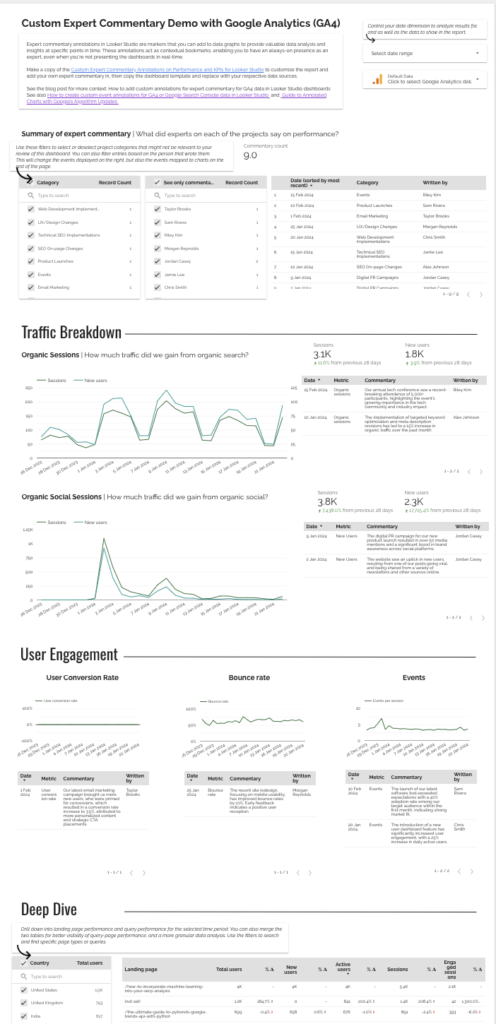
A free Data Studio template I built to blend written commentary with GA4 data, so the reader sees what changed and why on the same page. The commentary lives in a Google Sheet, one row per date, and sits alongside the GA4 charts it explains. I walk through the setup step by step in my tutorial on lazarinastoy.com.
Who it's for
For analysts, consultants and agencies who send GA4 reports and want each period's numbers to arrive with their explanation, not as raw data.
Questions it answers
- What changed in GA4 this period, and why?
- Which movements already have an explanation attached?
- What did the team note or recommend, and when?
Key features
- Commentary from a Google Sheet blended with GA4 data
- Notes keyed by date, shown beside the matching period
- A Google Sheets commentary template to copy
- Step-by-step setup tutorial
Set it up in minutes
- Copy the commentary Google Sheet template: https://docs.google.com/spreadsheets/d/1ok2jcY9IHzuyPp3koFjGk3w5u0Idu_jx9Lbaqlfl5jU/edit?usp=sharing
- Open the Data Studio template, make a copy, and connect your GA4 property and your copy of the Sheet.
- Follow the tutorial for the blend and the layout: https://lazarinastoy.com/how-to-add-custom-annotations-for-expert-commentary-in-looker-studio-dashboards/
FAQs
Is the template free?
Yes. The template and the Sheet are free, and both data sources use Google's own connectors, so nothing else is needed.
Do I need technical skills?
No. The commentary is typed into a Google Sheet; the tutorial covers the blend.
Where is the setup guide?
In my tutorial: https://lazarinastoy.com/how-to-add-custom-annotations-for-expert-commentary-in-looker-studio-dashboards/