
Data Studio template
GA4Dataform Report Template
Web Analytics (GA4) Free
Best for: Technical marketers, analysts and data teams running GA4 -> BigQuery
Inside the report
Overview
A free starter report that visualises GA4 data exported to BigQuery and transformed with GA4Dataform — Mehdi's open-source pipeline for turning raw GA4 events into clean, aggregated tables. It connects to a demo session-scoped dataset and shows how your GA4 data looks across channels, devices and countries, with period-over-period and year-over-year comparisons throughout.
Who it's for
For digital analysts, technical marketers, data teams and developers who export GA4 to BigQuery and want a ready-made report on top of GA4Dataform's session-scoped output — including ecommerce teams tracking sale orders.
Questions it answers
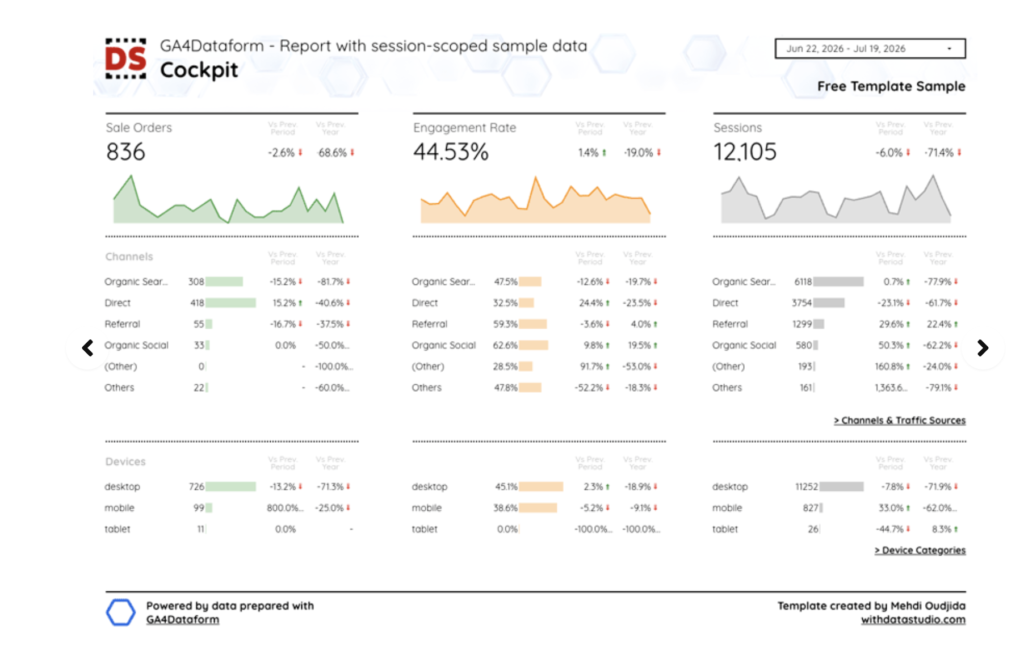
- How are sale orders, engagement rate and sessions trending vs the previous period and vs last year?
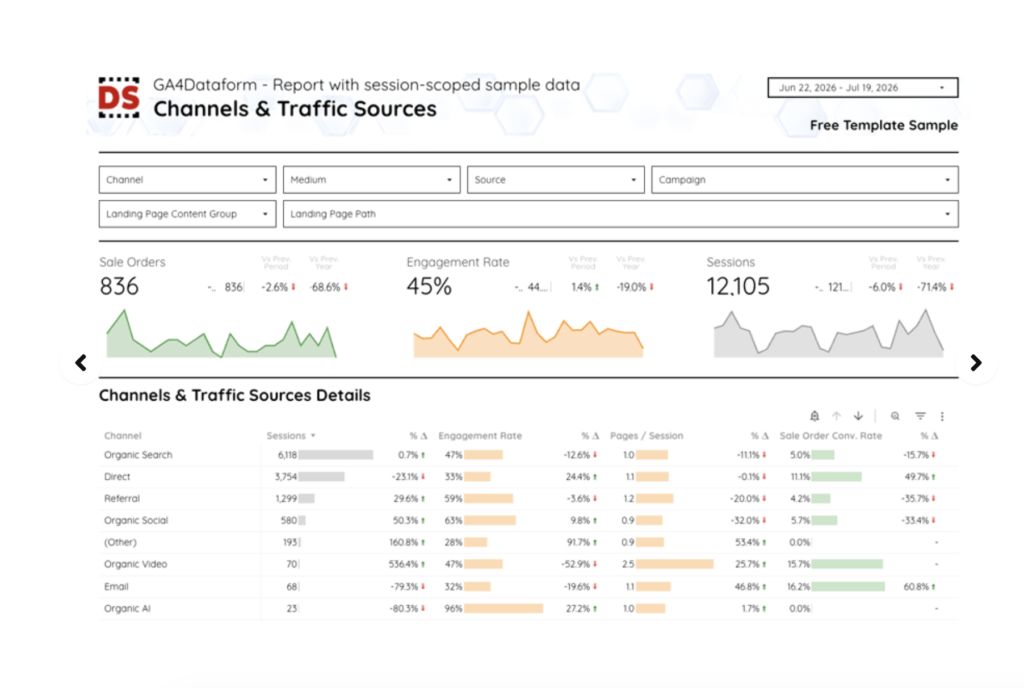
- Which channels and traffic sources drive sessions and orders?
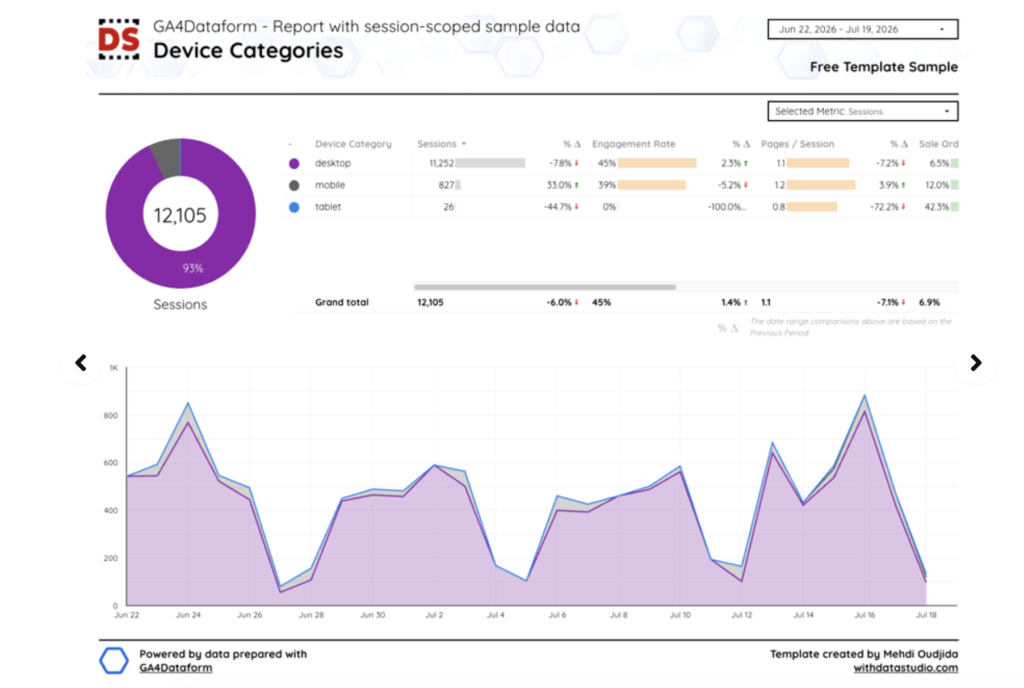
- How does performance differ by device — desktop, mobile and tablet?
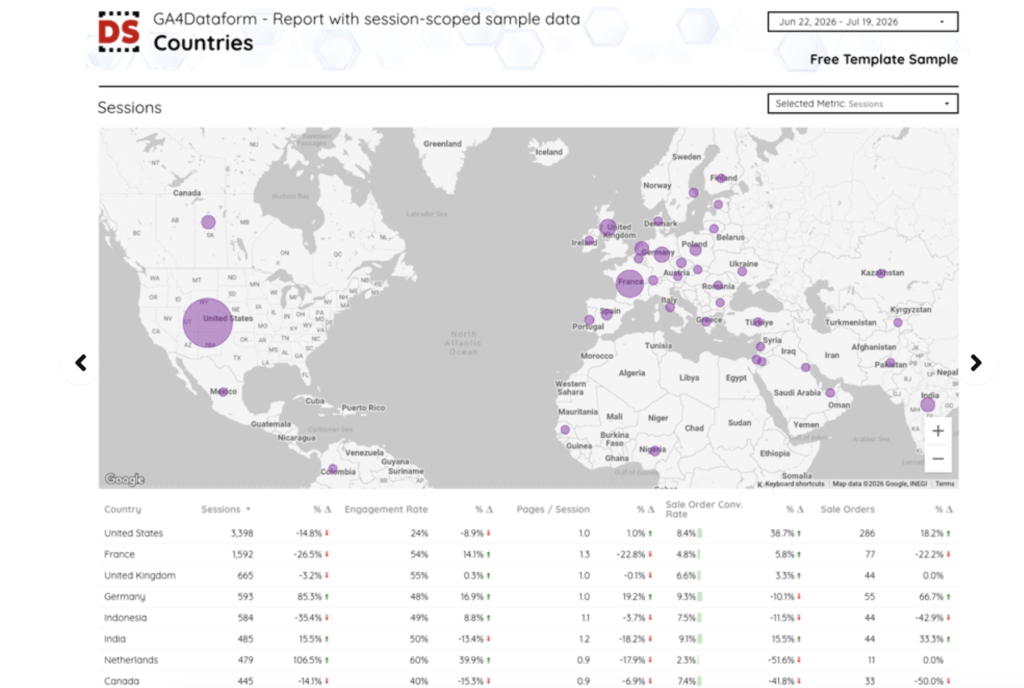
- Which countries generate the most sessions, engagement and orders?
What's inside
4 report pages:
1Cockpitsale orders, engagement rate and sessions, broken down by channel and device
2Channels & Traffic Sourceschannel/medium/source/campaign/landing-page filters and a detailed table
3Countriesa geo map and country table with a selectable metric
4Device Categoriesa device-share donut, table and time-series trend
Key features
- Session-scoped GA4 data prepared with GA4Dataform (BigQuery)
- Vs previous period AND vs previous year comparisons throughout
- Selectable metric on the Countries and Device pages
- Deep filtering by channel, medium, source, campaign and landing page
- Ecommerce-aware: sale orders and sale-order conversion rate
- Covers modern channels including Organic Video and Organic AI
- Geo bubble map, donut, sparklines and time-series visuals
Set it up in minutes
- Get the free template from Mehdi's page (via the checkout link).
- Set up GA4Dataform to transform your GA4 BigQuery export into aggregated session tables.
- Point the report's BigQuery data source at your GA4Dataform output.