
Data Studio template
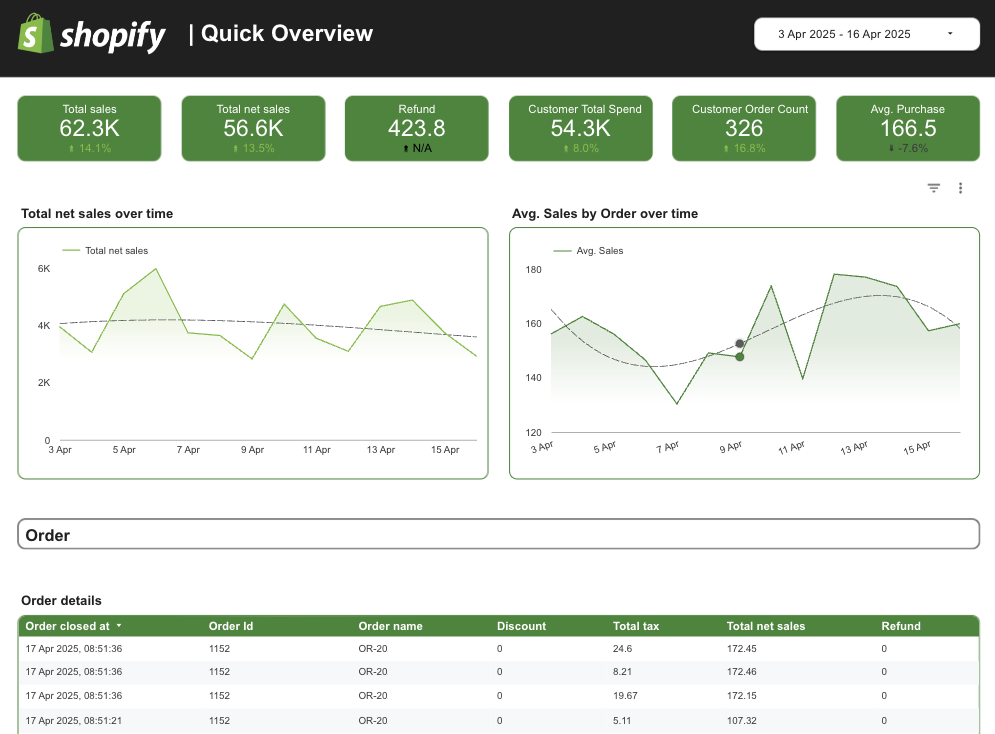
Shopify Data Studio dashboard template
By catchr
Ecommerce Free
Best for: Made for freelancers, agencies, store operators, and ecommerce teams who need a faster way to report on Shopify performance.
Overview
This Shopify Looker Studio template lets you track sales, orders, customers, products, discounts, refunds, taxes, and inventory in one reporting view. It brings ecommerce KPIs together so you can monitor store performance without rebuilding dashboards per client or store.
Who it's for
Made for freelancers, agencies, store operators, and ecommerce teams who need a faster way to report on Shopify performance.
Questions it answers
- Track revenue by date and order
- Compare gross/net sales, refunds, discounts, taxes
- Review customer value metrics
- Monitor product-level performance
- Identify revenue trends and customer behavior
What's inside
1 report page:
1Overview
Key features
- Track total sales, net sales, refunds, discounts and tax
- Review average purchase, average sales and customer spend
- Monitor order count and inventory quantity
- Analyze product-level performance
Set it up in minutes
- Get the template.
- Connect your data through Catchr (no manual exports).
- Open the report in Data Studio — it refreshes automatically.
FAQs
Is the template free?
Yes — the template is free to copy and use. Catchr's connector powers the data and may need a subscription after its free trial.
Do I need technical skills?
No. Connect your account through Catchr and open the report — nothing is built from scratch.
Can I customise it?
Yes. Once you copy it, edit the charts, metrics, filters, colours and layout to match your reporting.
How often does the data update?
It refreshes automatically through Catchr, so the report stays current without manual exports.
Can I use it for client reporting?
Yes. Copy the template, connect the client's account, customise and share straight from Looker Studio.
Who is it for?
Marketers, agencies, freelancers and teams who want faster, ready-made reporting.