
Data Studio template
Data Studio Stripe Overview Report
By Windsor.ai
Ecommerce Free
Best for: For finance and ecommerce teams that want to track Stripe revenue and transactions in Data Studio.
Overview
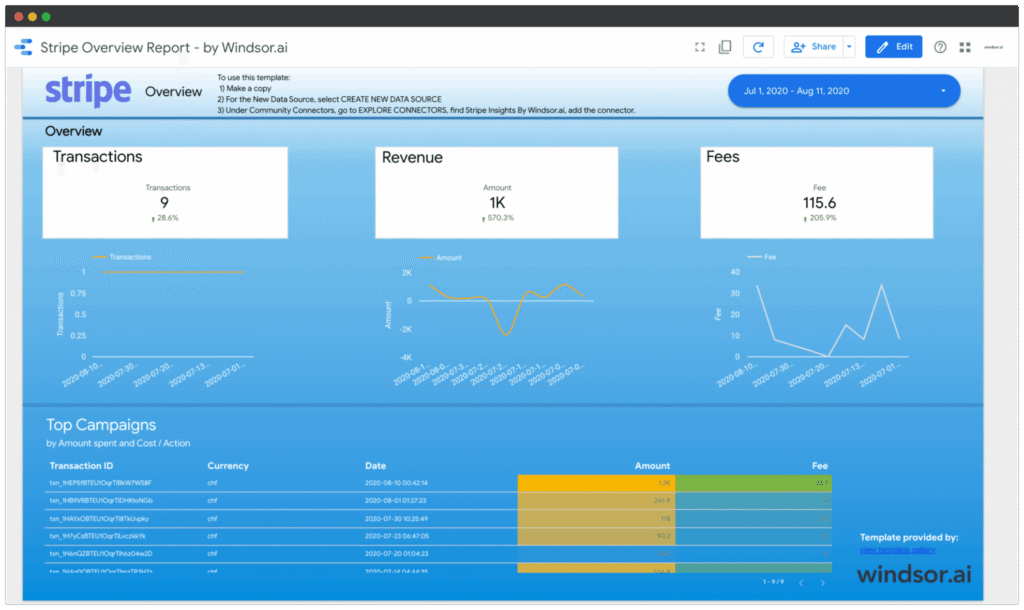
This Data Studio template visualizes Stripe revenue data by connecting directly to Stripe via API with an included Windsor.ai connector. By default it shows transaction data such as transaction ID, fees, and dates, and can be customized to add further dimensions. Setup takes under five minutes and requires a Stripe API key.
Who it's for
For finance and ecommerce teams that want to track Stripe revenue and transactions in Data Studio.
Questions it answers
- How much revenue am I processing through Stripe?
- What fees am I paying on transactions?
- How do transactions trend over time?
- What is the status of my transactions?
What's inside
3 report pages:
1Revenue and transaction overview
2Fees summary
3Transaction detail table
Key features
- Transaction ID and description
- Transaction status
- Customer email
- Transaction date and time
- Transaction fee
- Transaction amount
Set it up in minutes
- Make a copy of the template.
- Connect your data through Windsor.ai — 350+ sources, no manual exports or scripts.
- Your report populates and refreshes automatically in Data Studio.
FAQs
Is the template free?
Yes — the template is free to copy and use. Windsor.ai's connector powers the data and may need a paid plan after its free trial.
Do I need technical skills?
No. Connect your account through Windsor.ai and open the report — nothing is built from scratch.
Can I customise it?
Yes. Once you copy it, edit the charts, metrics, filters, colours and layout to match your reporting.
How often does the data update?
It refreshes automatically through Windsor.ai, so the report stays current without manual exports.
Can I use it for client reporting?
Yes. Copy the template, connect the client's account, customise and share straight from Data Studio.
Which data sources are supported?
Windsor.ai connects 350+ marketing and business sources, so you can extend the template well beyond its default connector.