
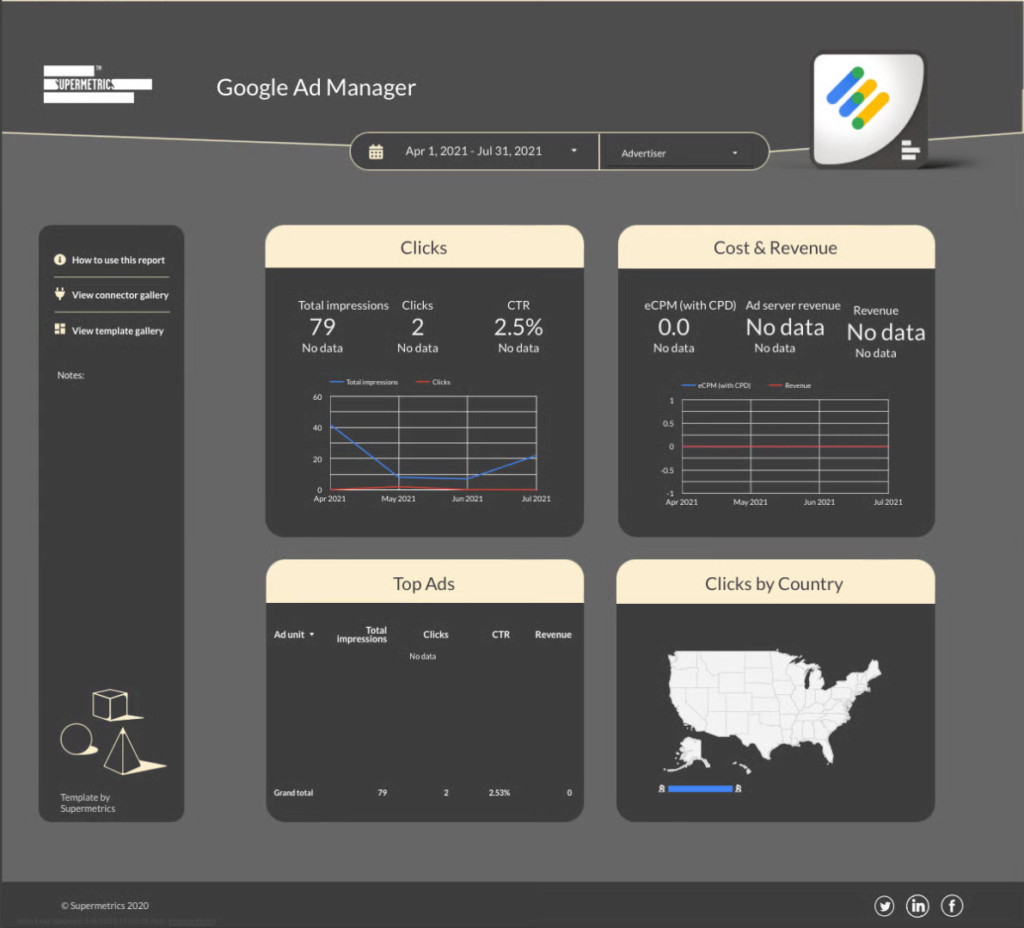
Data Studio template
Google Ad Manager Data Studio dashboard template
By Supermetrics
PPC / Paid Media Free
Best for: For publishers and ad operations teams monitoring inventory delivery, yield, and revenue in Google Ad Manager.
Overview
This Data Studio template reports Google Ad Manager inventory performance through the Supermetrics connector. It shows clicks, impressions, revenue, eCPM, ad unit breakdowns, and geographic distribution. The connector setup takes four steps and copies the template into your own Looker Studio account.
Who it's for
For publishers and ad operations teams monitoring inventory delivery, yield, and revenue in Google Ad Manager.
Questions it answers
- How many impressions and clicks did the inventory generate?
- How is eCPM trending month over month?
- Which ad units generate the most revenue?
- Which countries deliver the most clicks?
What's inside
4 report pages:
1Overall ad performance
2Revenue and monetization insights
3Geographic insights
4Inventory optimization and trends
Key features
- Impressions and clicks over time
- Overall CTR and its trend
- Total revenue for the selected period
- eCPM month-over-month trend
- Revenue and engagement by ad unit and advertiser
- Clicks and CTR by country
Set it up in minutes
- Open the template and choose to use your own data.
- Connect the source through the Supermetrics connector for Looker Studio (free trial, then a paid plan).
- The report copies into your own Data Studio account and refreshes automatically.
FAQs
Is the template free?
Yes — the template itself is free to copy. The Supermetrics connector that feeds it has a free trial and then requires a paid plan.
Do I need technical skills?
No. Authorise the data source through Supermetrics and the template fills with your own data — nothing is built from scratch.
Can I customise it?
Yes. Once copied into your account, edit the charts, metrics, filters, colours and layout to match your reporting.
How often does the data update?
Supermetrics refreshes the data on a schedule, so the report stays current without manual exports.
Can I use it for client reporting?
Yes. Copy the template, connect the client's account, customise and share straight from Data Studio.
Which other tools does Supermetrics support?
Besides Data Studio, Supermetrics delivers to Power BI, Google Sheets, Excel, BigQuery, Snowflake and Tableau.