
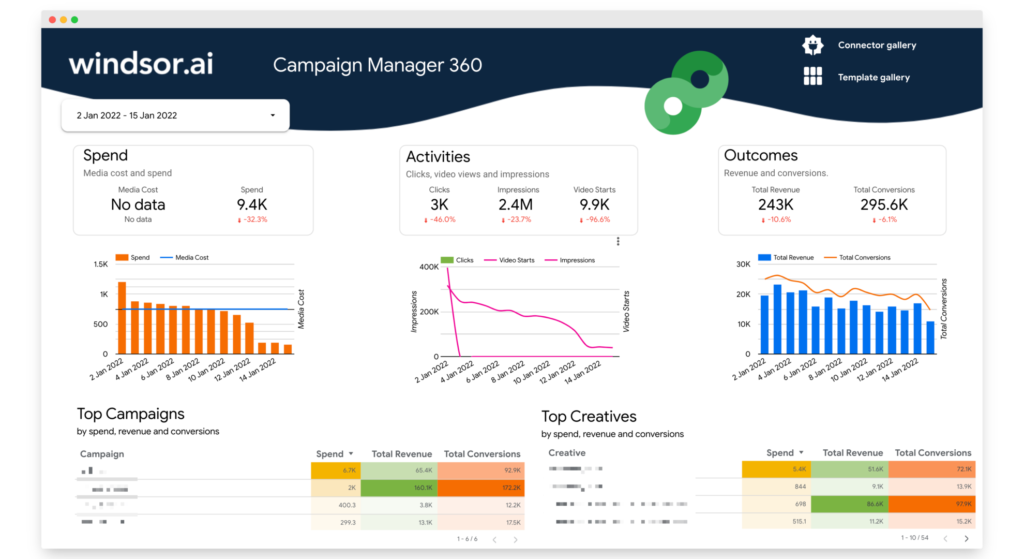
Campaign Manager 360 (DCM) Overview Data Studio report template
By Windsor.ai
Best for: For advertisers and agencies running programmatic campaigns in Campaign Manager 360 who want campaign, creative and placement reporting in Data Studio.
Overview
This template visualises Campaign Manager 360 (formerly DoubleClick Campaign Manager/DCM) campaign, creative and placement data in Data Studio via the Windsor.ai connector. It intentionally uses a subset of the available dimensions to keep the dashboard simple, with the full list of supported metrics available in the connector. Setup takes about two minutes and requires logging in with a Google account linked to Campaign Manager 360.
Who it's for
For advertisers and agencies running programmatic campaigns in Campaign Manager 360 who want campaign, creative and placement reporting in Data Studio.
Questions it answers
- How are my Campaign Manager 360 campaigns performing?
- Which creatives and placements deliver the best results?
- How do impressions and clicks compare across placements?
- What additional CM360 dimensions can I add?
What's inside
2 report pages:
Key features
- Campaign level reporting
- Creative performance
- Placement performance
- Impressions and clicks
- Expandable dimension set
- Windsor.ai CM360 connector
Set it up in minutes
- Make a copy of the template.
- Connect your data through Windsor.ai — 350+ sources, no manual exports or scripts.
- Your report populates and refreshes automatically in Data Studio.