
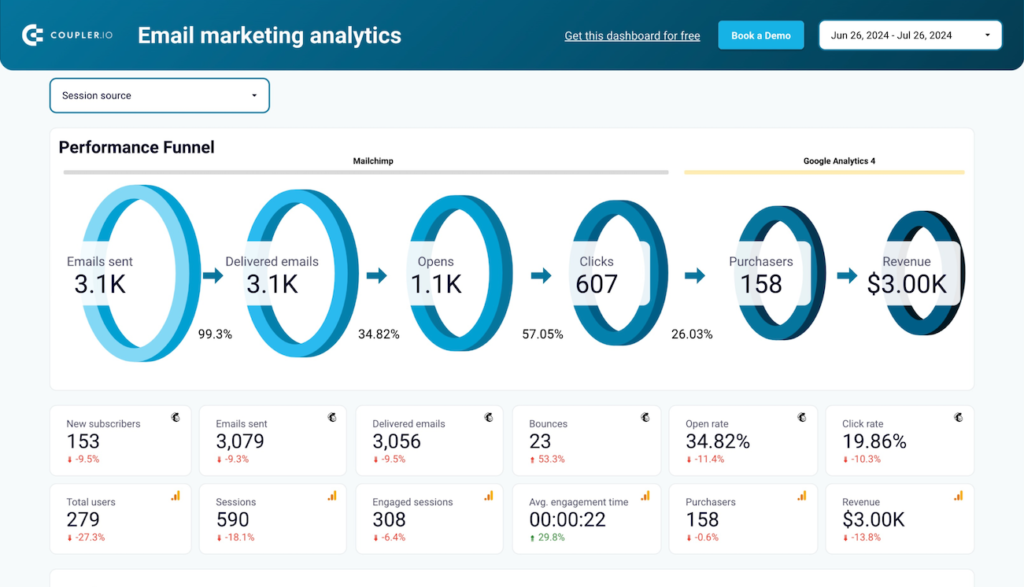
Marketing Funnel Data Studio dashboard template
By Coupler.io
Best for: For marketing teams and agencies that want a single view of how ad, email, and analytics channels move prospects through awareness, consideration, and conversion.
Overview
This is a Data Studio template that tracks prospects across the full marketing funnel, from first impression to purchase, using data pulled in through Coupler.io. It combines advertising, email marketing, and website analytics data from sources like Facebook Ads, Google Ads, Klaviyo, Mailchimp, and Google Analytics 4 to show conversion rates at each stage. Coupler.io refreshes the data on a schedule so the reporting stays current without manual exports.
Who it's for
For marketing teams and agencies that want a single view of how ad, email, and analytics channels move prospects through awareness, consideration, and conversion.
Questions it answers
- Where are prospects dropping off in the funnel?
- Which channels drive the most qualified leads?
- How do email campaigns contribute to revenue?
- Which touchpoints combine to produce conversions?
What's inside
4 report pages:
Key features
- Full-funnel conversion tracking
- Cross-platform attribution
- Email funnel performance
- Lead generation reporting
- Automated data refresh via Coupler.io
- Built in Data Studio
Set it up in minutes
- Make a copy of the template.
- Connect your sources through Coupler.io — 400+ integrations, no code.
- Your dashboard populates and refreshes automatically in Data Studio (also available for Sheets, Power BI and Tableau).