
Nightwatch Rank Tracking Keywords Explorer Data Studio dashboard
Best for: For SEO consultants who track keywords in Nightwatch and want rankings, position changes and the URLs behind them in their Data Studio reporting, next to Search Console.
Inside the report
Overview
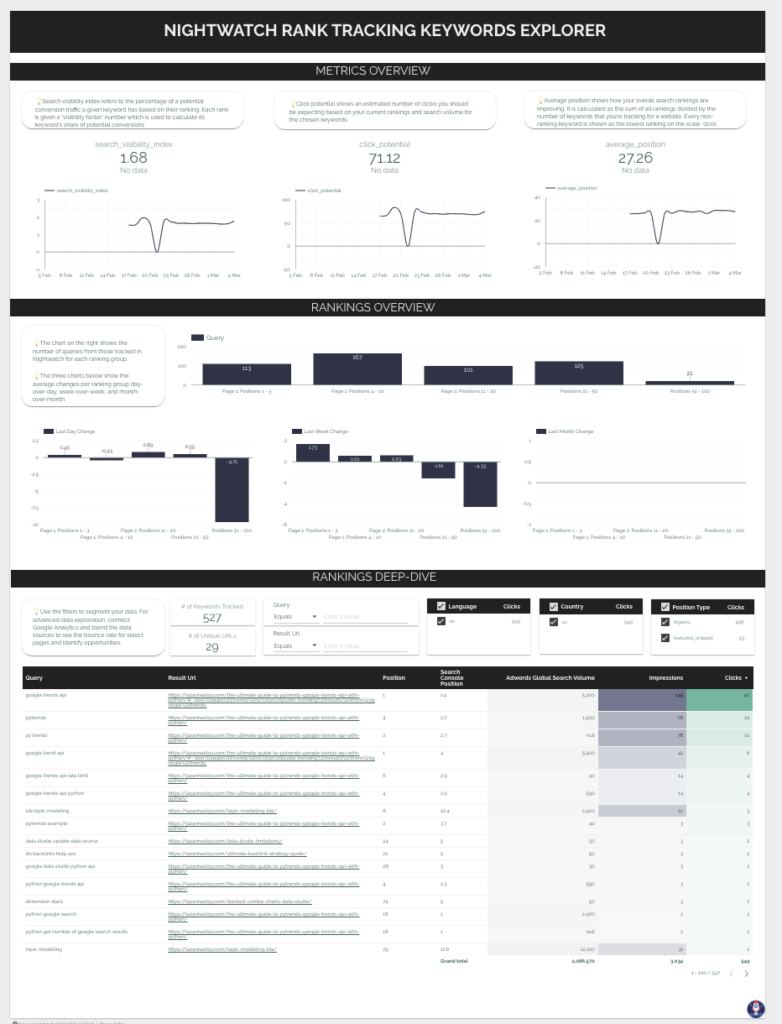
A free Data Studio dashboard I built in 2022 to bring keyword tracking from Nightwatch into existing reporting. It's one page in three parts: a metrics overview (search visibility index, click potential and average position over time), a rankings overview (how many tracked queries sit in each ranking group, and the average day-over-day, week-over-week and month-over-month change per group) and a rankings deep-dive (every tracked query, the URL that ranks for it, its position and search volume, with Search Console clicks and impressions alongside).
It runs on two data sources: a Google Sheet that pulls the full keyword ranking dataset from the Nightwatch API, and Nightwatch's own Data Studio connector, Nightwatch SEO Tracker, for the site-level metrics. One thing I love about Nightwatch's API is that it enables a wide array of operations, which you can bring into Google Sheets with an Import JSON Apps Script and no code. You can also blend the data with GA4 or Search Console for an even more detailed understanding of site performance.
When I built it, the Nightwatch team was still working on a new connector, which is why the keyword-level data comes through a Sheet. Nightwatch's Data Studio connector now covers keyword rankings, search volume and SERP features too, so you can also point the deep-dive charts straight at the connector and skip the Sheet.
Who it's for
For SEO consultants who track keywords in Nightwatch and want rankings, position changes and the URLs behind them in their Data Studio reporting, next to Search Console.
Questions it answers
- How are the site's search visibility index, click potential and average position trending?
- How many tracked keywords sit in positions 1–3, 4–10, 11–20, 21–50 and 51–100?
- Which ranking groups gained or lost ground day over day, week over week and month over month?
- Which URL ranks for each tracked query, and what is its global and local search volume?
- How do tracked positions line up with Search Console clicks and impressions?
Key features
- Search visibility index, click potential and average position, with trends
- Ranking distribution by position group (1–3, 4–10, 11–20, 21–50, 51–100)
- Average position change per group: last day, last week, last month
- Keyword deep-dive table with ranking URL, position, search volume, clicks and impressions
- Filters for query, ranking URL, language, country and position type (organic or featured snippet)
- A companion Google Sheet that pulls the Nightwatch API without code
Set it up in minutes
- Pull your Nightwatch data into Google Sheets. Copy the API Sheet template (make a copy), enter your Nightwatch URL number (the 6-digit number in the site's dashboard URL) and an API key generated under Settings > API access. My tutorial covers the script step by step: https://www.datastudioformarketers.com/nightwatch-api-google-sheets-data-studio/
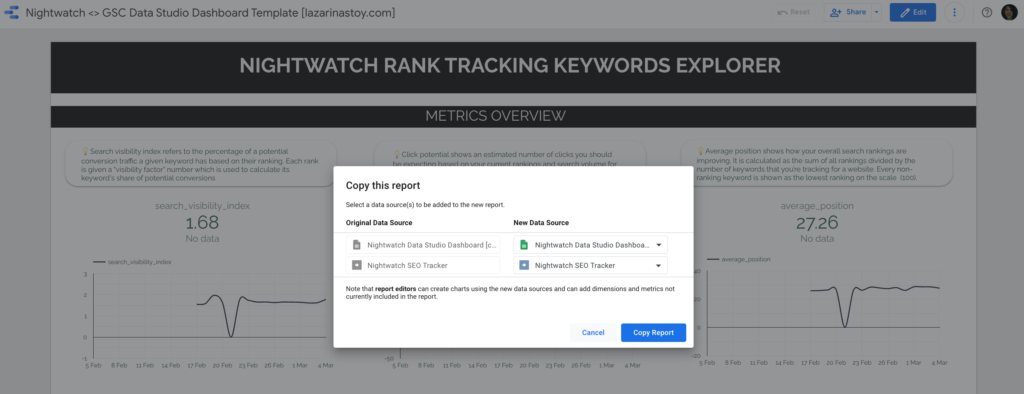
- Open the Data Studio template, make a copy, and connect your copy of the Sheet and the Nightwatch SEO Tracker connector as the two data sources.
- Build any extra fields you need. The ranking distribution field is a custom field on the Position metric; the formula is in my custom dimension formulas guide: https://www.datastudioformarketers.com/custom-dimension-formulas-data-studio/