
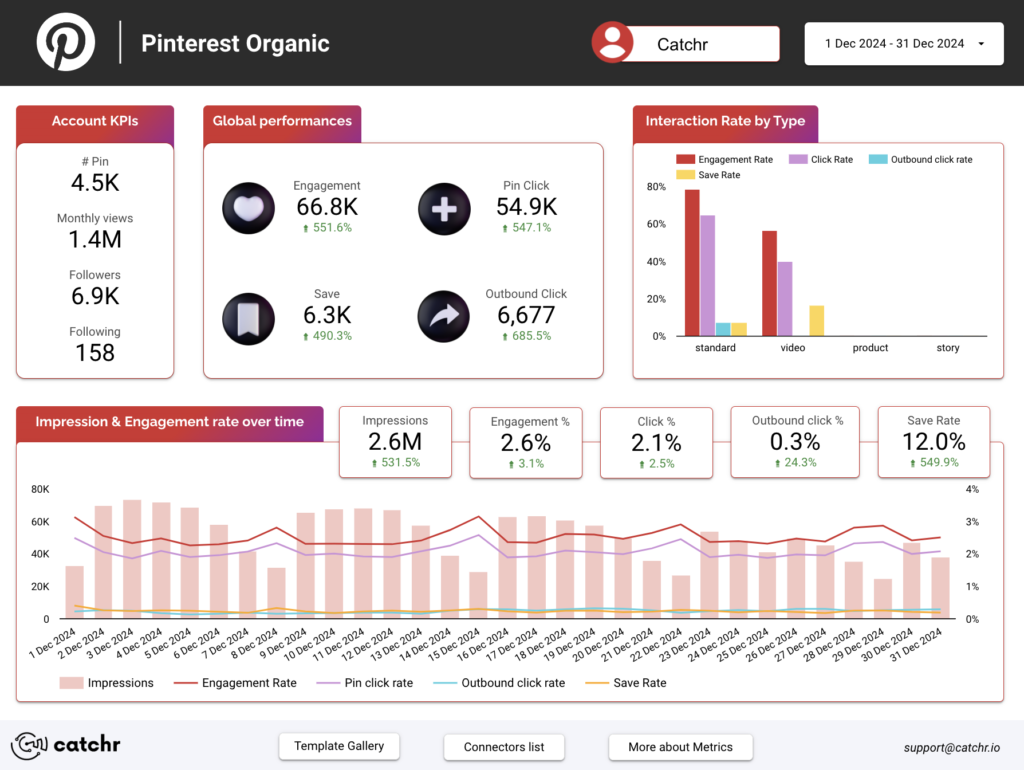
Pinterest Organic Data Studio dashboard template
By catchr
Best for: For freelancers, agencies, and consultants, this dashboard supports recurring Pinterest reporting, content reviews, and client check-ins for organic performance.
Overview
This template gives freelancers, agencies, and marketing teams a focused view of organic Pinterest performance in one reporting page. It brings together account-level KPIs such as Pin count, monthly views, followers, following, impressions, engagement, engagement rate, clicks, saves, outbound clicks, and the related rates. It helps identify which Pin formats and individual Pins attract attention, generate saves, and drive outbound traffic.
Who it's for
For freelancers, agencies, and consultants, this dashboard supports recurring Pinterest reporting, content reviews, and client check-ins for organic performance.
Questions it answers
- What can I track with this Pinterest Organic dashboard template?
- Who is this template built for?
- How does this template help with content decisions?
- Can this be used for client reporting?
- Why use a template instead of building from scratch?
Key features
- Track organic KPIs: Pin count, monthly views, follower count, following count
- Monitor impressions, engagement, engagement rate, pin clicks, and pin click rate
- Analyze saves, save rate, outbound clicks, and outbound click rate
- Compare performance by username, Pin format, Pin title, and Pin link
- Identify which Pin formats and individual Pins drive attention and traffic
Set it up in minutes
- Get the template.
- Connect your data through Catchr (no manual exports).
- Open the report in Data Studio — it refreshes automatically.