
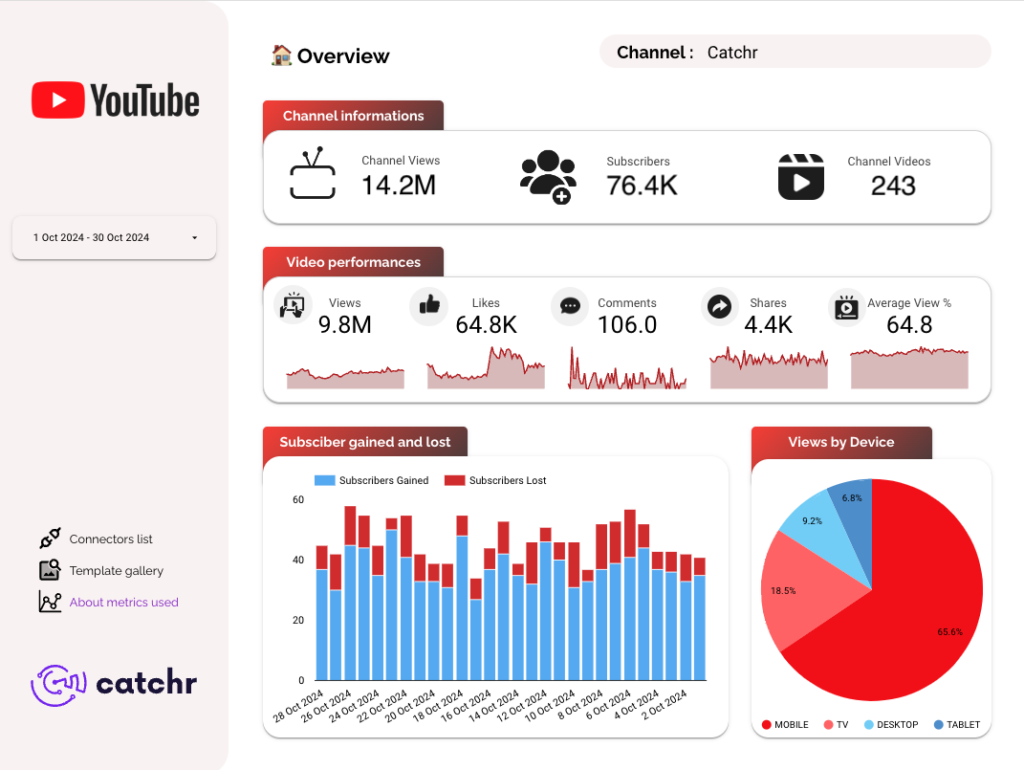
YouTube Analytics Data Studio dashboard template
By catchr
Best for: Freelancers, agencies, and marketing practitioners reporting on YouTube performance for their own channels or client accounts. Designed for those needing recurring reporting without rebuilding charts from scratch.
Overview
Monitor channel growth, video performance, and audience engagement from one reporting view. Built around essential KPIs including views, subscribers, likes, comments, shares, and subscriber movement, it turns YouTube Analytics data into practical dashboards for content reviews and client presentations.
Who it's for
Freelancers, agencies, and marketing practitioners reporting on YouTube performance for their own channels or client accounts. Designed for those needing recurring reporting without rebuilding charts from scratch.
Questions it answers
- What can I track with this YouTube Analytics template?
- Can I analyze performance by individual video?
- Does the template help compare YouTube performance over time?
- Can I use this dashboard for client reporting?
What's inside
2 report pages:
Key features
- Track channel-level performance with views, subscriber count, and total video count
- Review engagement signals (likes, comments, shares, average view percentage)
- Measure subscriber movement (gained/lost)
- Analyze performance by video title, date, month, year, and device type
Set it up in minutes
- Get the template.
- Connect your data through Catchr (no manual exports).
- Open the report in Data Studio — it refreshes automatically.