
The best AgencyAnalytics alternative depends on why you’re leaving: DashThis or Swydo if it’s the per-client bill, Data Studio with a connector if it’s rigid report design, Databox if you want monitoring and an AI analyst, and Whatagraph if you need a bigger managed platform. AgencyAnalytics costs $20 per client per month billed annually ($25 monthly), and at some client counts it’s still the cheaper option.
This guide covers why agencies look elsewhere (counted from 45 reviews and 14 forum threads), a shortlist of ten alternatives with their prices read on 13 October 2026, a mini-review of each, what the bill looks like from 1 to 30 clients, how to pick by the problem you’re solving, and when staying put is the better decision. AgencyAnalytics isn’t a partner of this site; neither are DashThis, Databox, Whatagraph, Swydo or Porter Metrics. Four of the connectors are, and they get the same scrutiny.
Price your own setup. The reporting cost calculator runs these numbers for your clients, platforms and billing, with every route side by side.
What AgencyAnalytics gives you for $20 per client
Start with what you’d be replacing. AgencyAnalytics charges per client, and each client gets the whole product.
| AgencyAnalytics | |
|---|---|
| Price | $20 per client per month billed annually · $25 billed monthly |
| Per client | Unlimited data sources, reports, dashboards and staff accounts |
| Integrations | 85+ |
| Included | White-labelled client portal, automated client reports, goals, alerts and anomaly detection, AI insights, benchmarks and forecasting, MCP access for ChatGPT and Claude |
| Add-ons (annual) | Rank Tracker $41.67/mo per 500 keywords · AI Tracker $20.83/mo per 250 credits |
| 25+ clients | Discounted per-client pricing, database connectors, priority support (quote) |
| Trial | 14 days, no card; 30-day money-back |
| Ratings | G2 4.7 (462) · Capterra 4.8 (116) · Trustpilot 3.4 (24), read 13 Oct 2026 |
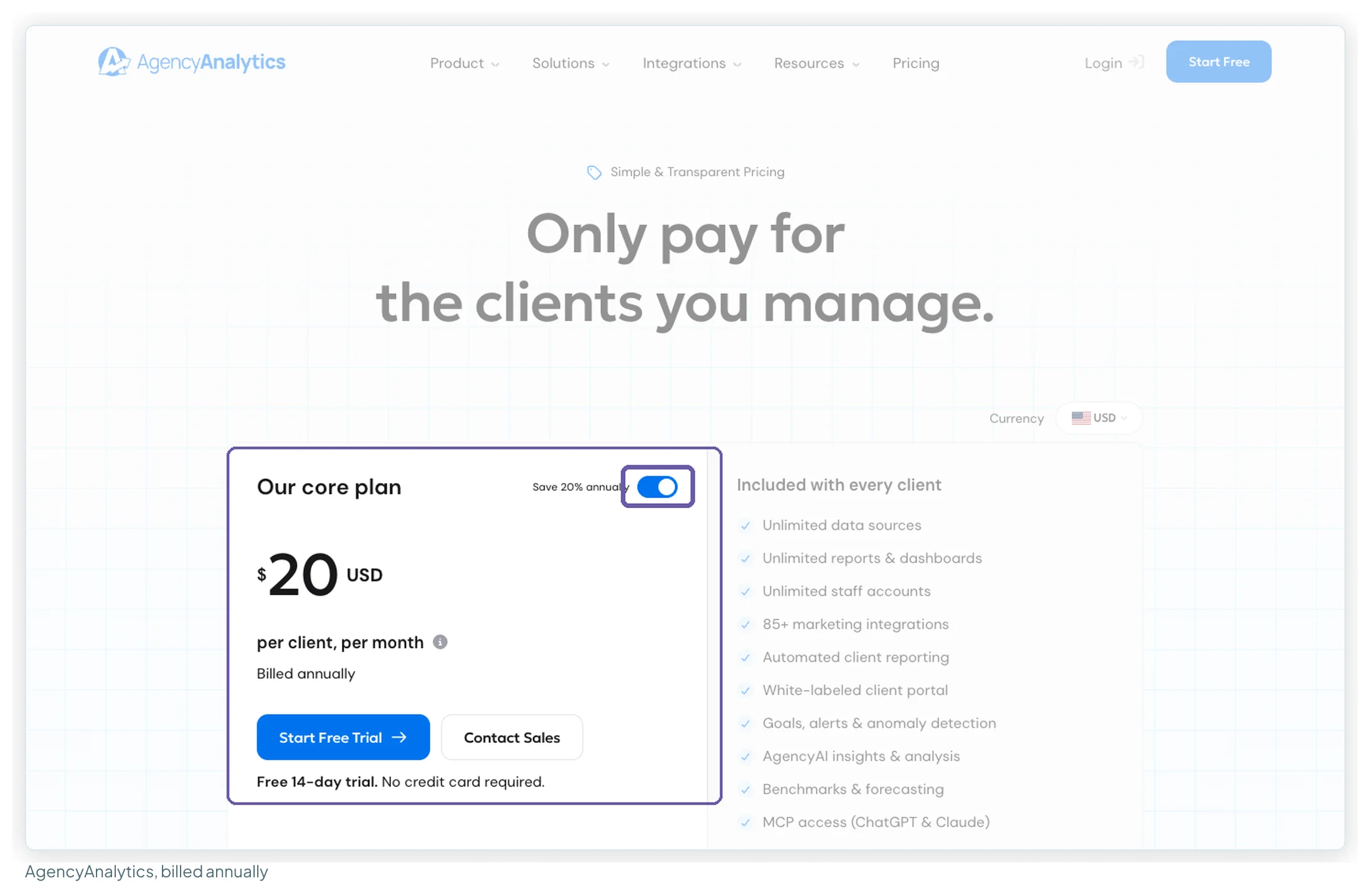
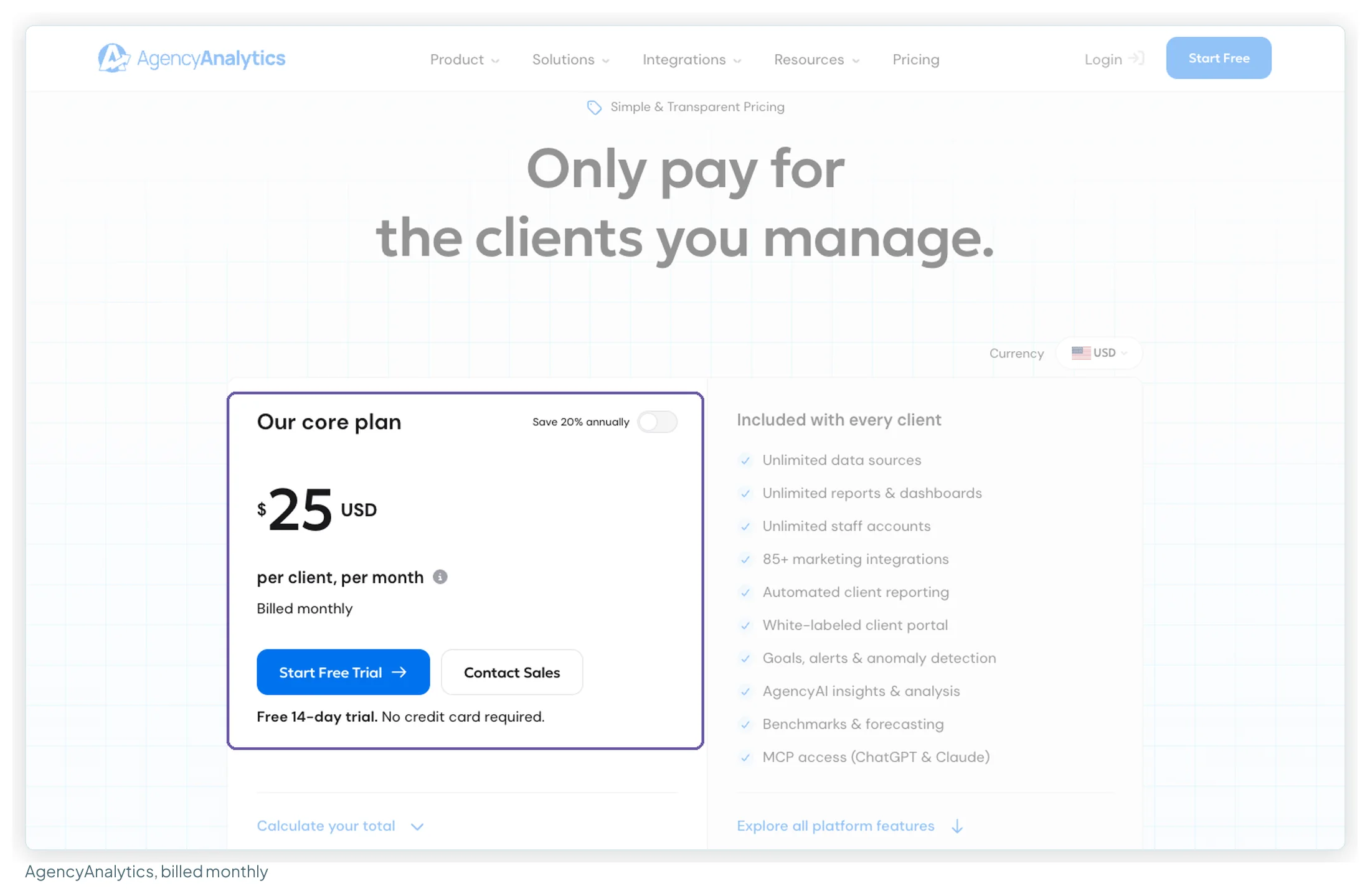
Several pages that rank for this search still quote the old tiered plans (Freelancer around $59–79 for 5 clients, Agency $239 for 10). AgencyAnalytics’ pricing page now shows only the per-client plan, so I’ve used that throughout.
Why agencies look for alternatives
I coded 45 reviews (25 on Capterra, 20 on Trustpilot) and 14 forum threads that Google surfaces for this search. The pattern is fairly clear: people like the product and the support, and the reasons to leave are about design freedom and cost.
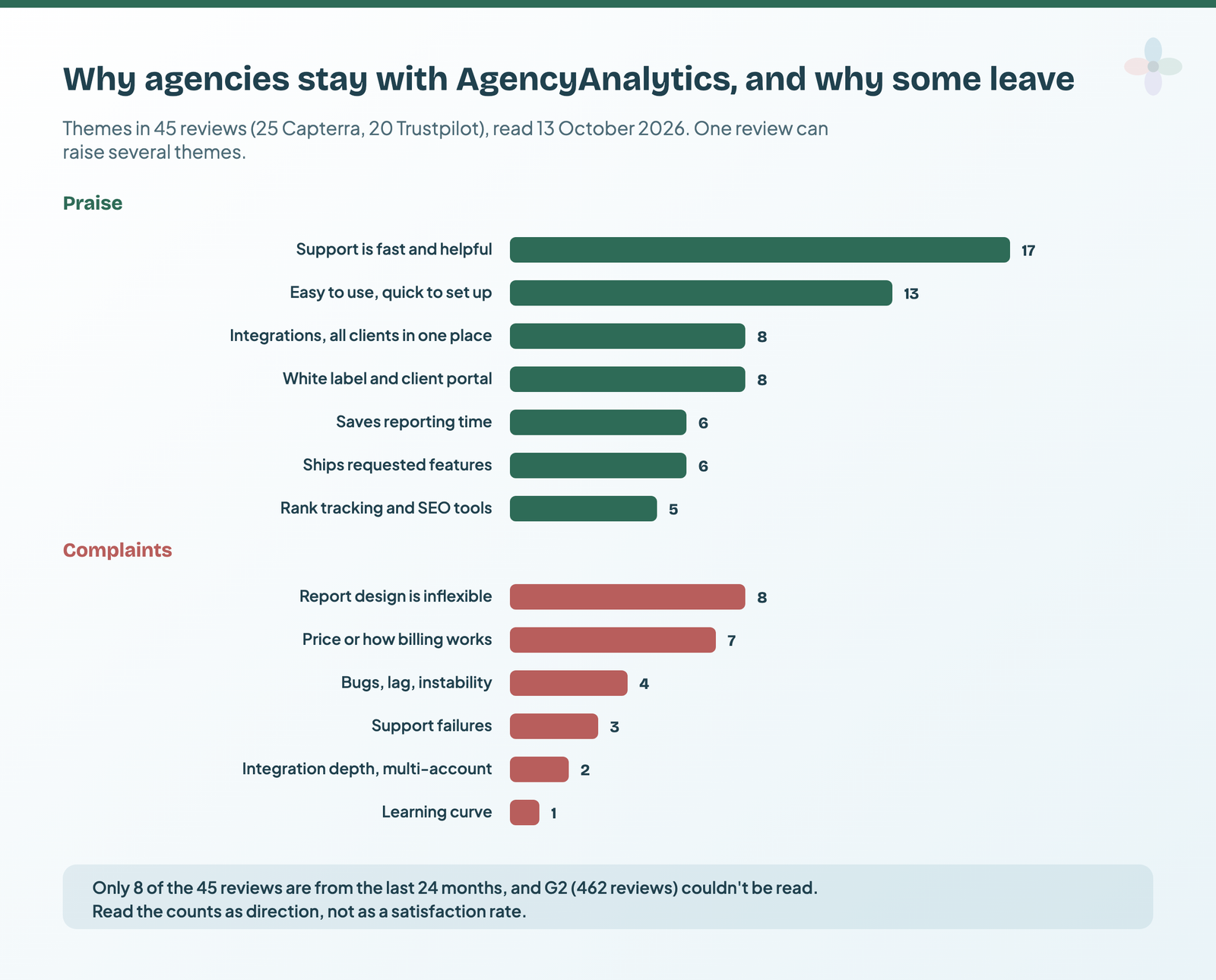
- Report design is inflexible (8 of 45). Cover pages, themes, text blocks and layout come up again and again. One Capterra reviewer called the report cover page “super ugly” with “no options to customize this”.
- Price, or how billing works (7 of 45). The per-client cost itself, and being billed for campaigns that had been deleted (AgencyAnalytics added an in-app warning about this in February 2025, per its reply on Trustpilot).
- Bugs, lag or support that didn’t come through (7 of 45 between them). A September 2026 Trustpilot reviewer described the interface as laggy and the cost as high, and said they’d switched.
- Forums: in 4 of the 14 threads, someone compares AgencyAnalytics’ dashboards with what they’d build in Data Studio; 3 mention limits on flexibility, integrations or trust in the data; 2 say the real time sink is writing the monthly commentary, not the dashboard. A 2025 r/marketing comment claims a MySQL integration cost “$700/mo on top”; the current pricing page puts database connectors in the 25+ client tier, by quote.
Only 8 of the 45 reviews are from the last two years, and G2’s 462 couldn’t be read, so treat these as direction rather than a satisfaction score. Two reviewers in the sample had moved to AgencyAnalytics from Data Studio because their dashboards kept breaking, which is the other side of the same trade-off.
The shortlist: ten alternatives at a glance
Prices from each vendor’s pricing page, read on 13 October 2026; annual billing first, then monthly. Ratings with review counts, read the same day.
| Tool | Best for | Starting price | Rating | Free plan | Verdict |
|---|---|---|---|---|---|
| DashThis | Fast white-labelled reports | $44/mo yearly · $54 monthly (3 dashboards) | G2 4.7 (94) | Trial | The closest like-for-like, priced per dashboard |
| Swydo | Many clients on few platforms | €62/mo annual · €69 monthly (10 sources) | Capterra 4.6 (96) | Trial | No per-client fee; you pay per connected source |
| Databox | KPI monitoring and AI analysis | Agency $79/mo annual · $99 monthly (4 clients) | Capterra 4.6 (205) | Yes, 1 user | Strong analysis; white label costs $200/mo extra |
| Whatagraph | Larger agencies, many channels | €999/mo, annual only | Capterra 4.4 (84) | No | Built for scale, priced for it |
| Data Studio | Google-only reporting | $0 | TrustRadius 8.2/10 (335) | Yes | Free if every source is a Google product |
| Data Studio + Windsor.ai | Many accounts, few platforms | $19/mo annual · $23 monthly | G2 4.4 (90) | Yes, 1 source | 75 accounts on the entry plan |
| Data Studio + Porter Metrics | Paying only for what you connect | $12.50 per account annual · $15 monthly | G2 4.6 (288) | Yes, read-only | Per-account price falls with volume |
| Data Studio + Supermetrics | One brand, many platforms | €39/mo yearly · €49 monthly (EU view) | Capterra 4.4 (109) | Trial | Accounts-per-source cap limits agency use |
| Data Studio + Coupler.io | Few accounts, many app sources | $24/mo annual · $32 monthly | Capterra 4.9 (111) | Yes, manual refresh | Widest source list; pay per account |
| Data Studio + Catchr | Small agencies, a few platforms | $239/yr · $24 monthly | Too few reviews to rate | Trial | 10 accounts on Starter, 30 on Momentum |
What I compared them on
The same six questions for every tool, because they’re the ones that decide whether a switch works:
- What the price counts: clients, dashboards, sources, accounts or users, and the bill at 5, 10 and 25 clients.
- White-labelling: included, an add-on, or something you design yourself.
- Client access: a portal with logins, a shareable link, or a PDF.
- Design freedom: presets and widgets, or a free-form canvas.
- Coverage: the marketing platforms agencies report on, and whether they cost extra.
- What users say: ratings with counts, and the recurring praise and complaints.
How this comparison was researched
No test accounts were used for this version, so nothing here is a test result. What it’s built on:
- Pricing pages for all eleven tools, read on 13 October 2026 in a real browser, with billing toggles in both positions where a page has one. Every pricing screenshot below is from that session.
- Reviews: 45 for AgencyAnalytics, 25 for Swydo, and between 3 and 49 for each of the others, from Capterra, Trustpilot, TrustRadius, Gartner and app marketplaces, coded by theme. Ratings are given with the site and review count.
- Forums: 14 threads about AgencyAnalytics, read through Google’s snippets because Reddit blocks automated reading.
- The ranking articles: the top results for “agencyanalytics alternatives”, including vendors’ own comparison pages, with every price they quote checked against the vendor’s pricing page.
A hands-on round with the same client data in each tool is planned for this post.
The reporting platforms
These replace AgencyAnalytics like for like: connectors, dashboards and client delivery in one product.
1. DashThis
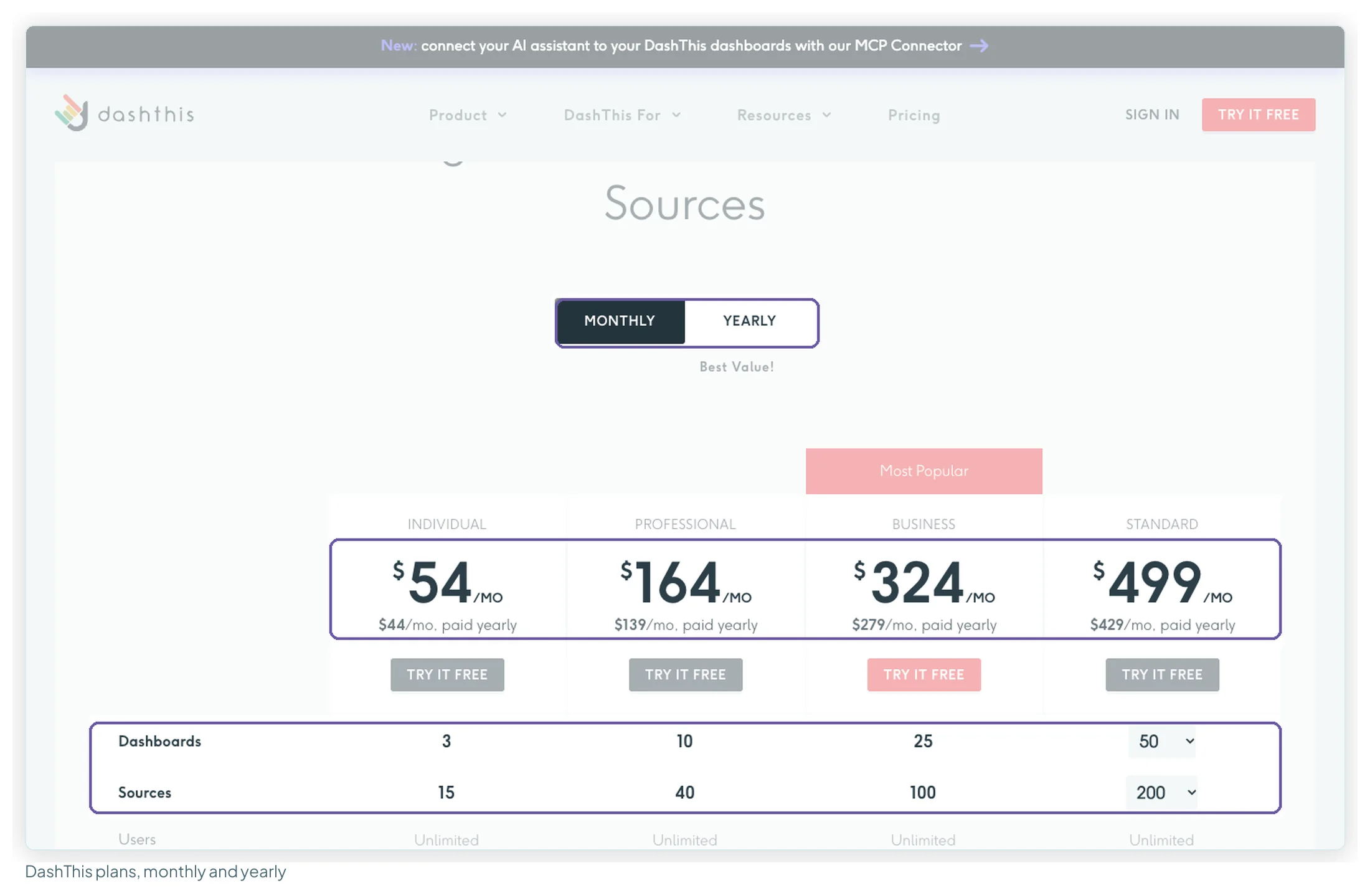
| Plan | Paid yearly | Monthly | Dashboards · sources |
|---|---|---|---|
| Individual | $44/mo | $54/mo | 3 · 15 |
| Professional | $139/mo | $164/mo | 10 · 40 |
| Business | $279/mo | $324/mo | 25 · 100 |
Best for: agencies that want a branded report out of the door quickly. One “dashboard” is one client report with any number of platforms, and white-labelling (logo, colours, custom domain, custom sender email) is on every plan. Strengths: ease of use is the dominant review theme (20 of 28 reviews), and personal support the second (14). Weaknesses: limited customisation or dated visuals (6 of 28), no client portal (clients get a URL, PDF or scheduled email), daily data import, and a source cap that counts every connected account. Its review footprint is small and old: only 2 of 28 reviews are from the last two years. Choose it if the per-client bill is the problem and you have 3, 7–10 or 14–25 clients, where it undercuts AgencyAnalytics on annual billing (on monthly billing, 3, 7–10 and 13–25).
2. Swydo
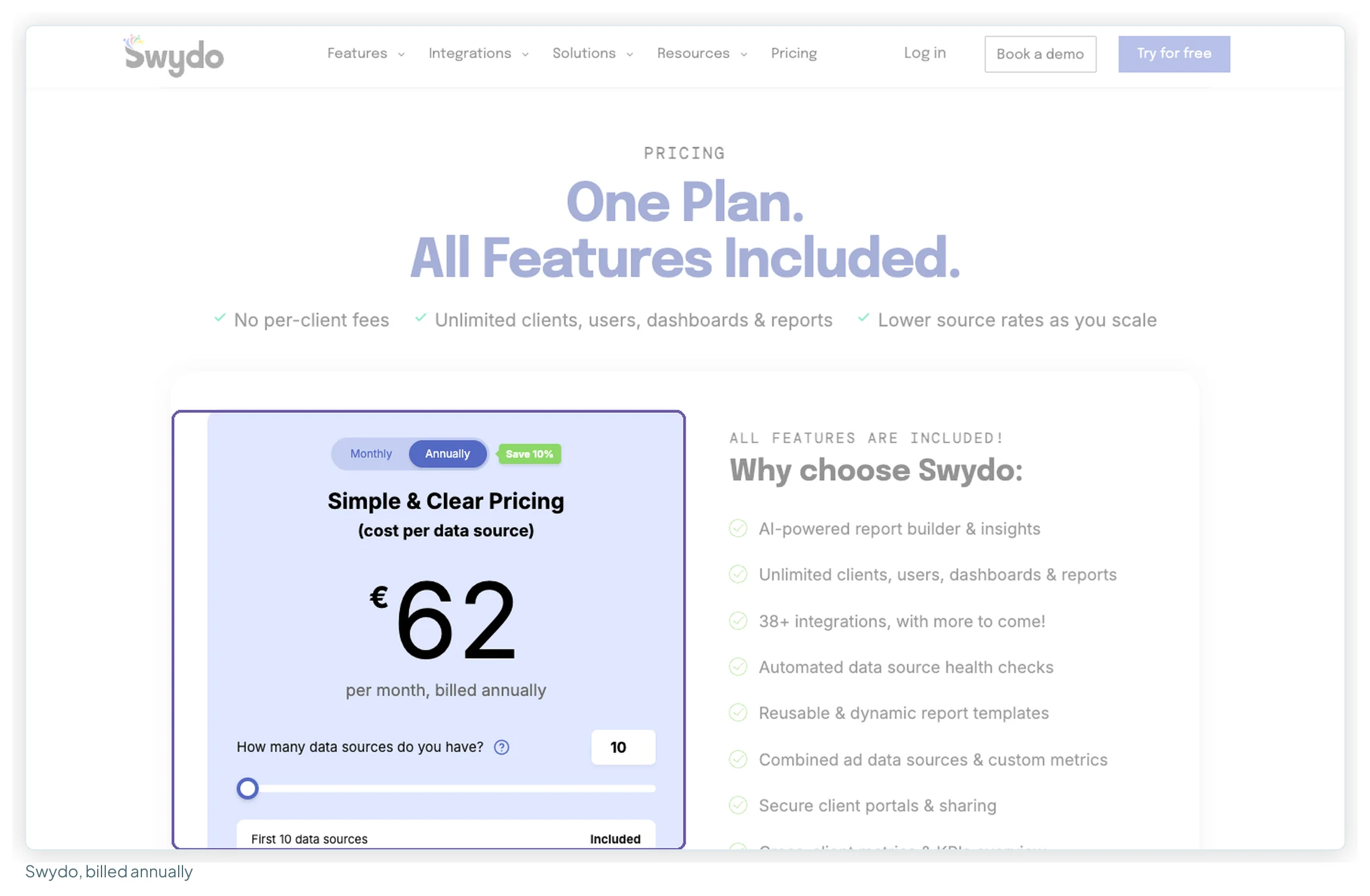
| Data sources | Price |
|---|---|
| First 10 | €62/mo billed annually · €69 billed monthly |
| 11–100 | +€4.50 each per month |
| 101–500 | +€3.00 each |
| 501+ | +€2.00 each |
Best for: agencies with many clients on two or three platforms each. One plan, with unlimited clients, users, dashboards and reports, white-labelling, a custom domain, a client portal, goals and Slack alerts, and AI report summaries. The page lists 38+ integrations, and its prices show in euros from Europe. Strengths: in the 25 reviews on Capterra’s first page, ease of use and quick templating come up in 17 and support in 7; four reviewers say it was quicker to set up than Data Studio, while one thought Data Studio was pulling ahead on layout editing. Weaknesses: limited layout customisation (7 of 25), and billing (6 of 25), including a connection that had expired still counting as a source and a past price increase one reviewer put at “over 500%”. An r/PPC user wrote around 2024 that the cost had “suddenly tripled”. Choose it if you want a portal and white-label without a per-client fee, and your clients use few platforms each.
3. Databox
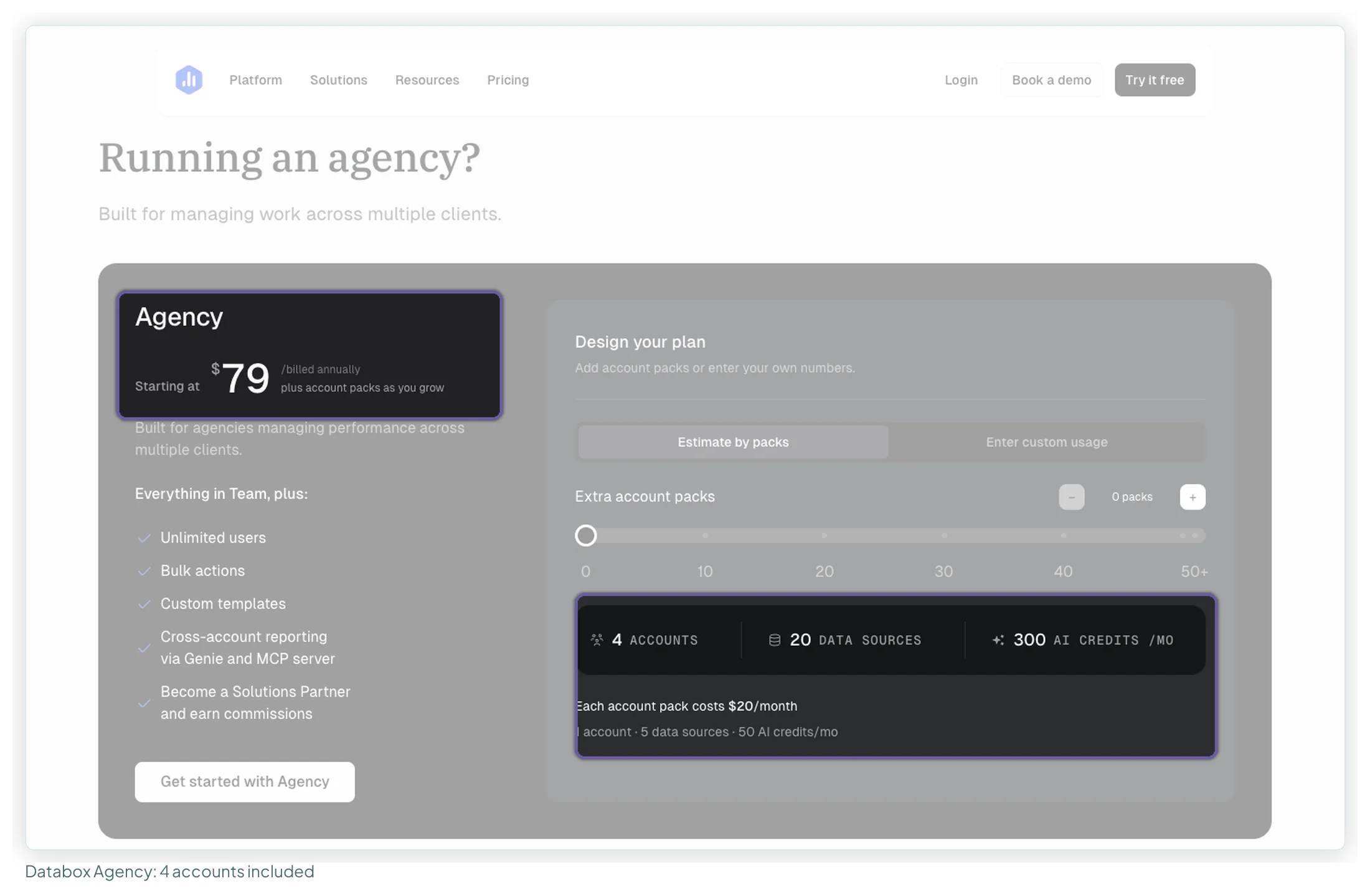
| Agency plan | Annual | Monthly |
|---|---|---|
| Base: 4 accounts, 20 sources, 300 AI credits, unlimited users | $79/mo | $99/mo |
| Each extra account pack (1 client, 5 sources, 50 credits) | $20/mo | $25/mo |
| White-labelling add-on | $200/mo | $250/mo |
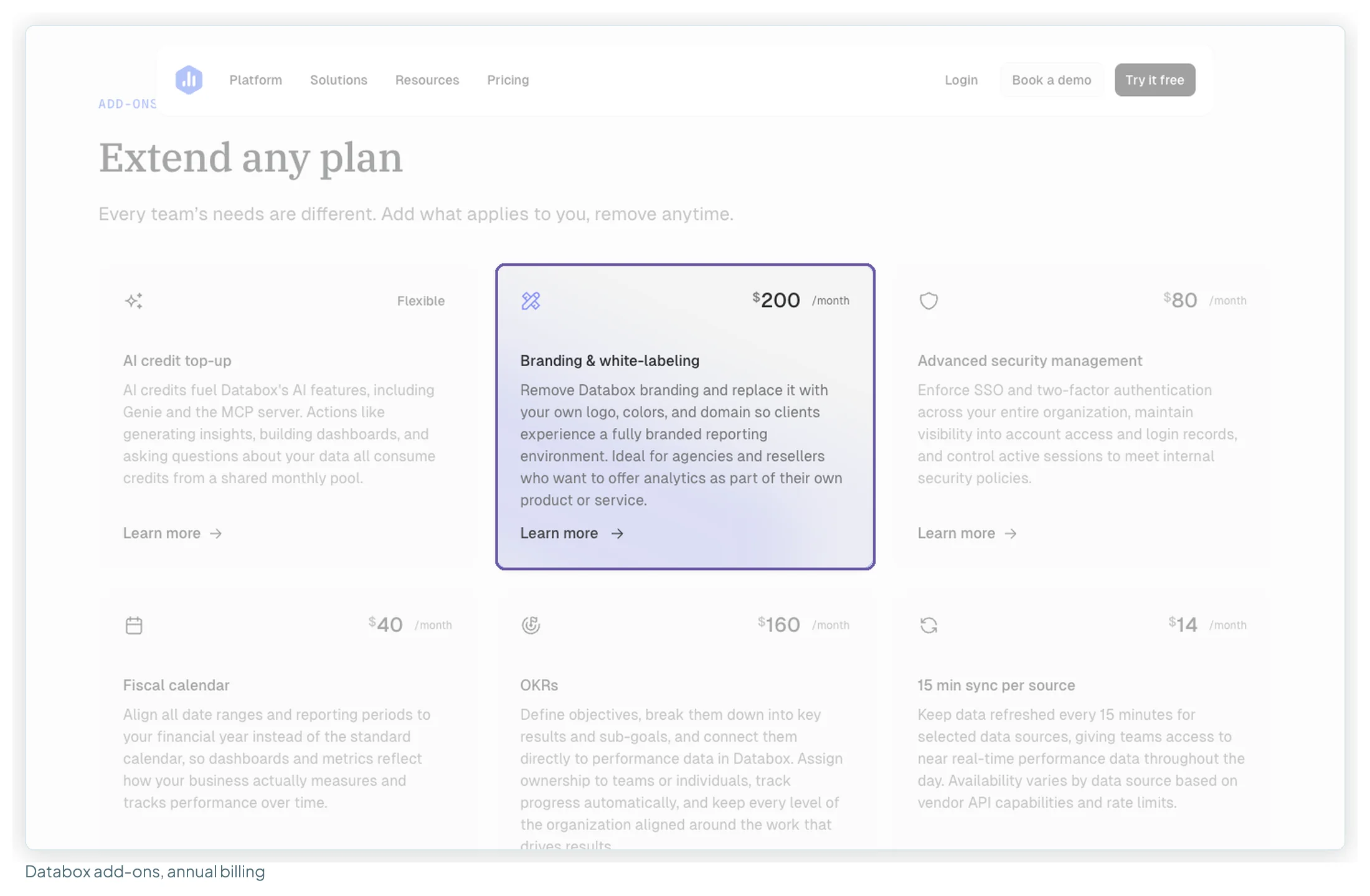
Best for: agencies whose clients want KPIs across marketing, sales and finance, with alerts and an AI analyst (Genie) that answers questions across 130+ connected tools. Bulk actions and cross-client reporting suit larger rosters. Strengths: support (17 of 44 reviews) and ease of use (10). Weaknesses: white-labelling is a $200 a month add-on billed annually ($250 monthly), and the most frequent complaints are billing and renewals (8 of 44) and metrics or dashboards that stop updating (8 of 44). Choose it if monitoring and analysis matter more to your clients than a branded monthly PDF. Data Studio vs Databox vs DashThis compares the two platforms in depth.
4. Whatagraph
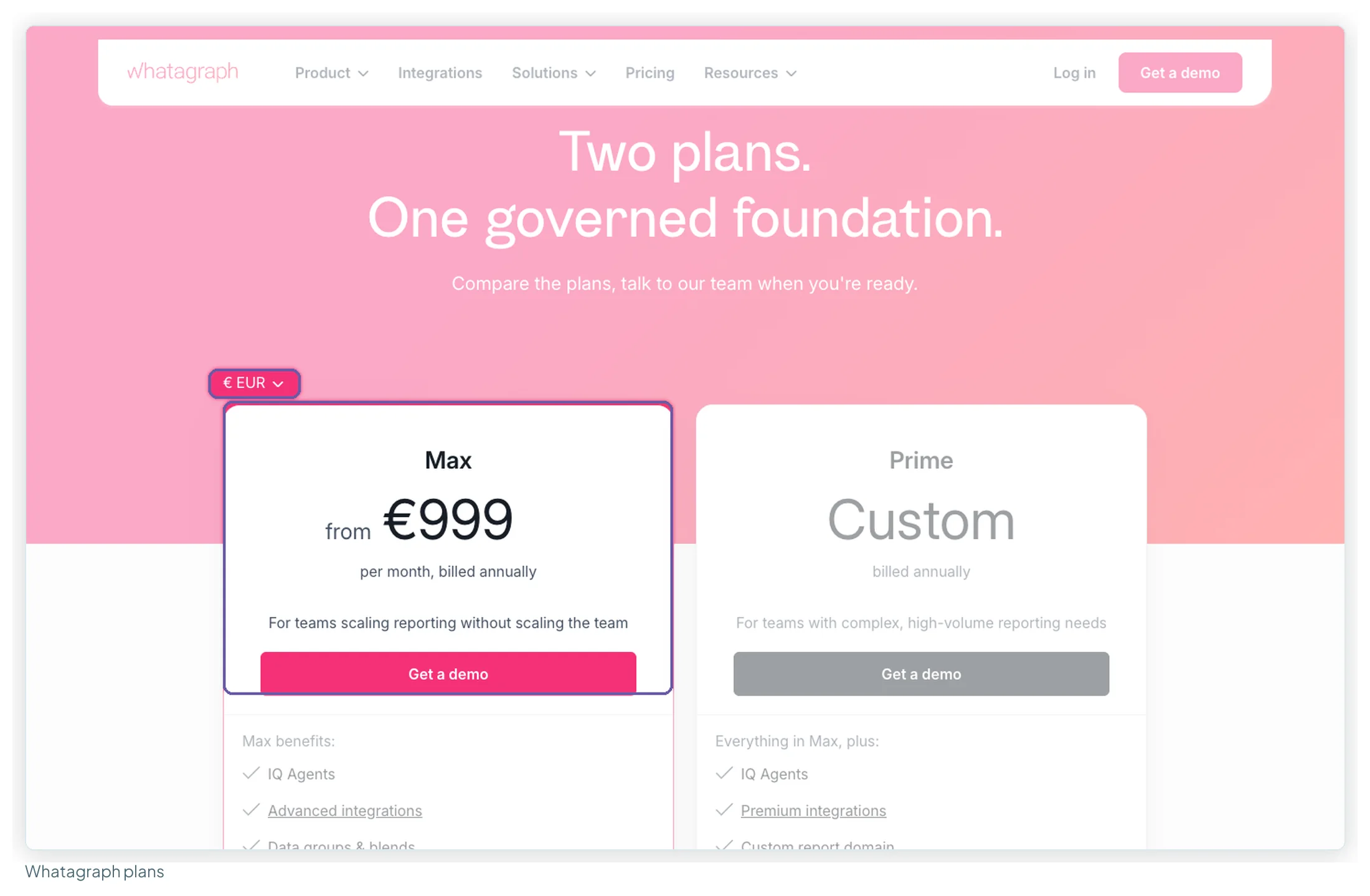
| Max | Prime | |
|---|---|---|
| Price | From €999/mo, billed annually | Custom, billed annually |
| Source credits (1 credit = 1 connected account) | From 50 | Custom |
| Users and reports | Unlimited | Unlimited |
| White-label reports | Yes | Yes, plus custom domain (add-on) |
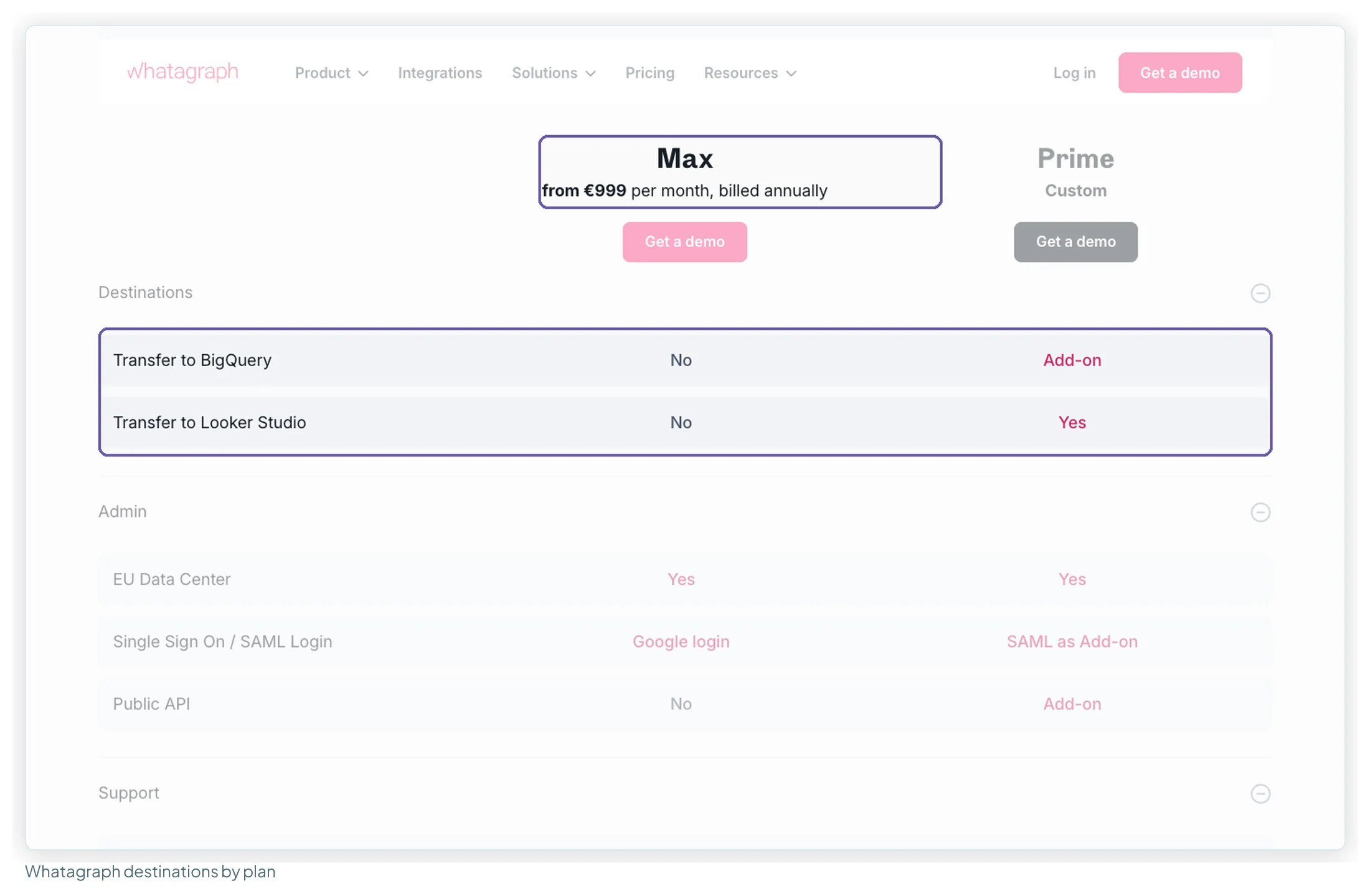
| Transfer to Data Studio | No | Yes |
Best for: larger agencies that want a managed reporting layer with blends, KPI alerts, AI agents and a dedicated success manager. Strengths: in 49 reviews, ease of use (18), support (16) and time saved (15) lead, and cross-channel blending is the praise that persists in recent reviews. Weaknesses: Max rose from €699 to €999 between late September and mid-October 2026; recent Trustpilot reviews focus on cost, auto-renewal and sales conduct (7 of 49 overall); there’s no trial or monthly option on the pricing page. Choose it if you have complex, many-channel reporting and the annual commitment is fine. Check the credit count first: at 10 clients on four platforms each, 40 credits fit inside Max’s 50, but 30 clients would need 120, and the page doesn’t price extra credits.
The Data Studio routes
The other way out of a per-client bill is to build the reports yourself in Data Studio, Google’s free reporting tool, and pay a connector only for the non-Google platforms. Google’s own connectors (GA4, Search Console, Google Ads, YouTube, Sheets, BigQuery) are free; Meta, LinkedIn, TikTok, Microsoft Ads, Shopify, HubSpot and Google Business Profile all need a partner connector. What this route doesn’t include: a client portal with logins, report approvals, rank tracking and the build time. Data Studio connectors compared goes deeper on the connectors.
5. Data Studio on its own
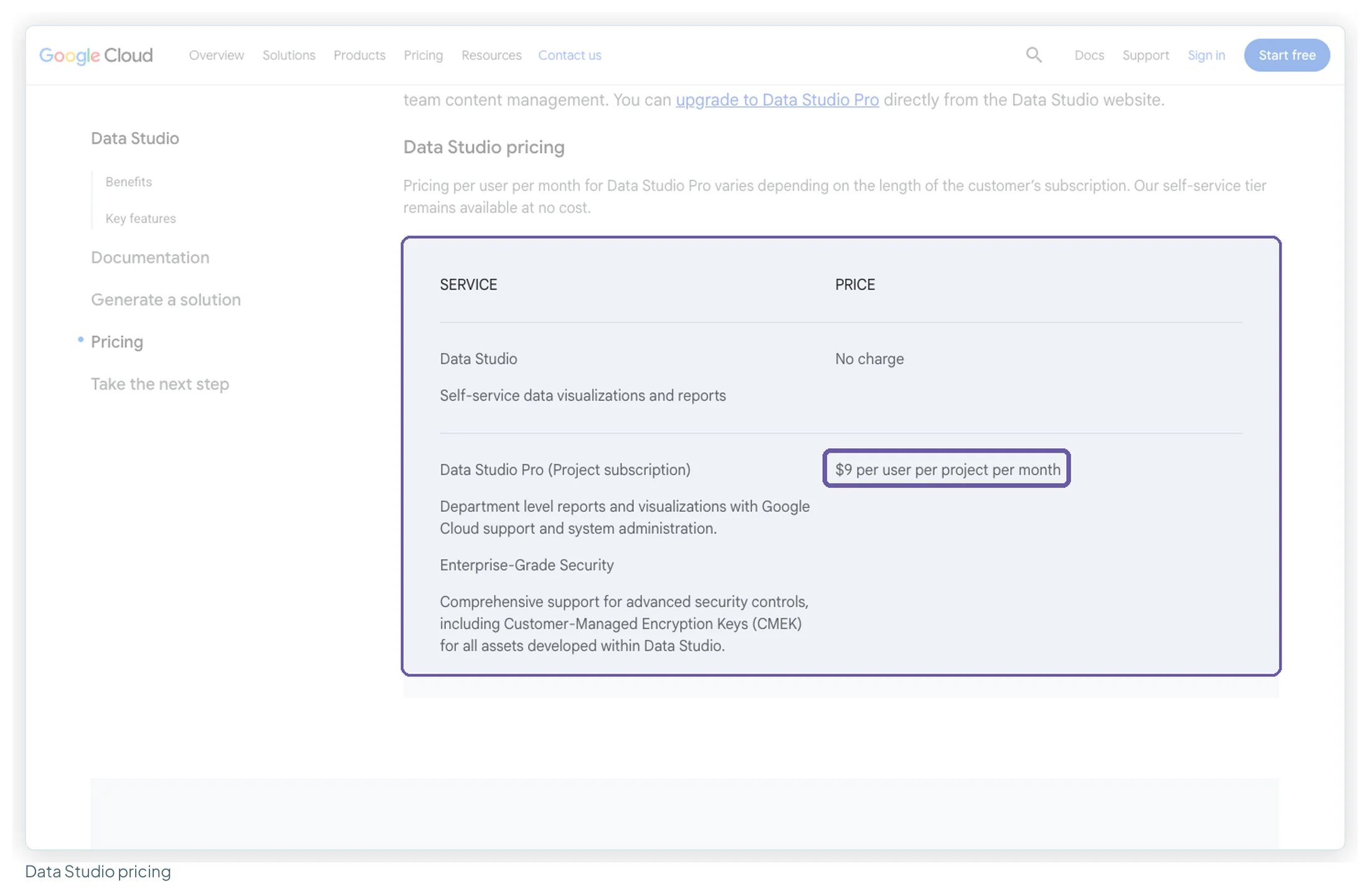
| Data Studio | Data Studio Pro | |
|---|---|---|
| Price | $0 | $9 per user per project per month |
| Viewers | Unlimited, free | Unlimited, no licence needed |
| Adds | — | Team workspaces, org-owned content, up to 200 delivery schedules per report, chart alerts, Gemini |
Best for: SEO-led agencies whose clients are all Google sources. Strengths: customisable reports (12 of 32 reviews), easy sharing (11), Google connectors (11), free (10). Weaknesses: blending and data-model limits (13 of 32), slow on large data (10), visual polish takes time (7). Choose it if your clients’ data is GA4, Search Console and Google Ads, and someone on the team enjoys building reports.
6. Data Studio + Windsor.ai
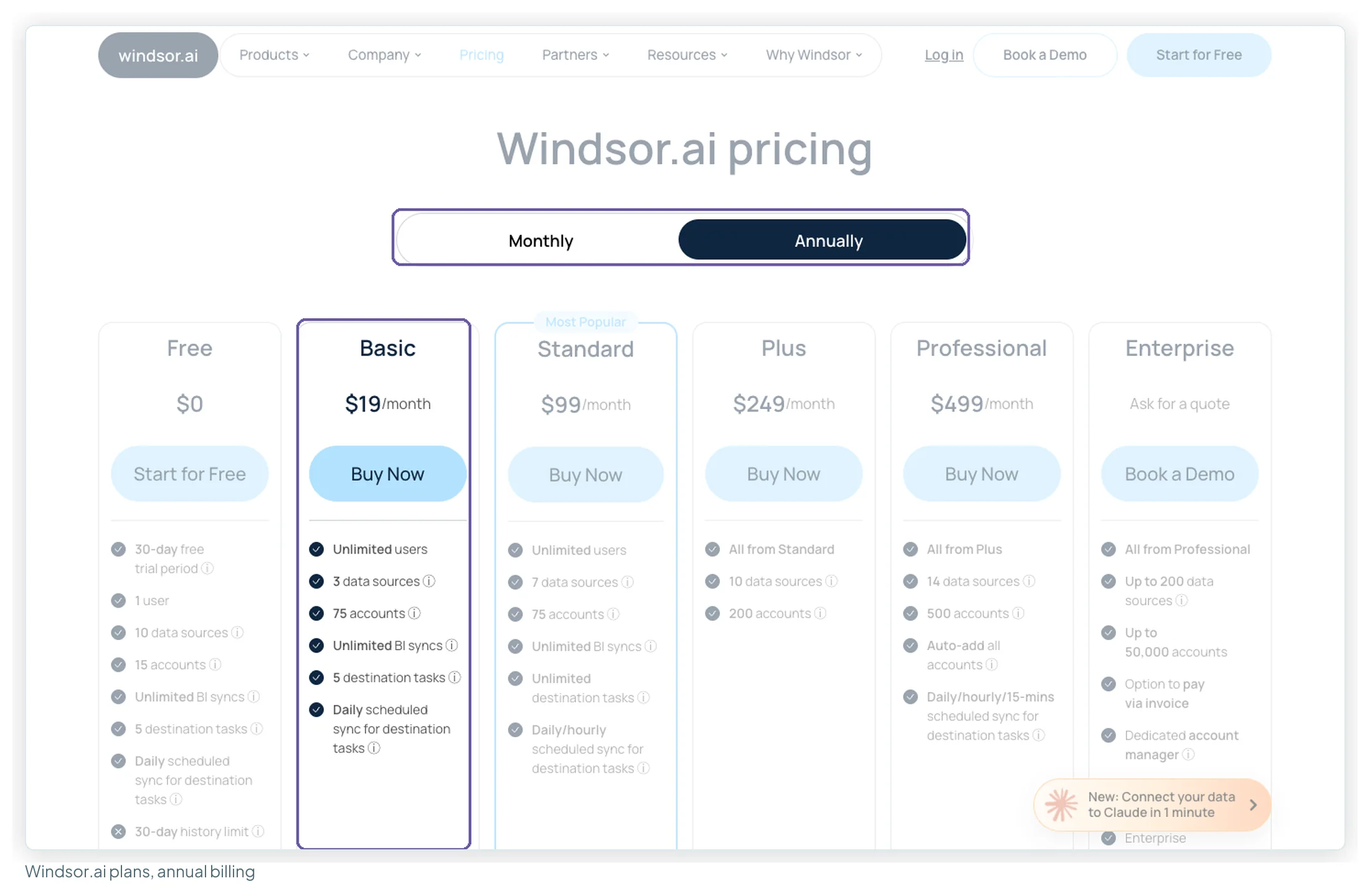
| Plan | Annual | Monthly | Sources · accounts |
|---|---|---|---|
| Forever Free | $0 | $0 | 1 · 1 |
| Basic | $19/mo | $23/mo | 3 · 75 |
| Standard | $99/mo | $118/mo | 7 · 75, hourly sync |
Best for: agencies with many clients on a few non-Google platforms: 75 accounts on the entry plan is generous for client work, and accounts are pooled across sources. Strengths: fast human support (10 of 40 recent Trustpilot reviews) and MCP access to Claude and ChatGPT. Weaknesses: “All sales are final”, with no refunds on monthly or annual plans, and that’s the top complaint (10 of 40); daily sync on Basic. Use the 30-day trial fully. Choose it if you report Meta, LinkedIn or TikTok for 10–75 client accounts and want a flat bill.
7. Data Studio + Porter Metrics
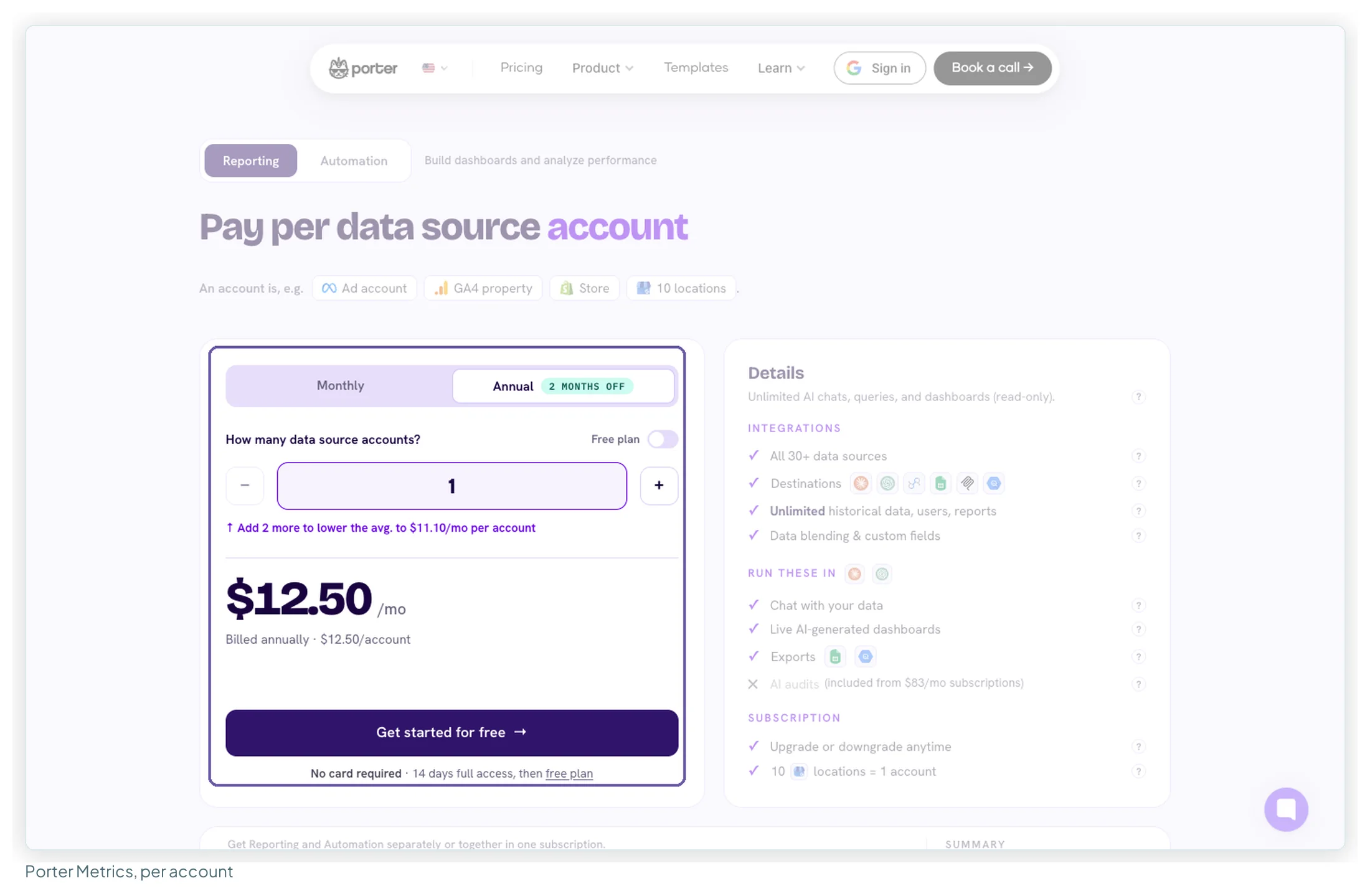
| Accounts | Monthly billing | Annual billing (per month) |
|---|---|---|
| 1 | $15 | $12.50 |
| 5–12 | $8 each | $6.67 each |
| 13–20 | $100 flat | $83.33 flat |
| 21–39 | $5 each | $4.17 each |
Best for: agencies that want to pay only for what they connect, with the per-account price falling as the roster grows. Unlimited users, reports and history on paid plans, and a free plan (read-only) after the 14-day trial. Strengths: support is the most-praised theme by a distance (25 of 40 reviews). Weaknesses: connections that break or need resetting (9 of 40), and most of its reviews predate its 2026 move into AI automation. Choose it if your client count changes often and you want the bill to follow it.
8. Data Studio + Supermetrics
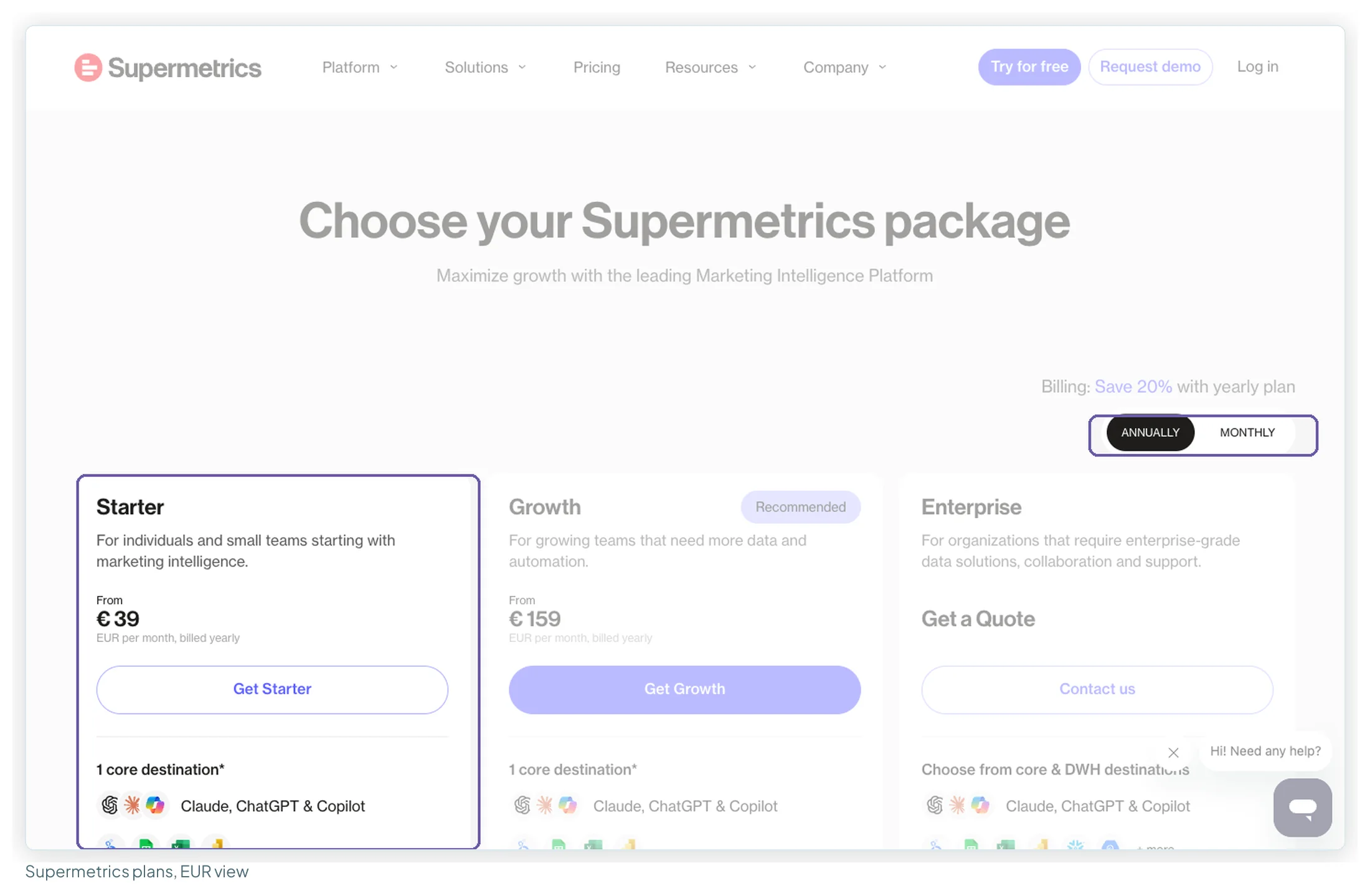
| Plan (EU view) | Yearly | Monthly | Sources · accounts per source · users |
|---|---|---|---|
| Starter | €39/mo | €49/mo | 2 · 2 · 1 |
| Growth | €159/mo | €199/mo | 7 · 7 · 2 |
| Extra ad account | +€10 | +€13 | to a total of 3 (Starter) or 20 (Growth) |
Best for: an in-house team or a small agency reporting one brand across many platforms. US visitors see different limits, so check the page from your own region. Strengths: time saved (8 of 45 reviews) and breadth (6); one Capterra reviewer found its Google connectors “more robust than the native Google ones”. Weaknesses: the accounts-per-source cap is what agencies hit: 10 clients on Meta means Growth plus three extra accounts (€189/mo yearly), and past 20 accounts per source it’s Enterprise, by quote. Trustpilot reviews (1.5 from 31) concentrate on reliability, support and renewals. Choose it if you report few clients across many platforms. Supermetrics alternatives covers the limits in detail.
9. Data Studio + Coupler.io
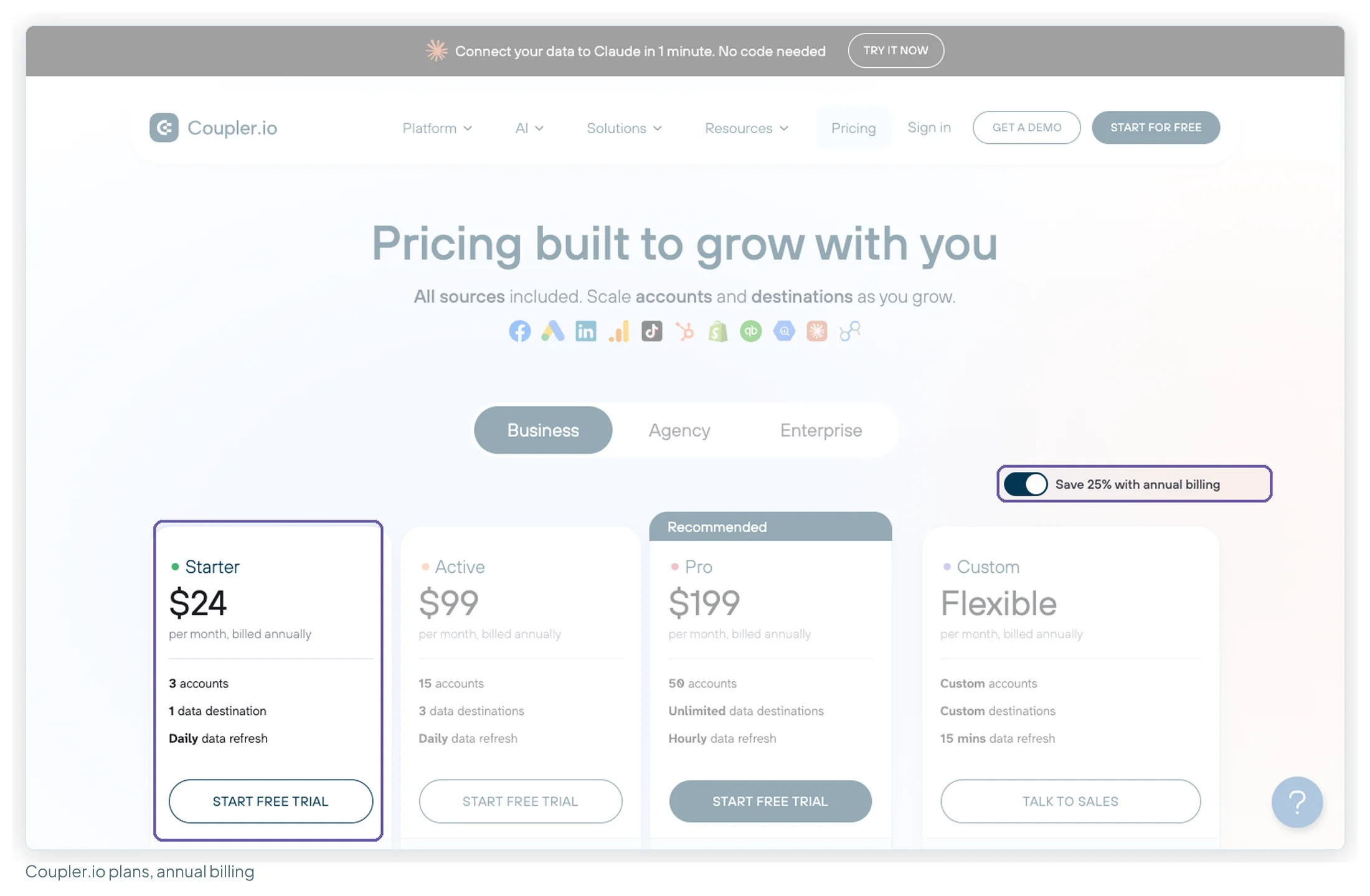
| Plan | Annual | Monthly | Accounts · refresh |
|---|---|---|---|
| Starter | $24/mo | $32/mo | 3 · daily, 5,000 rows per run |
| Active | $99/mo | $132/mo | 15 · daily |
| Pro | $199/mo | $259/mo | 50 · hourly |
Best for: a few clients whose data lives in many different apps (its pricing page lists 440), or teams that also want Sheets, BigQuery or other destinations. Extra accounts are $4.49 each billed annually. Strengths: no-code setup (18 of 36 reviews) and scheduled refresh saving time (13). Weaknesses: a missing connector or feature (8 of 36), cost that climbs with accounts (5 of 36), and Starter’s single user and 5,000-row runs. Choose it if you need an unusual source, or you report to more than one destination.
10. Data Studio + Catchr
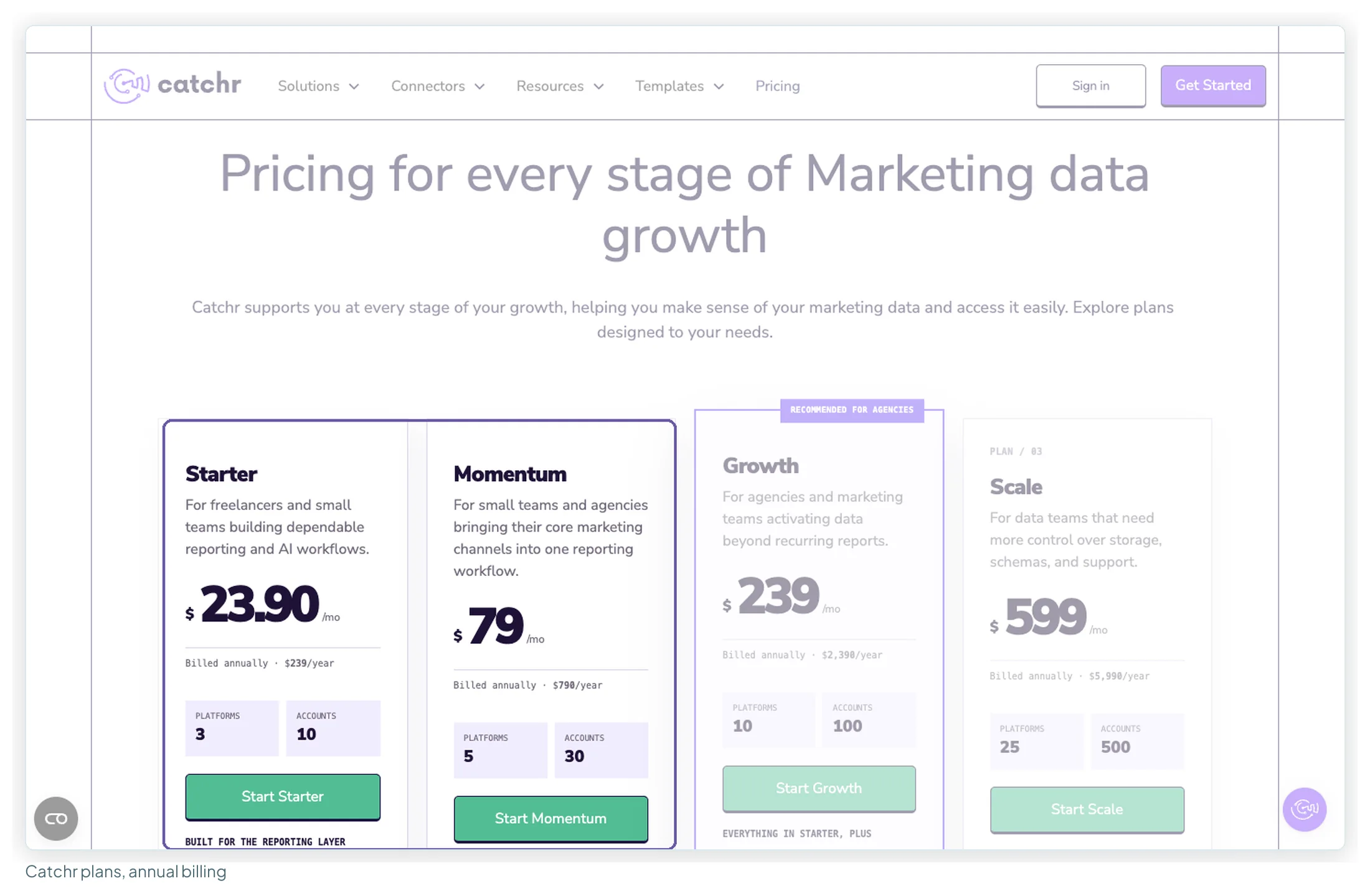
| Plan | Annual | Monthly | Platforms · accounts |
|---|---|---|---|
| Starter | $239/yr | $24/mo | 3 · 10 |
| Momentum | $790/yr | $79/mo | 5 · 30 |
| Growth | $2,390/yr | $239/mo | 10 · 100 |
Best for: a freelancer or small agency with up to 10 client accounts on three platforms, who also wants an AI assistant on the same data (MCP is included). Strengths: unlimited users and requests, and a Momentum tier that fills the gap to Growth. Weaknesses: very little independent review evidence (three reviews with text across sites), and warehouse destinations only from the higher tiers. Choose it if your setup fits Starter or Momentum and you’re comfortable with a newer, less-reviewed tool.
What each route costs as your client list grows
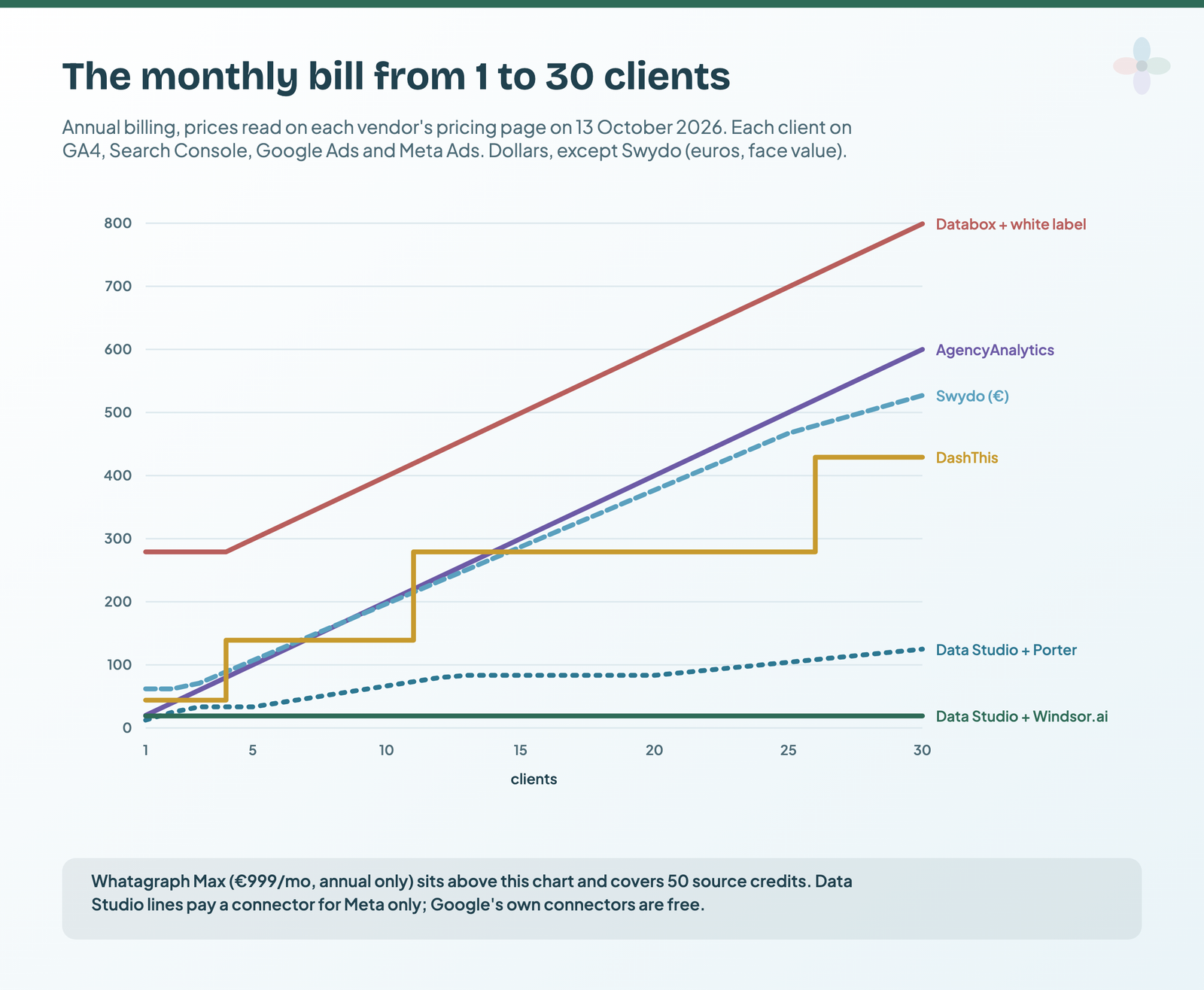
The worked assumptions: every client is on GA4, Search Console, Google Ads and Meta Ads (four sources), one report per client, annual billing. For the Data Studio routes, the Google sources run on Google’s free connectors and the connector carries Meta only (one account per client).
| Route | 5 clients | 10 clients | 25 clients |
|---|---|---|---|
| AgencyAnalytics | $100 | $200 | $500 (volume pricing available) |
| DashThis | $139 | $139 | $279 |
| Swydo | €107 | €197 | €467 |
| Databox Agency + white label | $299 | $399 | $699 |
| Whatagraph Max | €999 | €999 | €999 + extra credits (price not stated) |
| Data Studio + Windsor.ai | $19 | $19 | $19 |
| Data Studio + Porter Metrics | $33.33 | $66.67 | $104.17 |
| Data Studio + Coupler.io | $32.98 | $55.43 | $122.78 |
| Data Studio + Catchr | $239/yr | $239/yr | $790/yr |
| Data Studio + Supermetrics | €159 | €189 | Enterprise quote |
Prices from each vendor’s pricing page, checked 13 October 2026. Per month unless marked, annual billing. Swydo: €62 + €4.50 per source over 10. Databox: $79 + $20 per client over 4, + $200. Coupler.io: $24 + $4.49 per account over 3. Supermetrics: Starter covers at most 3 accounts per source, Growth 7 plus up to 13 extra at €10.
Three things worth noticing. AgencyAnalytics isn’t the expensive option at every size: it’s cheaper than DashThis at 1–2, 4–6 and 11–13 clients, and cheaper than Databox with white-labelling at every count. The per-source and per-dashboard tools pull ahead as the roster grows: Swydo’s euro figure drops below AgencyAnalytics’ dollar figure from 9 clients (before any currency conversion), and DashThis stays below it from 14. The connector routes are cheapest on the subscription, but they leave the portal, approvals, rank tracking and the build time out of the sum.
Which alternative, by the problem you’re solving
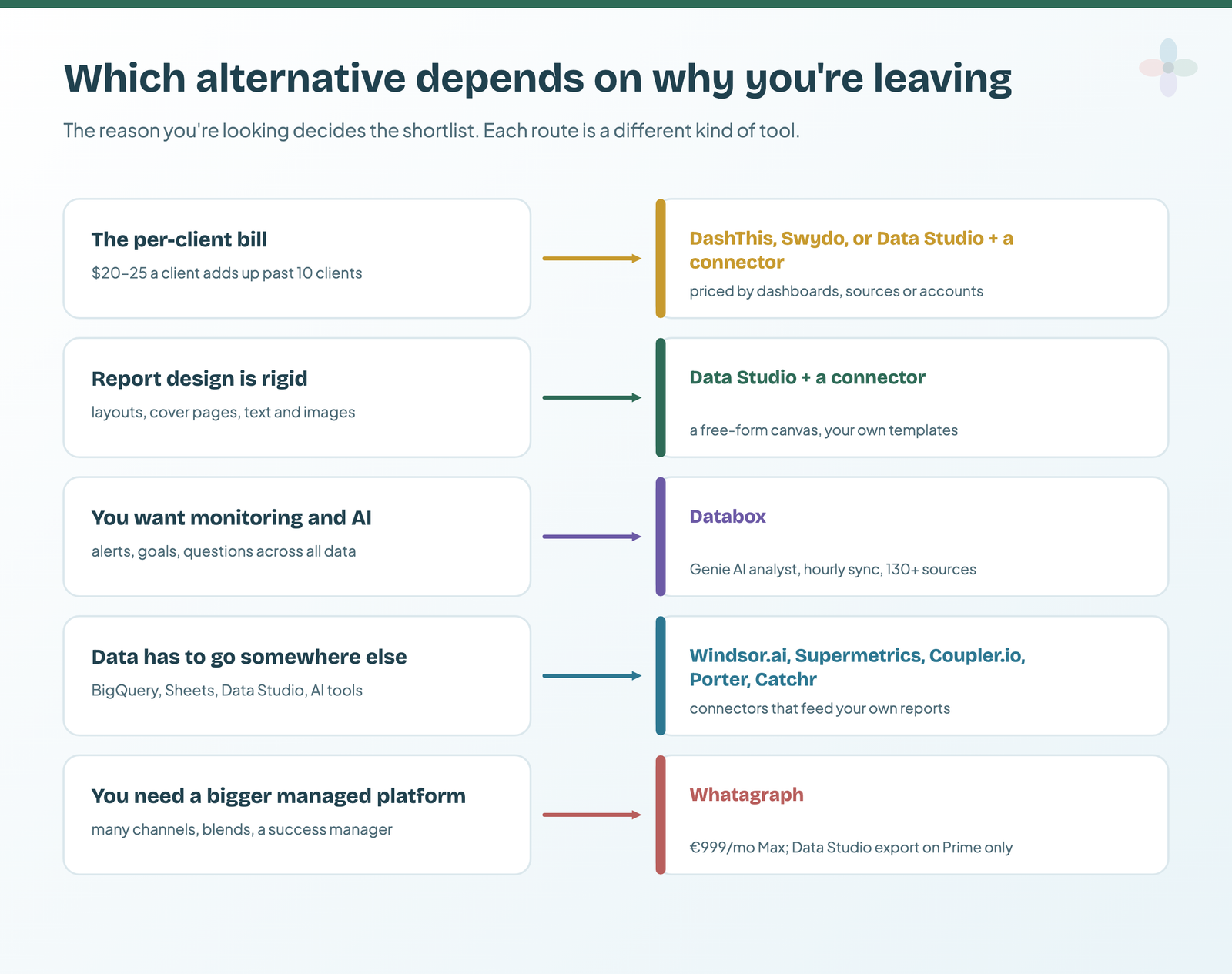
| If your problem with AgencyAnalytics is… | Look at | Watch for |
|---|---|---|
| The per-client bill at 15+ clients | DashThis, Swydo | DashThis’s source cap; Swydo’s per-source billing on expired connections |
| The per-client bill, and you can build reports | Data Studio + Windsor.ai or Porter | Build and maintenance time; no client portal |
| Report design and layout | Data Studio | Blending limits; it takes time to make it look good |
| Clients want analysis, not a PDF | Databox | White label is $200/mo; billing complaints |
| Integrations or data you can’t get out | Coupler.io, Supermetrics, Windsor.ai | What each meters: accounts, or accounts per source |
| You’ve outgrown it at 30+ clients | Whatagraph, or AgencyAnalytics’ own volume tier | Annual-only contracts; credit limits |
When AgencyAnalytics is still the right choice
- Your clients log in. A white-labelled portal on your own domain, with client and staff accounts, is included in the $20. Data Studio shares links; DashThis sends URLs and PDFs.
- You have 1–2, 4–6 or 11–13 clients. At annual rates it’s cheaper than DashThis there, and cheaper than Databox with white-labelling at every size.
- Rank tracking belongs in the same report. It’s an add-on at $41.67 per 500 keywords (annual), inside the same client workspace.
- Support matters to you. It’s the most-praised theme in its reviews (17 of 45), ahead of everything else.
- Nobody wants to build dashboards. The platform includes the build; Data Studio leaves it to you.
- Reporting works and nobody’s complaining. Switching is a rebuild for every client, so the saving has to cover that work.
Many agencies end up with a hybrid: Data Studio for the reports clients read in meetings, where design matters, and a platform or rank tracker for the operational side, with one connector feeding both. Reporting operations for agencies covers who owns what. If you build that client-facing half yourself, Chapter 32 of my ebook, Data Storytelling in Data Studio, makes over an agency client report page by page.
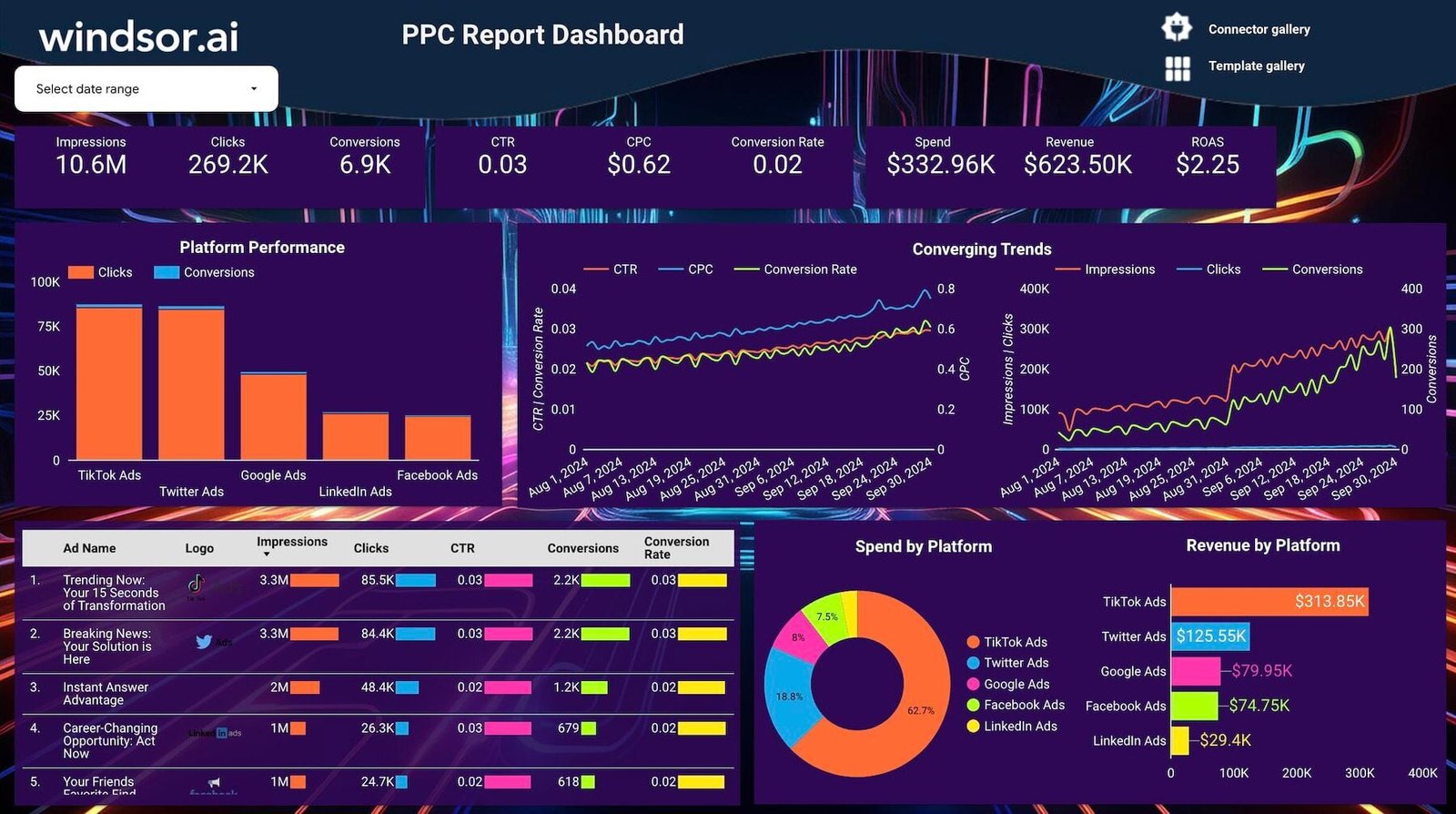
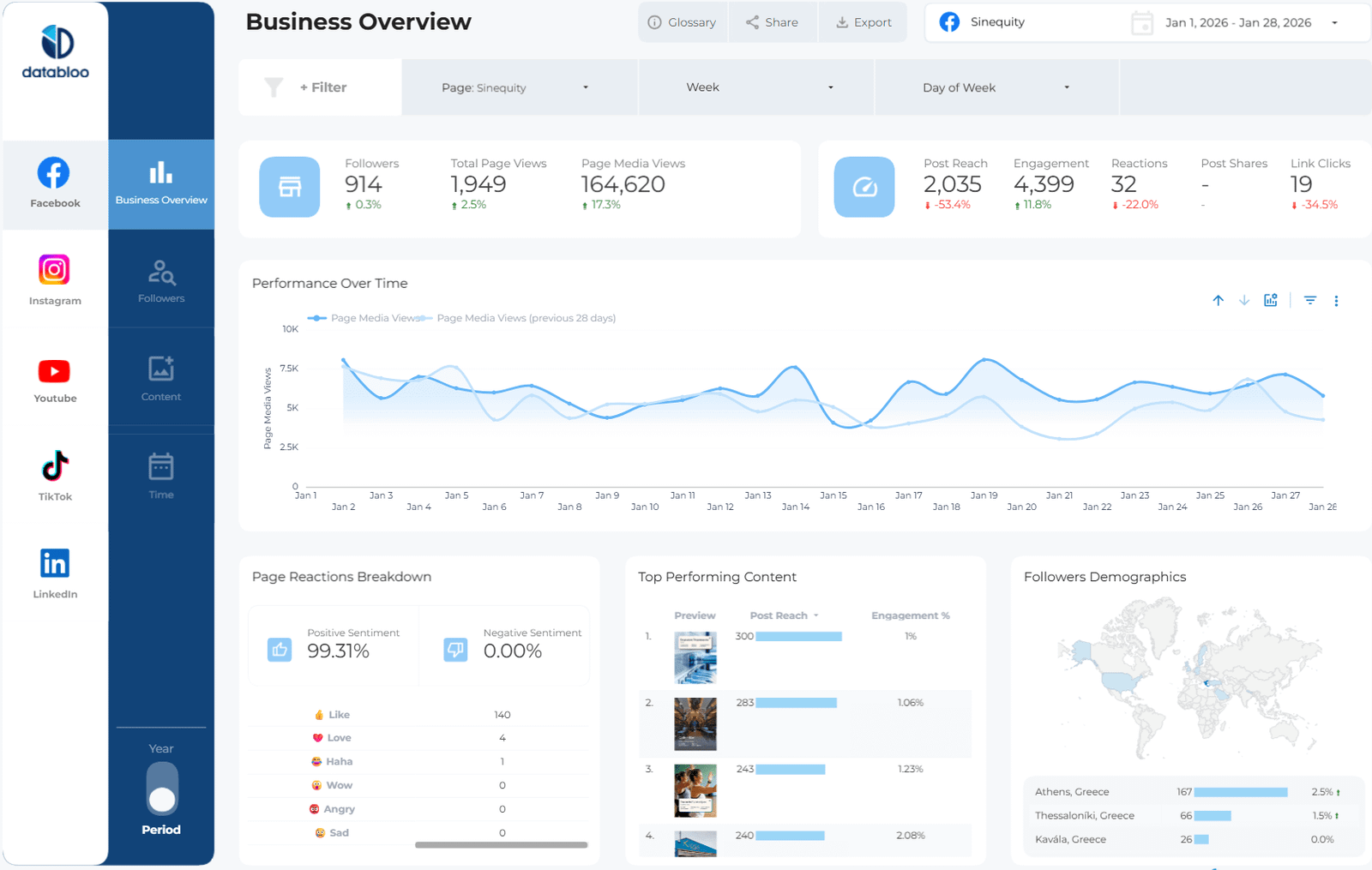
If you take the Data Studio route, start from a template
A client report doesn’t have to start from a blank canvas. These are built for the agency jobs AgencyAnalytics covers:

Where to go next
- Data Studio vs Databox vs DashThis
- Data Studio connectors compared
- Porter vs Windsor vs Supermetrics
- Marketing reporting tools compared
- How to build a branded report theme in Data Studio
- The best free Data Studio templates
Frequently asked questions
What is the cheapest AgencyAnalytics alternative?
On subscription alone, Data Studio with a connector: $0 if every source is a Google product, or $19/mo billed annually with Windsor.ai’s Basic plan for up to 75 non-Google accounts. Among the platforms, DashThis starts at $44/mo paid yearly ($54 monthly) for 3 client dashboards, and Swydo at €62/mo annual for 10 data sources.
How much does AgencyAnalytics cost?
$20 per client per month billed annually, or $25 billed monthly, with unlimited sources, reports and staff accounts per client. Rank tracking ($41.67/mo per 500 keywords) and AI visibility tracking ($20.83/mo per 250 credits) are add-ons at annual rates; agencies with 25+ clients can ask for volume pricing.
Which reporting tools don’t charge per client?
DashThis charges per dashboard, Swydo per data source, Databox per user and source plan (its Agency plan uses client packs), and Whatagraph per source credit. Data Studio charges nothing, and the connectors charge per source or account.
Is Data Studio a real alternative to AgencyAnalytics?
For the reports, yes: it’s free, with more design control. For the rest of the platform, no: there’s no client portal with logins, no approvals and no rank tracking, and someone has to build and maintain the reports.
Can I use Whatagraph with Data Studio?
Only on Prime, its custom-priced plan. Max, from €999/mo billed annually, has no transfer to Data Studio or BigQuery.
Is DashThis cheaper than AgencyAnalytics?
It depends on client count. At annual rates DashThis is cheaper at 3, 7–10 and 14–25 clients, and AgencyAnalytics at 1–2, 4–6 and 11–13, assuming one DashThis dashboard per client. On monthly billing AgencyAnalytics is cheaper at 1–2, 4–6 and 11–12.
Some links in this post are affiliate links: if you sign up through one, I may earn a commission at no extra cost to you. How I work with partners.