
The best marketing reporting tool depends on which of three jobs you’re paying for: moving data out of ad platforms (a connector), turning it into a readable report (a dashboard), or running the client workflow around it (an agency platform). Data Studio does the dashboard job for free. A connector for Meta, LinkedIn or TikTok starts between $12.50 and €39 a month billed annually. An agency platform starts at $20 per client and runs to €999 a month.
I’ve sorted thirteen tools by the layer each one sells, each with its pricing page, who it’s for, the entry price in both billing states, what reviewers say and when to choose it. Then what ten clients cost on each route, and the combinations that work.
Price your own setup. The reporting cost calculator runs these numbers for your clients, platforms and billing, with every route side by side.
Three jobs a marketing reporting tool can do
A marketing reporting tool is software that gets your channel data in front of the people who need it, on a schedule, without anyone copying numbers by hand. That covers three different purchases.
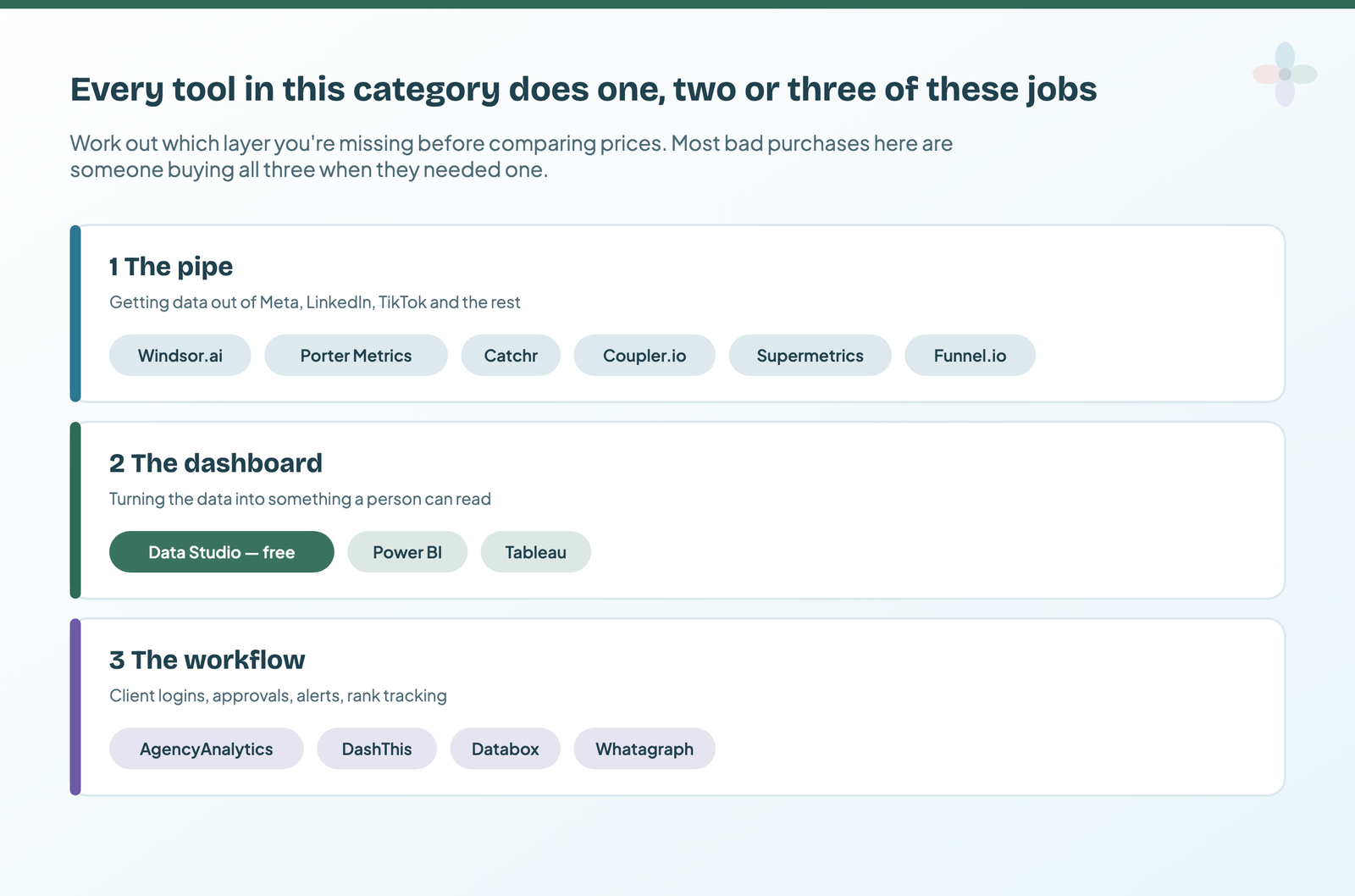
- The pipe. A connector pulls data from a platform such as Meta or LinkedIn into Data Studio, Sheets, Power BI or a warehouse. Windsor.ai, Coupler.io, Catchr, Supermetrics, Porter Metrics and Funnel.io sell this.
- The dashboard. Turning that data into something a person can read. Data Studio, Power BI and Tableau sell this, and every agency platform has its own.
- The workflow. Client portals, white-labelling, scheduled sends, alerts, rank tracking. Only the agency platforms sell this: AgencyAnalytics, DashThis, Databox and Whatagraph.
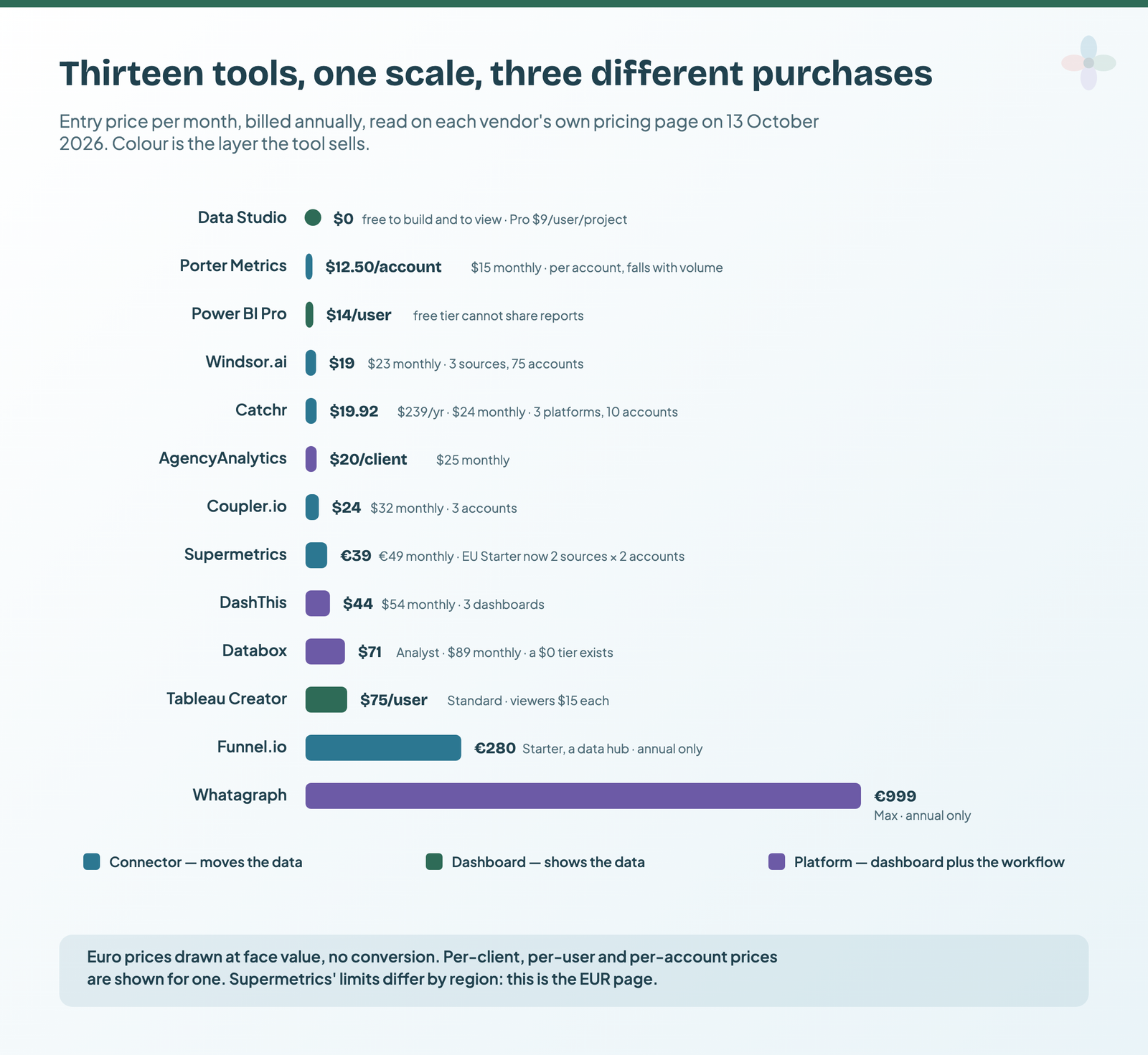
All thirteen marketing reporting tools on one scale
Prices from each vendor’s own pricing page, checked 13 October 2026 in a browser, with both billing states read where the page offers both. “Annual” means the monthly rate when billed yearly.
| Tool | Layer | Entry, annual | Entry, monthly | Meters on | Free plan or trial | Partner? |
|---|---|---|---|---|---|---|
| Data Studio | Dashboard | Free · Pro $9/user/project | Nothing (Pro: editors) | Free; Pro 30-day trial | — | |
| Power BI Pro | Dashboard | $14/user | Not shown | Users, readers included | Free account can’t share | No |
| Tableau | Dashboard | $75/Creator · $15/Viewer | Not offered | Users by role | Desktop Free Edition, local files | No |
| Porter Metrics | Connector | $12.50/account | $15/account | Accounts (volume ladder) | 14 days, then a free plan | No |
| Windsor.ai | Connector | $19 | $23 | Sources + accounts | 30 days; Forever Free plan | Yes |
| Catchr | Connector | $239/yr | $24 | Platforms + accounts | 14 days | Yes |
| Coupler.io | Connector | $24 | $32 | Accounts + destinations | 7 days; free plan, manual refresh | Yes |
| Supermetrics | Connector | €39 | €49 | Sources × accounts per source | 14 days | Yes |
| Funnel.io | Connector (data hub) | From €280 | Not offered | Flexpoints | Demo only | No |
| AgencyAnalytics | Platform | $20/client | $25/client | Clients | 14 days | No |
| DashThis | Platform | $44 | $54 | Dashboards + sources | Free trial | No |
| Databox | Platform | $0 free · $71 Analyst | $89 Analyst | Users, sources, AI credits | Free plan; 14-day trial on any plan | No |
| Whatagraph | Platform | From €999 | Not offered | Credits, 1 per source | Demo only | No |
Euro prices are shown at face value. Note the different units: per account, user, client, dashboard or credit.
How this comparison was researched
I didn’t test these hands-on this round; this is desk research. What it rests on:
- Pricing pages: all thirteen read on 13 October 2026 in a real browser, with the monthly and annual toggles flipped where they exist. Every screenshot below is from that session.
- Reviews: ratings and counts from G2 (via Google’s result snippets), Capterra, Trustpilot, TrustRadius, Gartner Peer Insights and the Workspace Marketplace, read the same day. Themes come from coded samples of 28 to 49 reviews per tool (Catchr has three in total).
- Forums: Reddit and vendor-community threads per tool, mostly at snippet level.
- How to read the ratings: sites where vendors invite reviews (G2, Capterra) run high, often with incentivised reviews; Trustpilot, where few of these vendors ask, collects the billing and cancellation stories. Read the gap, not one number.
- Ranking articles: the fifteen pages ranking for these searches, with every price they publish checked against the pricing pages.
Layer one: the connectors
Google builds its own connectors and gives them away. GA4, Search Console, Google Ads, Sheets, YouTube and BigQuery connect to Data Studio for free. What Google doesn’t connect: Meta, Instagram, LinkedIn, TikTok, Microsoft Ads, Pinterest, Snapchat, HubSpot, Shopify, Mailchimp and, perhaps surprisingly, Google Business Profile. Those are what a connector is for.
Windsor.ai: the most accounts for the money (partner)
What it is. A no-code connector into Data Studio, Sheets, Power BI, warehouses and AI assistants. Windsor says it covers 350+ sources, with no premium connectors.
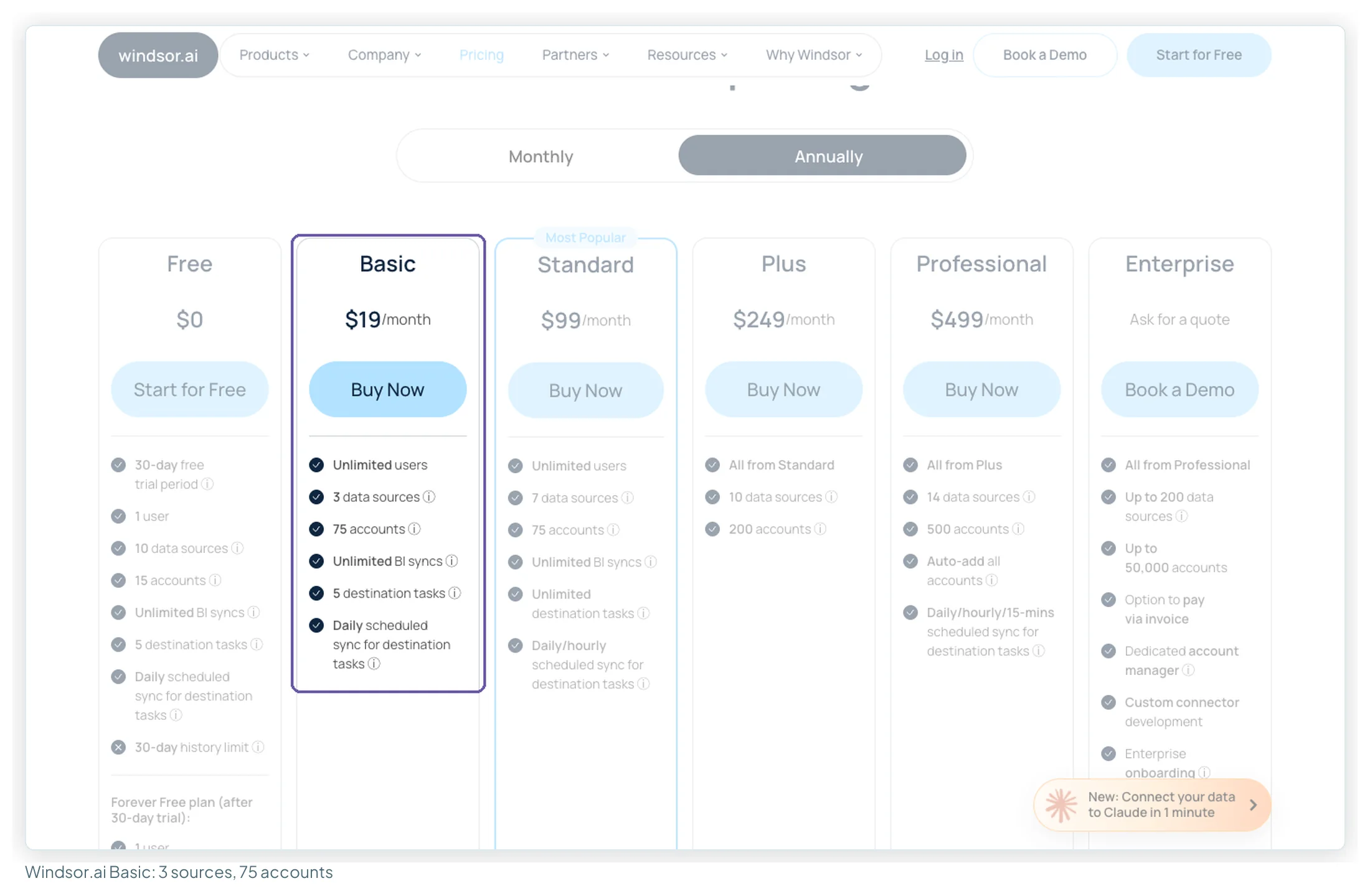
Best for. Freelancers and small agencies with a few non-Google sources across many client accounts. Basic includes 3 sources and 75 accounts with unlimited users, the most generous allowance here, and ten Business Profile locations count as one account.
Entry price. Basic is $19 a month billed annually, $23 monthly. Standard is $99 annual or $118 monthly for 7 sources and hourly syncs. There’s a 30-day trial and a Forever Free plan with 1 source and 1 account.
What users say. 4.4 on G2 from 90 reviews, 3.5 on Trustpilot from 78 (read 13 October 2026). In 40 recent Trustpilot reviews, fast human support was the top praise (10) and billing the top complaint (10), each ending in “no refund”. Windsor’s documentation says all sales are final, monthly fees included, so use the trial fully and build within Basic’s limits before paying.
Choose it if you report on many client accounts across one to three non-Google platforms.
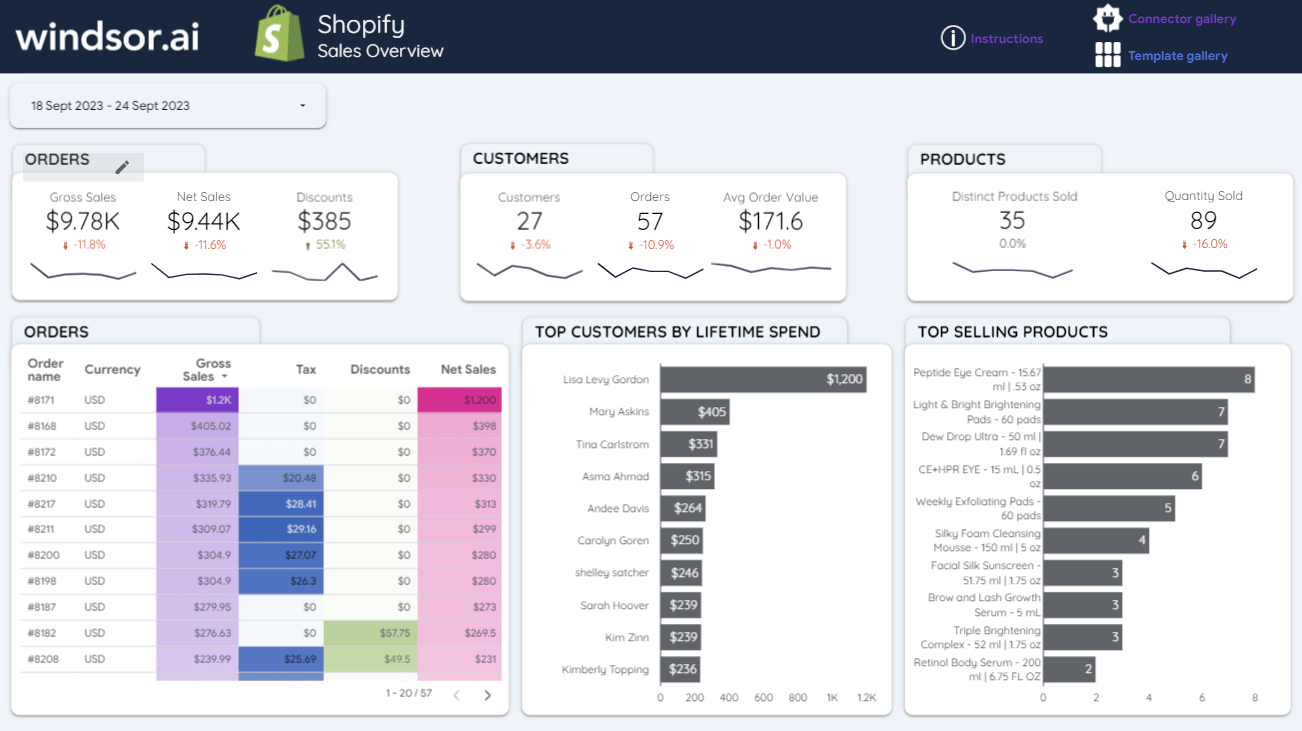
Windsor.ai’s templates · Start a 30-day trial
Coupler.io: the widest source list at entry level (partner)
What it is. A connector and ETL tool sending data to 14 destinations, including Data Studio, Sheets, BigQuery and Power BI. Its pricing page listed 440 sources on 13 October 2026, and it can append, join and aggregate data before Data Studio sees it.
Best for. A marketer or small team piping a handful of non-Google sources (Meta, LinkedIn, TikTok, HubSpot, Shopify) on a schedule, often into Sheets or a warehouse as well.
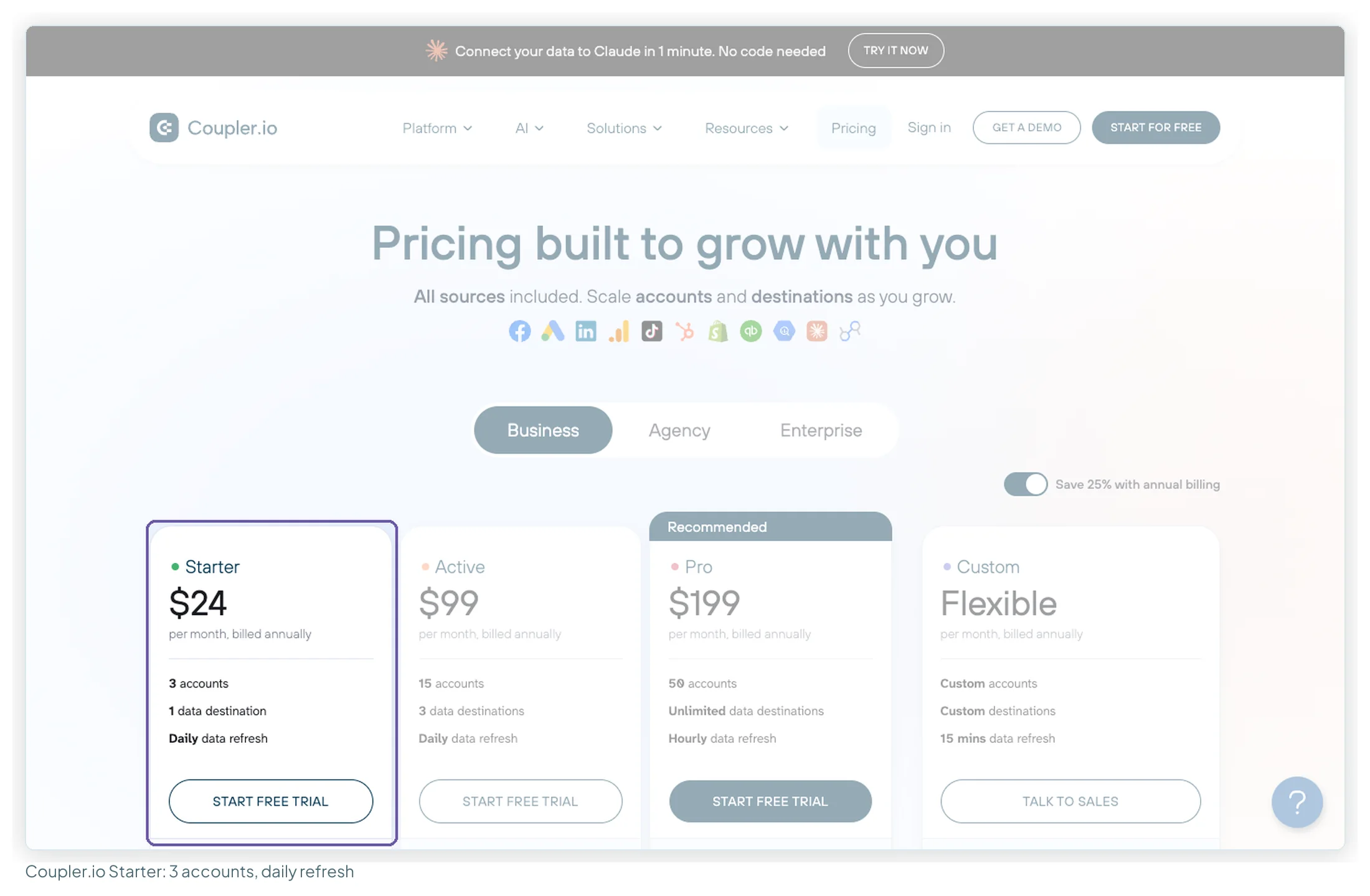
Entry price. Starter is $24 a month billed annually, $32 monthly, for 3 accounts, 1 user, 1 destination and daily refresh, with 5,000 rows per run. Extra accounts are $4.49 annual or $5.99 monthly each. Active is $99 annual ($132 monthly) for 15 accounts and unlimited rows. The free plan refreshes manually, at 100 rows per run, so it won’t keep a dashboard current.
What users say. 4.8 on G2 from 104 reviews, 4.9 on Capterra from 111, and 4.8 from 277 ratings on its Sheets add-on (read 13 October 2026). In 36 reviews, easy no-code setup (18) and time saved (13) led the praise; a missing connector or feature (8) and cost climbing with accounts (5) led the complaints. Ten of the 25 first-page Capterra reviews came from non-profits.
Choose it if you need a source few others list, or want transformations done before the data lands.
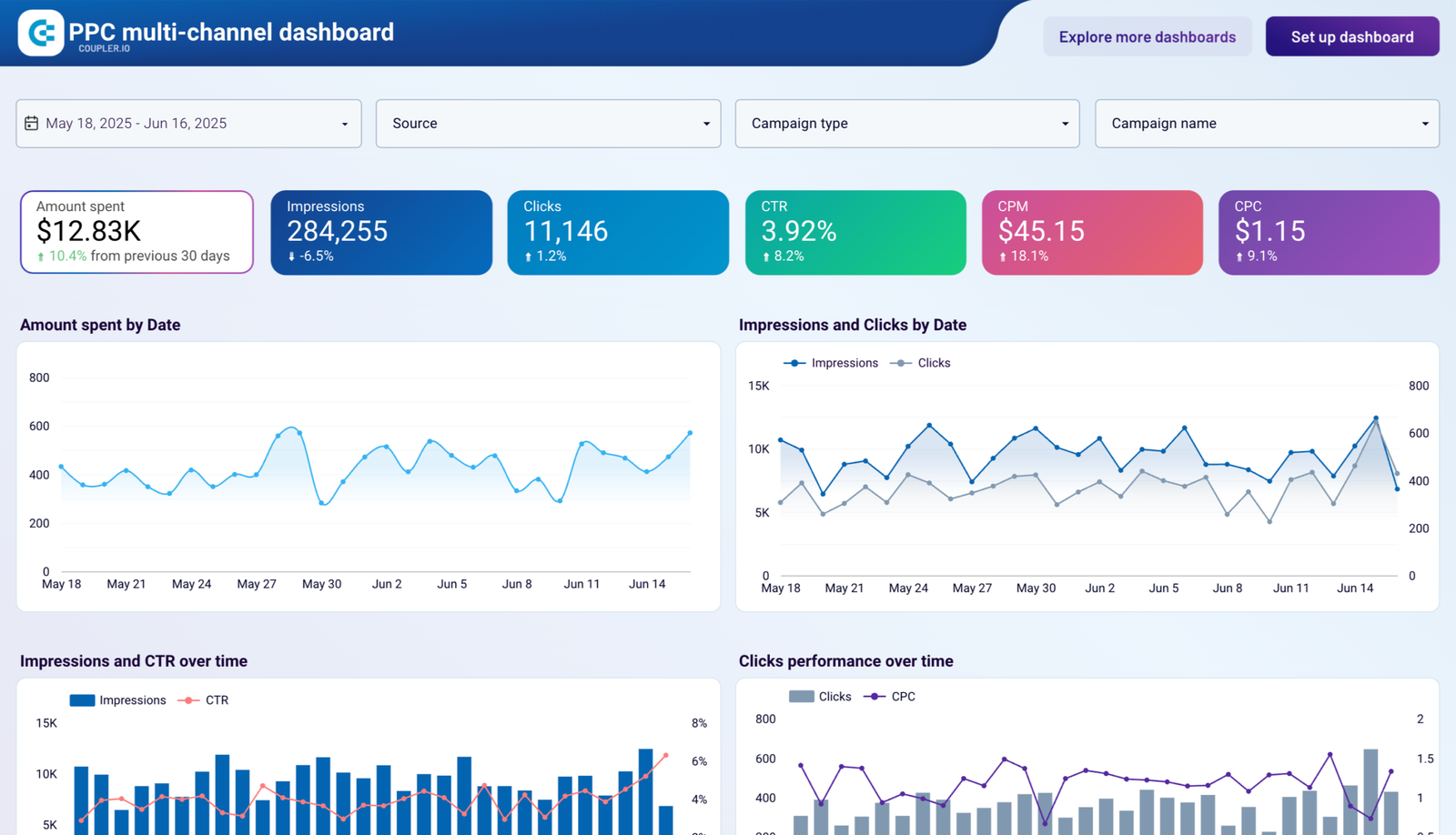
Coupler.io’s templates · Try it free for 7 days
Catchr: one connection, several destinations (partner)
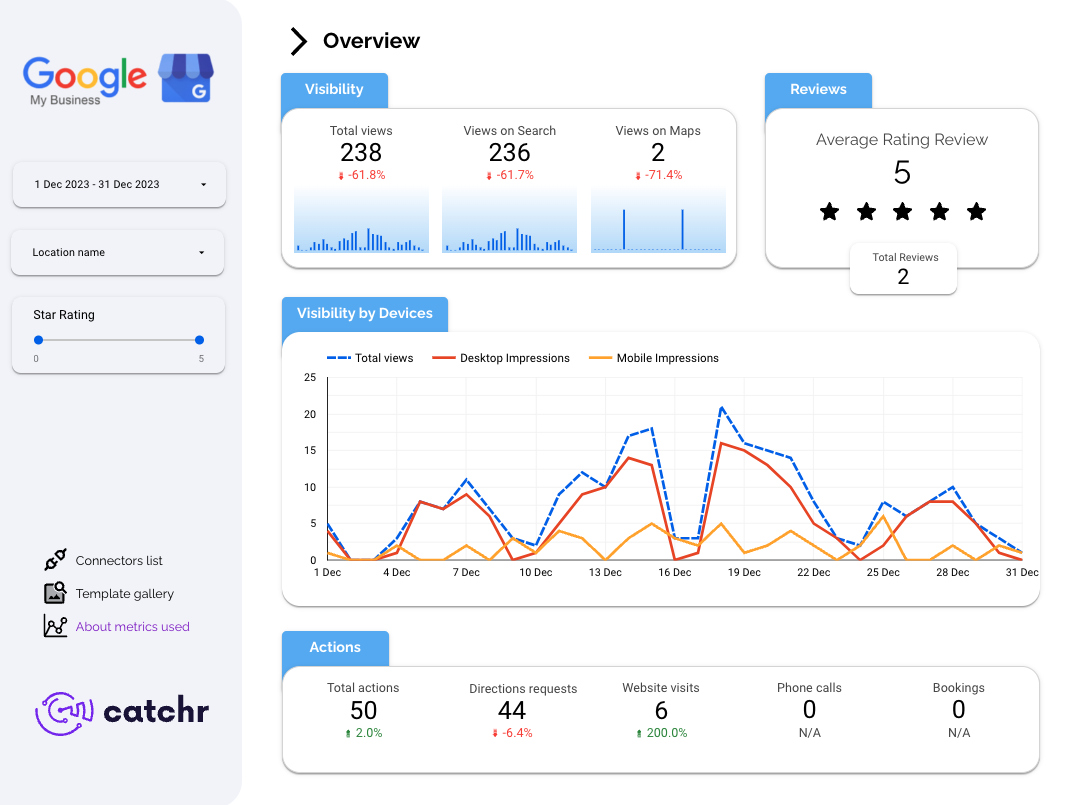
What it is. A French marketing-data connector: 100+ sources into Data Studio, Sheets, Power BI, Tableau, Excel and AI assistants through its own MCP server. It counts platforms (Facebook Ads is one) and accounts (each ad account inside it).
Best for. Freelancers and small agencies feeding Data Studio, Sheets and an AI assistant from one connection.
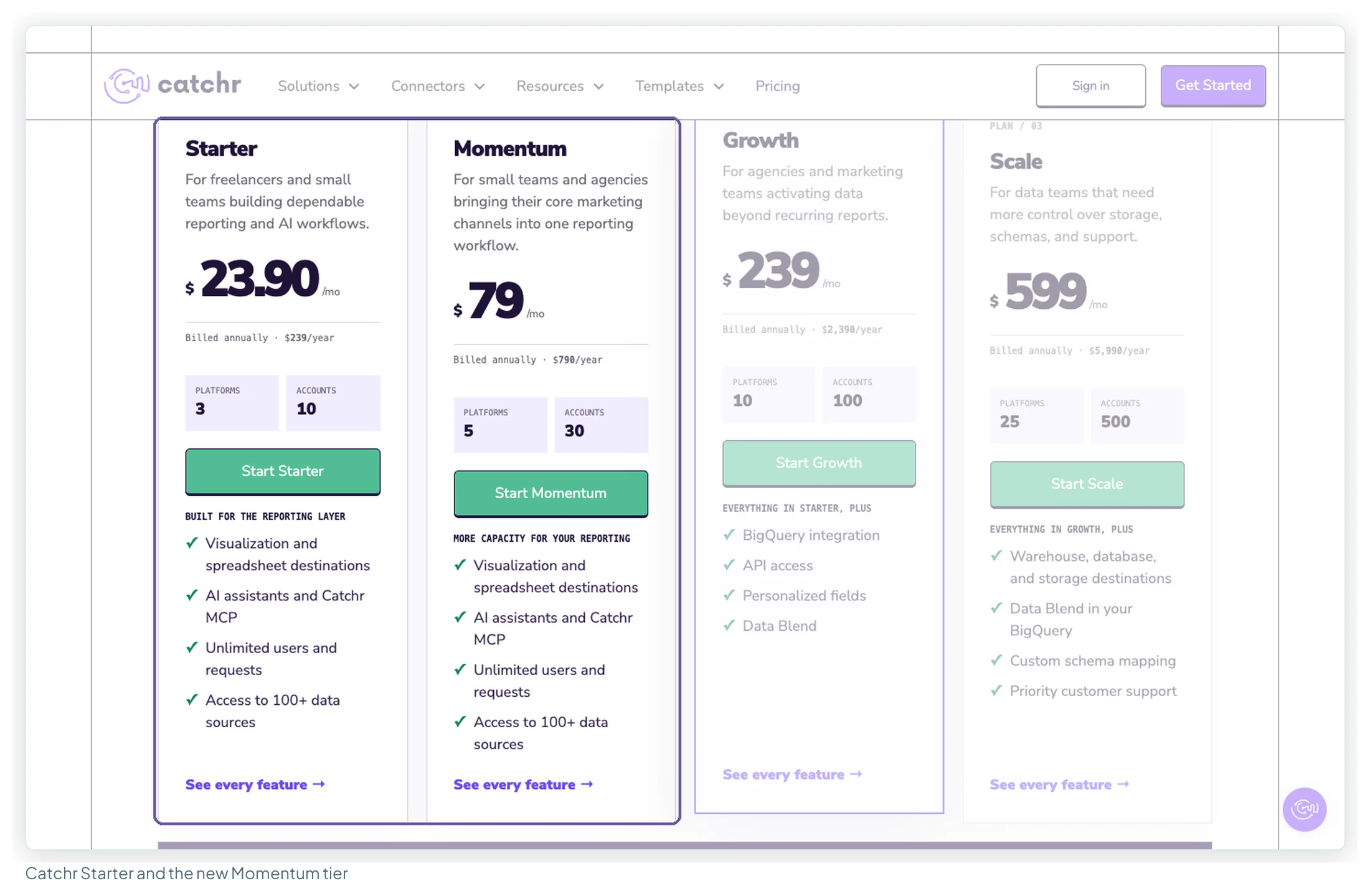
Entry price. Starter is $24 a month, or $239 a year, for 3 platforms and 10 accounts. The new Momentum tier is $79 a month, or $790 a year, for 5 platforms and 30 accounts, filling what was a ten-fold jump to Growth at $239 a month ($2,390 a year, 10 platforms, 100 accounts). Extras are $19.99 per platform and $19.99 per 10 accounts. The plan cards put BigQuery on Growth, but the comparison table lower down reads differently, so confirm warehouse access before buying.
What users say. Too few reviews for a pattern: 4.5 on G2 from 2, 5.0 on Capterra from 1, and 3.6 from 11 ratings on the Sheets add-on (read 13 October 2026). Catchr rarely comes up in forums either. That’s a gap the 14-day trial has to fill, not a verdict.
Choose it if you want one subscription feeding a report and an AI assistant, and your clients fit inside 10 to 30 accounts.
Catchr’s templates · Start a 14-day trial
Supermetrics: the incumbent, with new plans (partner)
What it is. The best-known connector here, with its own AI destination, Supermetrics Studio. Self-serve plans feed Data Studio, Sheets, Excel, Power BI and AI assistants; warehouses are Enterprise-only. No usage fees on top of the licence.
Best for. In-house teams and agencies reporting in Data Studio who want maintained connectors for many ad platforms and can work with a per-source, per-account price.
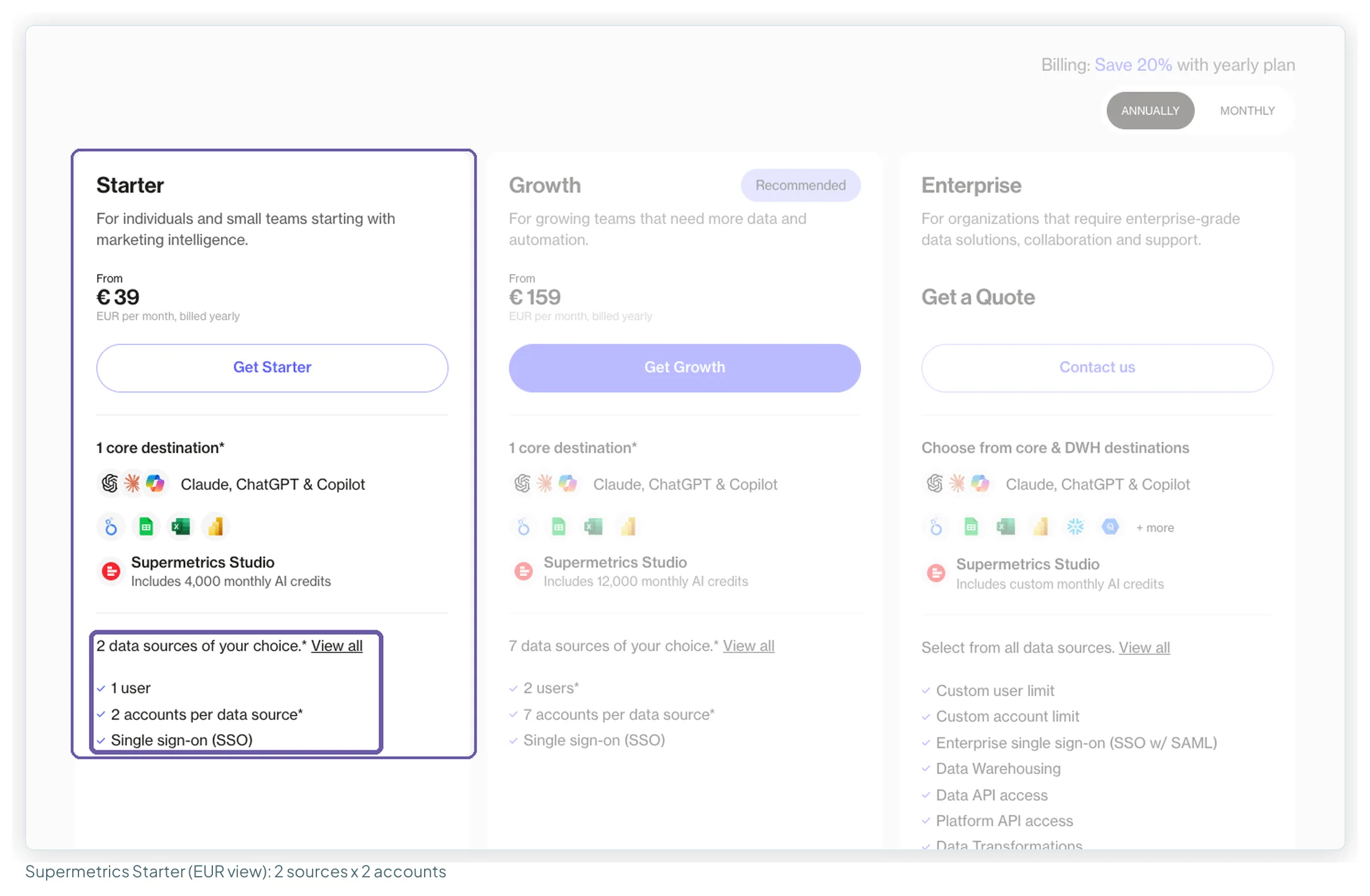
Entry price. The plans changed this autumn. On 13 October 2026 the euro page showed Starter at €39 a month billed yearly, €49 monthly, for 2 data sources with 2 accounts each, 1 user and 1 destination. Starter extras: a source €29 yearly (€37 monthly), an account €10 (€13), a destination €49 (€62), each capped. Growth is €159 yearly, €199 monthly, for 7 sources, 7 accounts per source and 2 users. The Pro tier has gone. Limits vary by region, and US visitors reportedly see different ones; this is the EUR page. My Supermetrics pricing breakdown covers every extra.
What users say. Two camps: 4.4 on Capterra from 109 reviews, most of its first page marked incentivised, and 1.5 on Trustpilot from 31 unprompted ones (read 13 October 2026); the Sheets add-on holds 4.41 from 950 ratings. Across 45 reviews, ease of use led the praise (10); unreliable queries (13), hard-to-reach support (13) and price (11) led the complaints. Cost came up in 8 of 14 forum threads.
Choose it if you report one brand across several paid platforms, or your team already knows it. Count accounts per source before picking a tier.
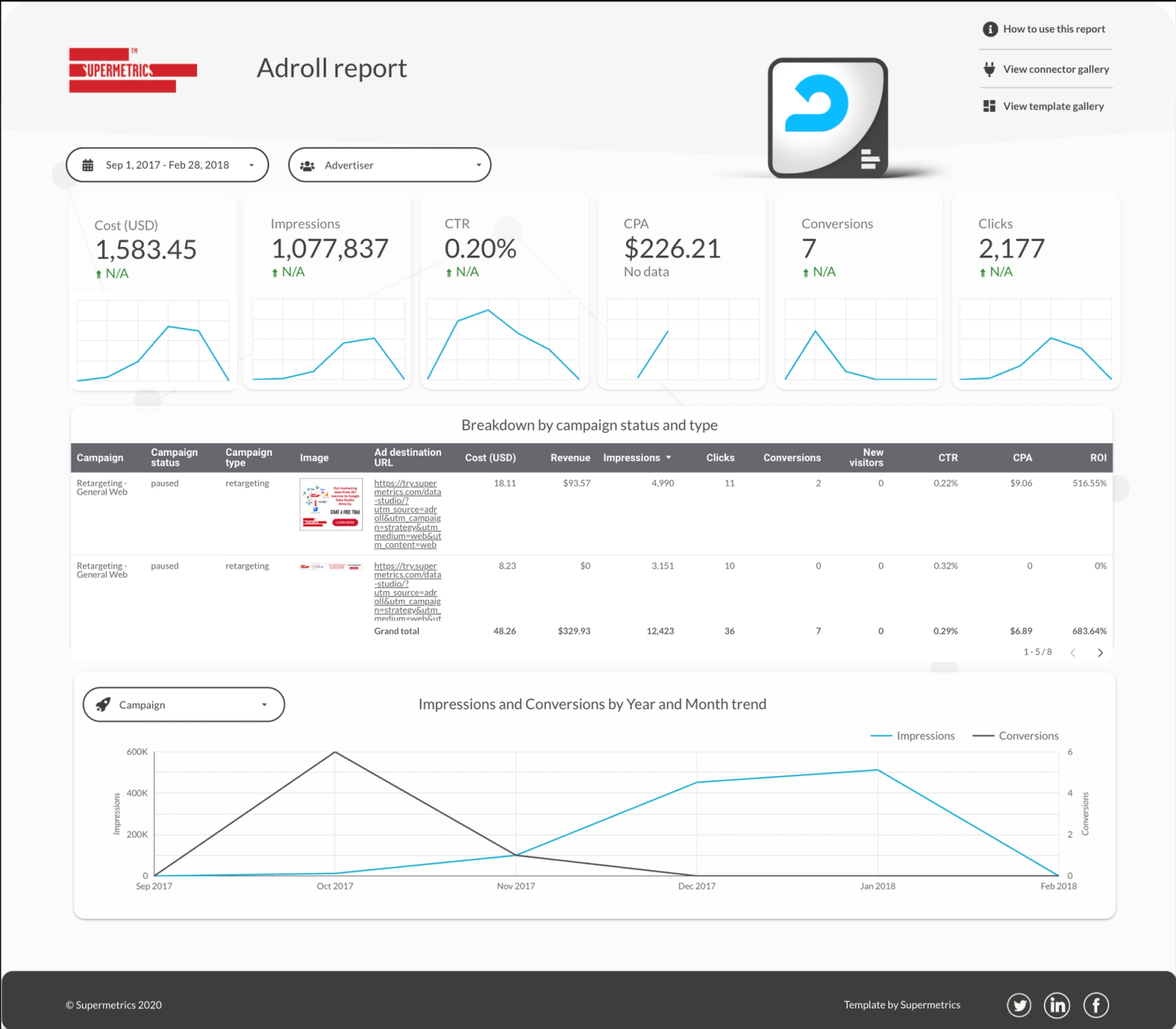
Supermetrics’ templates · Try it free for 14 days
Porter Metrics: pay per account (not a partner)
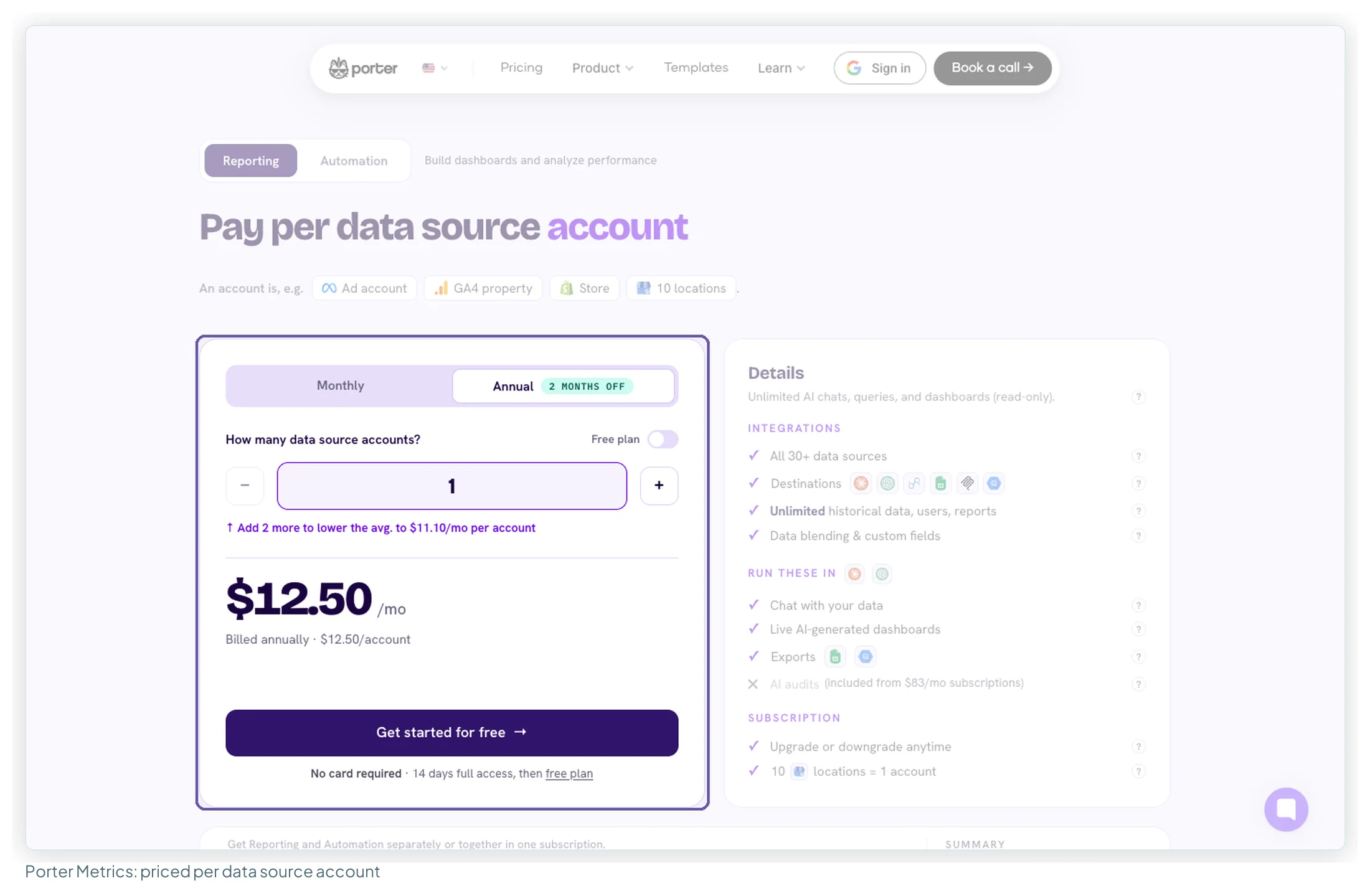
What it is. A connector for Data Studio, Sheets, Power BI and AI assistants, priced per data source account: an ad account, a GA4 property, a store, or ten Business Profile locations. Its 30+ sources are the narrowest list here.
Best for. A freelancer or small business connecting one account, or anyone who wants a bill that tracks exactly what they connect.
Entry price. $12.50 per account billed annually, $15 monthly, with unlimited users, reports and history. The per-account price falls in steps: 10 accounts cost $66.67 a month billed annually, and 13 to 20 accounts a flat $83.33. From two accounts up, Windsor.ai’s flat tier costs less. There’s a 14-day trial, then a free plan. Porter vs Windsor vs Supermetrics has the arithmetic at each size.
What users say. 4.6 on G2 from 288 reviews, 4.5 on Capterra from 6 (read 13 October 2026). The readable sample of 40 is mostly from 2022–2023: support was praised in 25 and easy setup in 18, while connections breaking or needing a reset came up in 9. In forums, Porter is the cheap, simple option for getting Facebook into Data Studio.
Choose it if you need one account connected, or want per-account billing you can predict to the cent.
Funnel.io: the data hub (not a partner)
What it is. A marketing data hub: connectors plus storage, harmonisation and exports. It feeds Data Studio rather than replacing it, with the Data Studio destination on every plan.
Best for. In-house teams with an analyst and many channels, and agencies large enough for the Business plan.
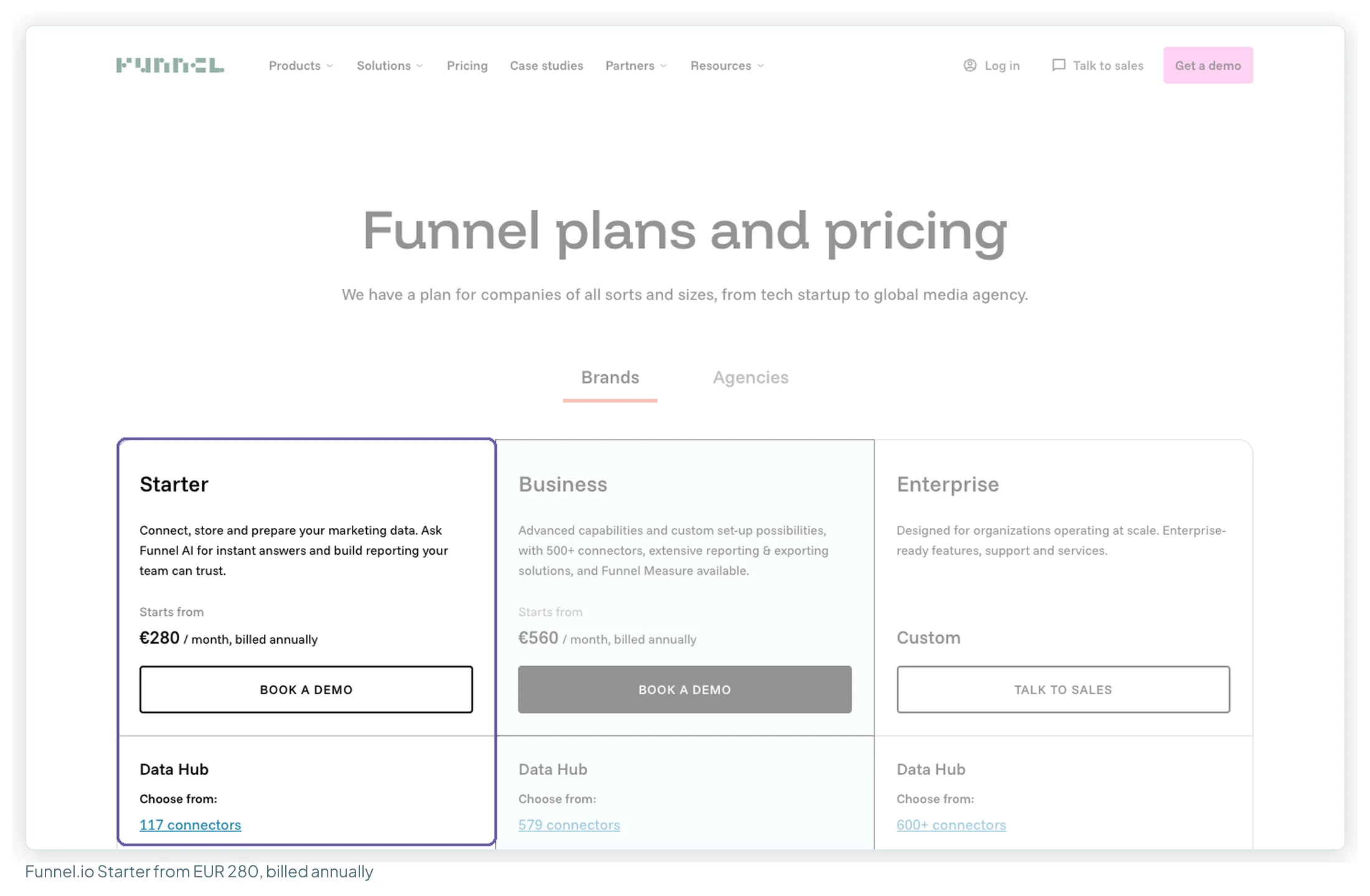
Entry price. Starter is from €280 a month billed annually, with 117 connectors, 13 destinations, 5 users and 1 workspace. Business is from €560 with 579 connectors. Capacity is bought in Flexpoints (a connector costs 50, an account 5, a visualisation destination 150), and how many each plan includes isn’t on the page. Sign-up is through a demo.
What users say. 4.5 on G2 from 276 reviews, 4.7 on Capterra from 19, 2.1 on Trustpilot from 11 (read 13 October 2026). In 30 reviews the eras differ: older ones praise connector breadth (12) and support (10), while 4 of the 7 from the last two years concern contract and renewal terms.
Choose it if the pipe itself has become the hard problem: many sources, messy naming, and a need for stored history.
Layer two: the dashboard
For client reporting, the difference that matters here is who can view a report without a licence.
| Data Studio | Power BI | Tableau | |
|---|---|---|---|
| Price to build | Free · Pro $9/user/project | Free account; Pro $14/user to publish | Creator $75/user (Standard) |
| Price to view | Free, unlimited viewers | Pro $14 per reader | Viewer $15 each (Standard) |
| Can the free tier share? | Yes | No | Free Desktop works on local files only |
| Marketing sources built in | GA4, Search Console, Google Ads, Sheets, YouTube, BigQuery | GA4, Sheets, BigQuery; Google Ads and Meta need a connector | GA4; Google Ads and Meta need a connector |
| Contract | None | Paid yearly | Annual contract |
| Strongest at | Client-facing reports, design control | Modelling, large datasets, Microsoft 365 companies | Visual exploration, Salesforce companies |
Data Studio: free to build, free to view
What it is. Google’s browser-based reporting tool (formerly Looker Studio, renamed back in April 2026). Google’s page says it connects to more than 1,400 data sources, most of them partner connectors.
Best for. Anyone sending reports to clients or stakeholders, since viewers cost nothing, and anyone whose data is mostly Google’s.
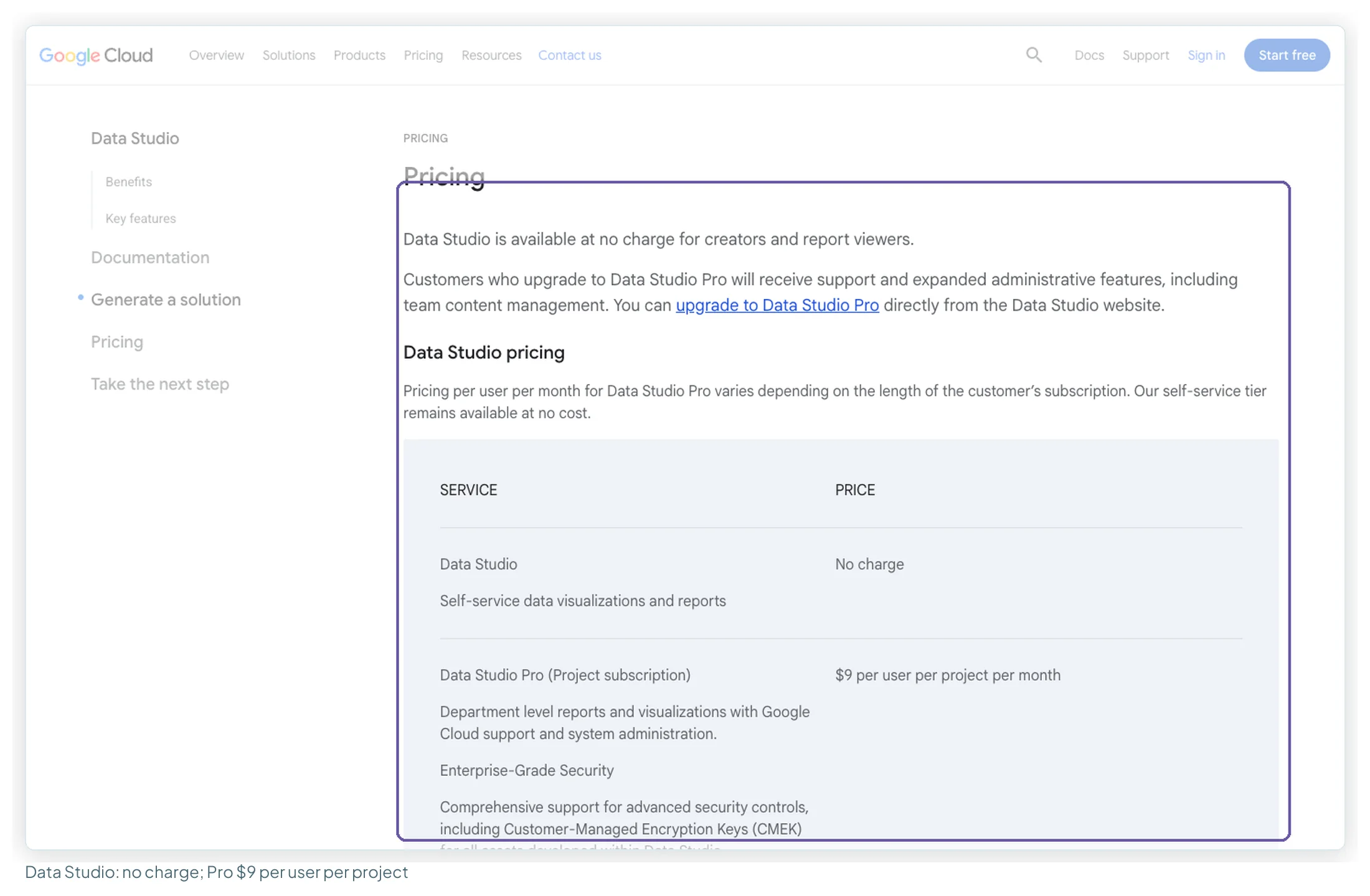
Entry price. Free for creators and viewers. Data Studio Pro is $9 per user per project per month, adding team-owned content, team workspaces, chart alerts and up to 200 delivery schedules per report, with a 30-day trial. Free vs Pro goes through the upgrade.
What users say. 8.2 out of 10 on TrustRadius from 335 reviews and ratings, 4.5 on Gartner Peer Insights from 423 ratings (read 13 October 2026; G2 and Capterra couldn’t be read). In 32 reviews, 21 of them over two years old, customisable reports (12) and easy sharing with clients (11) led the praise; blending limits (13) and slowness with large data (10) led the complaints. A blend can join up to five tables.
Choose it if you send reports outside your team or want full control of the design. Add a connector only for sources Google doesn’t cover.
Power BI: modelling power, a licence per reader
What it is. Microsoft’s business intelligence platform, now sold within Microsoft Fabric.
Best for. In-house teams in a Microsoft 365 company modelling marketing data alongside finance or CRM data, especially where readers already hold Pro through Microsoft 365 E5.
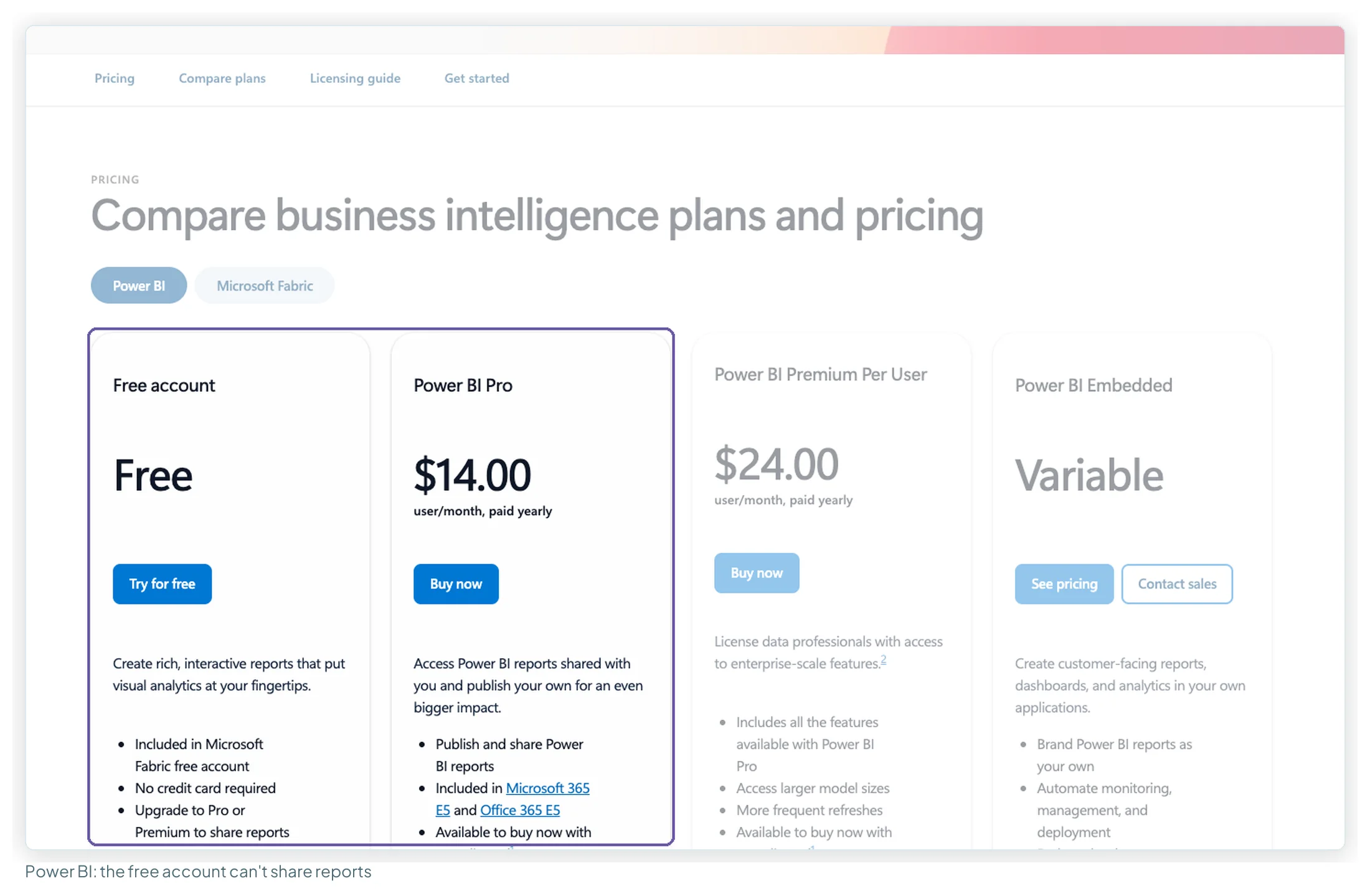
Entry price. The free account builds but can’t share. Pro is $14 per user per month paid yearly, and every reader needs it; Premium Per User is $24. Pro refreshes a dataset up to 8 times a day.
What users say. 4.5 on G2 from 1,661 reviews, 8.5 out of 10 on TrustRadius from 2,235, 4.4 on Gartner from 4,143 ratings (read 13 October 2026). In 35 recent reviews, interactive dashboards (20) and combining sources (16) led the praise; the learning curve (13), a complex interface (11) and slowness with large reports (10) led the complaints. Only 4 of the 35 reviewers worked in marketing.
Choose it if your readers are already licensed and you need relationships between tables, not just charts. Data Studio vs Power BI vs Tableau covers where each wins.
Tableau: visual depth, priced per role
What it is. Salesforce’s visual analytics platform: Tableau Cloud or Server, with Desktop and Prep Builder for authoring.
Best for. Analysts exploring large data, and Salesforce companies.
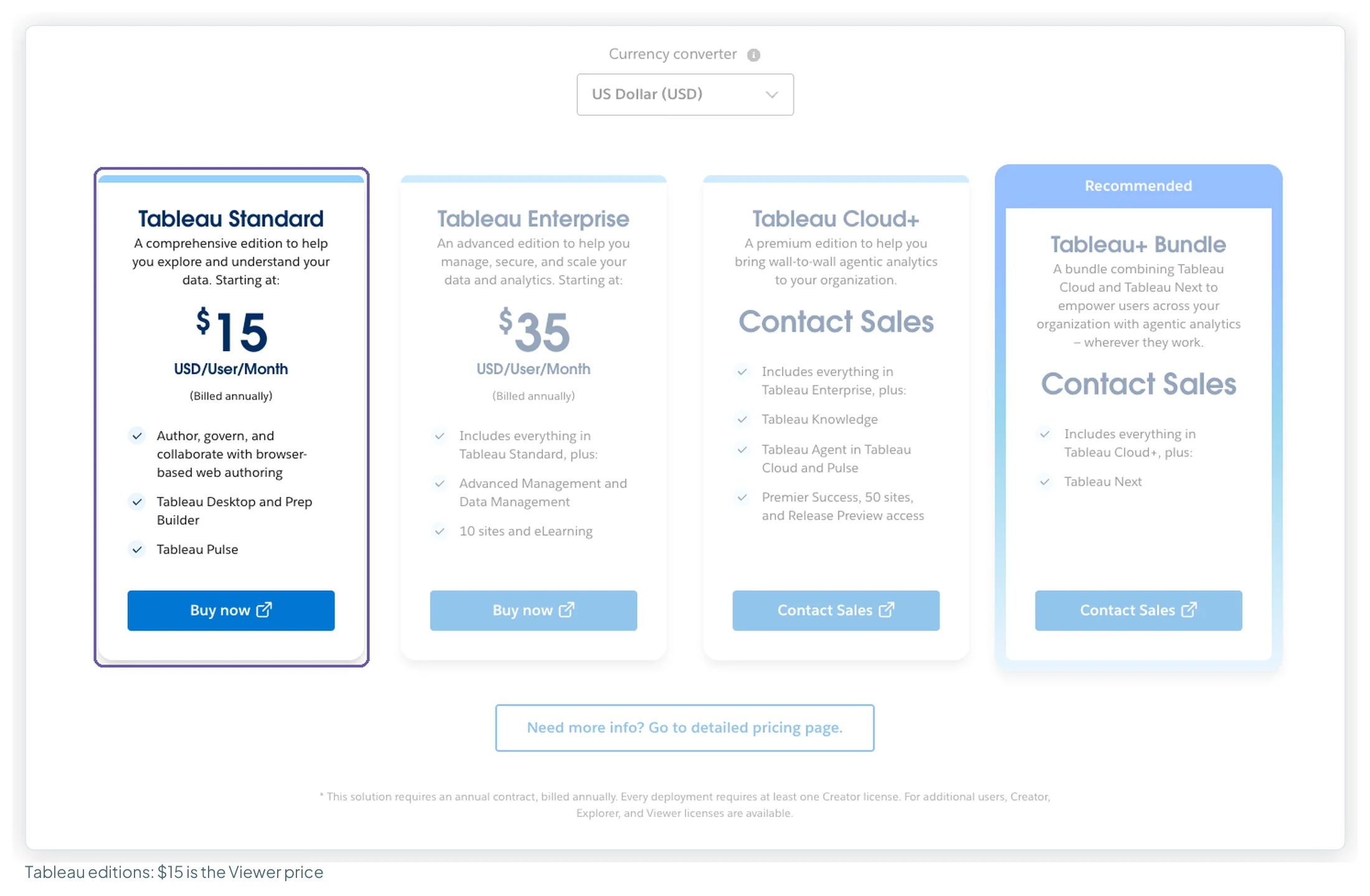
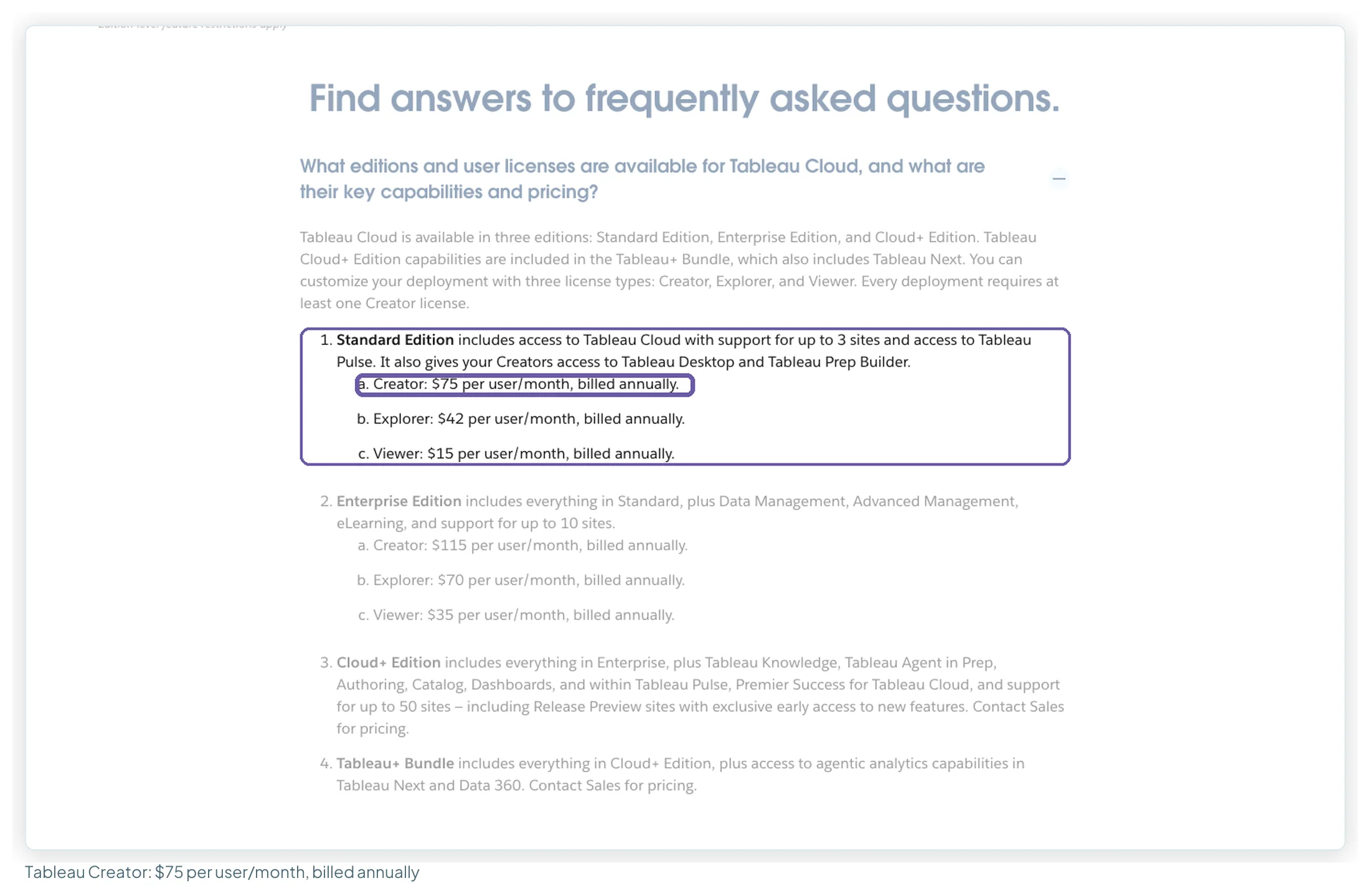
Entry price. Priced by role on an annual contract, and every deployment needs at least one Creator. On Standard a Creator is $75 per user per month, an Explorer $42 and a Viewer $15, all billed annually; Enterprise roles are $115, $70 and $35. The free Desktop edition works on local files only.
What users say. 4.4 on G2 from 4,230 reviews, 4.6 on Capterra from 2,362, 4.4 on Gartner from 4,770 ratings (read 13 October 2026). In 20 recent reviews, visual quality was praised in 14; slowness with large data or extract refreshes came up in 11 and licence cost in 6, including viewers needing a licence.
Choose it if an analyst on your team explores data rather than just reporting it, and the budget covers a licence for every reader.
Layer three: the agency platforms
The reason these platforms exist: client portals, white-labelling, scheduled sends, alerts and rank tracking in one bill. Data Studio Pro adds chart alerts and up to 200 delivery schedules per report, but no branded client login.
| Platform | Entry, annual | Entry, monthly | Metered on | White-label | Sends data to Data Studio? |
|---|---|---|---|---|---|
| AgencyAnalytics | $20/client | $25/client | Clients | Included | No; it replaces it |
| DashThis | $44 (3 dashboards) | $54 | Dashboards + sources | Included | No; it replaces it |
| Databox | $0 free · Agency from $79 + $20/client | Analyst $89 | Users, sources, AI credits | +$200/mo | No; it replaces it |
| Whatagraph | From €999 (Max) | Not offered | Credits, 1 per source | Included on Max | Prime only |
AgencyAnalytics: per client, everything included
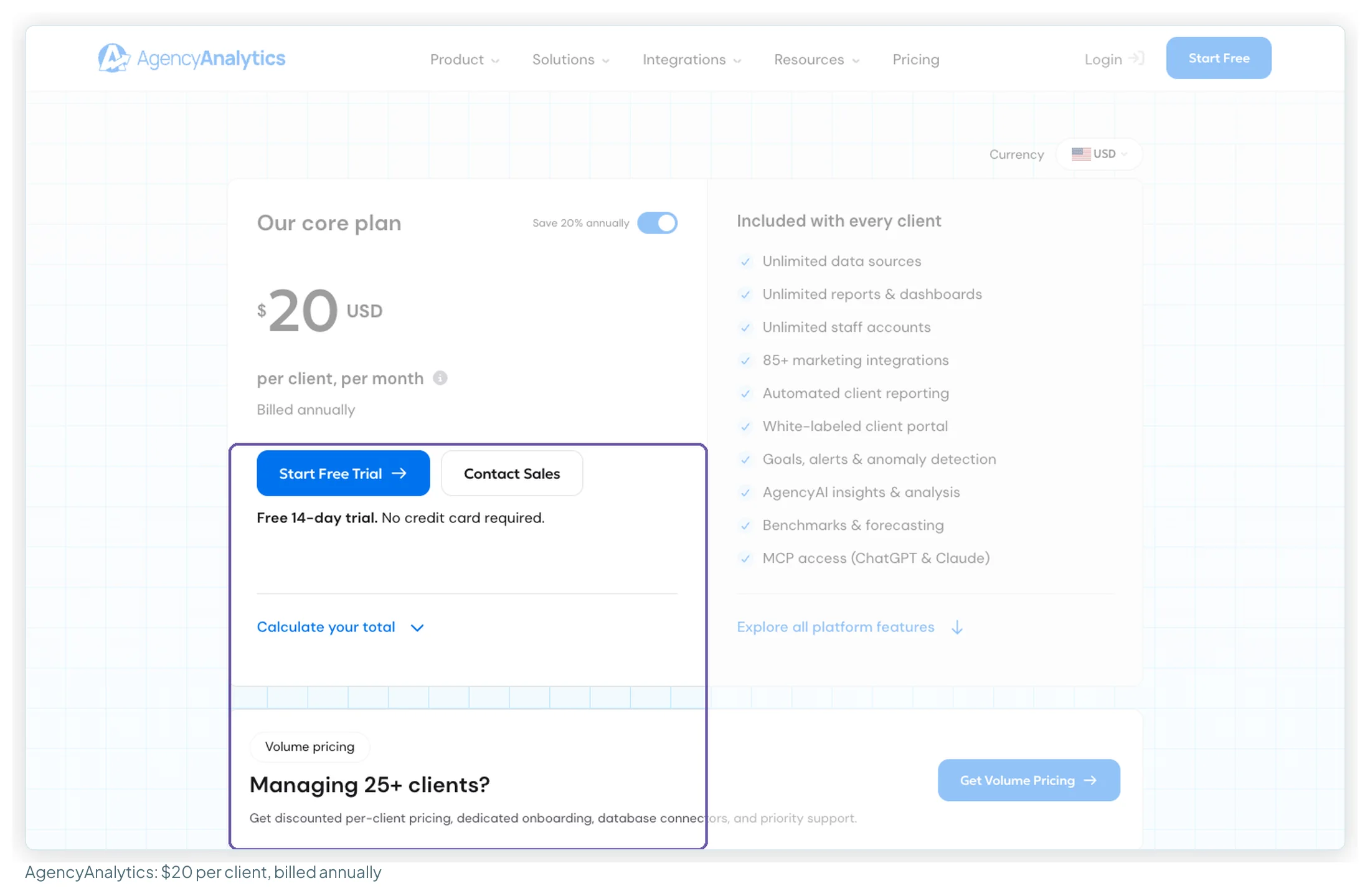
What it is. A client-reporting platform for agencies: 85+ integrations, dashboards, scheduled reports, a white-labelled client portal and MCP access for AI assistants in one product. It replaces Data Studio rather than feeding it.
Best for. Agencies with no in-house report builder whose clients expect a login, scheduled reports and SEO tools.
Entry price. $20 per client per month billed annually, $25 monthly, with unlimited sources, reports, dashboards and staff accounts. Rank tracking is an add-on at $41.67 a month per 500 keywords. There’s a 14-day trial, a 30-day money-back guarantee, and volume pricing from 25 clients.
What users say. 4.7 on G2 from 462 reviews, 4.8 on Capterra from 116, 3.4 on Trustpilot from 24 (read 13 October 2026). Across 45 reviews, fast support (17) and ease of use (13) led the praise; inflexible report design (8) and price or billing (7) led the complaints.
Choose it if nobody at your agency builds dashboards and your clients want a portal. AgencyAnalytics alternatives covers when a platform beats a free dashboard plus a connector.
DashThis: priced per dashboard
What it is. A marketing dashboard tool priced on dashboards and sources rather than clients or seats. One DashThis dashboard can hold any number of platforms, so one client usually means one dashboard.
Best for. Freelancers and small agencies wanting quick client dashboards with no connector bills.
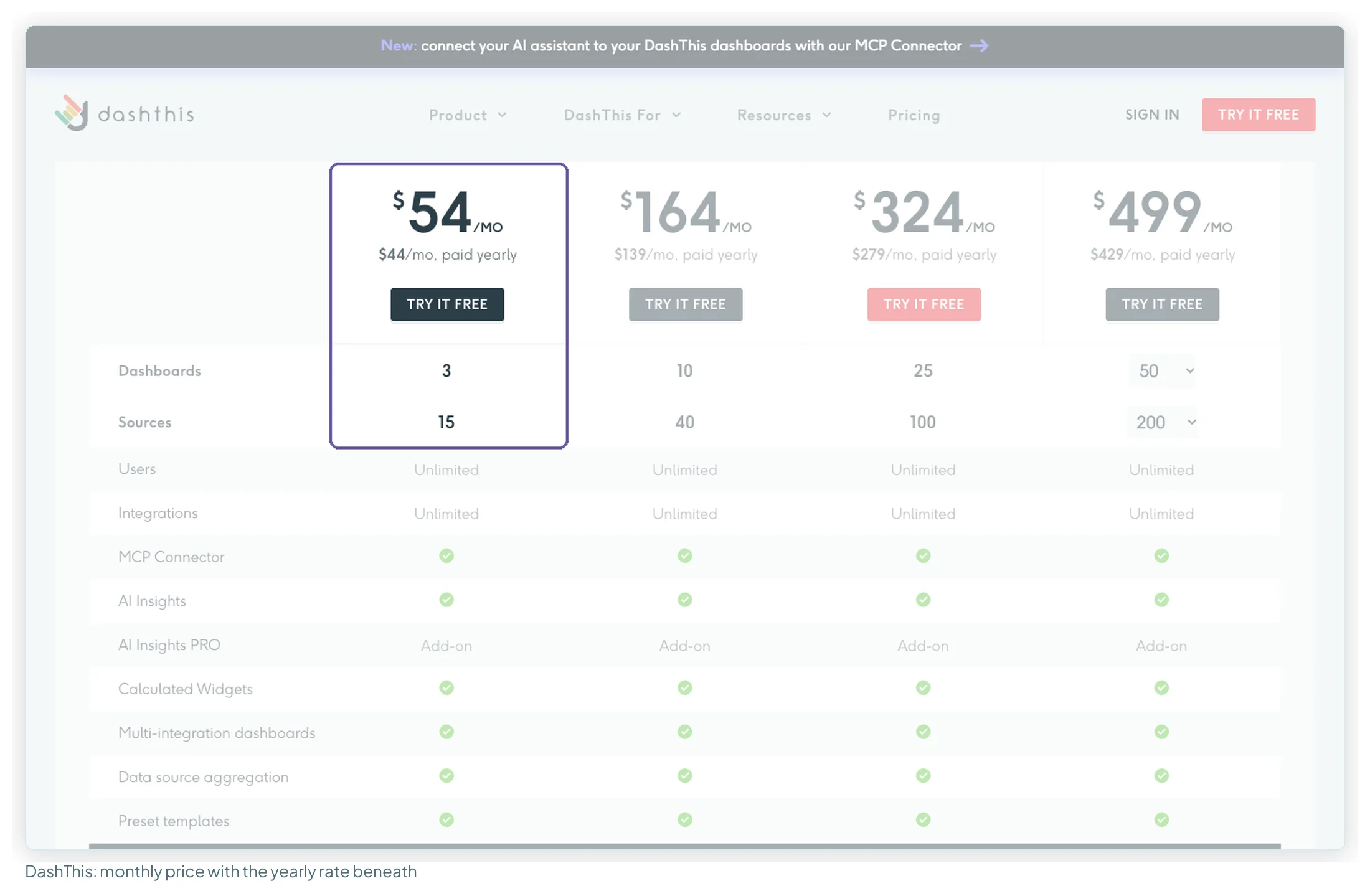
Entry price. Individual is $54 a month, or $44 paid yearly, for 3 dashboards and 15 sources. Professional is $164, or $139 yearly, for 10 dashboards and 40 sources. Users are unlimited and the MCP connector is included on every plan; AI Insights PRO is an add-on at $19 a month, or $15 yearly.
What users say. 4.7 on G2 from 94 reviews, 4.5 on Capterra from 26, 3.7 on Trustpilot from 3 (read 13 October 2026). In 28 reviews, ease of use (20) and personal support (14) led the praise, with limited customisation (6) the main complaint. Most readable reviews are over two years old, and 16 of 25 on Capterra are marked incentivised.
Choose it if you have a small, fixed number of client reports and want them finished in an afternoon. Data Studio vs Databox vs DashThis shows where the cheaper option changes as a client list grows.
Databox: monitoring and KPIs, with a free tier
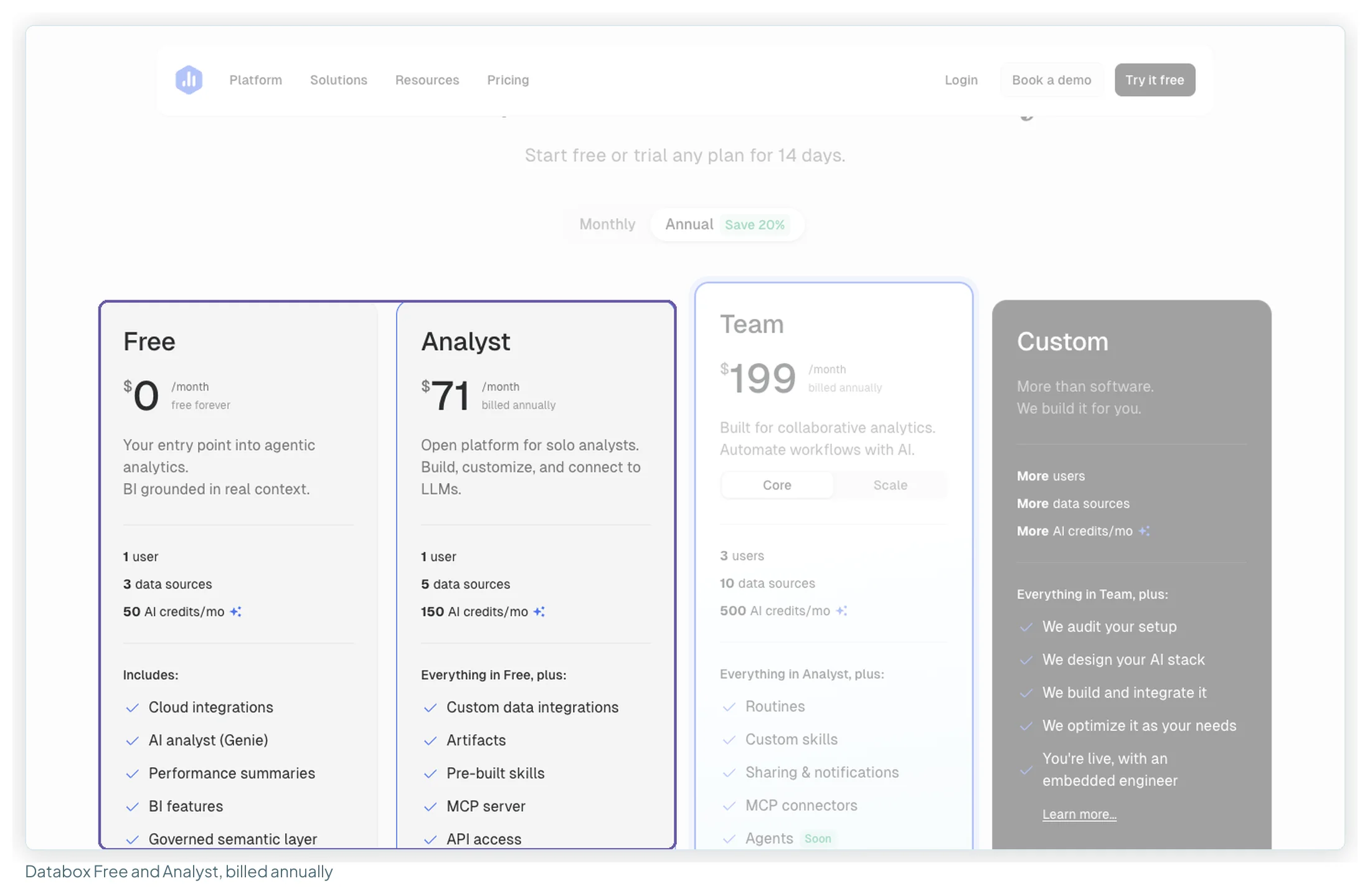
What it is. A KPI platform with connectors, dashboards, goals, alerts, an AI analyst and an Agency track, reaching beyond marketing into sales and finance data.
Best for. In-house teams that want to monitor KPIs across the business, with goals and alerts, more than pixel-level report design.
Entry price. Free is $0 for 1 user, 3 sources and 50 AI credits a month. Analyst is $71 a month billed annually, $89 monthly, for 5 sources. Team starts at $199 annual ($249 monthly) for 3 users. The Agency plan is from $79 a month billed annually plus $20 per extra client pack (4 client accounts are included), and white-labelling is a $200 a month add-on billed annually, $250 monthly. Any plan can be trialled for 14 days.
What users say. 4.6 on Capterra from 205 reviews, 3.2 on Trustpilot from 26 (read 13 October 2026). In 44 reviews, helpful support (17) and ease of use (10) led the praise; billing and refunds (8) and metrics that stop updating (8) led the complaints. Nine of the Trustpilot five-star reviews fall within six weeks of 2025, worth knowing when you read the score.
Choose it if you want goals, alerts and a scorecard across departments; the free tier is enough to try it properly.
Whatagraph: the managed, all-in-one option
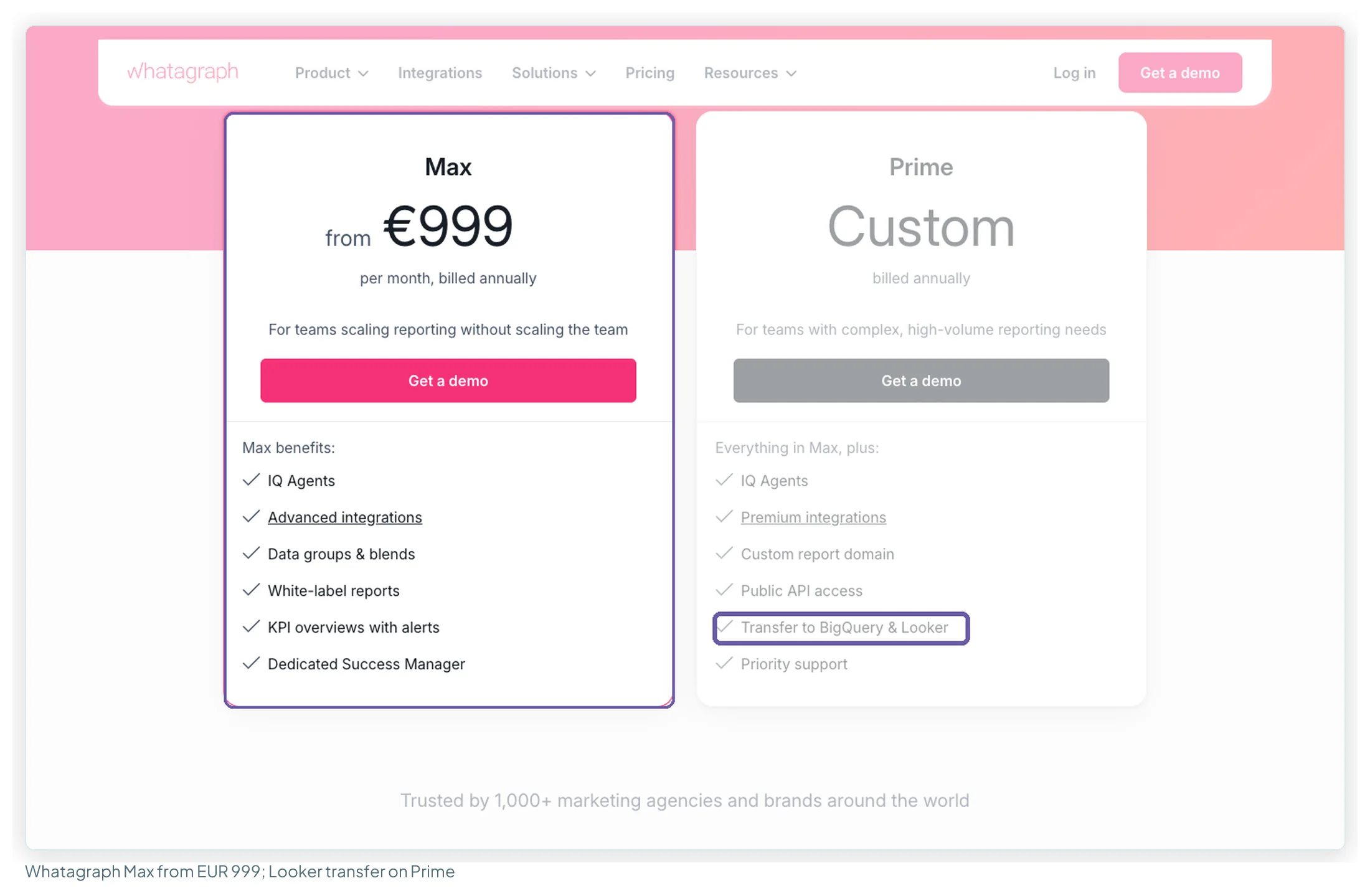
What it is. An agency reporting platform with its own report builder, data blends, white-label reports, AI agents and a dedicated success manager. It replaces Data Studio; sending data on to Data Studio is a Prime feature.
Best for. Larger agencies that want a managed reporting layer with blends and templated client reports, and can commit to a year.
Entry price. Max is from €999 a month, billed annually, with unlimited users and reports and from 50 credits (one per connected source). It was €699 until early October 2026. Prime is priced on request. No free plan or trial is advertised; the way in is a demo.
What users say. 4.4 on Capterra from 84 reviews, 9.7 out of 10 on TrustRadius from 7, 2.5 on Trustpilot from 19 (read 13 October 2026). In 49 reviews, ease of use (18), support (16) and time saved (15) led the praise; bugs and broken connections (11) and price (10) led the complaints. Only 6 of the 49 are from the last two years, split between praise for blends and complaints about cost and renewals.
Choose it if you run 30 or more clients, want reporting as a managed service, and don’t need the data in Data Studio.
What ten clients cost on each route
The fairest comparison I can make is one setup priced on each layer: an agency with ten clients, each reporting GA4, Google Ads and Meta Ads, one report and one reader per client, billed annually.
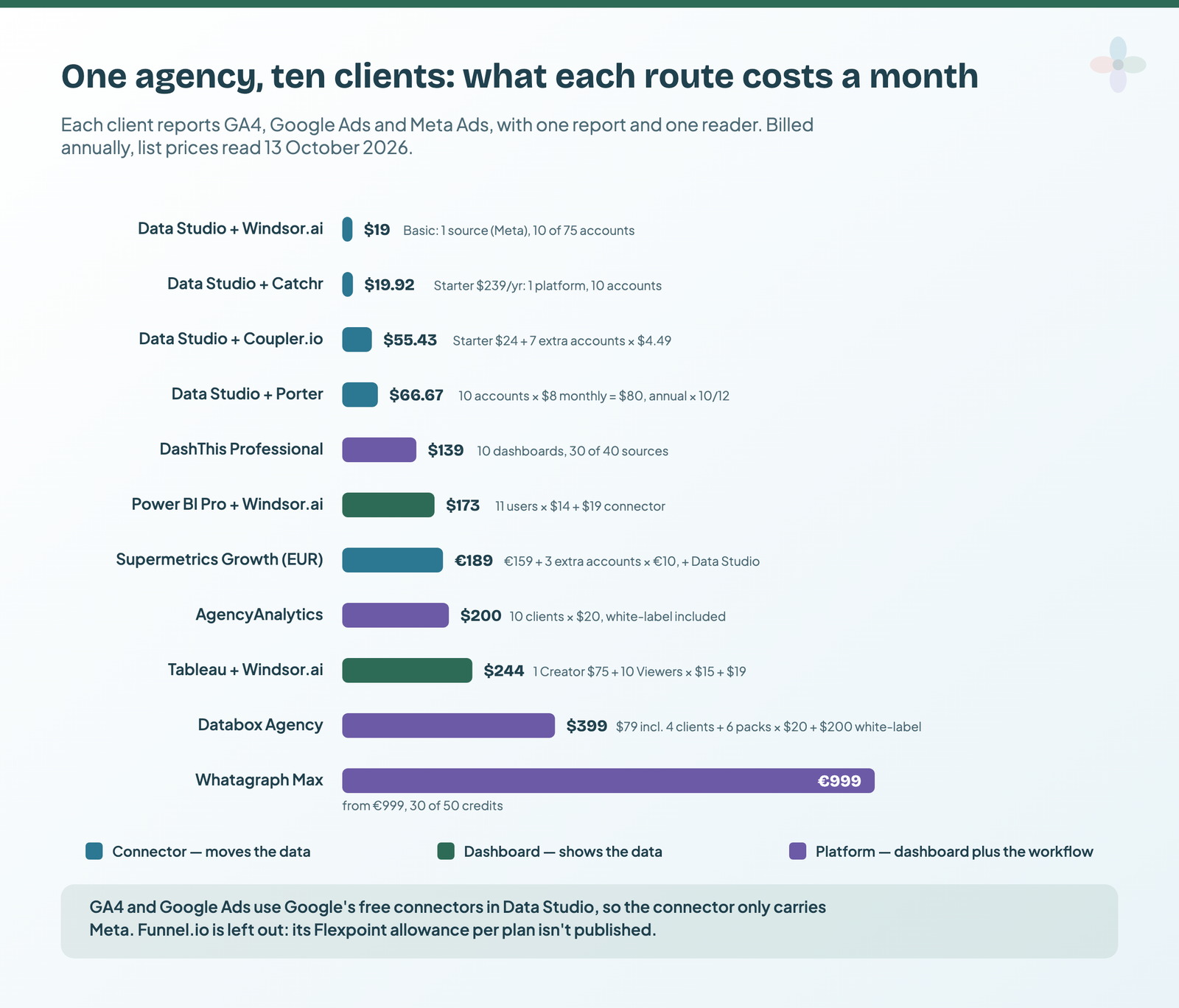
The chart leaves out labour: on the connector routes someone builds and maintains the Data Studio reports (though once built, automated client reports in Data Studio keep themselves up to date), while the platforms bundle templates, client logins and scheduled sends into the price. Supermetrics Starter tops out at 3 accounts per source, so Growth is the first plan that fits.
Which marketing reporting tool for which job
| Your situation | What you’re missing | Start with |
|---|---|---|
| Your data is GA4, Search Console and Google Ads | Nothing paid | Data Studio and Google’s free connectors |
| You need Meta, LinkedIn or TikTok in reports you already build | The pipe | Windsor.ai for many accounts on a flat price, Catchr if an AI assistant should get the data too, Porter Metrics for one account |
| An unusual source, or joins before the data lands | The pipe, with transformations | Coupler.io |
| One brand, many paid platforms, a team that knows the tool | The pipe | Supermetrics Growth |
| Many channels, messy naming, stored history, an analyst | A data hub | Funnel.io, with Data Studio on top |
| A Microsoft 365 company whose readers have licences | Modelling | Power BI |
| An analyst exploring large data, or a Salesforce company | Visual analysis | Tableau |
| Clients want a branded login and nobody builds dashboards | The workflow | AgencyAnalytics |
| A few fixed client reports, fast | The workflow, small | DashThis |
| KPI monitoring and alerts across departments | Monitoring | Databox |
| 30+ clients and a budget for a managed service | The whole workflow | Whatagraph |
Combinations that work: a connector plus Data Studio
For most marketers I’d start with two tools: Data Studio for the reports and one connector for the sources Google doesn’t cover. Four stacks, monthly on annual billing:
| Who | Stack | Monthly |
|---|---|---|
| A freelancer, two or three clients, mostly Google data | Data Studio; add Windsor.ai or Catchr when a client needs Meta | $0–19.92 |
| A small agency, ten clients on Google plus Meta | Data Studio + one connector + a master report copied per client | $19–66.67; €189 on Supermetrics Growth |
| An agency with no analyst, clients who want logins | AgencyAnalytics | $200 at ten clients |
| In-house, one brand, many platforms, a data team | Funnel.io or a warehouse, with Data Studio on top | €280+ |
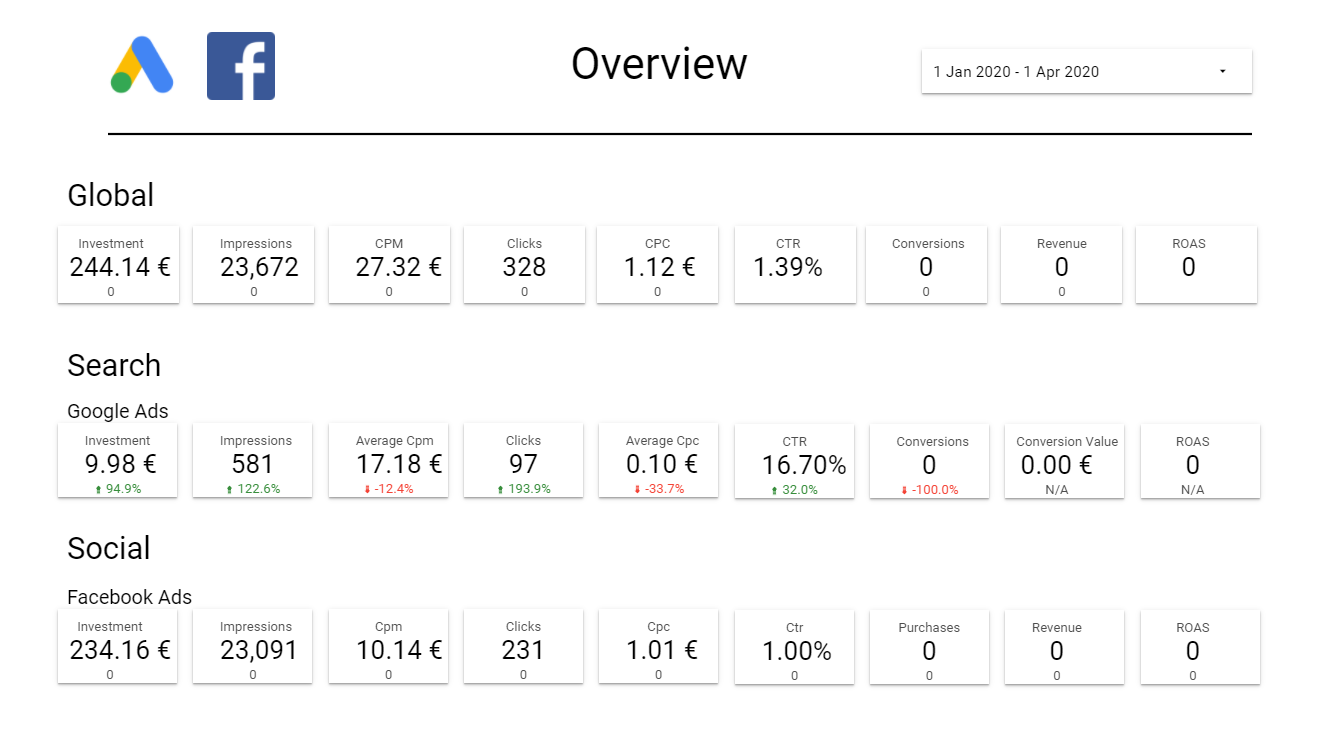
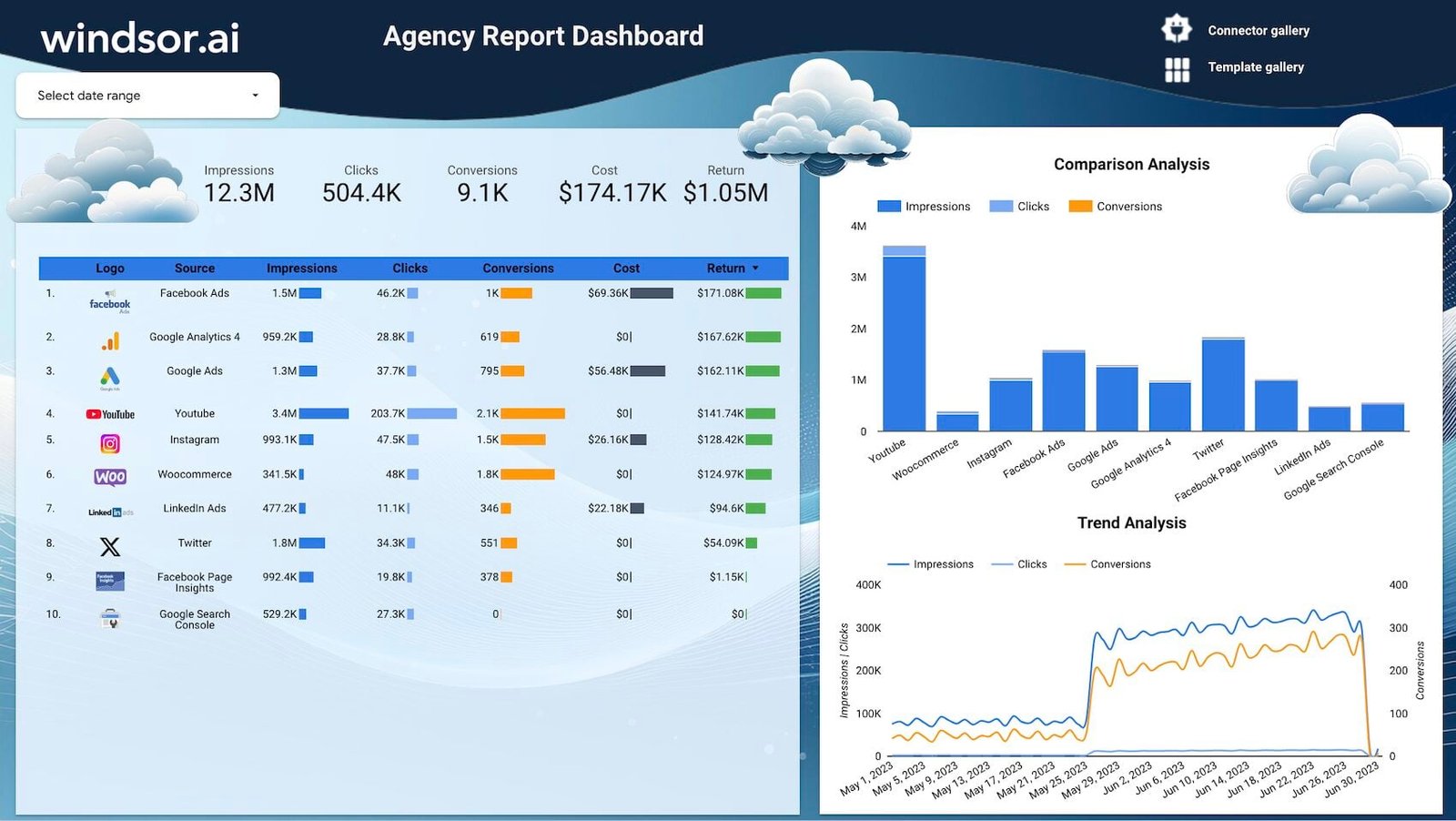
The connector vendors’ own templates are the quickest way in: copy one, point it at your accounts, then make it yours. Two built for exactly this pairing:
Three expensive mistakes
Paying to connect Google’s own data. The most common, and pure waste: the GA4, Search Console and Google Ads connectors are free.
Buying all three layers when you needed one. If your Data Studio reports already work, a platform replaces something that wasn’t broken and means rebuilding everything.
Comparing headline prices instead of metering units. $20 per client, $44 per three dashboards, $12.50 per account and €39 for two sources (all annual rates) aren’t comparable. Count your clients, dashboards, accounts and sources first. The same goes for prices you find elsewhere:
| Figure you’ll often see quoted | Pricing page, 13 October 2026 |
|---|---|
| Whatagraph from $199–249 a month | Max from €999 a month, billed annually |
| DashThis from $44 a month | $44 is the yearly-billed rate; monthly is $54 |
| AgencyAnalytics from $79 for 5 clients | $20 per client billed annually, $25 monthly |
| Supermetrics Starter with 3 sources | EUR page: 2 sources × 2 accounts, 1 user; US limits reportedly differ |
| Funnel.io from $200 or $399 | Starter from €280 a month, billed annually |
Supermetrics, Whatagraph and Catchr all changed their plans this autumn, which is why every price here carries a date.
Where to go next
- Data Studio connectors compared
- Porter vs Windsor vs Supermetrics, worked at each size
- Supermetrics alternatives for Data Studio users
- AgencyAnalytics alternatives
- Data Studio vs Databox vs DashThis
- The best free Data Studio templates
Frequently asked questions
What is the best marketing reporting tool?
For most marketers, Data Studio for the reports plus one connector for non-Google data: building and viewing are free, and a connector such as Windsor.ai starts at $19 a month billed annually. The exception is an agency that needs client logins, white-labelling and rank tracking with nobody to build reports, where AgencyAnalytics at $20 per client billed annually is often the better buy.
What’s the cheapest way to build marketing reports?
Free, if your data is Google’s: Data Studio costs nothing to build or view, and Google’s own connectors cover GA4, Search Console, Google Ads, Sheets, YouTube and BigQuery. The first cost appears when you need Meta, LinkedIn or TikTok: from $12.50 per account with Porter Metrics or $19 a month with Windsor.ai, both billed annually.
Is Data Studio enough for client reporting?
For the reports themselves, usually yes: viewers are free and the design is entirely yours. What it doesn’t give you is a branded client login, approvals or rank tracking in one bill. If clients need those and nobody on the team builds reports, an agency platform covers them.
Why do reporting tools’ prices vary so much?
Because they sell different layers. A connector moves data and starts between $12.50 and €39 a month billed annually. A dashboard tool displays it, and Data Studio does that for free. An agency platform adds the workflow and runs from $20 per client to €999 a month.
Some links in this post are affiliate links: if you sign up through one, I may earn a commission at no extra cost to you. How I work with partners.