
The best free Data Studio templates are the ones built on a connector you already have: if your reporting is GA4, Search Console and Google Ads, seven templates in the library run entirely on Google’s own free connectors; for Meta, LinkedIn, Shopify, HubSpot or Business Profile, 208 more are free to copy and run on the connector of the company that built them. The library holds 255 Data Studio (formerly Looker Studio) templates in all, and 215 of them are free.
Below are 34 of them, picked one by one and grouped by the job they do: SEO, GA4, paid media, social, ecommerce, local, email and CRM, executive and agency reporting. For each you’ll see the real dashboard, what it shows, which data sources it needs (Google’s own, or a connector, and which), who it’s for, and a “use it if” line. Then how to copy one, how to choose, and the questions people ask most.
What’s in the library: 255 templates, sorted by job
I pulled the whole library on 13 October 2026 and sorted every template by job and by what it runs on. Paid media is the deepest shelf; SEO has the most premium options, because that’s where the independent creators have put most of their work.
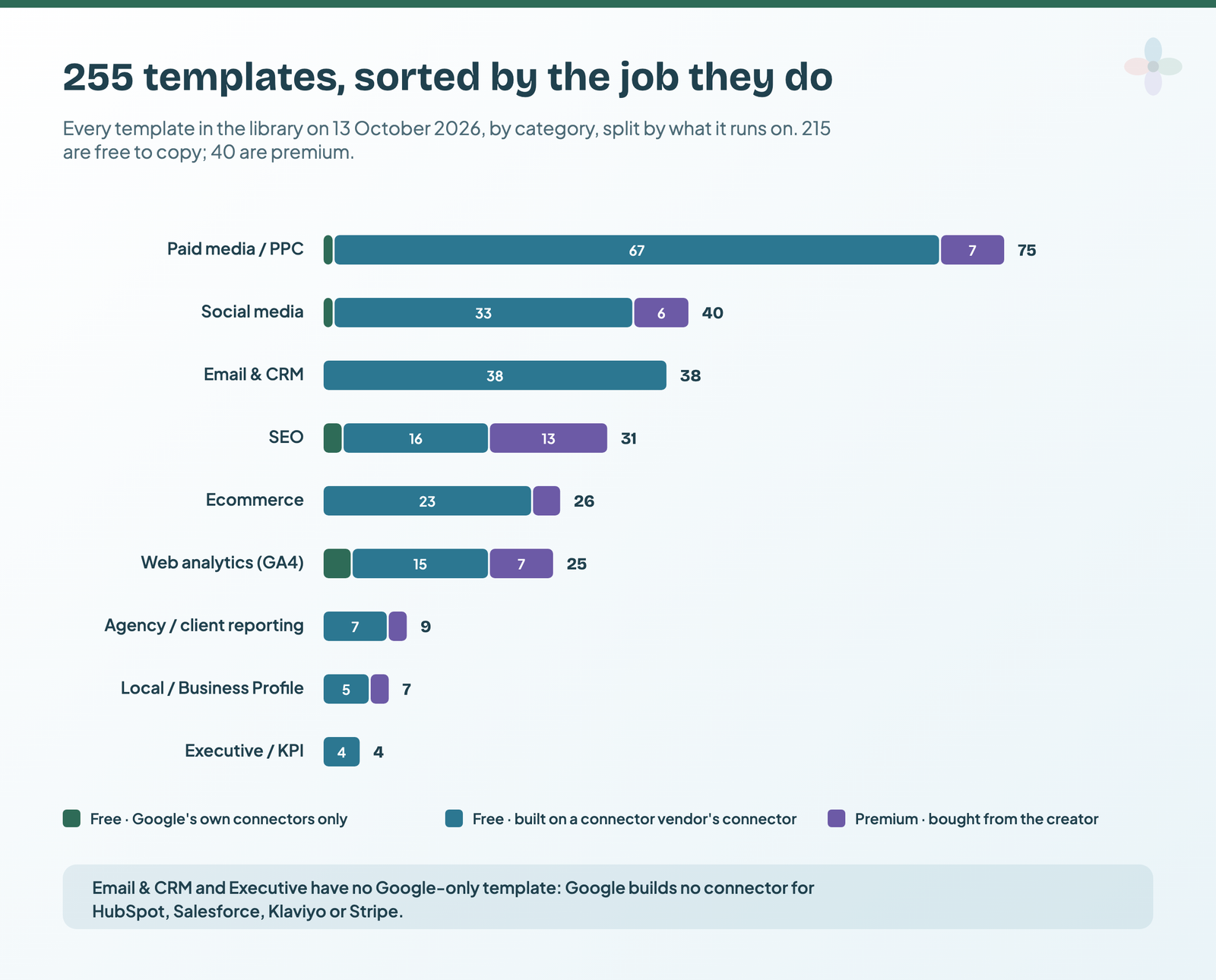
| Job | Templates | Free | Free on Google’s connectors only | Start with |
|---|---|---|---|---|
| Paid media / PPC | 75 | 68 | 1 | Paid media picks |
| Social media | 40 | 34 | 1 | Social picks |
| Email & CRM | 38 | 38 | 0 | Email and CRM picks |
| SEO | 31 | 18 | 2 | SEO picks |
| Ecommerce | 26 | 23 | 0 | Ecommerce picks |
| Web analytics (GA4) | 25 | 18 | 3 | GA4 picks |
| Agency / client reporting | 9 | 7 | 0 | Agency picks |
| Local / Google Business Profile | 7 | 5 | 0 | Local picks |
| Executive / KPI | 4 | 4 | 0 | Executive pick |
| All | 255 | 215 | 7 |
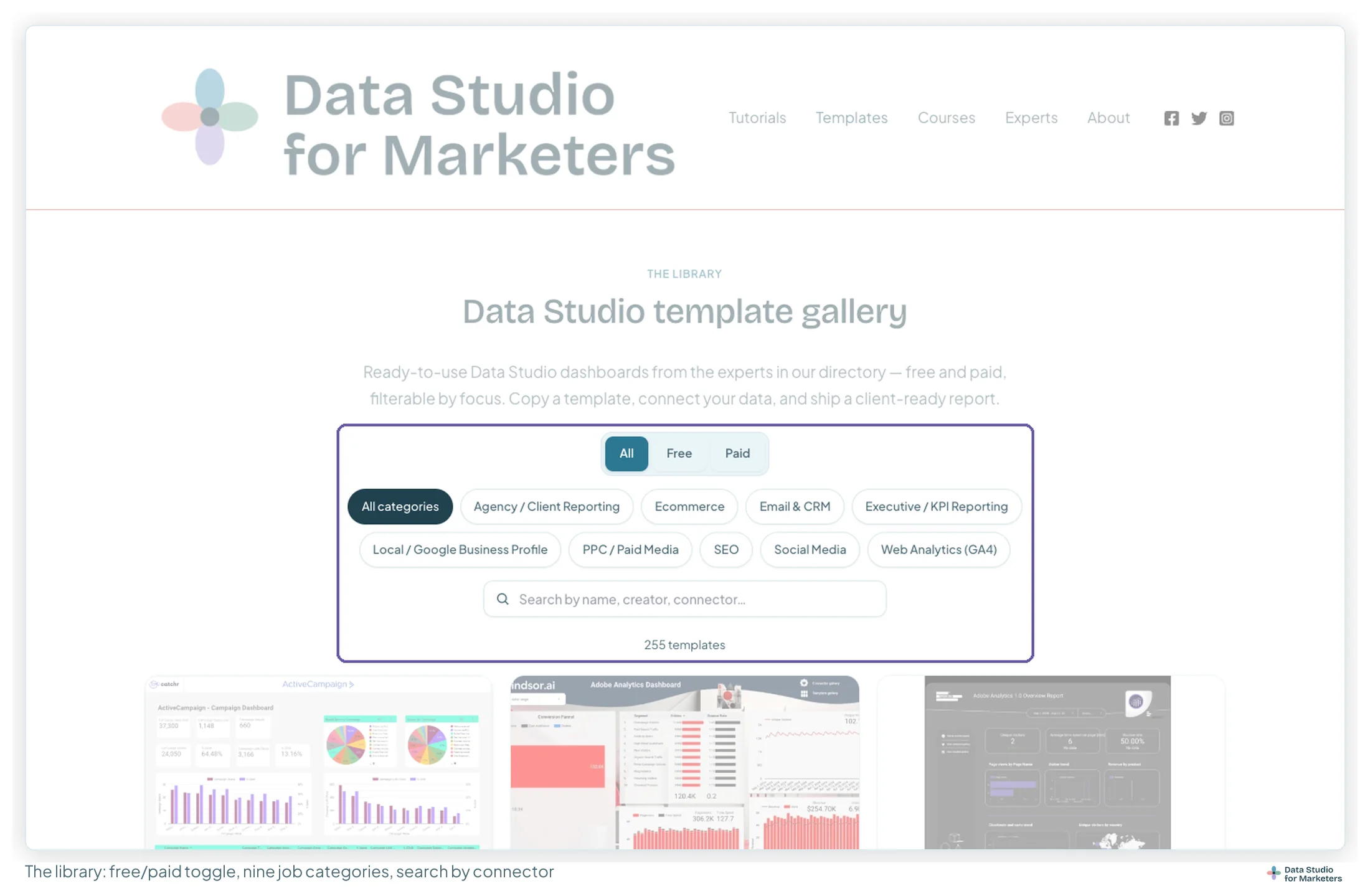
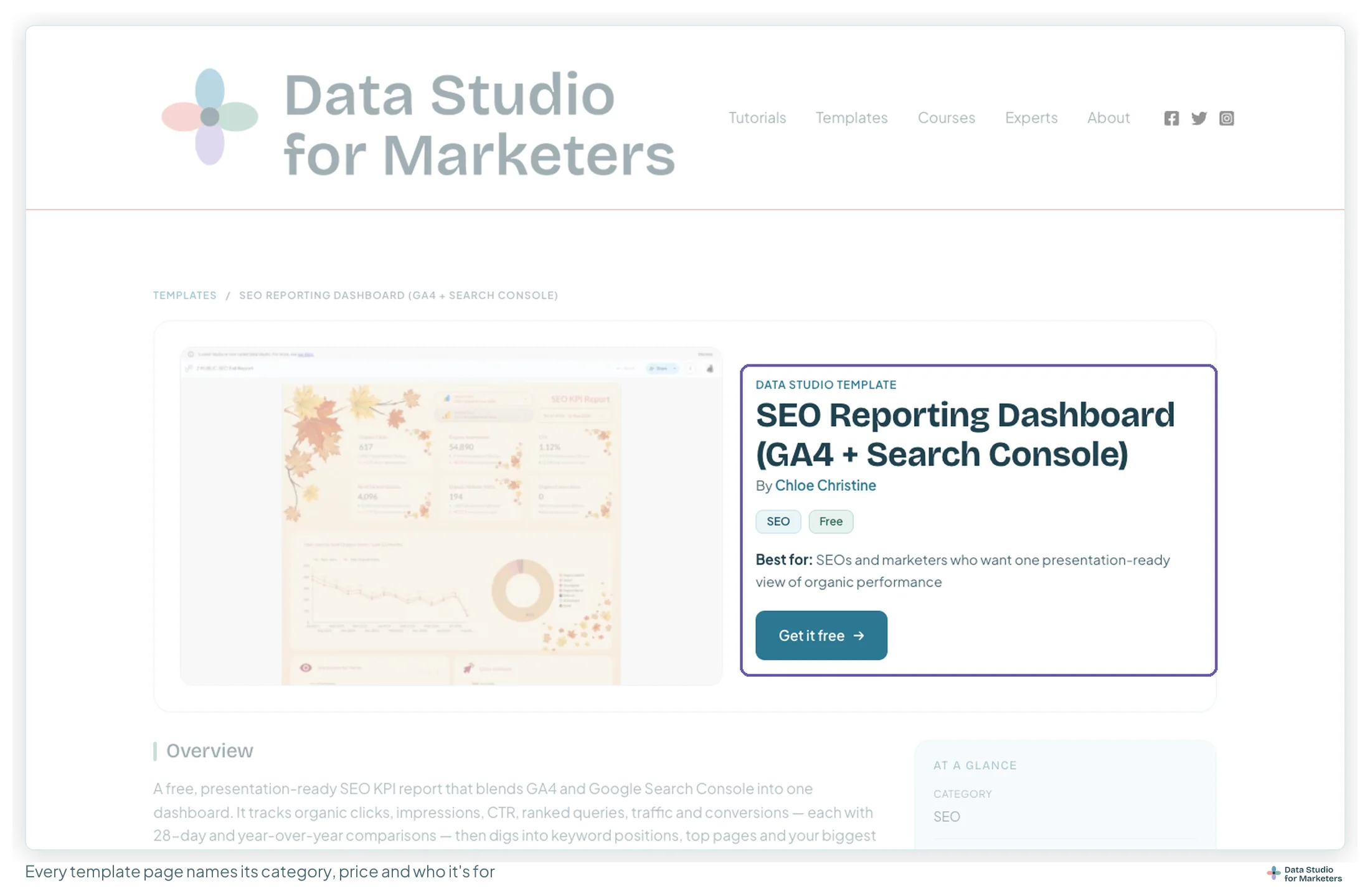
The template library filters the same way: free or paid, nine job categories, and search by name, creator or connector. Each template’s page says what it runs on and who it’s for.
The one question that sets the cost: what was it built on?
Copying a template gets you the layout, the charts and the calculated fields. Your data then arrives through a connector, the piece that pulls data from a platform into Data Studio.
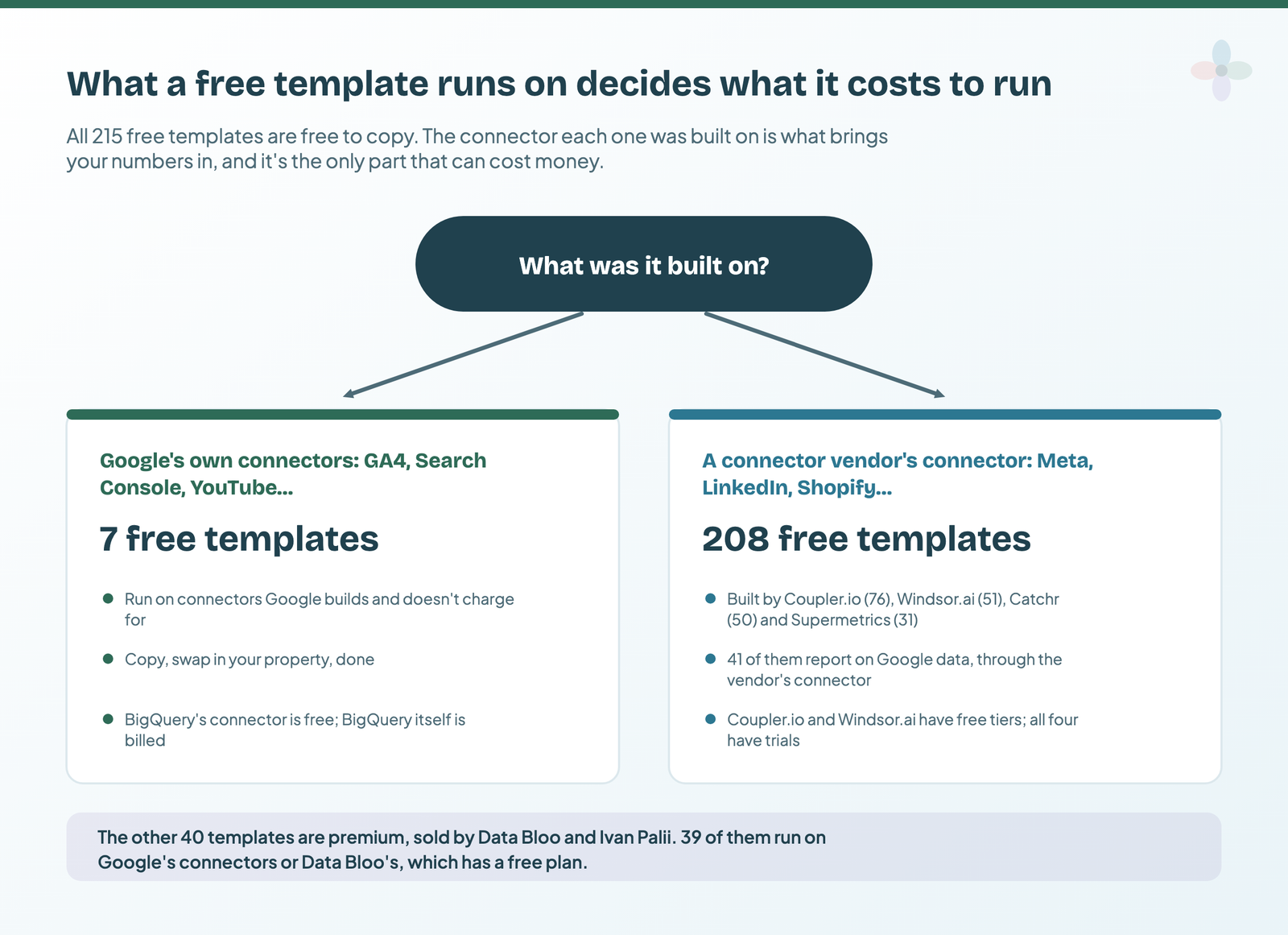
If the template runs on Google’s own connectors, it costs nothing to run. Data Studio is free to build in and free to view, and Google builds free connectors for GA4, Search Console, Google Ads, Google Sheets, YouTube Analytics and BigQuery. (BigQuery’s connector is free; BigQuery itself is a billed Google service.)
If it runs on a connector vendor’s connector, that’s where any cost sits. Google builds no connector for Meta, LinkedIn, TikTok, Microsoft Ads, Pinterest, HubSpot, Shopify or Mailchimp, and none for its own Business Profile either. That’s a gap in Google’s platform, and it’s why the companies that fill it are also the ones giving these templates away. Forty-one of their free templates report on Google data through their own connector, which is worth knowing before you copy one: the template was built on that vendor’s field names.
Prices from each vendor’s own pricing page: Coupler.io, Windsor.ai and Catchr checked 9 September 2026; Supermetrics and Data Bloo checked 13 October 2026. They change often, so check before you buy.
| What it runs on | Free templates here | Free tier | Trial | Entry paid plan |
|---|---|---|---|---|
| Google’s own connectors | 7 | Always free | Not needed | $0 |
| Coupler.io | 76 | Yes: 1 source, 1 account, manual refresh only, 100 rows per run | 7 days | $24/mo billed annually, $32 billed monthly (3 accounts, daily refresh) |
| Windsor.ai | 51 | Yes: 1 source, 1 account | 30 days | $19/mo billed annually, $23 billed monthly (3 sources, 75 accounts) |
| Catchr | 50 | None advertised | 14 days | $239/yr billed annually, $24 billed monthly (3 platforms, 10 accounts) |
| Supermetrics | 31 | None | 14 days | From €39/mo billed yearly (EU view: 2 sources, 2 accounts per source) |
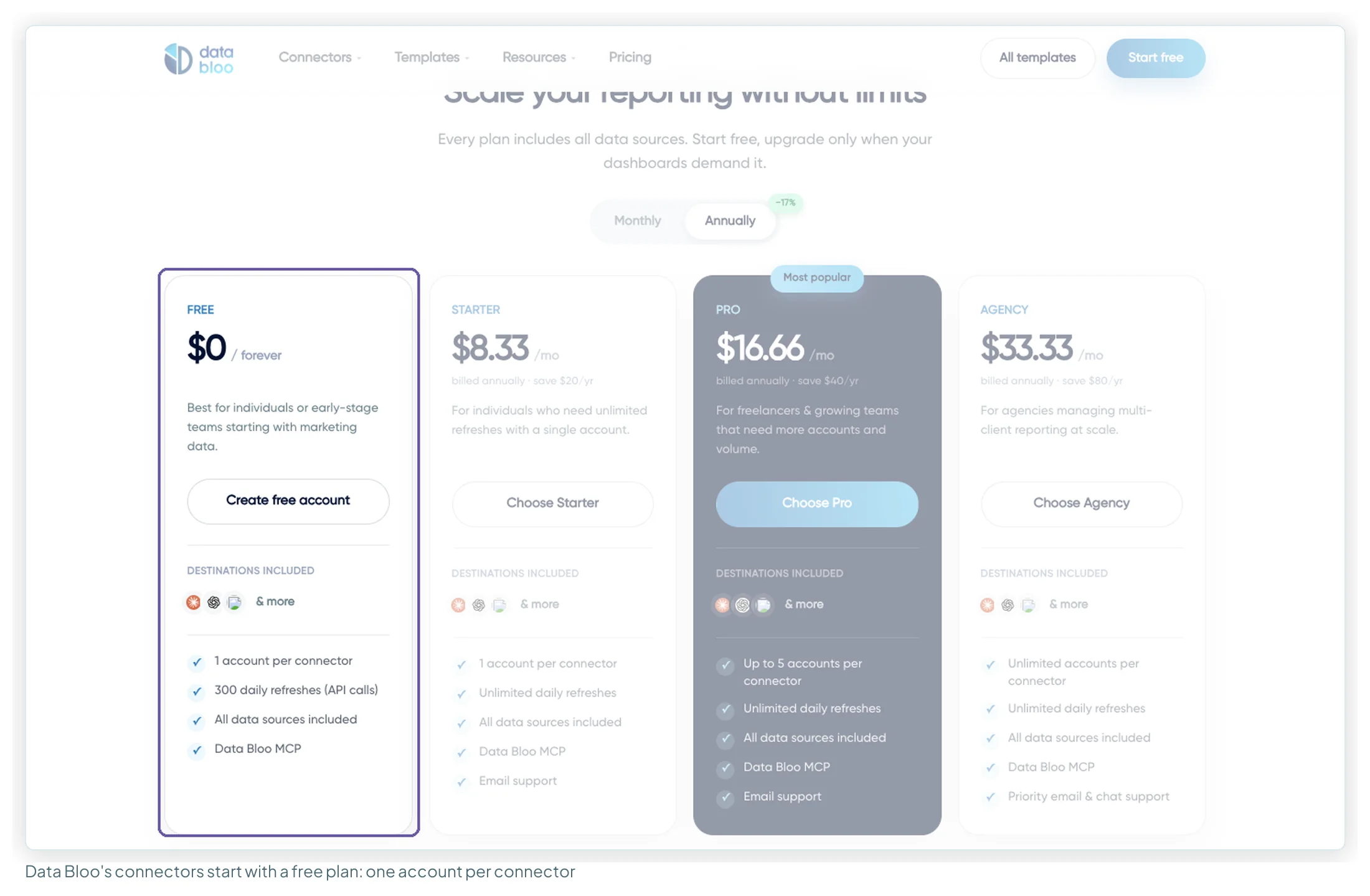
| Data Bloo’s connectors | 0 (15 premium templates use them) | Yes: 1 account per connector, 300 daily refreshes | Not needed | $8.33/mo, billed annually only |
One subscription covers many platforms, so pick templates from one vendor where you can. Each vendor also counts something different (sources, accounts, platforms); the connector comparison works through that at different sizes.
How this list was put together
No template here was picked from its title. I matched every template in the library to the connector it was built on and looked at the dashboard of each one I considered. I also read the 16 pages that rank for “free” and “best free” template searches, and the forum threads where people ask about them. What they all cover is here; what none of them has is one list across every vendor, with what each template costs to run.
| Source | What I took from it | Read |
|---|---|---|
| The library (255 templates) | Category, price, connector, creator, image | 13 Oct 2026 |
| 16 ranking articles and galleries | What they list, what they leave out | 13 Oct 2026 |
| 7 forum threads (Google Developer forums, Hacker News) | The questions people ask; the FAQ below | 13 Oct 2026 |
| Vendor pricing pages | The cost table above | 9 Sep and 13 Oct 2026 |
Best free SEO templates
Two of the six run on Google’s connectors alone. The other four bring in what Search Console doesn’t do by itself: rank tracking views, indexing health and Semrush data.
SEO Reporting Dashboard (GA4 + Search Console)
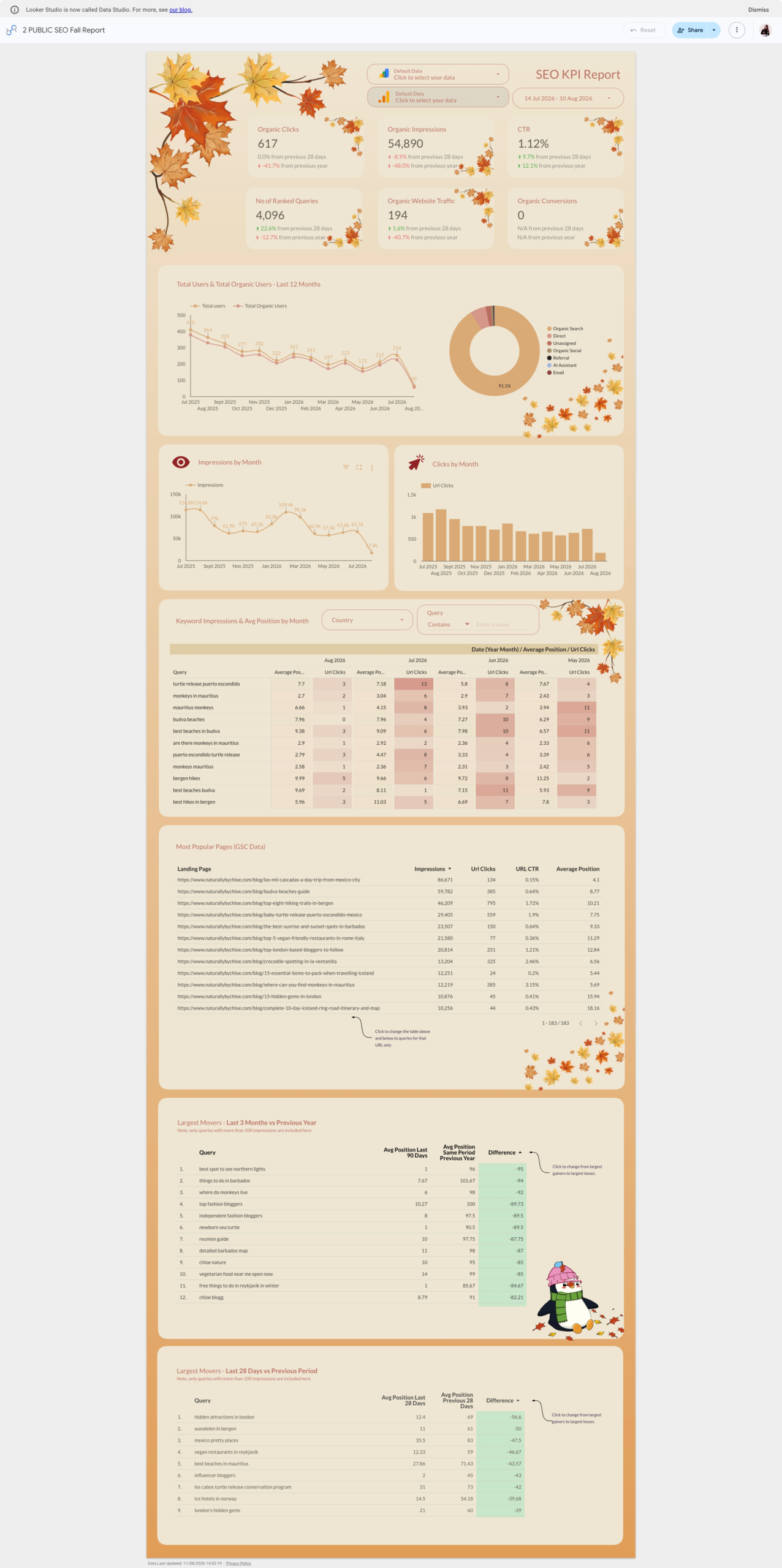
Organic clicks, impressions, CTR, ranked queries, organic traffic and conversions across the top, then trends, channel mix and keyword-level tables further down. Most SEO dashboards report one source; this one connects impressions to what people did next.
- Data sources: GA4 and Search Console, both on Google’s own connectors. Nothing to pay.
- For: SEOs, in-house marketers and agencies sending a monthly organic report.
- Use it if you want one presentation-ready SEO report and nothing to subscribe to.
GA4 Backlinks
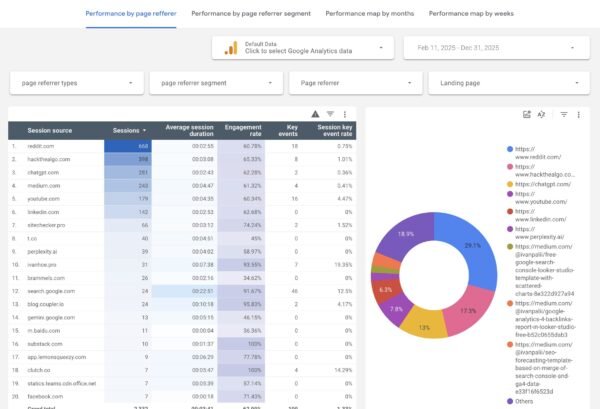
A referral analysis built from GA4 itself: which sites send visitors, how long they stay, and whether they convert. It answers “which links are worth having” from data you already own.
- Data sources: GA4, on Google’s connector.
- For: SEOs and marketers checking referral quality.
- Use it if you want to judge links by the visitors they send, without a backlink-tool subscription.
Google Keyword Rank Tracking
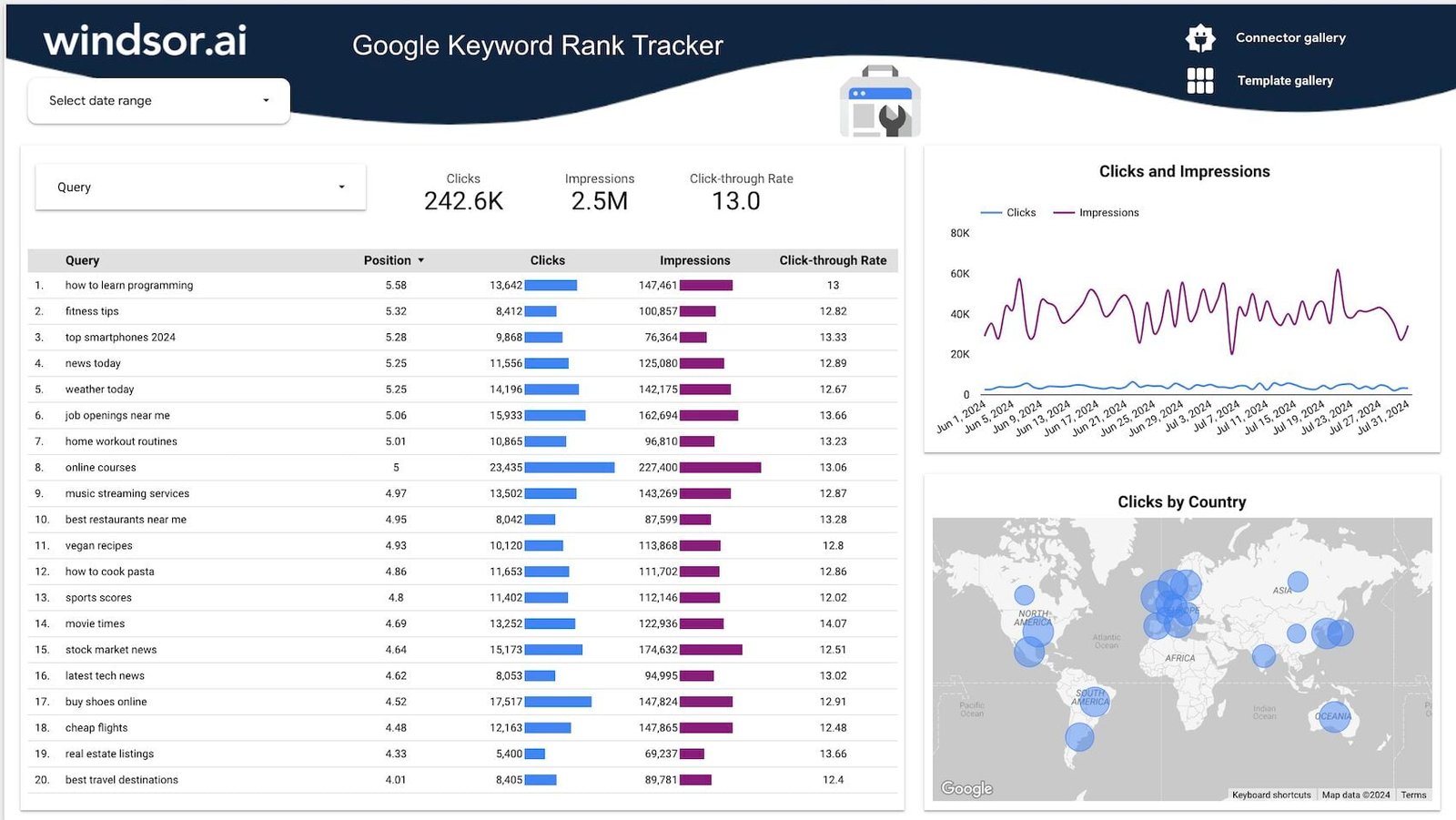
One page, one question: how are our queries doing? A query table with inline bars, a clicks-and-impressions trend and a clicks-by-country map.
- Data sources: Search Console, through Windsor.ai’s connector.
- For: SEO specialists and content teams.
- Use it if you already use Windsor.ai for other platforms and want rankings in the same stack.
Technical SEO
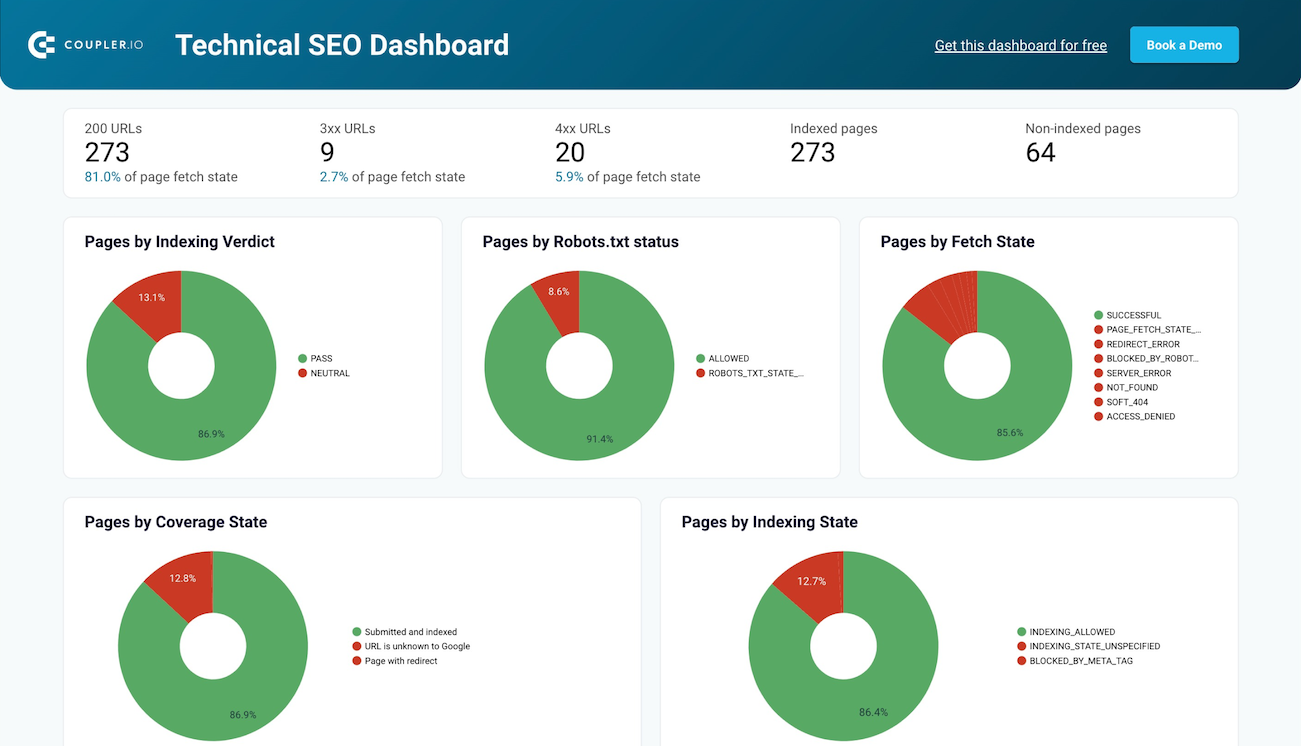
An indexing-health report rather than a traffic report: how many URLs return 200, 3xx and 4xx, how many are indexed, and why the rest aren’t.
- Data sources: Search Console, through Coupler.io’s connector.
- For: technical SEOs and site auditors.
- Use it if your monthly question is “is Google indexing what we publish?”
SEO overview
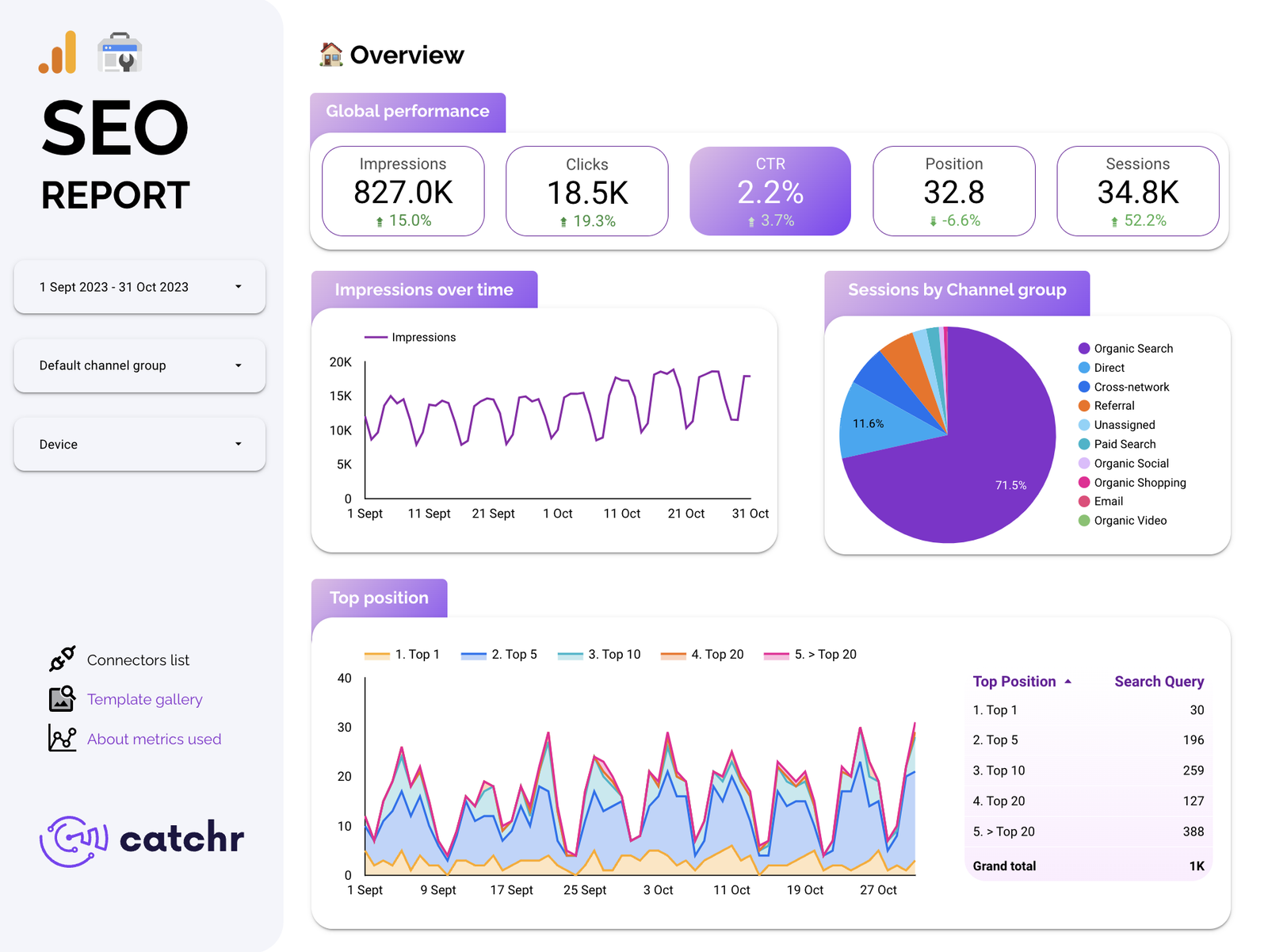
Search visibility and site traffic side by side, with a left-hand rail of controls (date, channel group, device) and a “top position” chart that buckets queries into top 1, 5, 10 and 20.
- Data sources: Search Console and GA4, through Catchr’s connector.
- For: freelancers and agencies with SEO clients.
- Use it if you report SEO to clients alongside paid channels that already run through Catchr.
Semrush SEO
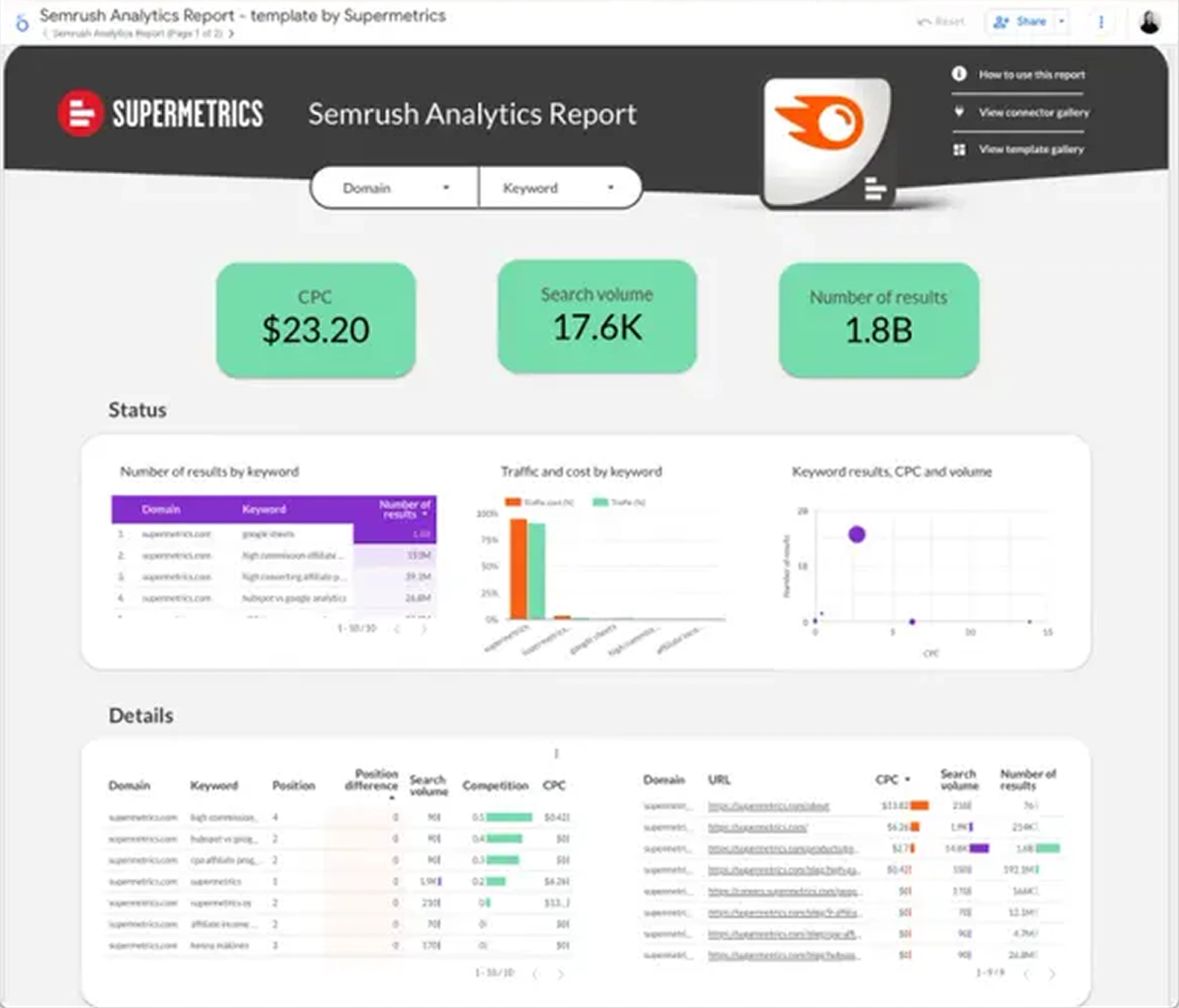
Semrush keyword and domain data in a shareable report: volumes, CPC, competition, positions and competitors’ organic metrics, with domain and keyword selectors at the top.
- Data sources: Semrush, through Supermetrics’ connector (plus a Semrush account).
- For: SEO teams and consultants who already pay for Semrush.
- Use it if your client wants keyword research in their report, not just Search Console.
Best free GA4 and web analytics templates
Three of the four run on Google’s connectors alone, and one of them is the template I’d open before any other on an inherited GA4 property.
GA4 Audit
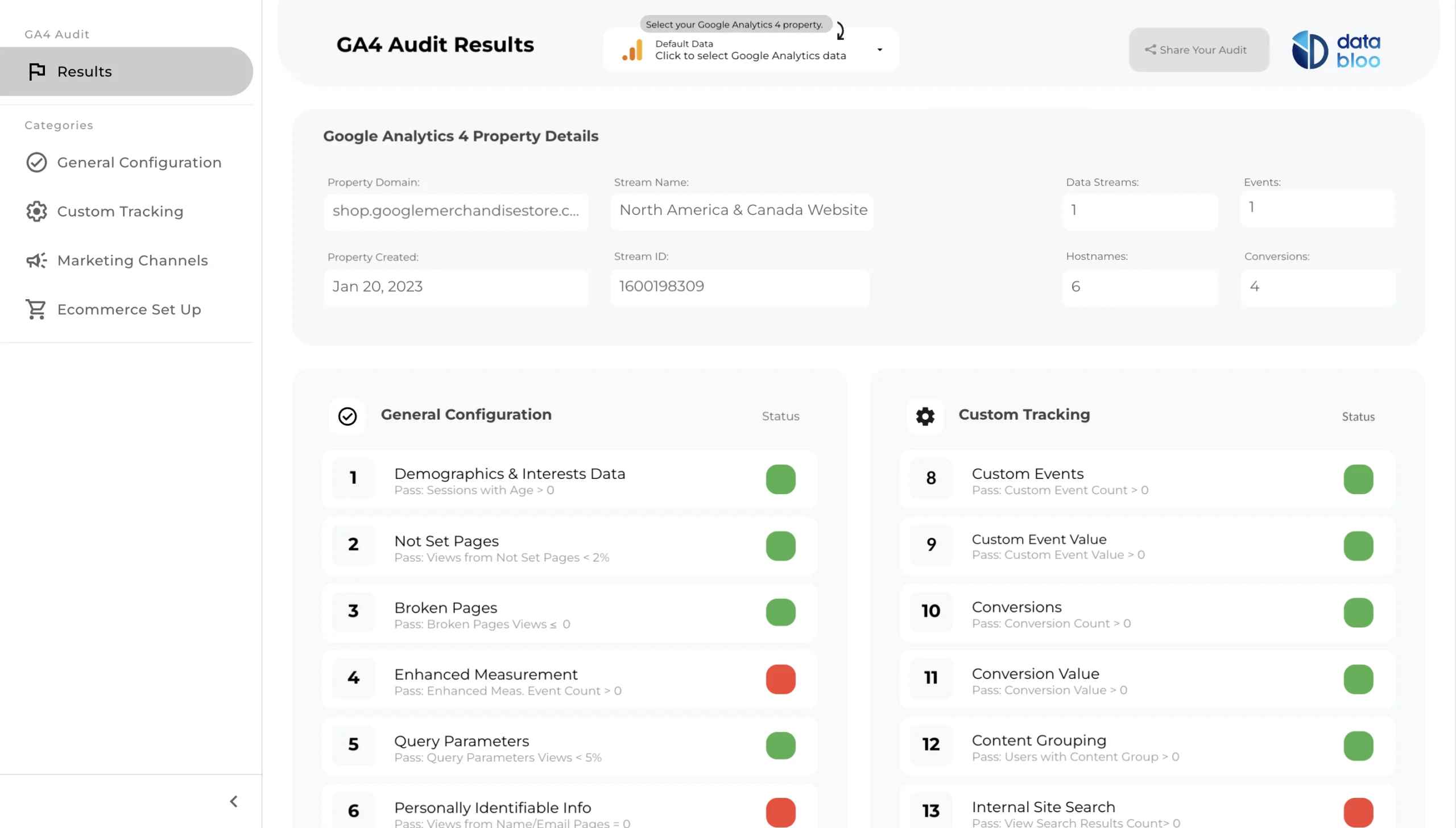
An audit of the property rather than a report on it: more than 25 checks on how GA4 is set up, each with a green or red status. A polished report on broken tracking is worse than none; this tells you which you have.
- Data sources: GA4, on Google’s connector. Free from Data Bloo.
- For: anyone taking over a GA4 property, especially agencies onboarding a client.
- Use it if you’re about to build anything on a property you didn’t set up.
GA4 Audience

Who the visitors are and where they come from, with each chart switchable between users, sessions, key events and engagement.
- Data sources: GA4, on Google’s connector.
- For: marketers doing audience research.
- Use it if you need audience composition for a plan or a pitch.
GA4Dataform Report Template
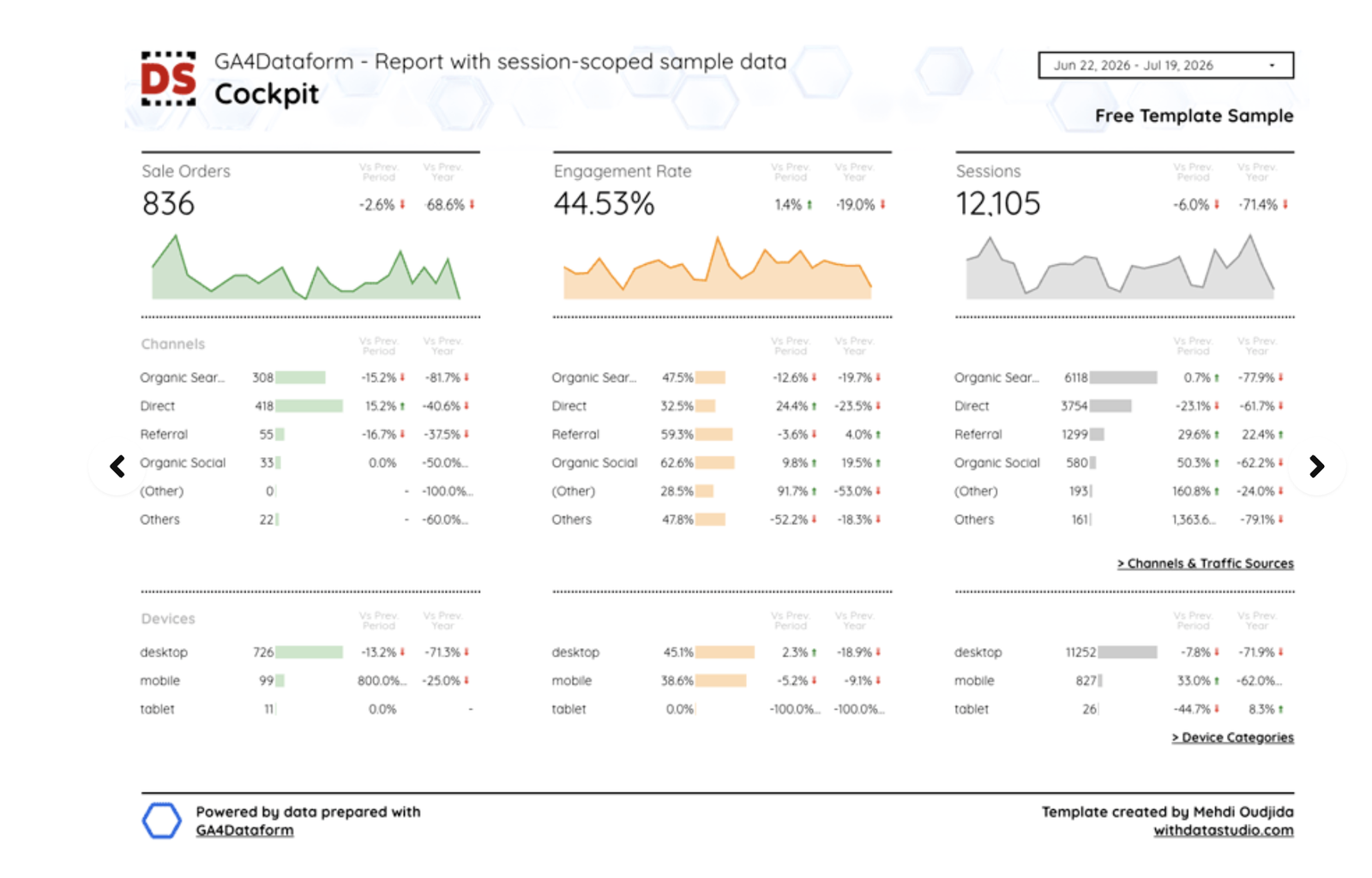
A “cockpit” report on GA4 data that’s been exported to BigQuery and modelled with GA4Dataform. It’s the most technical of the seven Google-only templates: channels and devices sit under each headline number, each with a previous-period and a previous-year comparison.
- Data sources: BigQuery, on Google’s free connector. BigQuery itself is billed by Google.
- For: analysts and data teams who already export GA4 to BigQuery.
- Use it if your GA4 data lives in a warehouse and you want a report on top of it.
Landing Page Performance
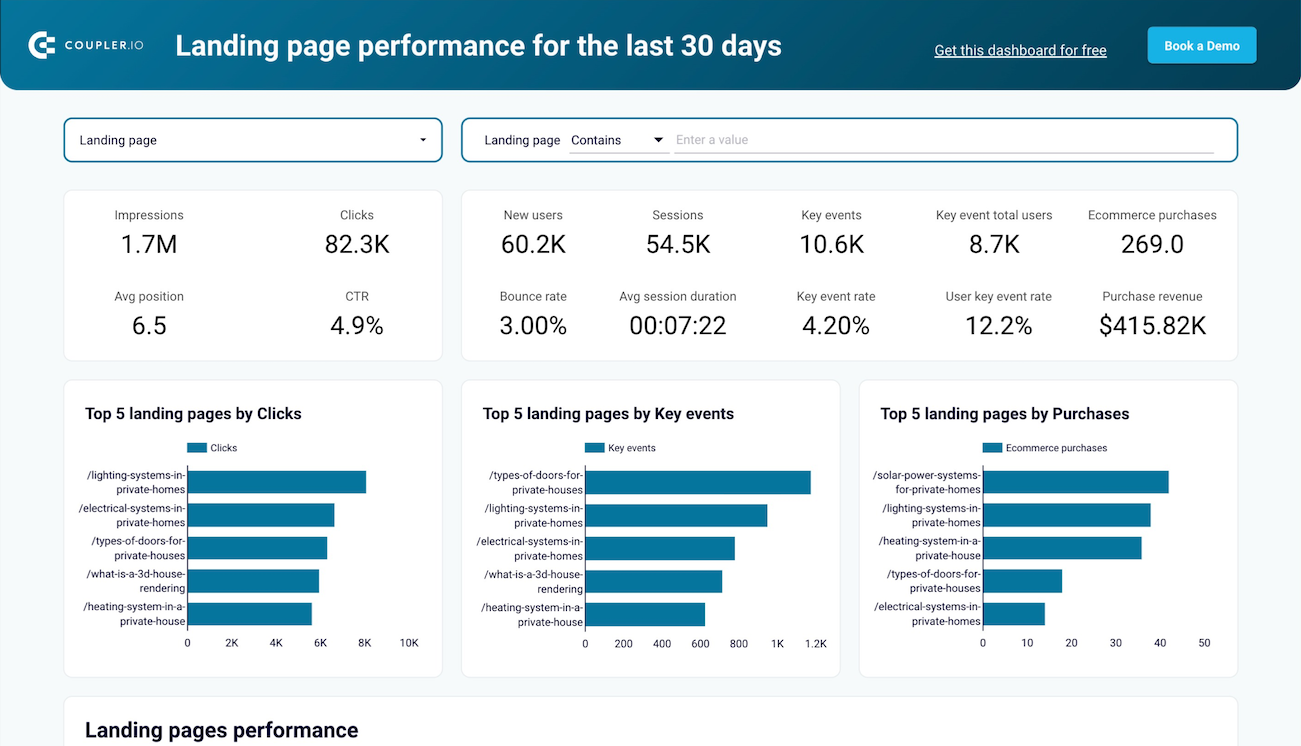
Search Console and GA4 blended per landing page, so you can see a page that wins on clicks and loses on purchases in one glance.
- Data sources: Search Console and GA4, through Coupler.io’s connector.
- For: SEO and content teams judging pages by outcomes.
- Use it if “which pages make money” is the question you get asked.
Best free paid media templates: Google Ads, Meta and multi-channel
Sixty-eight free templates. One runs on Google’s connector alone; Google builds none for Meta, Microsoft or LinkedIn. Pick the template, then check its connector covers every platform you report on.
Display & Video 360 Inventory
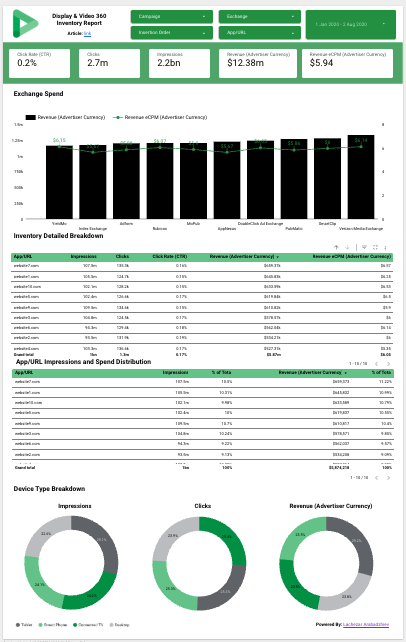
Which exchanges, sites and apps your programmatic spend lands on, split by device.
- Data sources: Display & Video 360, on Google’s own connector.
- For: programmatic buyers and campaign managers.
- Use it if you buy through DV360 and want inventory detail outside the console.
Google Ads KPIs
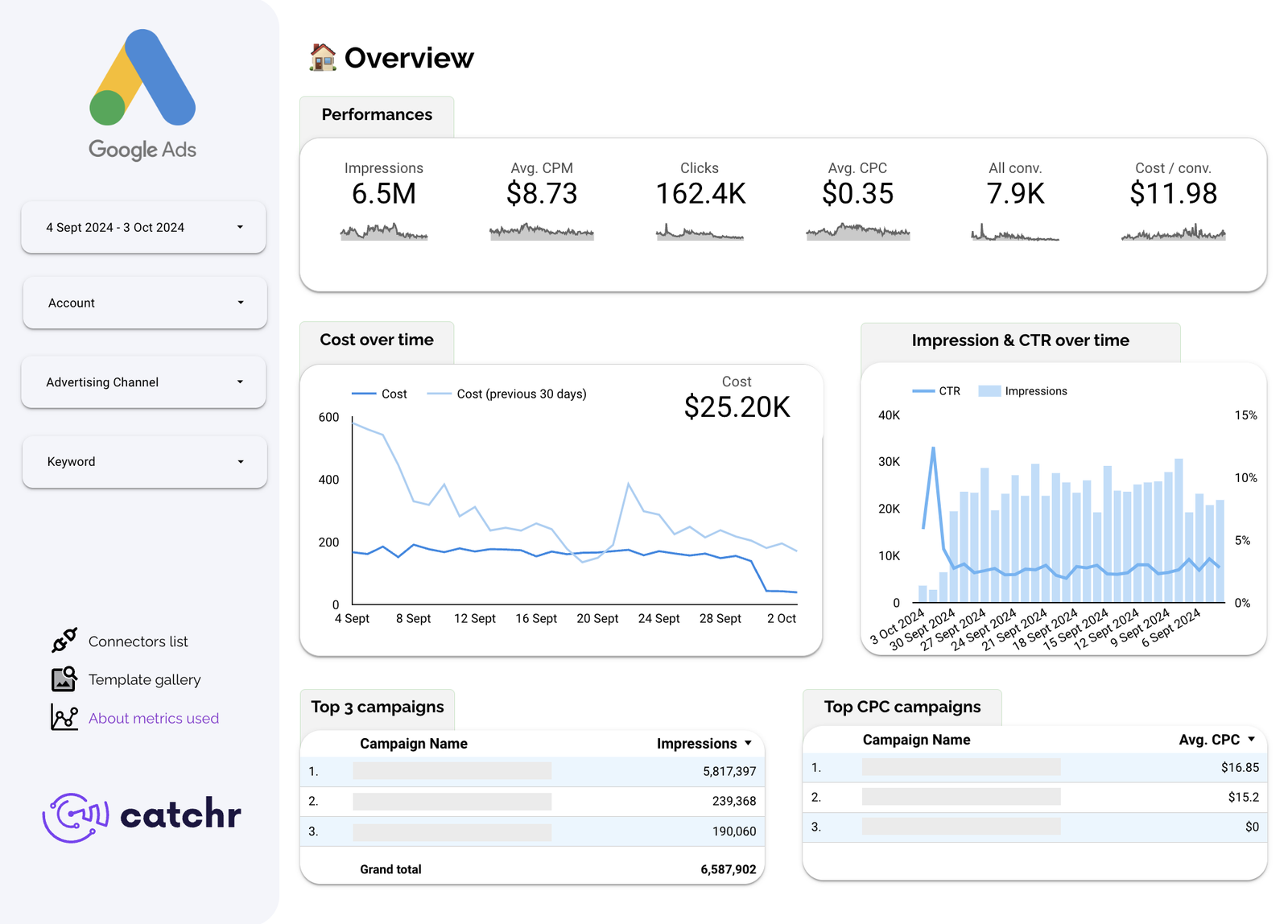
The Google Ads numbers clients ask for most, on one page: impressions, CPM, clicks, CPC, conversions and cost per conversion, with account, channel and keyword filters down the side.
- Data sources: Google Ads, through Catchr’s connector.
- For: freelancers and agencies reporting Google Ads.
- Use it if Google Ads is one of several platforms you already pull through Catchr. (For Google Ads alone, Google’s own connector is free.)
Facebook and Instagram Ads
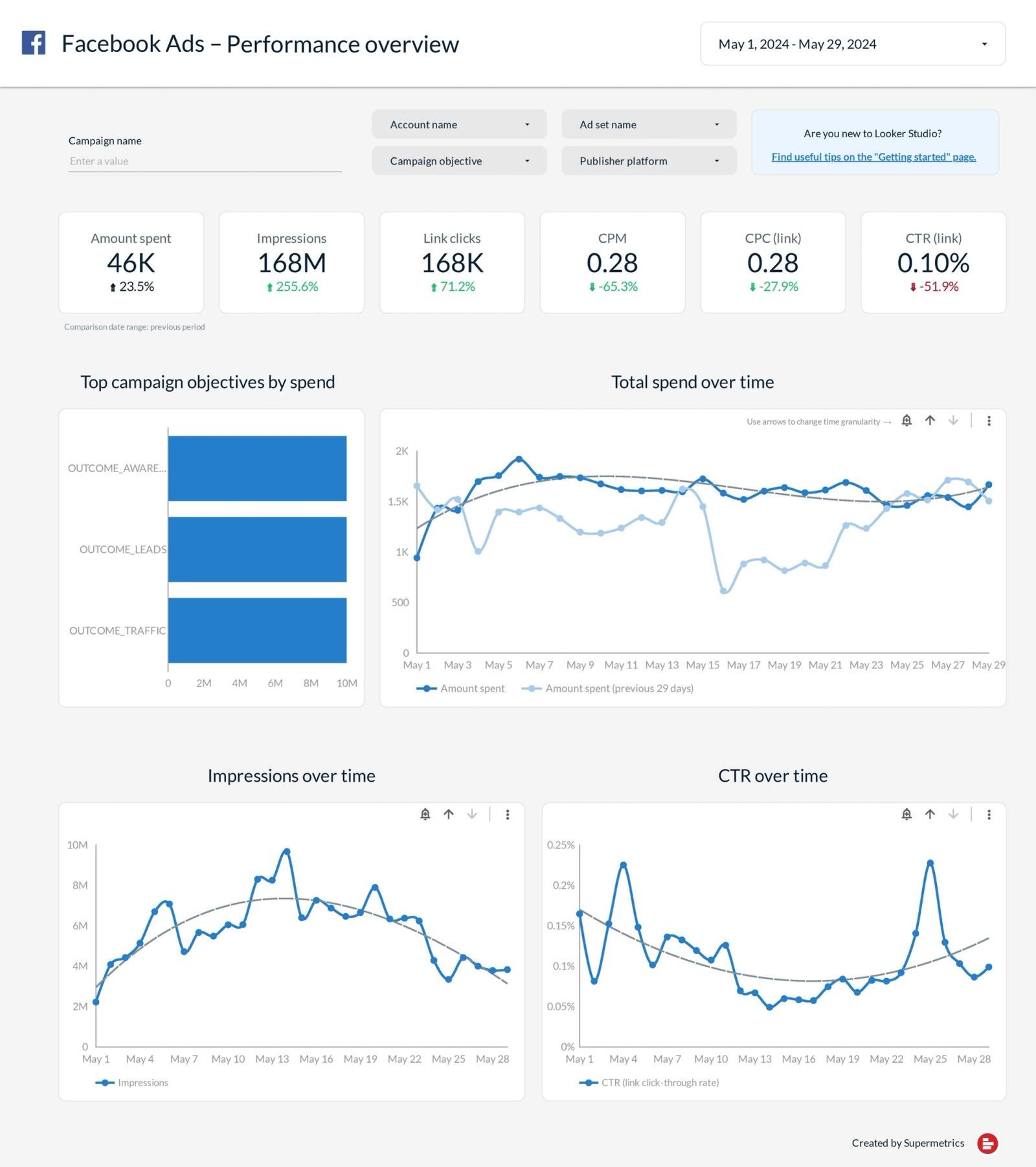
Meta Ads across Facebook and Instagram (and WhatsApp and Messenger placements), with filters for account, campaign, ad set, objective and platform.
- Data sources: Meta Ads, through Supermetrics’ connector.
- For: paid social specialists and agencies.
- Use it if Meta is your main paid channel. There is no Google connector for Meta, so any Meta template needs one.
Ads Overview
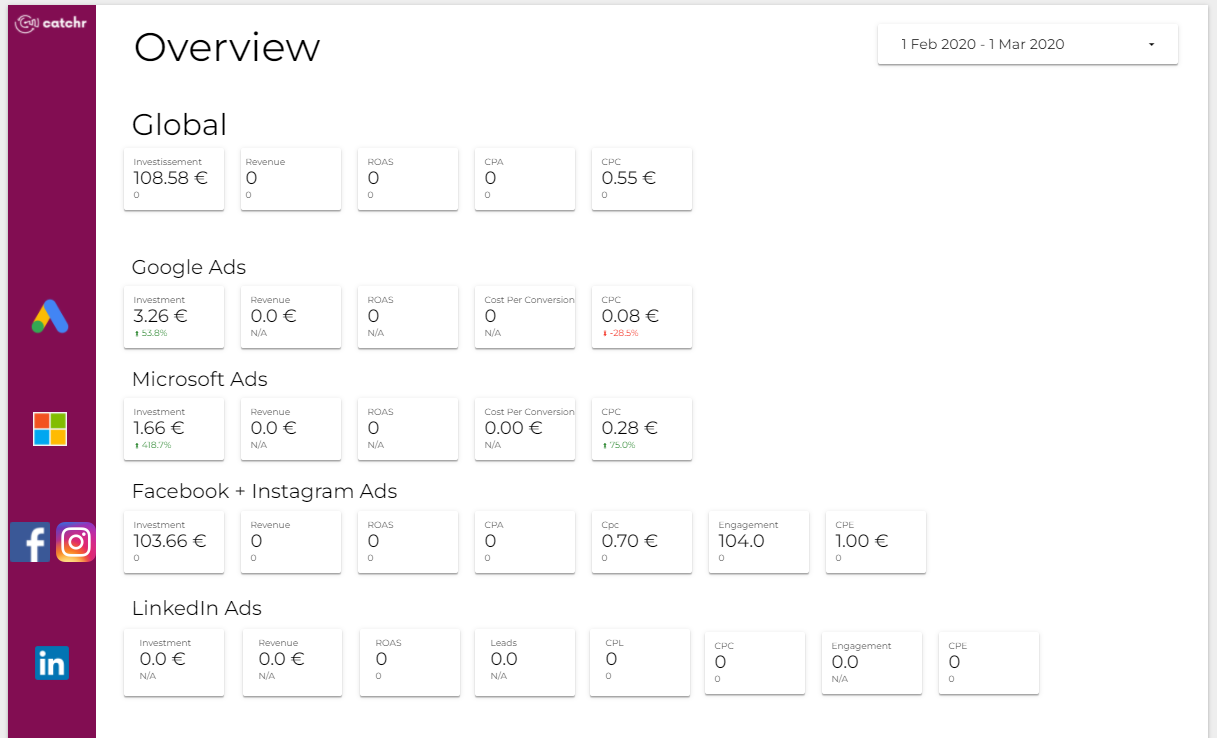
A multi-channel overview with one row per platform: investment, revenue, ROAS, CPA and CPC in the same order every time, so reading down the page compares like with like.
- Data sources: Google Ads, Microsoft Ads, Meta Ads and LinkedIn Ads, through Catchr’s connector.
- For: agencies and teams running several ad platforms.
- Use it if one client spends across four platforms and wants one page.
Paid Channel Mix
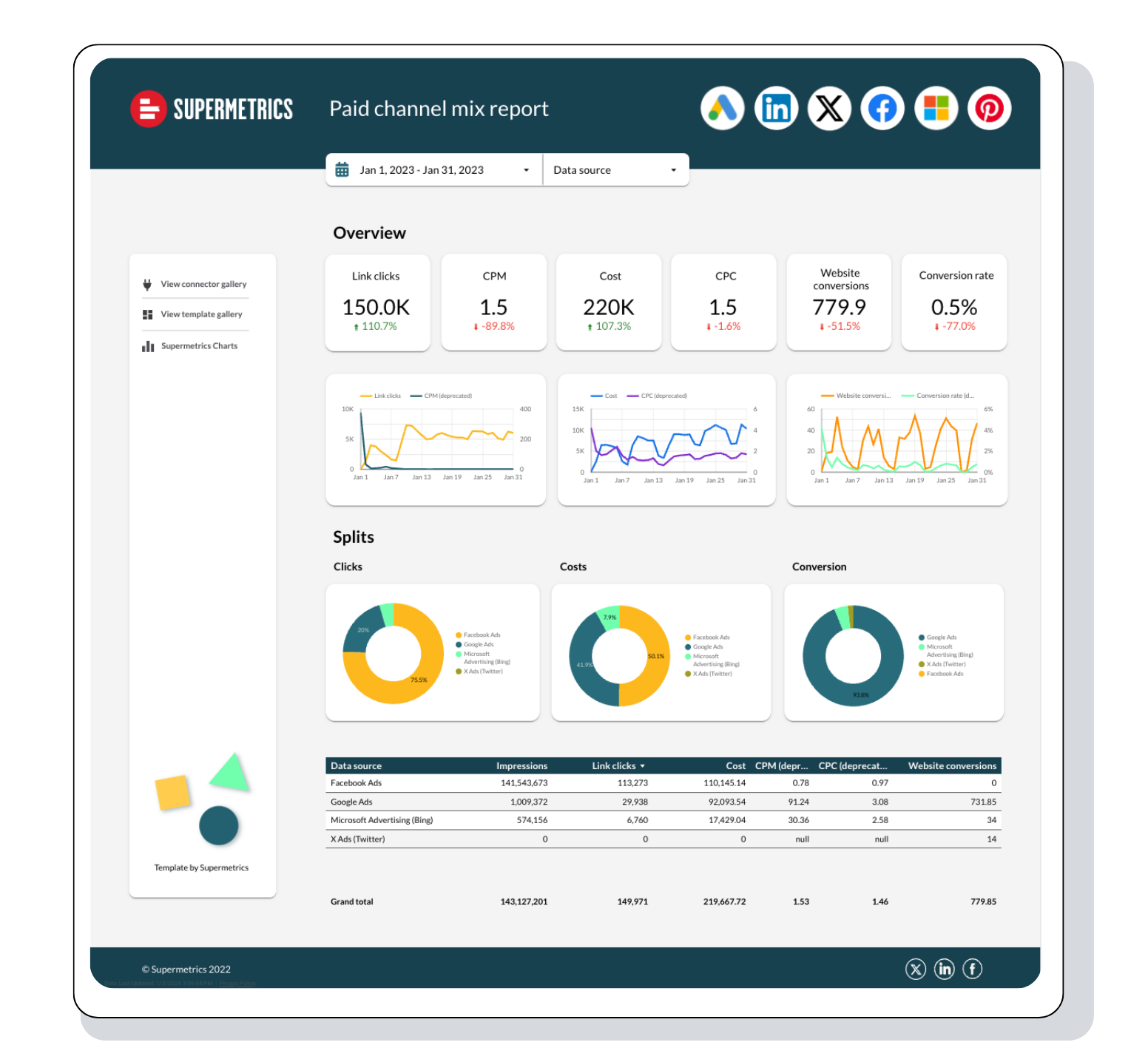
Six ad platforms reconciled onto one set of measures, with donut splits showing which platform takes the clicks, the cost and the conversions.
- Data sources: Google Ads, Meta Ads, Microsoft Advertising, LinkedIn Ads, X Ads and more, through Supermetrics.
- For: paid media managers deciding budget splits.
- Use it if the question is “where should the next pound go?”
PPC Report Dashboard
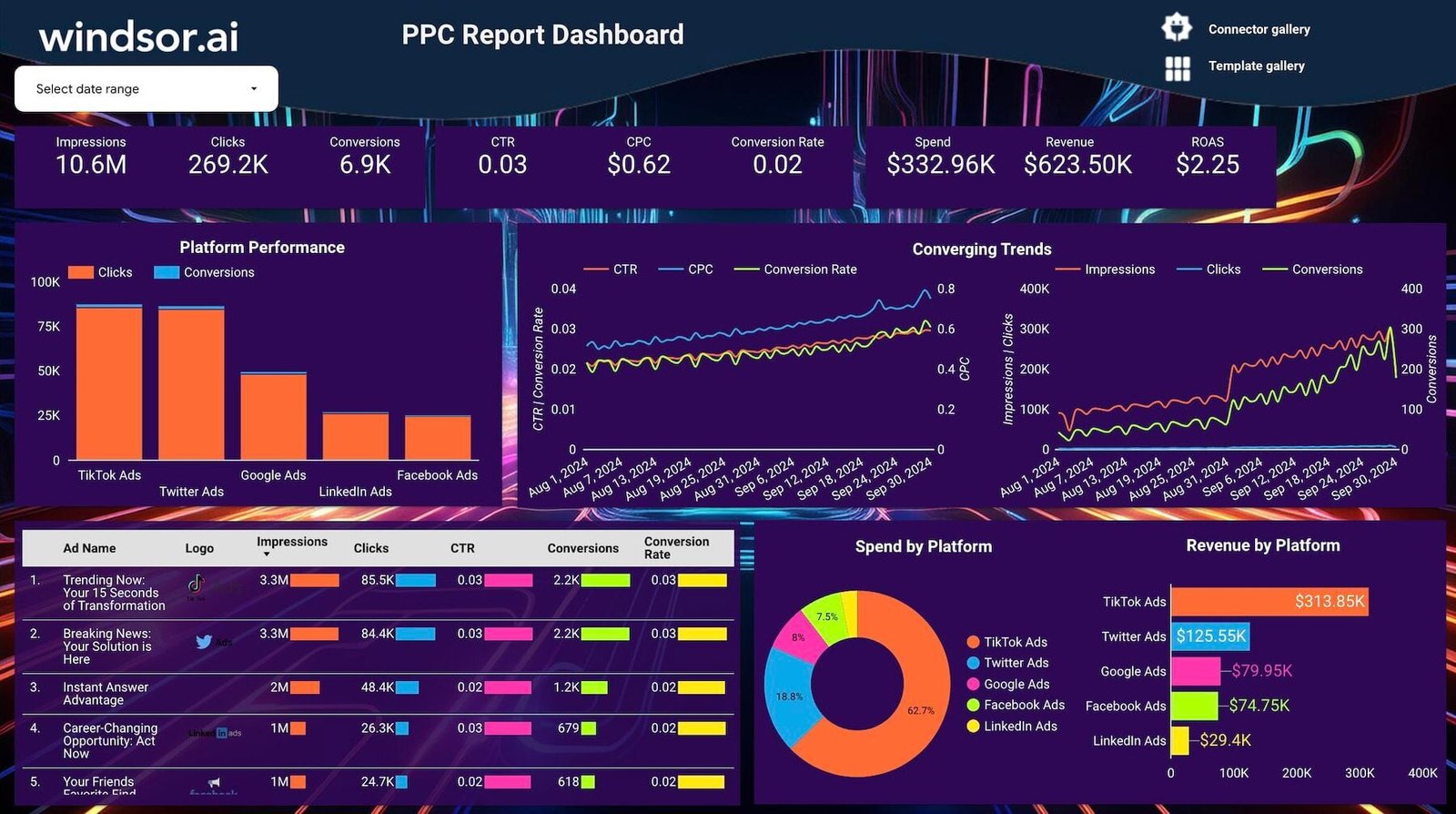
A dense, dark-themed PPC report: totals, platform comparison, trends and an ad-level table.
- Data sources: Google Ads, Facebook Ads, TikTok Ads, LinkedIn Ads and other PPC sources, through Windsor.ai.
- For: agencies and multichannel advertisers.
- Use it if you want every PPC channel on one page; the creator describes it as white-label.
Google Ads vs Facebook Ads
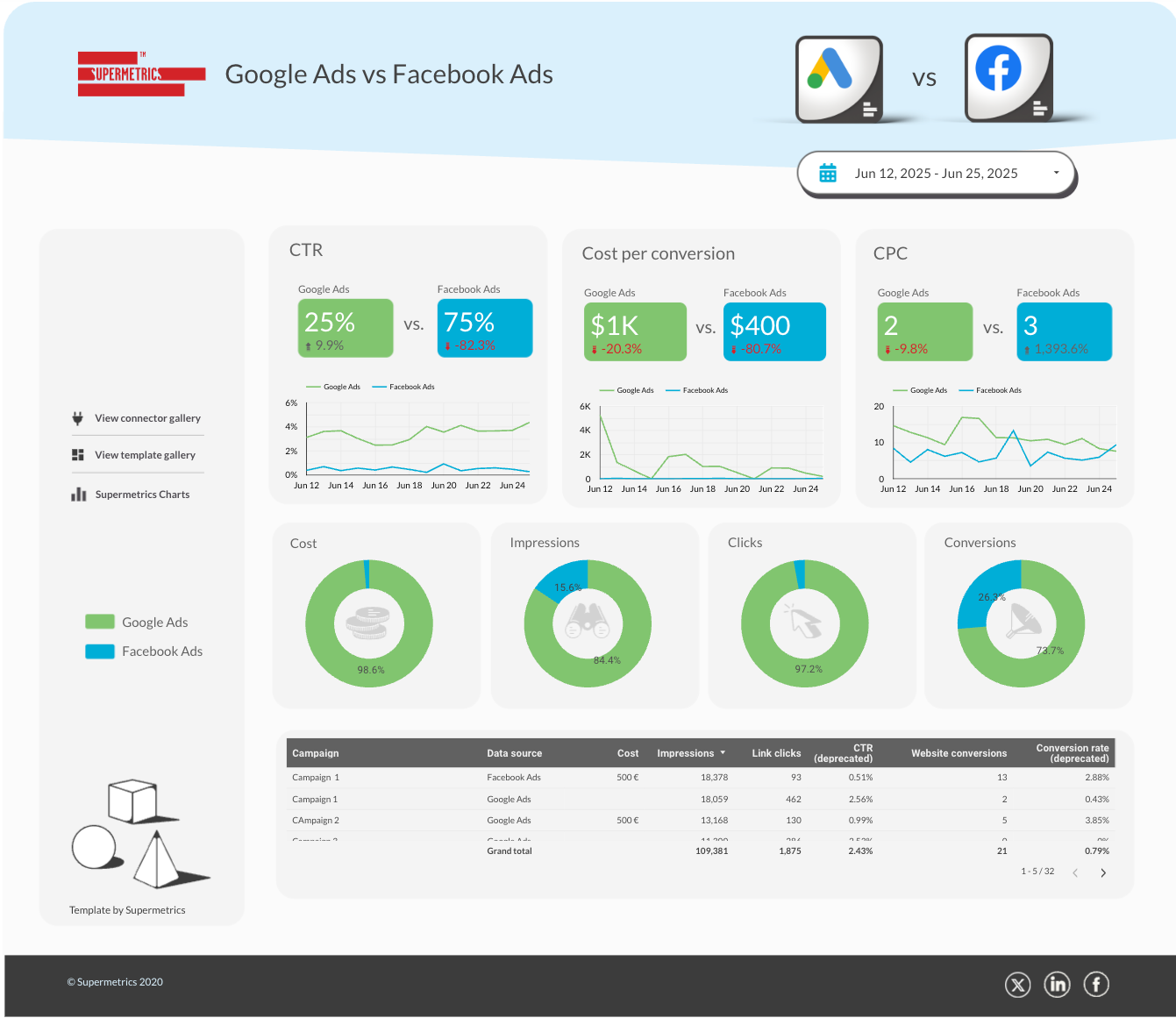
Two platforms, side by side, on the measures that decide a budget split. Each scorecard shows both platforms’ values next to each other.
- Data sources: Google Ads and Meta Ads, through Supermetrics.
- For: anyone splitting budget between search and social.
- Use it if your client keeps asking “which one works better?”
Best free social media templates
Thirty-four free templates. YouTube is the one social platform with a Google connector, so the free Google-only pick is a YouTube report; everything else runs on a connector.
YouTube Analytics

Channel performance from Google’s own YouTube connector, with a heatmapped video table that shows which videos earn subscribers rather than just views.
- Data sources: YouTube Analytics, on Google’s connector.
- For: creators and video marketers.
- Use it if you report on a YouTube channel and want it free.
Social Media Organic Overview
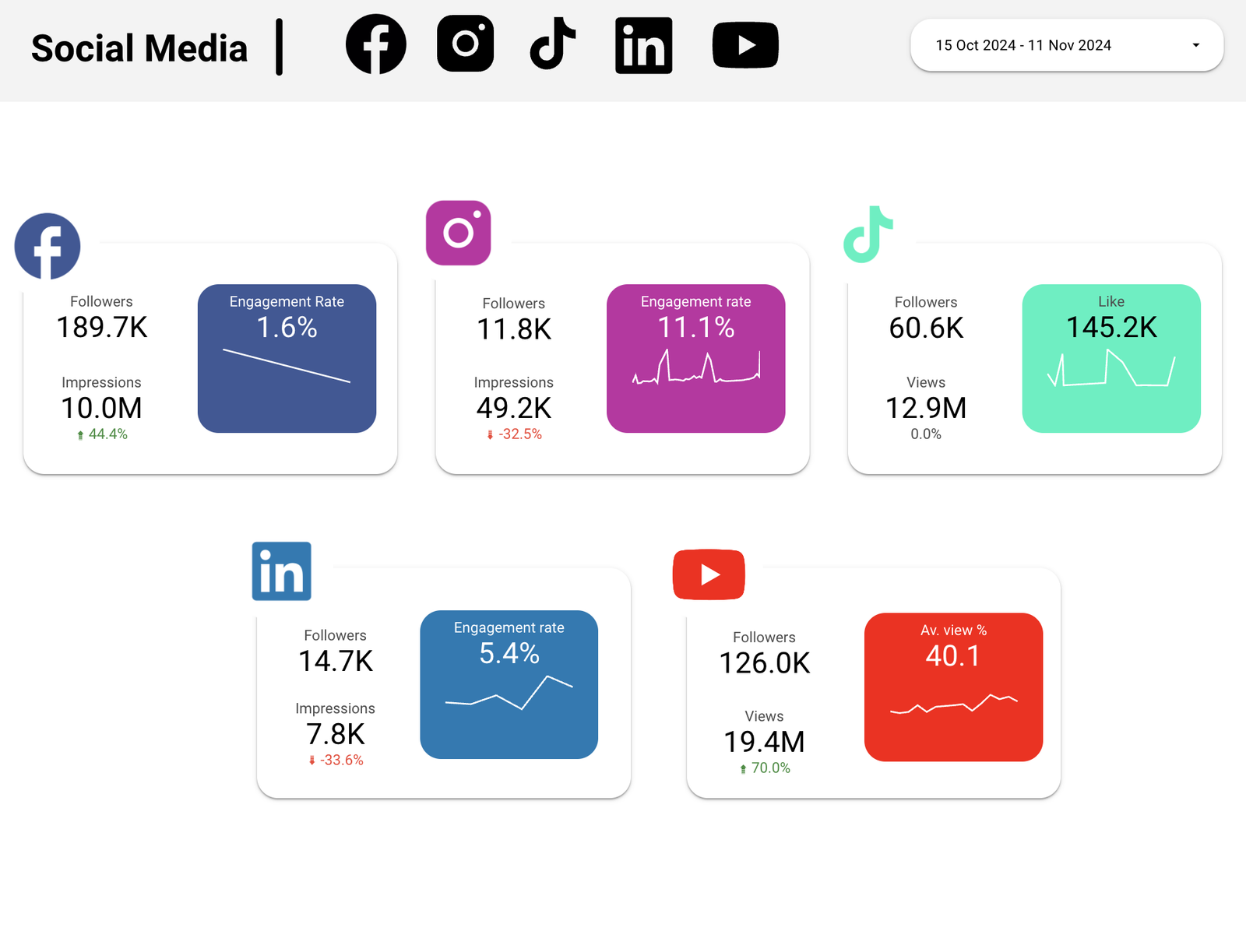
One card per platform, each with followers, reach and a highlighted engagement trend, so a quarterly social review fits on one screen.
- Data sources: Facebook Pages, Instagram, TikTok, LinkedIn and YouTube, through Catchr.
- For: social media managers and agencies.
- Use it if you report organic social across several platforms.
Organic Social Media
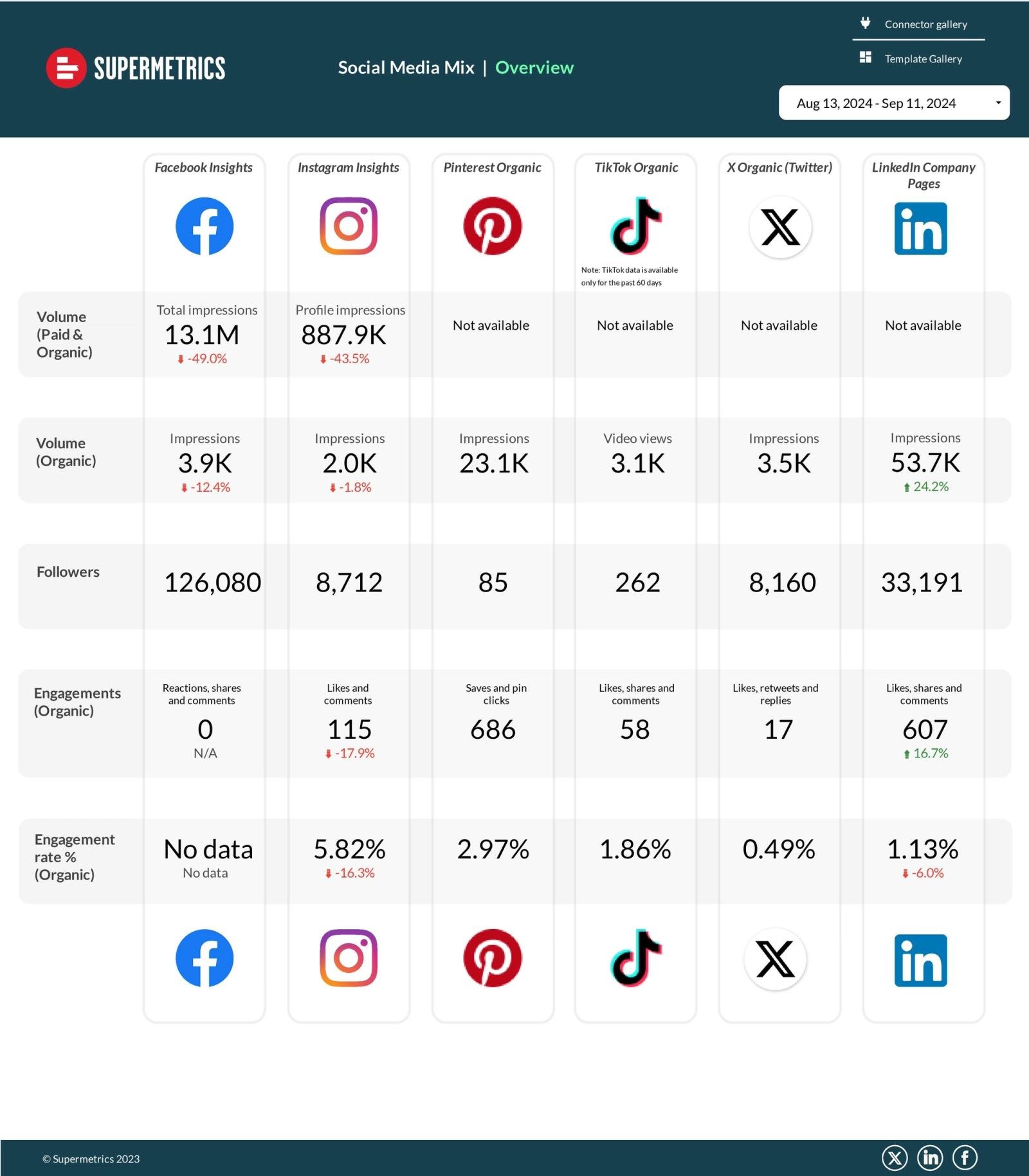
A matrix layout: platforms across, metrics down. It says “not available” where a platform doesn’t report a metric, rather than showing a misleading zero.
- Data sources: Facebook, Instagram, LinkedIn, TikTok, X and Pinterest, through Supermetrics.
- For: social teams comparing channels.
- Use it if you need every platform’s numbers on the same rows.
LinkedIn Pages Overview
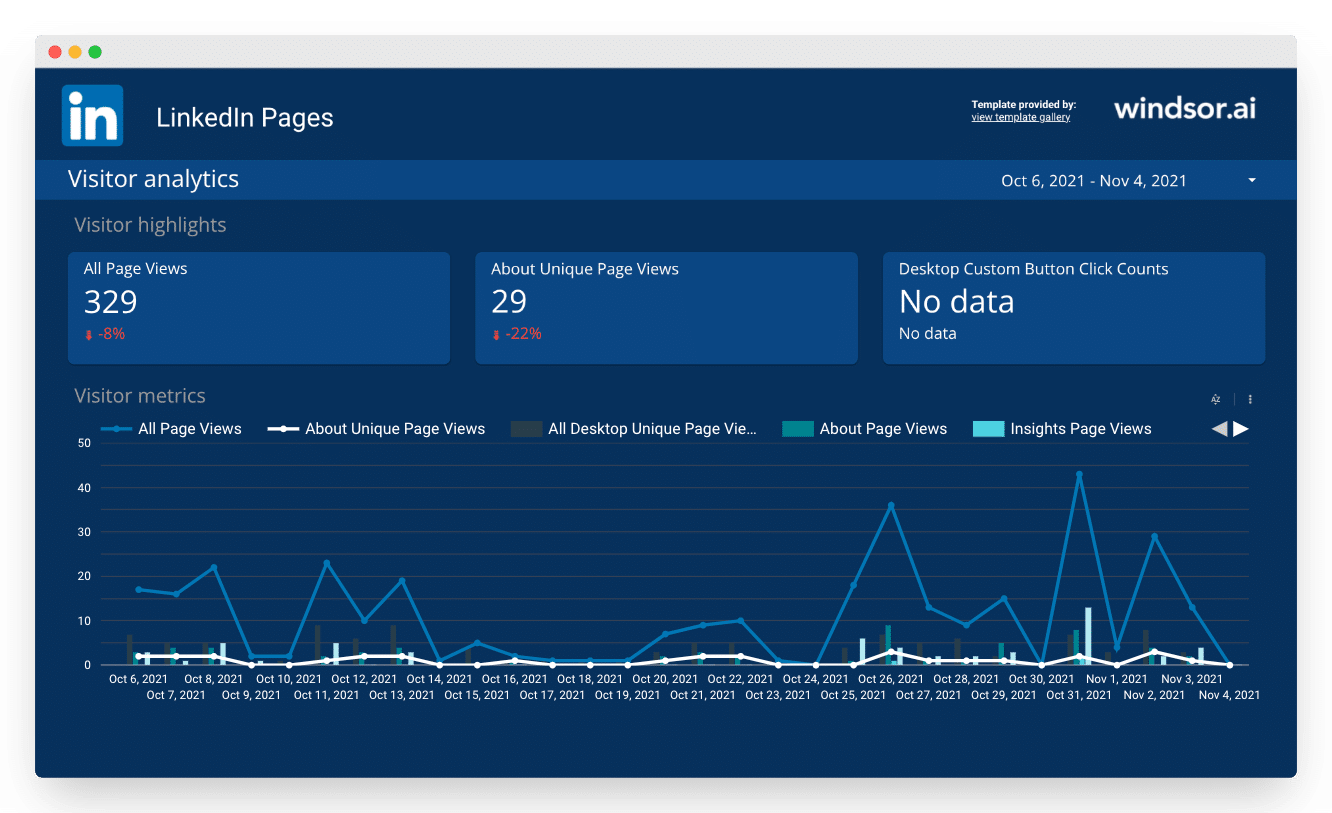
Organic LinkedIn company page analytics: page views, unique visitors and the visitor and update metrics LinkedIn’s own analytics holds.
- Data sources: LinkedIn Pages, through Windsor.ai.
- For: B2B brands where LinkedIn is the channel.
- Use it if your social reporting is mostly LinkedIn.
Best free ecommerce templates
Twenty-three free templates, all on a connector: Google builds none for Shopify, WooCommerce or Stripe.
Shopify Sales Overview
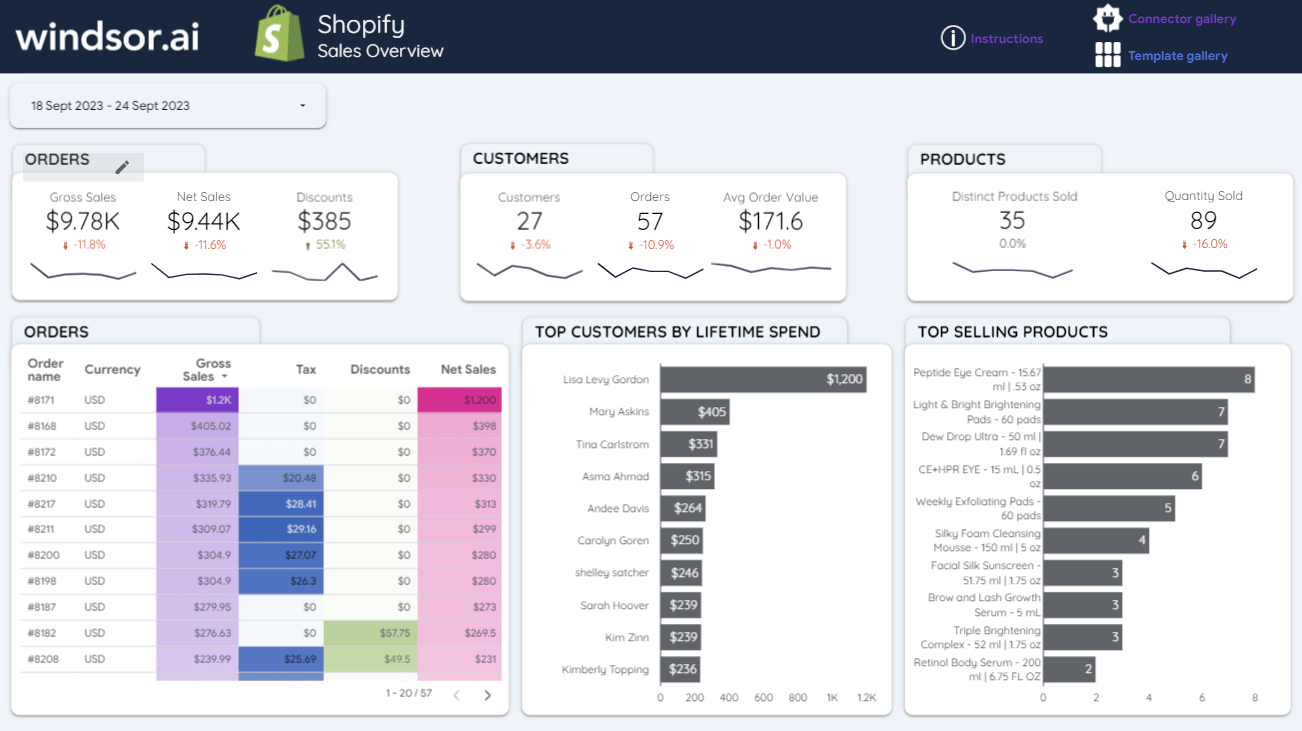
How the store is doing, who the best customers are and what sells, on one page with sparklines under every scorecard.
- Data sources: Shopify, through Windsor.ai.
- For: Shopify store owners and ecommerce managers.
- Use it if you want a weekly store check without logging into Shopify.
Ecommerce (Shopify Overview)
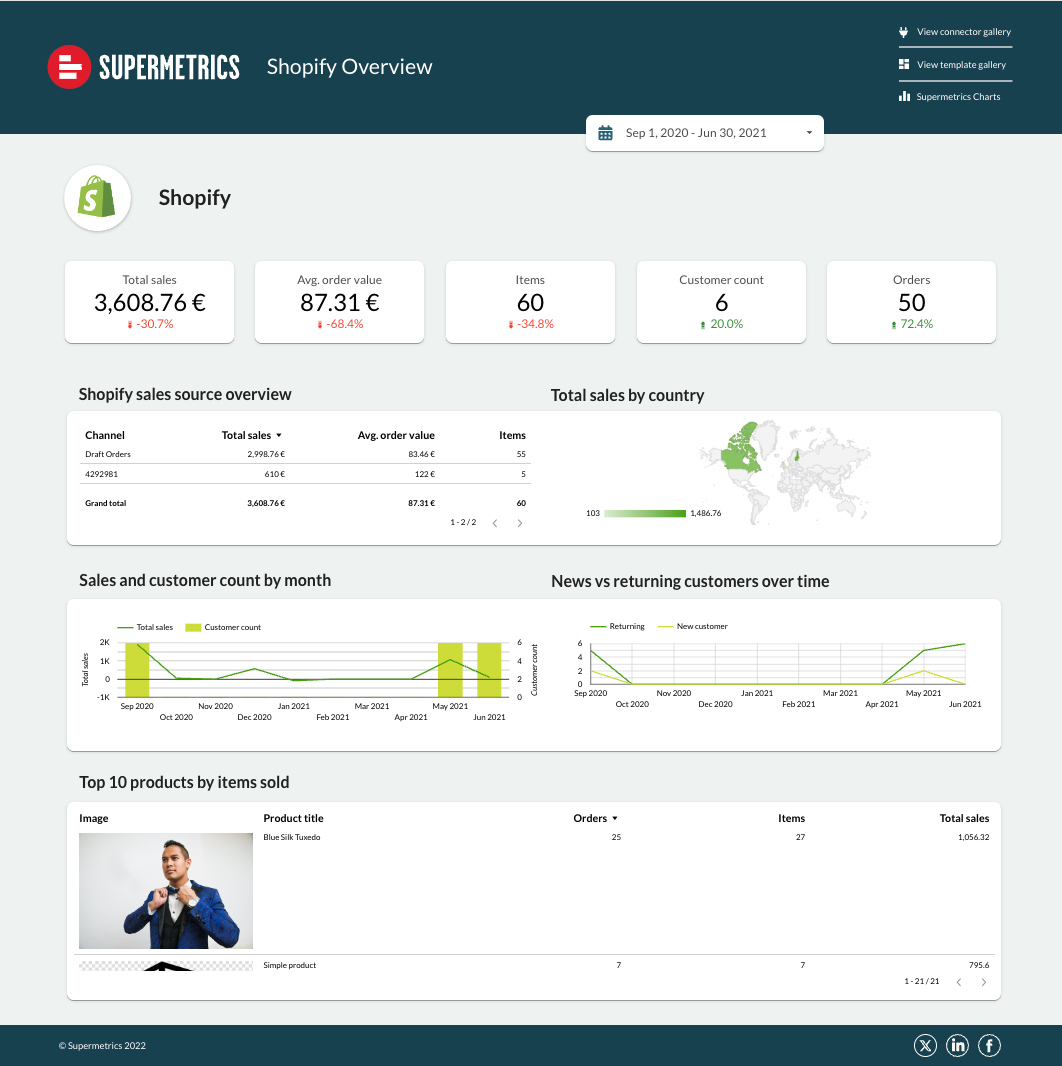
Shopify sales by source and country, new versus returning customers over time, and a top-ten product table with product images.
- Data sources: Shopify, through Supermetrics; the template’s listing adds web analytics and paid media pages.
- For: ecommerce marketers connecting ad spend to store revenue.
- Use it if you run Supermetrics and want store and ads in one report.
Google Merchant Center
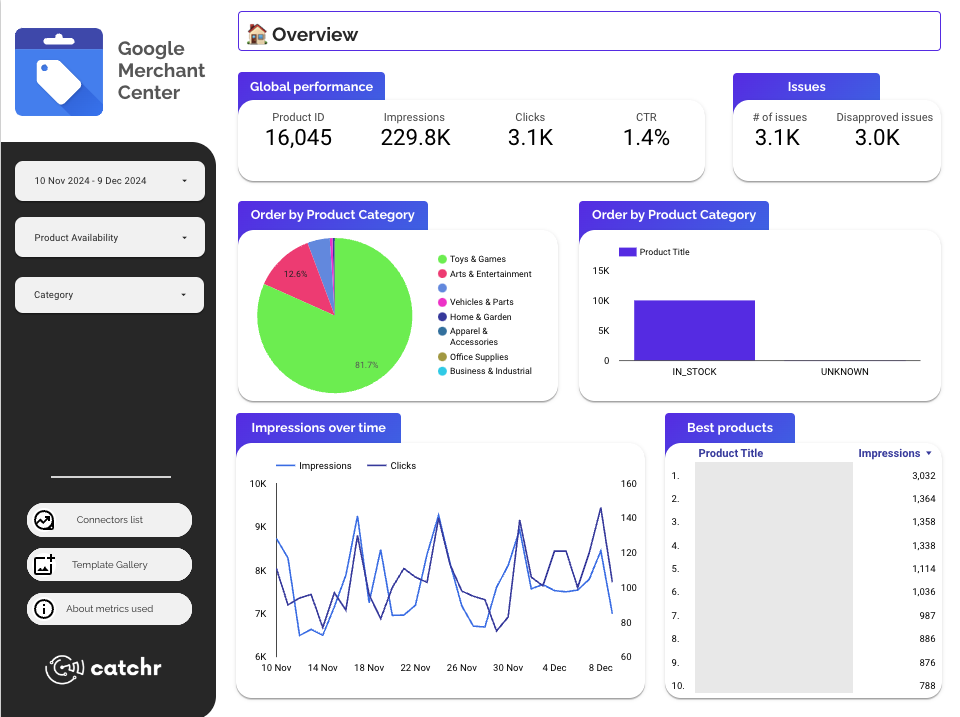
Product-feed health and Shopping visibility: impressions, clicks and CTR alongside the number of feed issues and disapproved products.
- Data sources: Google Merchant Center, through Catchr.
- For: ecommerce agencies and Shopping campaign managers.
- Use it if disapproved products are costing you Shopping visibility.
Best free local SEO and Google Business Profile templates
Google Business Profile is a Google product with no Google connector, so every local template pairs with one. Five are free; Data Bloo’s two premium local templates run on its own connector, which has a free plan.
Google Business Profile Global Overview
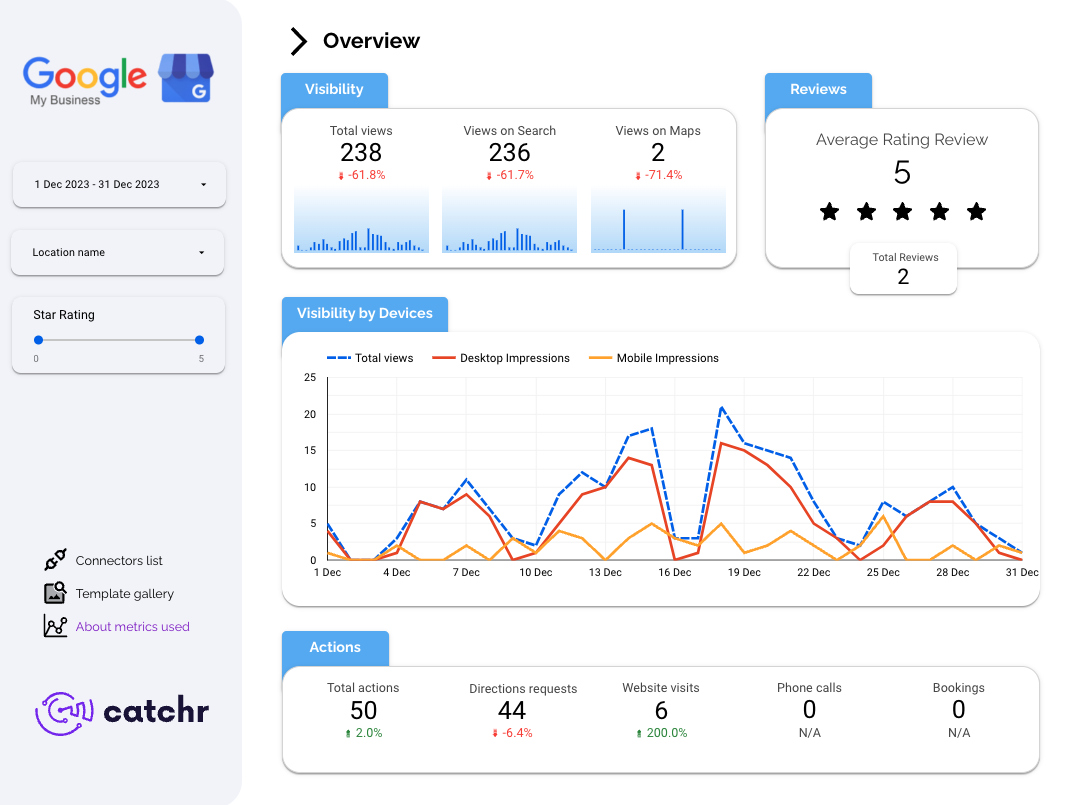
Who saw the profile, where, and whether they called, asked for directions or visited the site.
- Data sources: Google Business Profile, through Catchr.
- For: local SEO freelancers and agencies.
- Use it if you report a single location, or a few, each month.
Google Business Profile local SEO
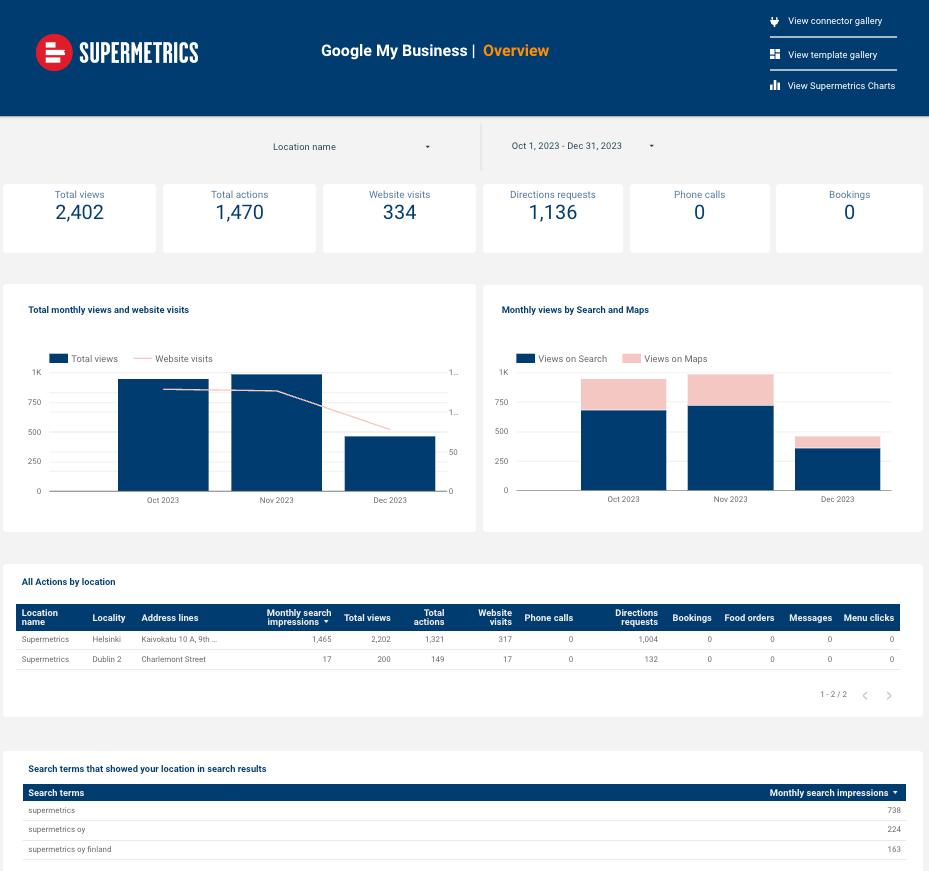
Built for several locations: a location selector at the top, monthly views by Search and Maps, and an actions-by-location table you can sort.
- Data sources: Google Business Profile, through Supermetrics.
- For: multi-location businesses and local SEO specialists.
- Use it if you compare branches against each other.
Google Business Profile Dashboard
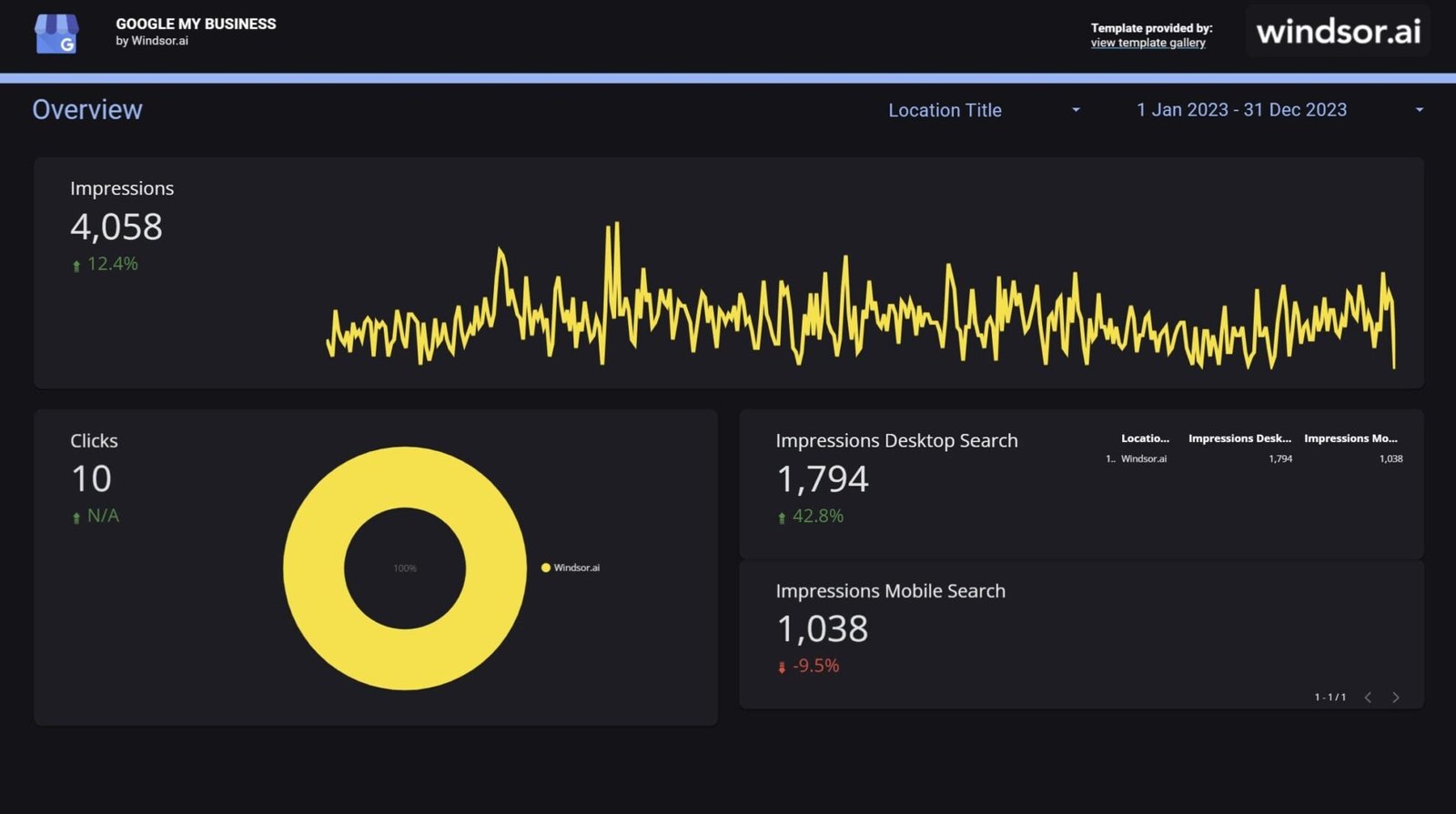
A dark-themed overview of how people interact with the listing, with a location filter. If you report on many locations, Windsor.ai counts ten Business Profile locations as one billable account.
- Data sources: Google Business Profile, through Windsor.ai.
- For: local businesses and multi-location brands.
- Use it if you have many locations and want them cheap to connect.
Best free email marketing and CRM templates
Thirty-eight free templates, none Google-only: Google builds no connector for HubSpot, Salesforce, Klaviyo or Mailchimp.
HubSpot Overview
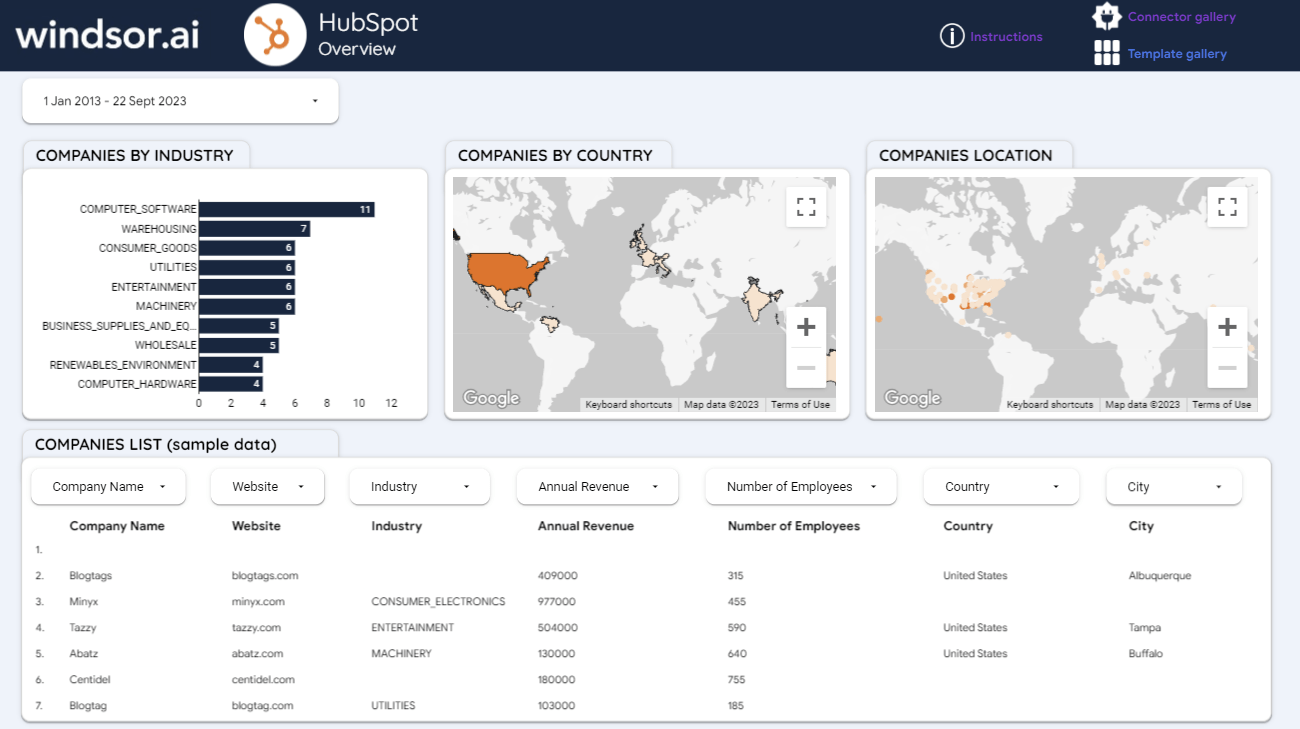
Companies by industry, by country and on a map, then a filterable company list with revenue and headcount. Further pages cover contacts and the sales pipeline.
- Data sources: HubSpot, through Windsor.ai.
- For: B2B sales and marketing teams.
- Use it if your CRM is HubSpot and your report starts with accounts, not ads.
Email Marketing
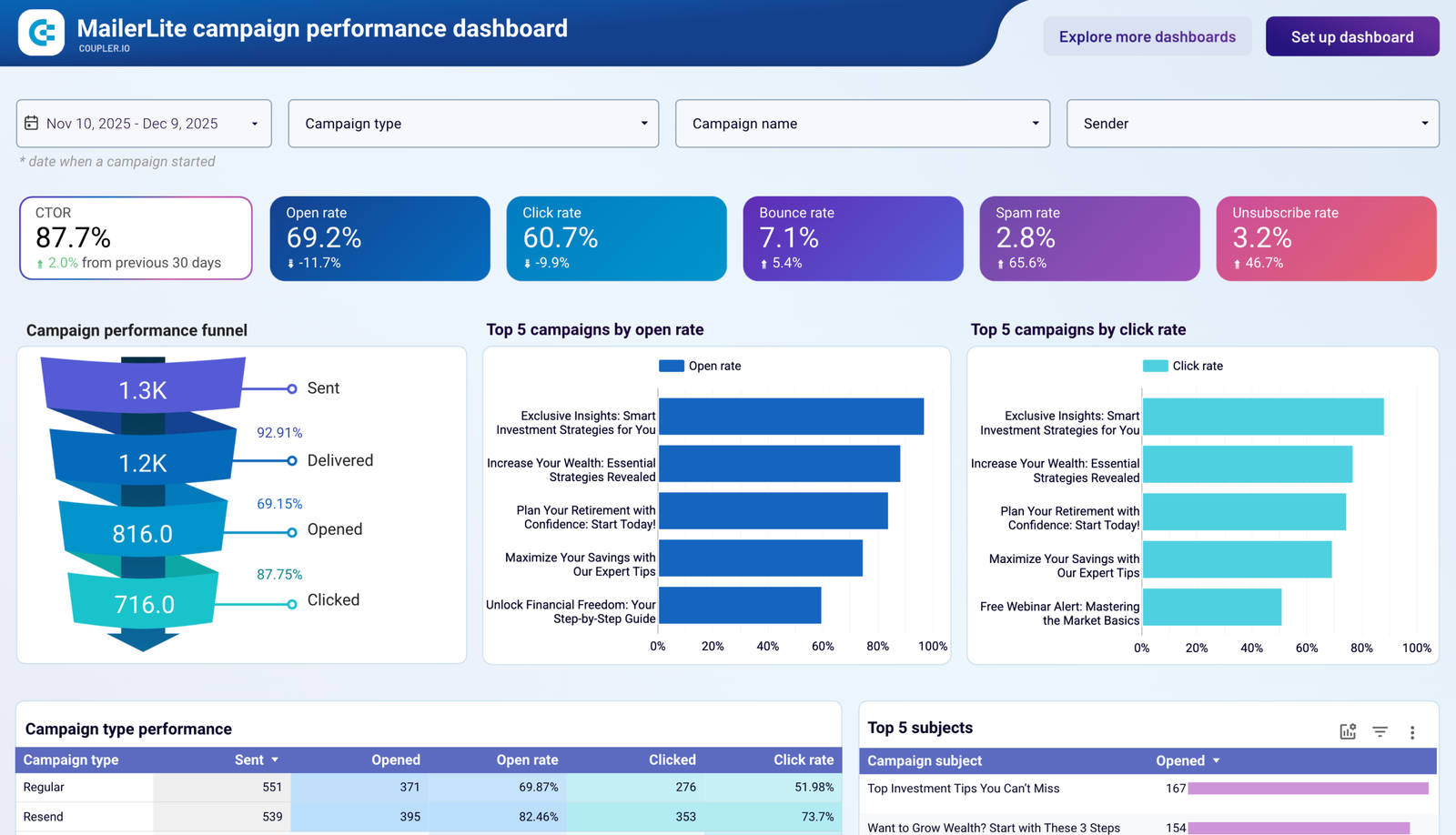
Coupler.io’s email template comes in versions for Klaviyo, Mailchimp and MailerLite. Each opens with a sent-to-clicked funnel, then ranks campaigns by open and click rate.
- Data sources: Klaviyo, Mailchimp or MailerLite, through Coupler.io.
- For: email marketers and ecommerce teams.
- Use it if you want campaign engagement and list health in one place.
Lead generation
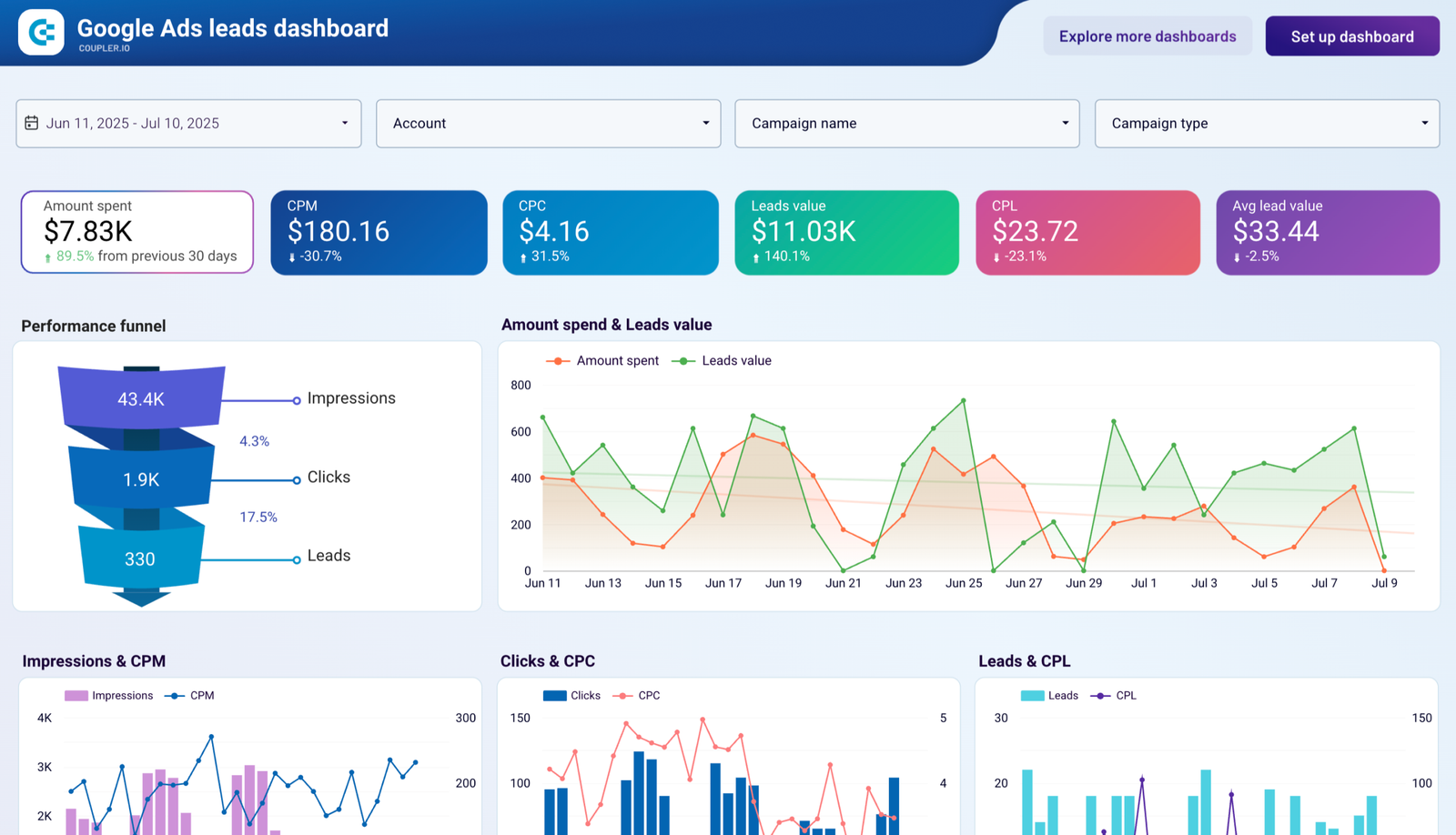
Which campaigns bring leads, what each lead costs and what it’s worth. The image shows the Google Ads page; the template’s listing covers Facebook Ads and LinkedIn Ads too, joined to a CRM such as HubSpot or Pipedrive.
- Data sources: Facebook Ads, Google Ads, LinkedIn Ads and a CRM, through Coupler.io.
- For: B2B marketers and lead-gen agencies.
- Use it if “cost per lead” is your headline number.
Best free executive and KPI template
MRR & ARR
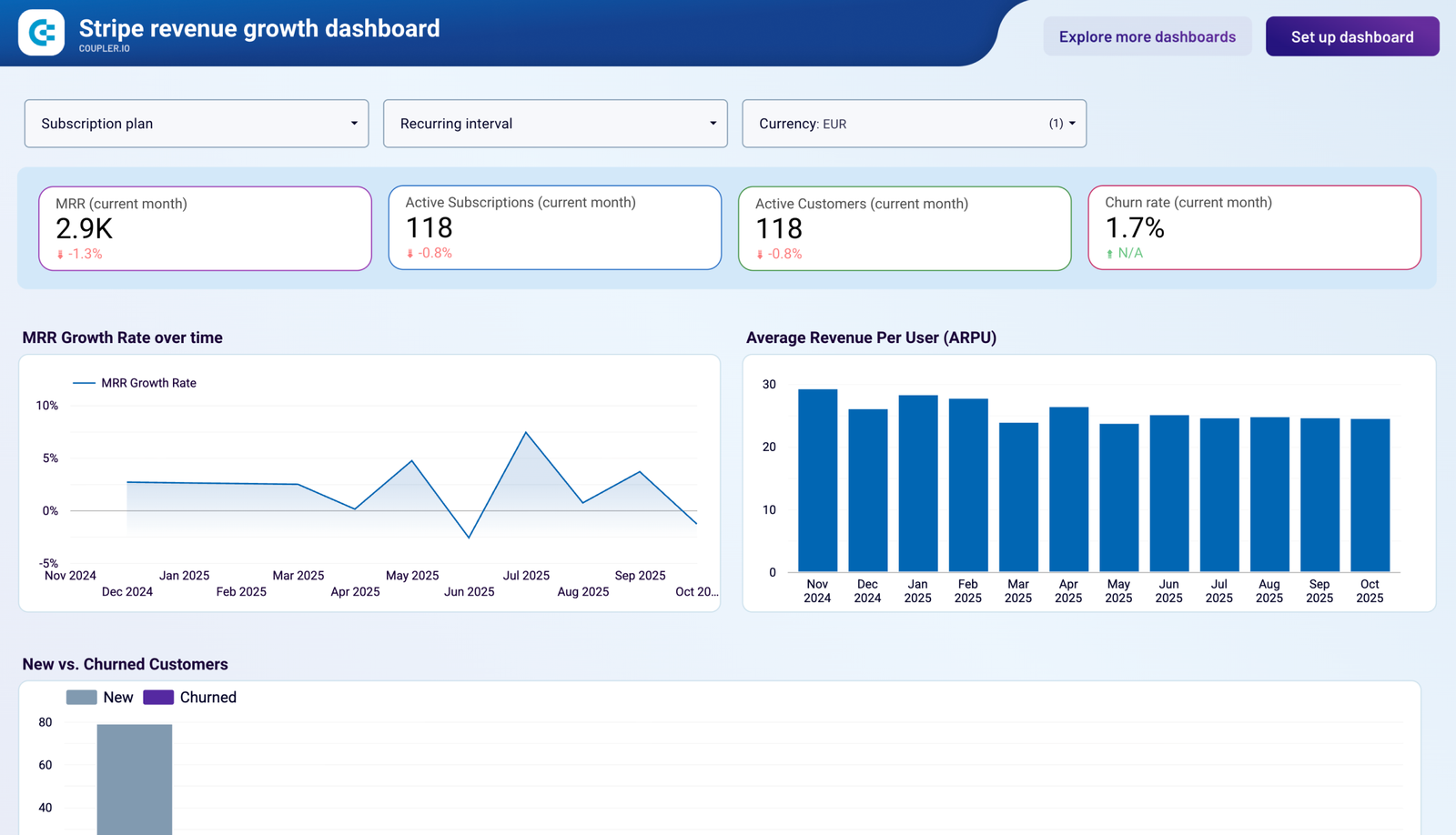
Recurring revenue straight from the payment processor, so the number on the page is the one finance already has. A marketing report whose revenue matches finance’s earns a lot of trust in the room.
- Data sources: Stripe, through Coupler.io.
- For: SaaS founders, finance and growth teams.
- Use it if leadership asks about MRR, not sessions.
Best free agency and client reporting templates
Seven free templates for agencies reporting across channels. All run on a connector, because a cross-channel client report almost always includes a platform Google doesn’t connect.
All-in-one marketing (Agency)
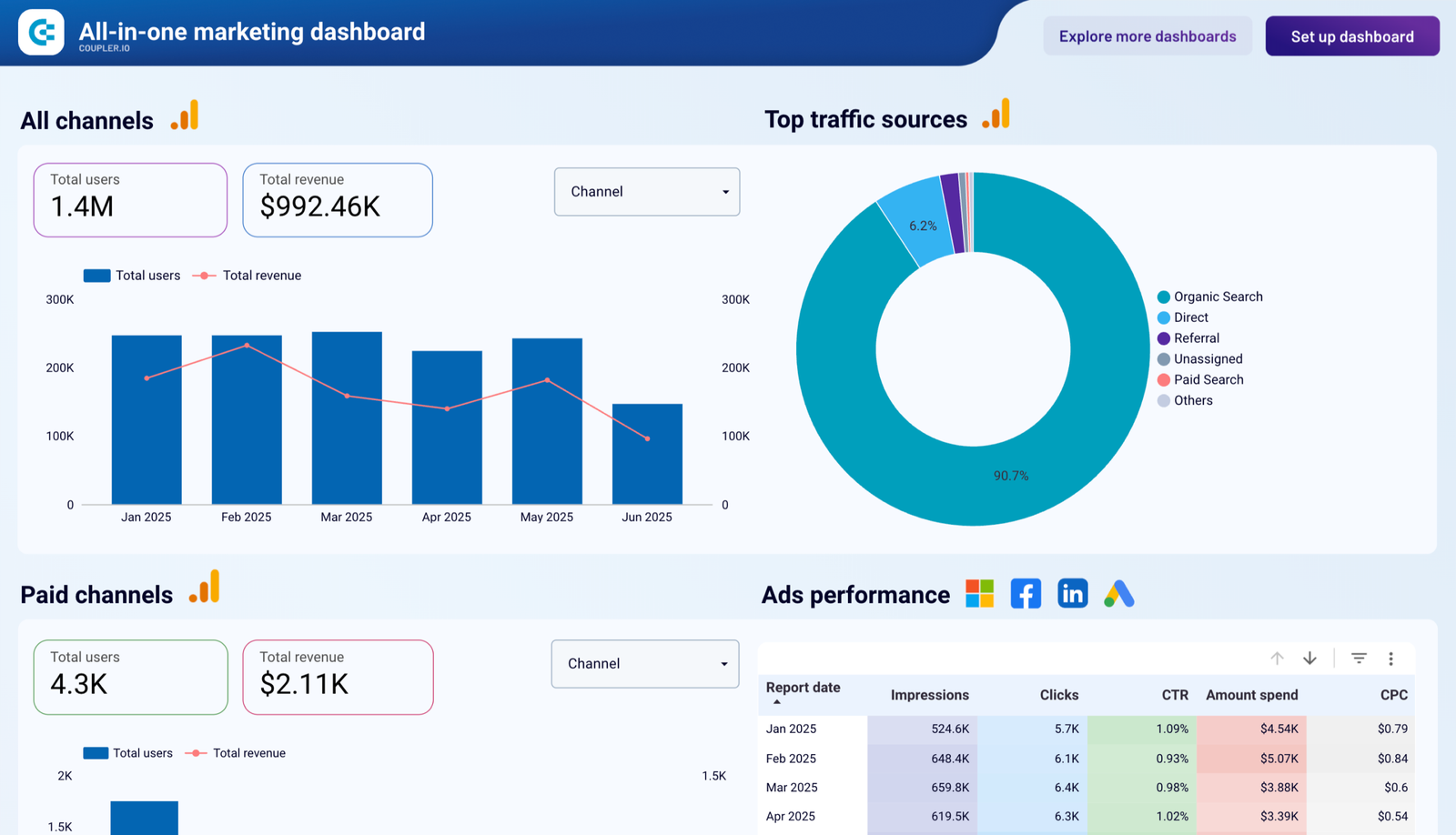
Website, paid and revenue data in one client report, with an ads table across four platforms.
- Data sources: Facebook Ads, Google Ads, LinkedIn Ads, GA4, Search Console and QuickBooks, through Coupler.io.
- For: agencies with full-service clients.
- Use it if one report has to cover the whole account.
Agency Report Dashboard
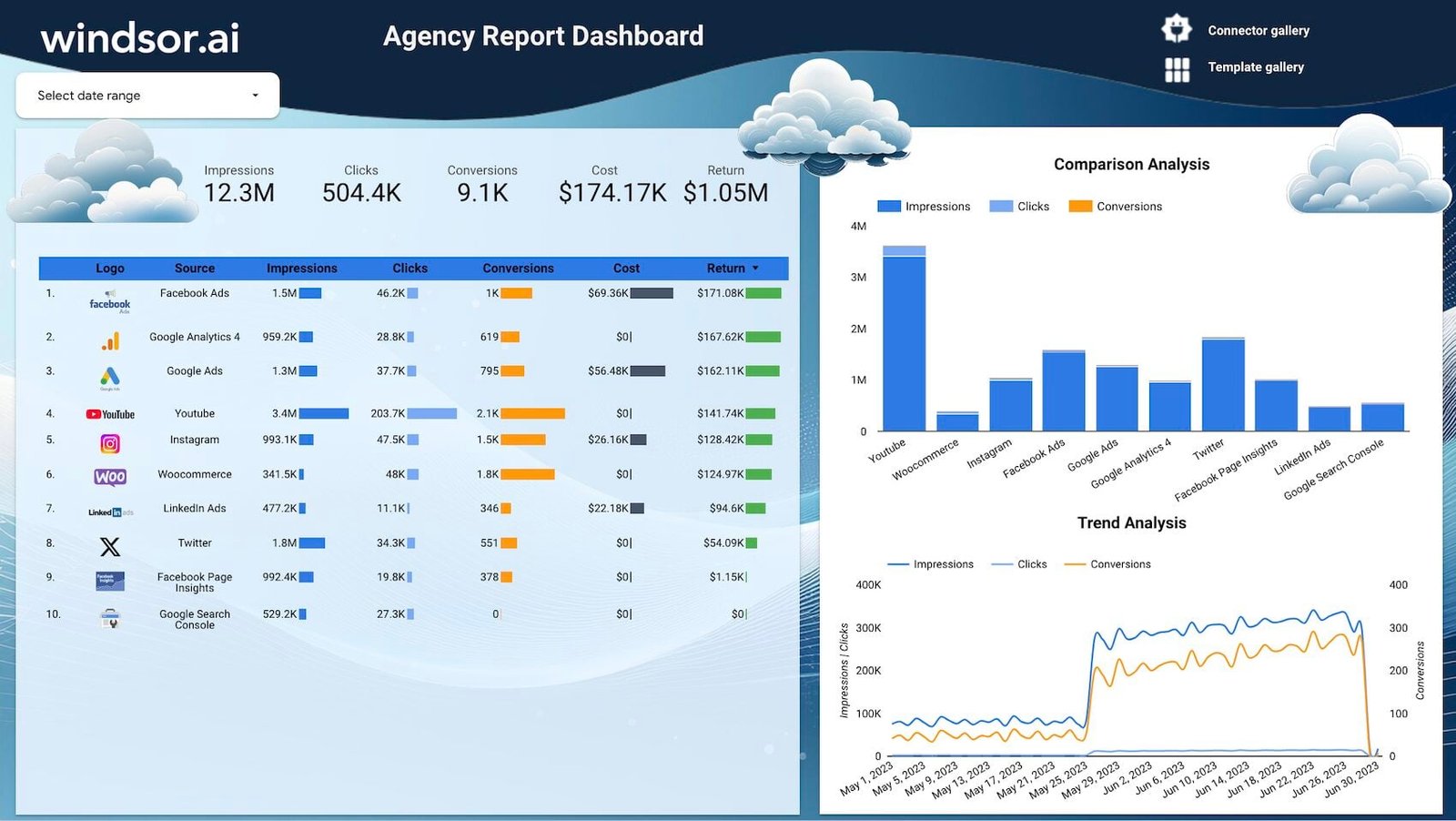
Every source in one ranked table (impressions, clicks, conversions, cost and return), with a comparison bar chart beside it.
- Data sources: multiple marketing channels, through Windsor.ai.
- For: marketing agencies.
- Use it if you want a single ranked view of every channel a client uses.
Multichannel Attribution
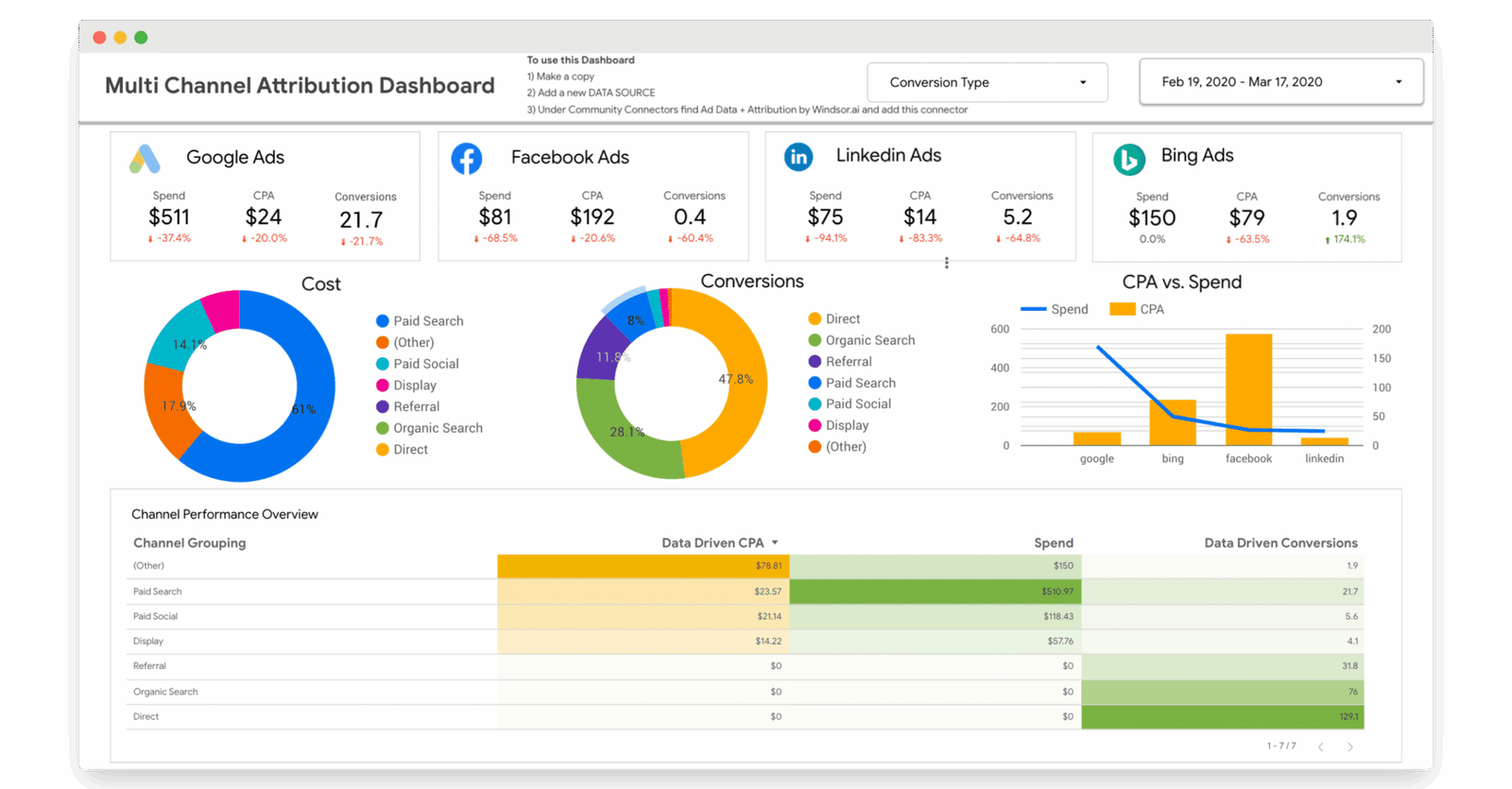
Paid and non-paid performance at channel-group level, so non-technical readers can follow it, with a CPA-versus-spend chart per platform.
- Data sources: Google Ads, Facebook Ads, LinkedIn Ads and Bing Ads, through Windsor.ai.
- For: agencies and in-house teams reporting cross-channel.
- Use it if your client asks which channel deserves the credit.
When a premium template is worth it
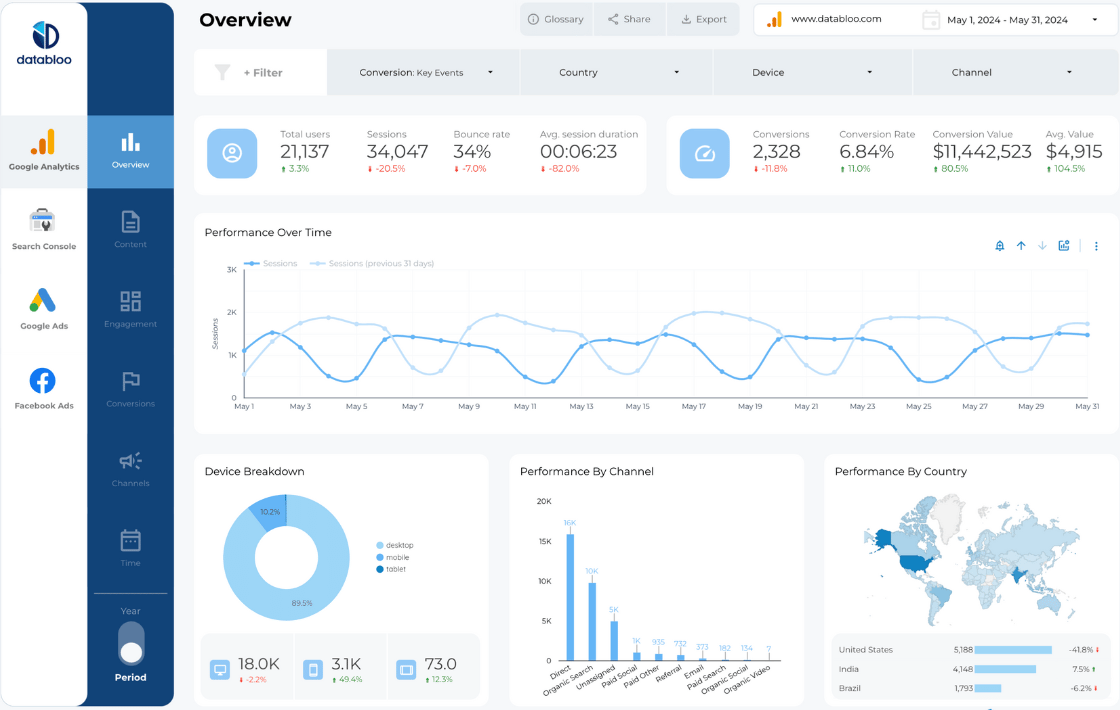
The library also carries 40 premium templates, from Data Bloo and Ivan Palii. They’re bought from the creator, and 39 of the 40 run on Google’s connectors or on Data Bloo’s, which has a free plan. They suit you when you want a multi-page client report with navigation already built in, like the example below.
How to copy a template and connect your own data
Copying is five steps. In Data Studio, a template is a report you open in view mode and copy before you change anything; Google’s own help page on creating a report from a template describes the same thing.
- Open the template from its page in the library. The button takes you to the creator’s copy.
- If it runs on a vendor’s connector, start that vendor’s free plan or trial first, and connect your platform there. The connector only appears in the next step once you have an account.
- Choose Make a copy from the ⋮ menu (or File → Make a copy in the editor).
- Map every data source. The dialog lists the template’s sources on the left; choose your own for each one on the right. Match the type: a GA4 row needs a GA4 property.
- Click Copy report. The copy is yours; nothing you change touches the original.

If a chart shows a configuration error after copying, it’s usually a field the template’s source has and yours doesn’t. The full guide to copying and reusing a template covers the fixes and how to reuse one template across many clients.
How to pick one in five minutes
| Your situation | Start with | Runs on |
|---|---|---|
| SEO, Google data only | SEO Reporting Dashboard, then GA4 Backlinks | Google’s connectors |
| New GA4 property, or one you inherited | GA4 Audit, before anything else | Google’s connector |
| Google Ads alongside other ad platforms | Google Ads KPIs | Catchr |
| Meta is the main paid channel | Facebook and Instagram Ads | Supermetrics |
| Four ad platforms, one client | Ads Overview or Paid Channel Mix | Catchr or Supermetrics |
| Organic social across platforms | Social Media Organic Overview | Catchr |
| Shopify store | Shopify Sales Overview | Windsor.ai |
| Many Business Profile locations | Google Business Profile local SEO, or Windsor.ai’s version | Supermetrics or Windsor.ai |
| B2B with HubSpot | HubSpot Overview, then Lead generation | Windsor.ai, Coupler.io |
| Agency, full-service clients | All-in-one marketing (Agency) | Coupler.io |
- Start from your data, not the design: list the platforms you report on, and check what each template runs on.
- Copy it and connect your own data early. A template comes into focus once your numbers are in it.
- Then make it yours: key number top-left, chart titles as findings, a commentary line. The dashboard examples post shows those moves on real templates.
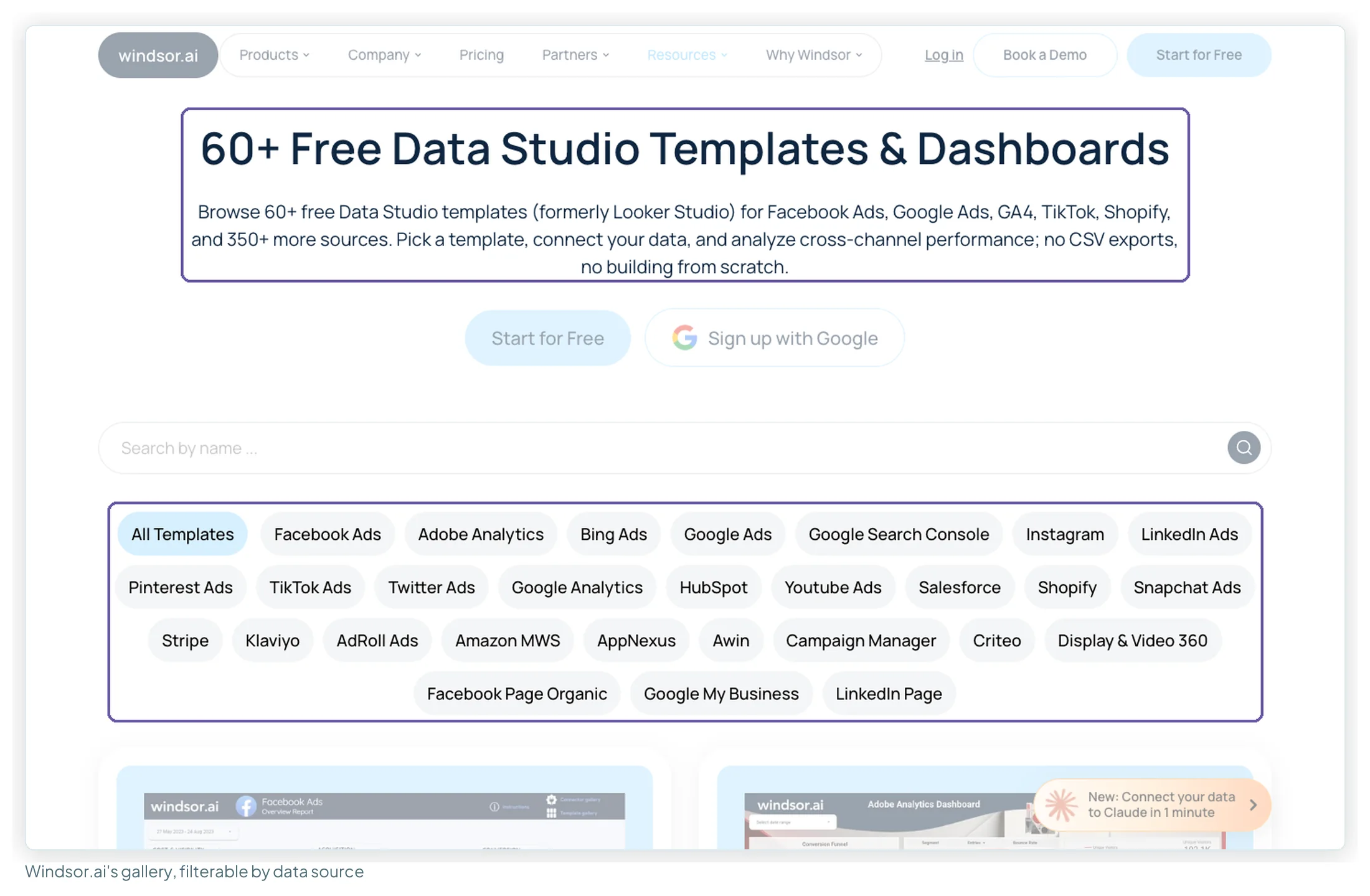
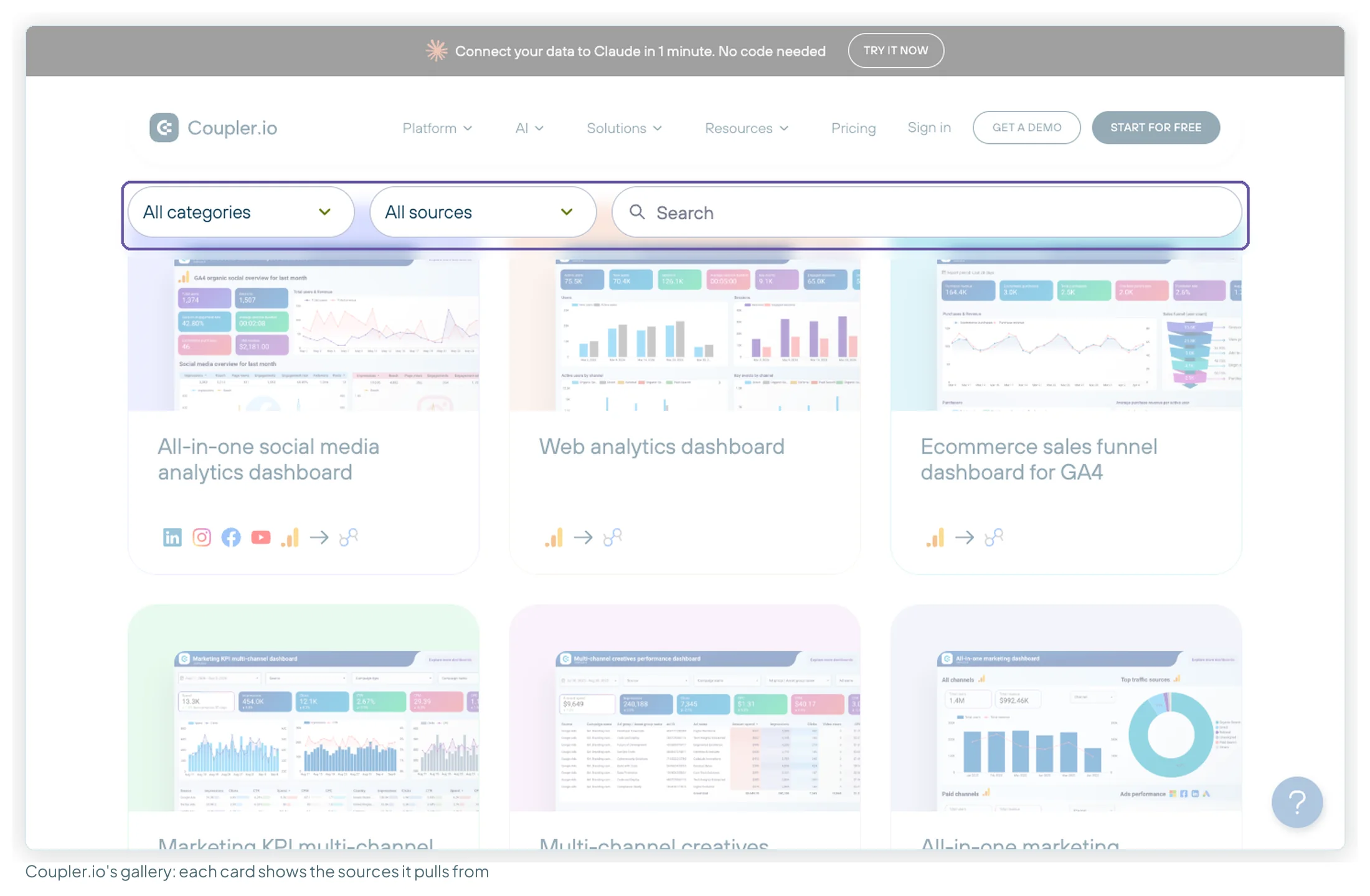
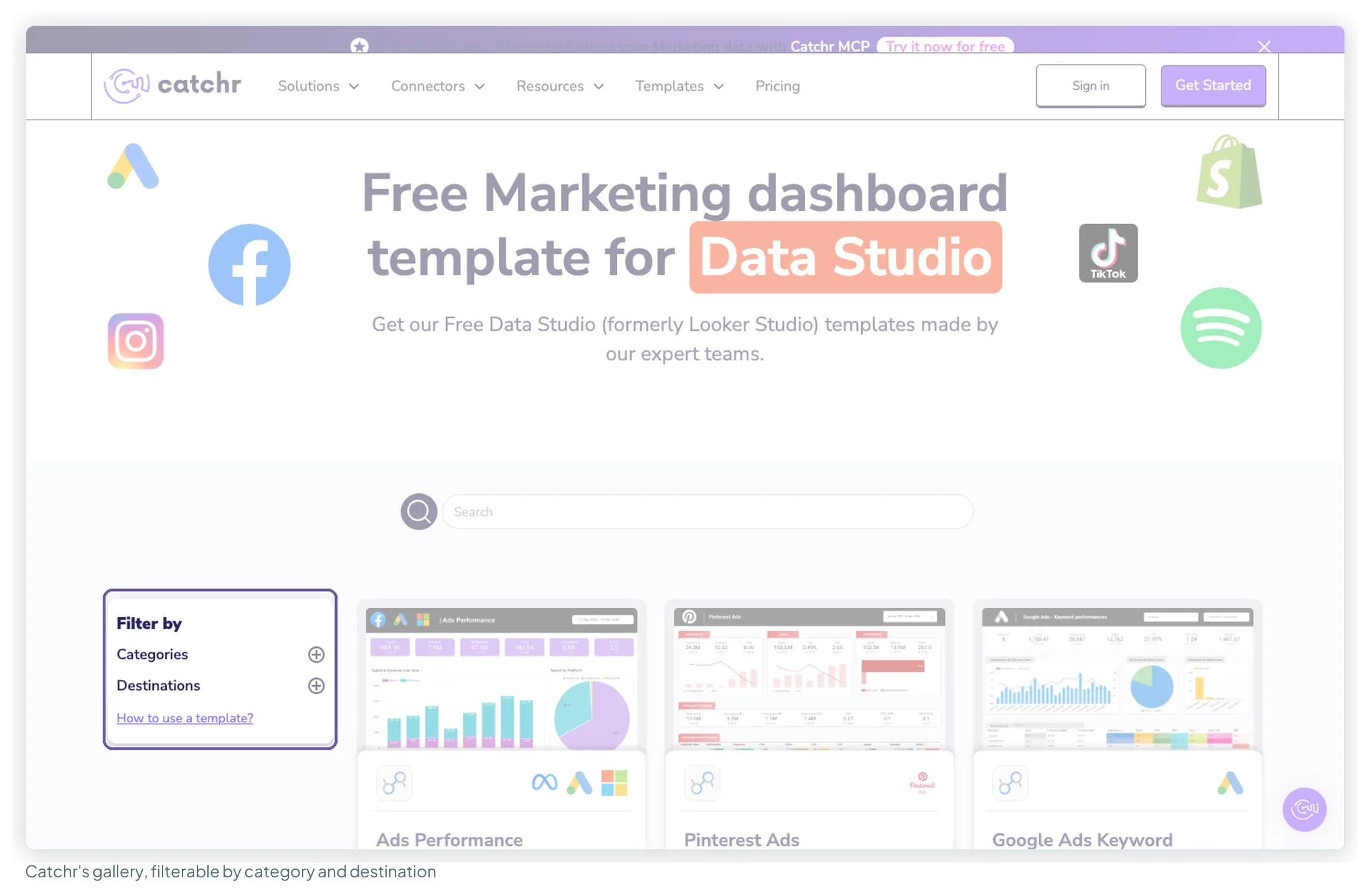
Where else free templates come from
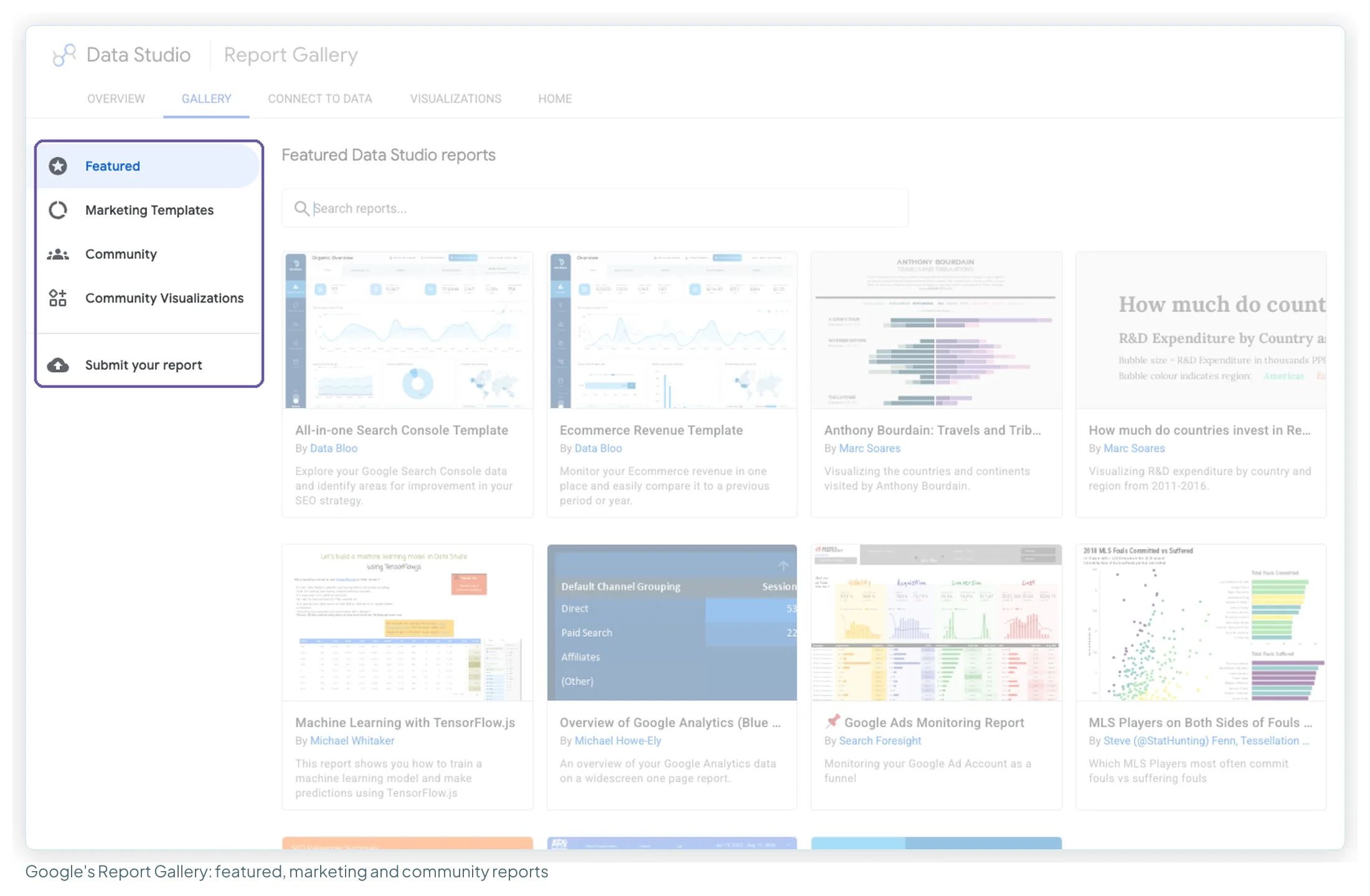
Each vendor keeps its own gallery, and so does Google. The library brings them together; the galleries are where new templates appear first.
When to build from scratch instead
For GA4 and Search Console alone, the first-report guide gets you there in an afternoon, and you’ll understand every chart. Templates earn the most where the connector work is hard: several ad platforms, a CRM join, attribution. If you build your own, my ebook, Data Storytelling in Data Studio, walks through every chart choice and layout decision, with seven before-and-after report makeovers.
Frequently asked questions
Are free Looker Studio templates really free?
Yes. Every free template in the library (215 of 255) is free to copy and keep, and Data Studio is free to build in and view. What can cost money is the connector the template was built on. Seven run on Google’s own free connectors and cost nothing to run. The other 208 run on Coupler.io, Windsor.ai, Catchr or Supermetrics; Coupler.io and Windsor.ai have free tiers, and all four have free trials.
Is Looker Studio the same as Data Studio?
Yes. Google renamed it back to Data Studio in April 2026. It’s the same free tool, and templates built under either name work the same way. Looker is a separate, paid Google product.
How do I copy a template and connect my own GA4 or Search Console?
Open the template, choose Make a copy, and in the dialog pick your own GA4 property or Search Console site for each data source the template lists. If the template was built on a vendor’s connector, set that connector up first so it appears in the list.
Why does my copied template show errors or someone else’s numbers?
Errors usually mean a chart uses a field your data source doesn’t have, often because the template was built on a different connector. Someone else’s numbers mean a data source wasn’t remapped during the copy. Remap every source, matching the type each one expects.
The template link is view-only. How do I get an editable copy?
That’s how templates are shared. Use Make a copy from the ⋮ menu to create your own editable version. If Make a copy is missing, the owner has turned copying off.
Why do I get a quota error on a GA4 template?
Data Studio’s GA4 connector is subject to the Google Analytics Data API’s quotas, and Google says reports that exceed them may show an error. An extracted data source, a static snapshot of up to 100 MB, is the usual workaround.
Is there a free template for Meta Ads or Google Business Profile?
Yes, several, but each pairs with a connector, because Google builds none for Meta or for Business Profile. The Facebook and Instagram Ads template runs on Supermetrics; the Business Profile templates run on Catchr, Supermetrics, Windsor.ai or Coupler.io.
Do templates update automatically?
A copied template refreshes from its data sources. On Google’s own connectors that’s automatic. On a vendor’s connector, refresh depends on your plan: Coupler.io’s free tier refreshes manually only, while its paid plans refresh daily.
Where to go next
- Data Studio dashboard examples worth copying, and what to take from each
- How to copy and reuse a Data Studio template
- Data Studio connectors compared
- Report templates versus report themes
- What Data Studio is, and what it costs
- Dashboard design principles for readable reports
Some links in this post are affiliate links: if you sign up through one, I may earn a commission at no extra cost to you. How I work with partners.