
Looker and Data Studio are two separate Google products, and Looker Studio is the name Data Studio carried from October 2022 until Google renamed it back in April 2026. Data Studio is the free reporting tool most marketers use; Looker is an enterprise business intelligence platform sold to data teams. One was never a paid tier of the other.
This explainer gives the rename history with the dates Google’s own pages give (they don’t agree on the April 2026 one), what each product is and costs, what changed for Looker customers on 1 August 2026, where Gemini and Conversational Analytics sit now, and which one a marketer needs. If you’re new to the tool itself, start with what Data Studio is and what it does.
The names, in order
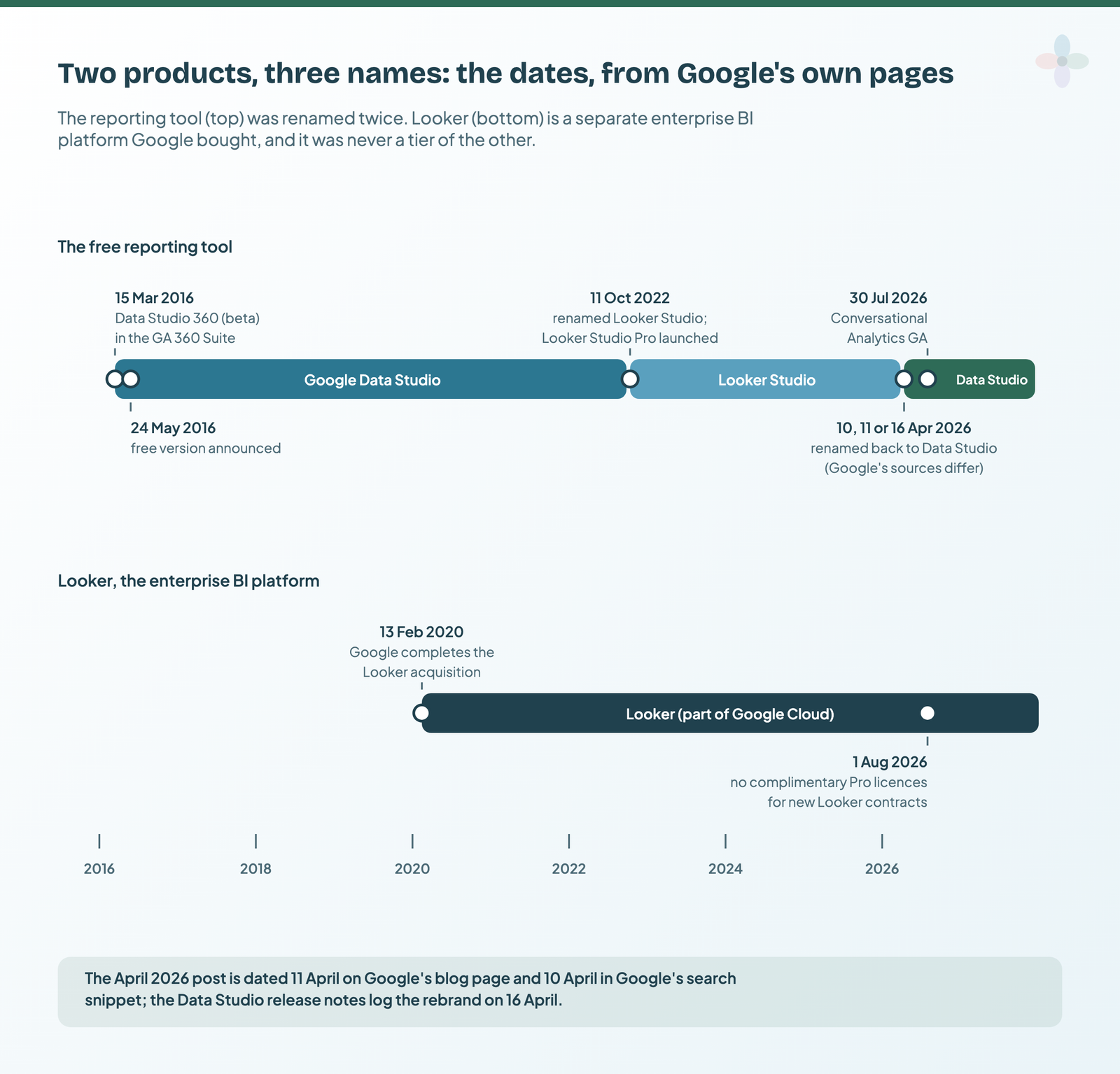
- 15 March 2016: Data Studio 360. Google announces the Google Analytics 360 Suite, with Data Studio 360 (beta) as its reporting and visualisation product for large enterprises.
- 24 May 2016: a free Data Studio. Google’s Analytics blog announces “a free version of Data Studio for individuals and smaller teams”, the day after its Performance Summit.
- 13 February 2020: Google completes its acquisition of Looker (Google Cloud blog), an enterprise business intelligence company with its own customers and its own modelling language, LookML.
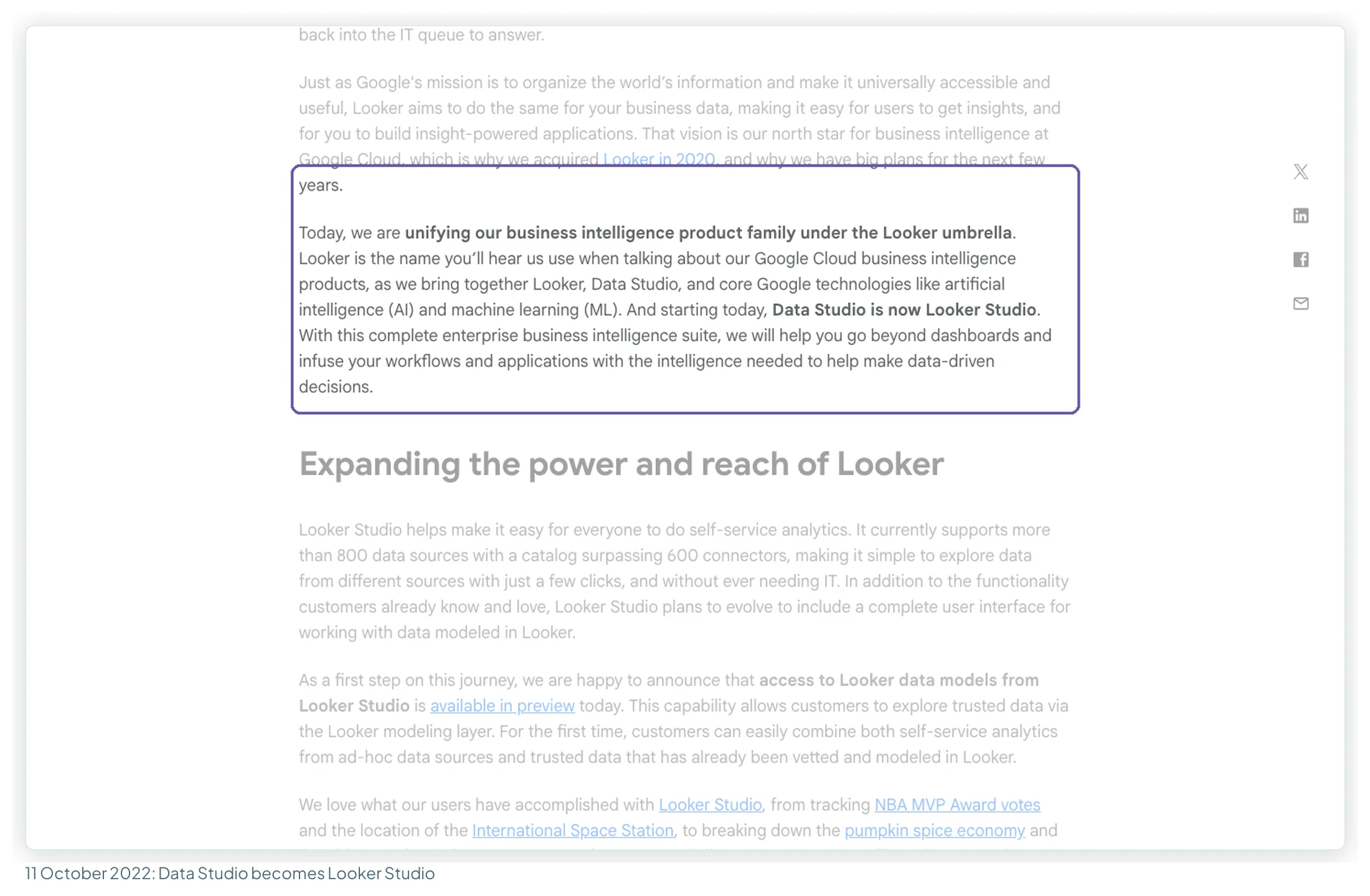
- 11 October 2022: Looker Studio. Google unifies its BI products “under the Looker umbrella”, announces that “Data Studio is now Looker Studio” and launches a paid tier, Looker Studio Pro. This is when the confusion starts: a “Looker” and a “Looker Studio” that are different products.
- April 2026: Data Studio again. Google’s Cloud blog reintroduces “a beloved and familiar name, Data Studio (formerly Looker Studio)”, with two editions: Data Studio and Data Studio Pro.
Which day in April 2026?
Google’s own sources give three dates for the rename back, so I’m citing each rather than picking one:
| Google source | Date it gives | What it says |
|---|---|---|
| Google Cloud blog post “Data Studio returns as new home for Data Cloud assets” | 11 April 2026 (on the page) | Reintroduces “Data Studio (formerly Looker Studio)” in two editions |
| The same post in Google’s search results | 10 April 2026 (snippet date) | “Data Studio, formerly Looker Studio…” |
| Data Studio release notes | 16 April 2026 | “We’ve rebranded Looker Studio as Data Studio”, with a new home page |
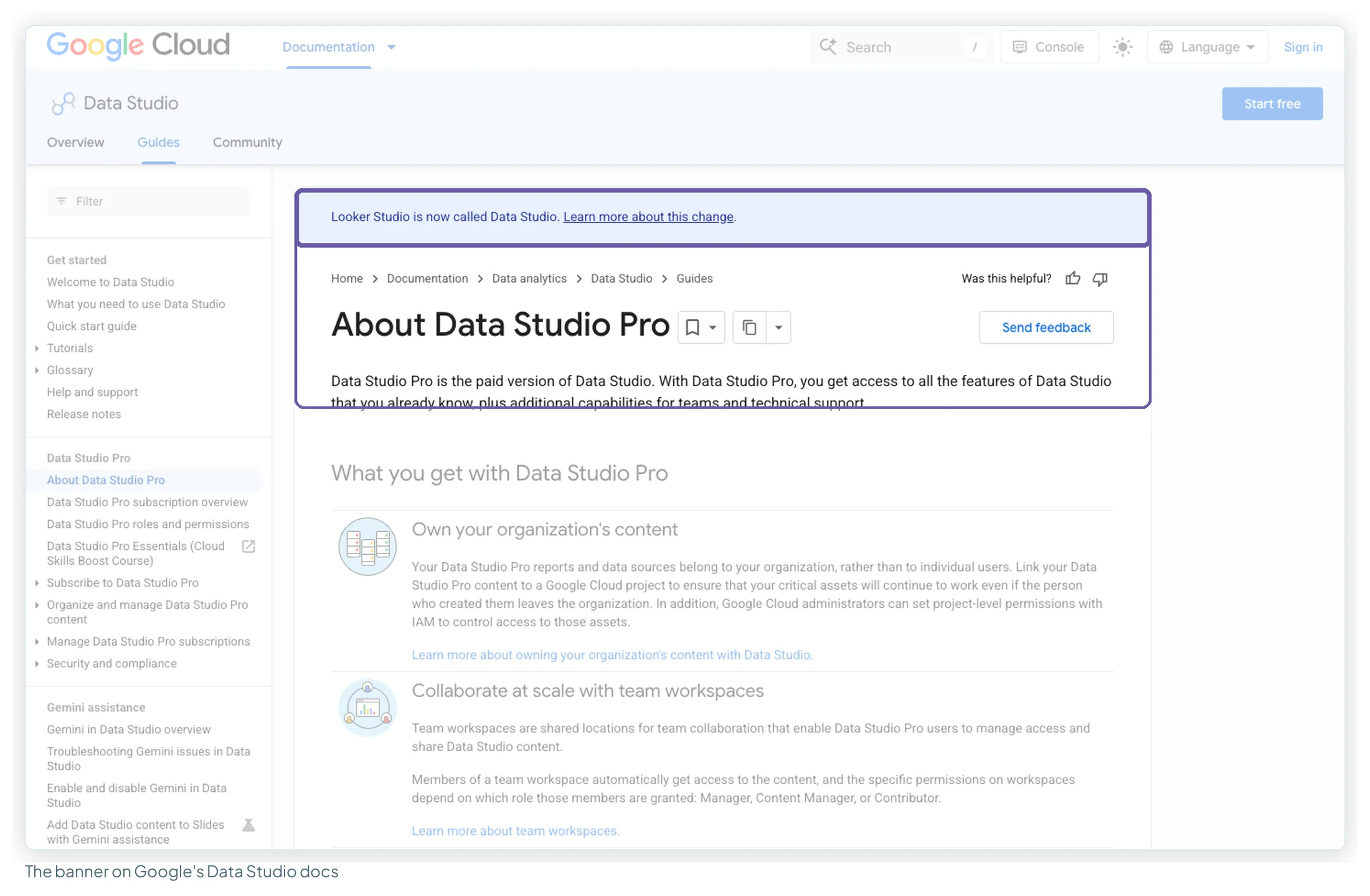
| Data Studio documentation | Undated banner | “Looker Studio is now called Data Studio.” |
The most likely reading is an announcement on 10 or 11 April (time zones would explain a one-day gap) and the product change landing on 16 April. For anything you write, “April 2026” is safe.
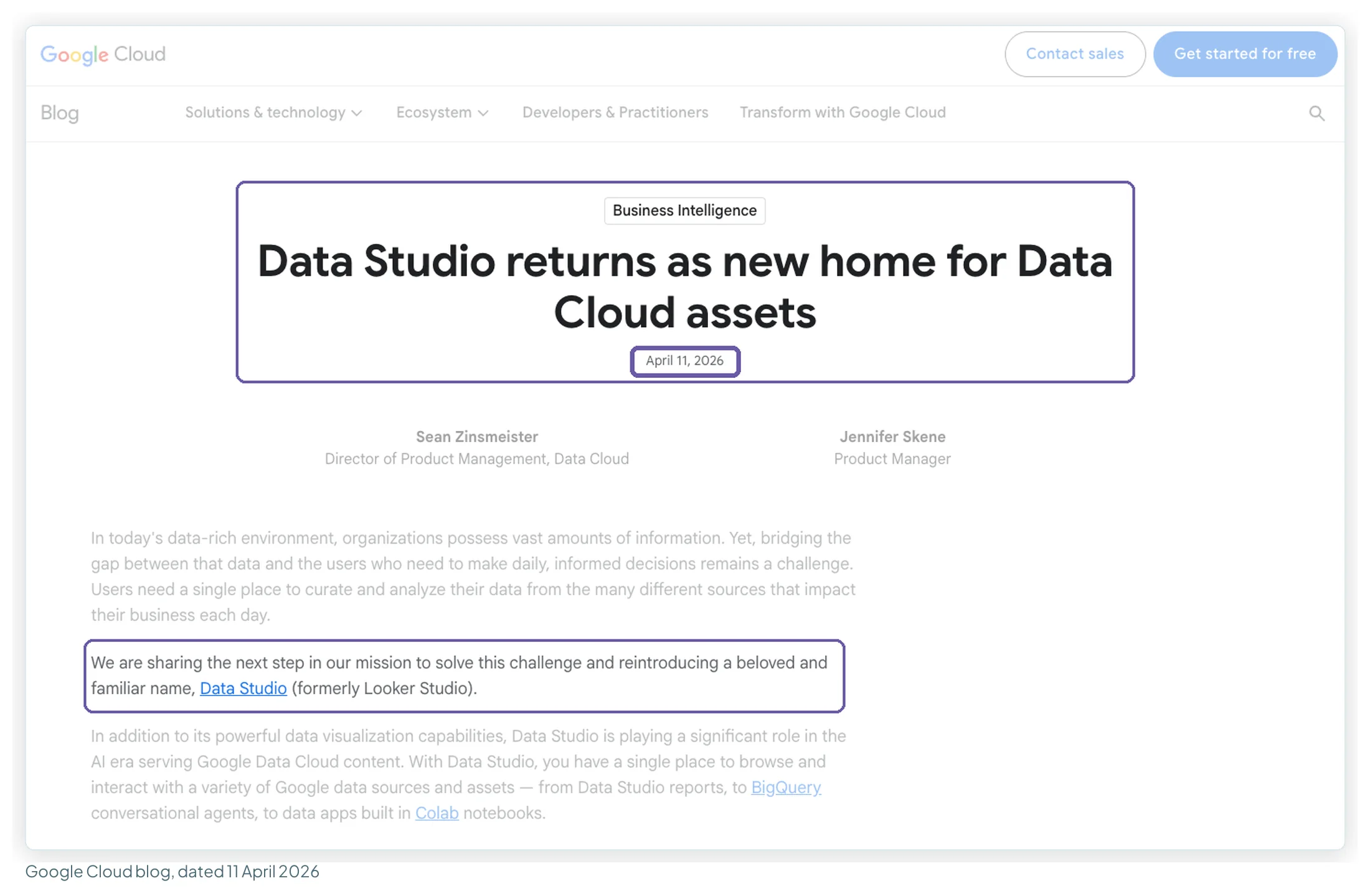
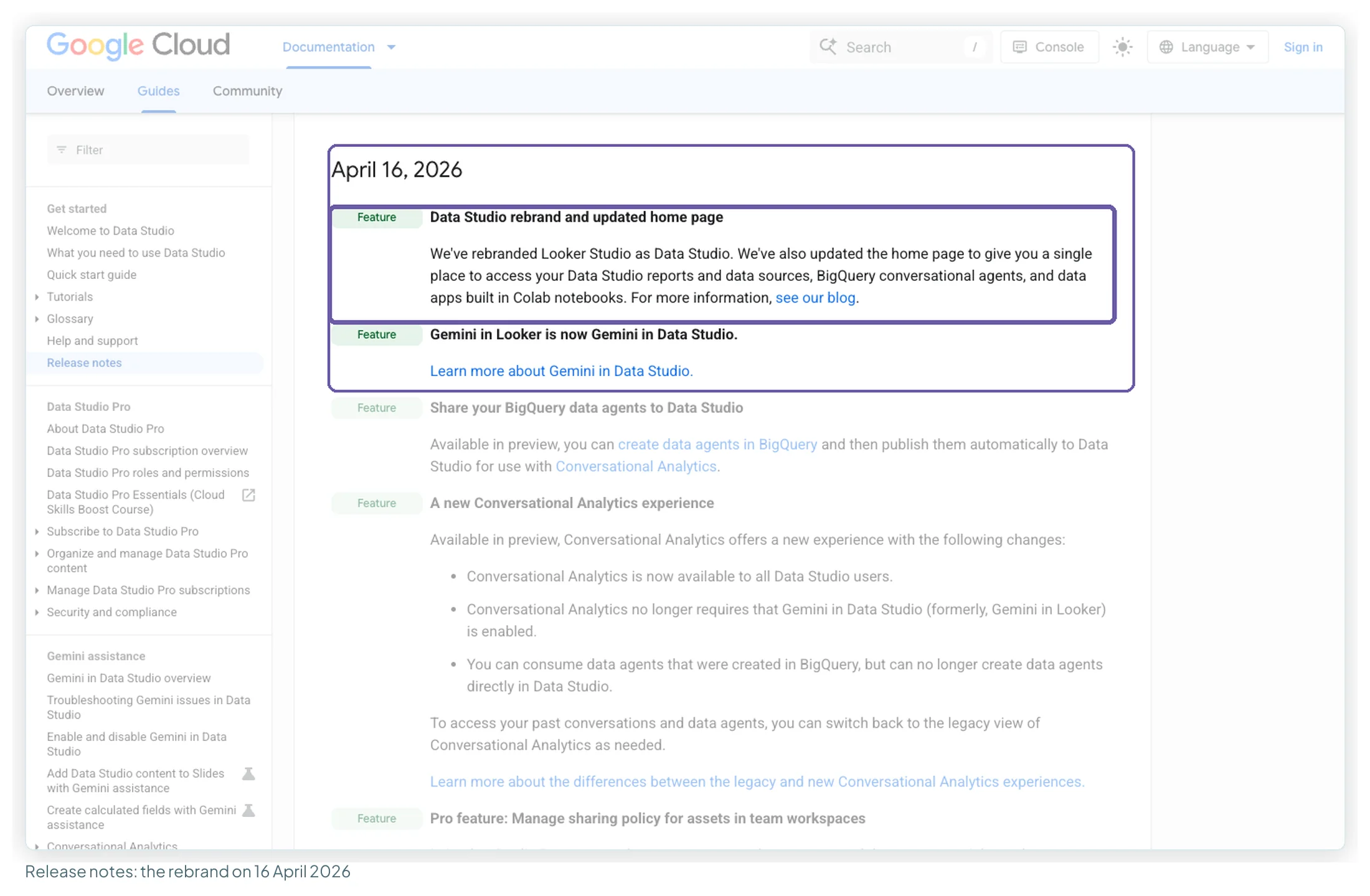
Google’s post also says existing reports, data sources, assets and users move to the new experience “with no action on your part”, so nothing you built under the old name needs rebuilding. This site uses Data Studio, the current official name. Most ranking articles don’t yet: 10 of the 12 pages I read that rank or are cited for this query still call it Looker Studio, four of them updated after April.
The two products, side by side
| Data Studio | Looker | |
|---|---|---|
| What it is | “A no-cost tool that turns your data into fully customizable reports”, with a drag-and-drop editor | “A business intelligence platform”: self-serve analysis, an IDE for data modellers, embedding and APIs |
| Who gets it | Anyone with a Google account, at datastudio.google.com | Organisations with a contract, through Google’s sales team |
| Cost | Free. Pro: $9 per user per project per month | No list price: each edition says “Call sales” |
| Where the data lives | Read through connectors from each source | Stays in your database: “not copied to the Looker instance” |
| Modelling | Calculated fields and blends, per report | A central semantic model written in LookML |
| Hosting | A Google Cloud service | Managed in Google Cloud, another cloud, or your own servers |
| Paid variant | Data Studio Pro (formerly Looker Studio Pro) | Looker (Google Cloud core), provisioned from the Cloud console |
| Who builds in it | Marketers, analysts, anyone | Data teams; business users explore what they model |
They are not tiers of each other. You don’t upgrade from Data Studio to Looker. They share a word because Google bought one and lent its name to the other for three and a half years. They do connect, though: Looker is one of the 23 connectors Google builds for Data Studio, so a Data Studio report can read a model your data team maintains in Looker. Google’s April 2026 post describes the relationship as “Looker as our enterprise business intelligence platform” with Data Studio evolving “to complement the Looker platform, independently”.
What Google says each one is for
Google’s own comparison page, last updated on 9 October 2026, lists who each product is right for:
| Google says Looker is right when you need… | Google says Data Studio is right when you need… |
|---|---|
| Governance for key metric definitions | Self-service analytics and visualisations |
| Robust data access permissions | Flexible ad-hoc reporting and interactive dashboards |
| Sharing, scheduling and alerting | Access to more than 1,000 data sources |
| Operational analytics | Report embedding for the web |
| Analytics inside existing tools and workflows | One-off visualisations or reports |
| Custom applications | Single data source or pre-aggregated datasets |
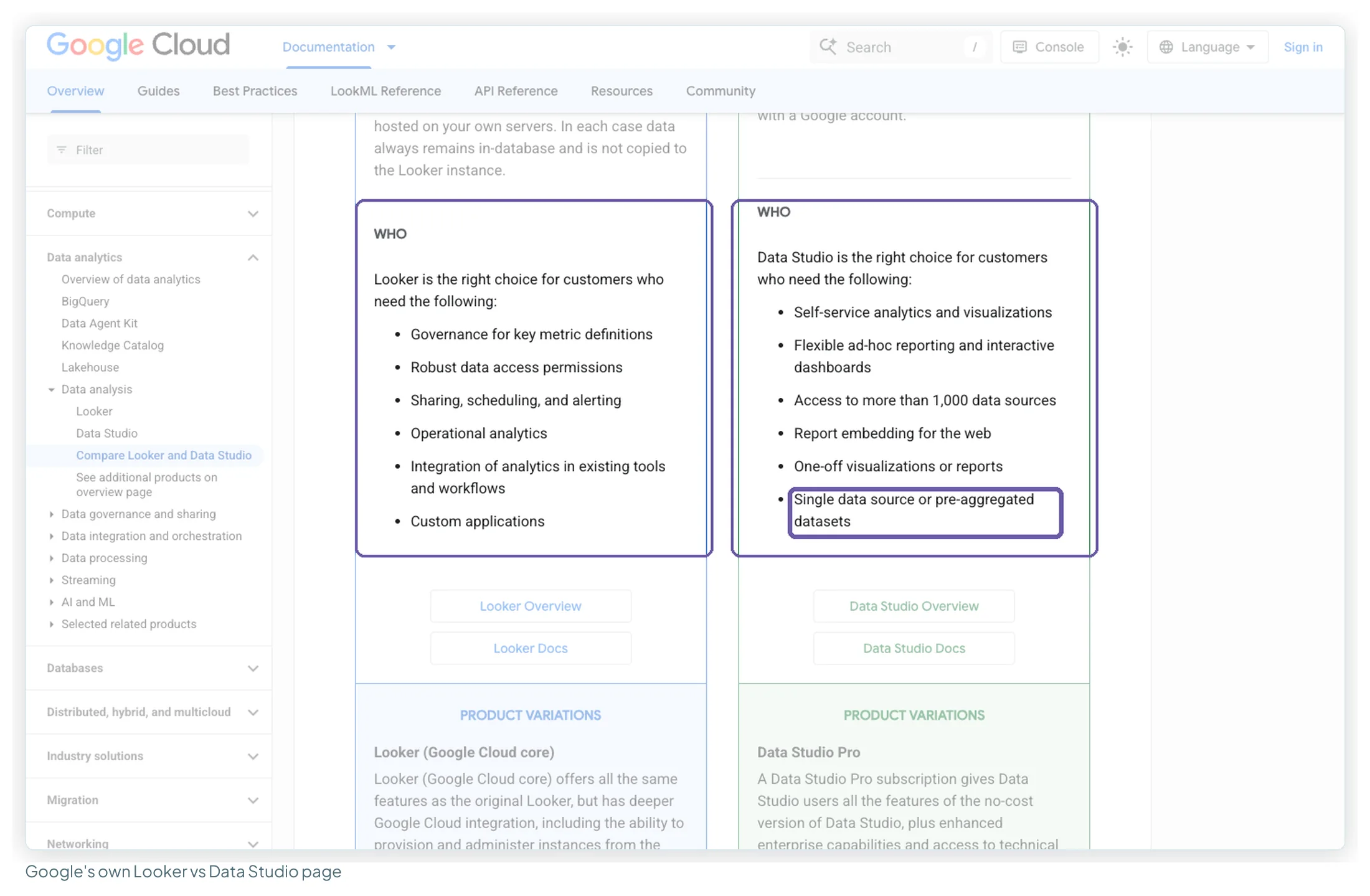
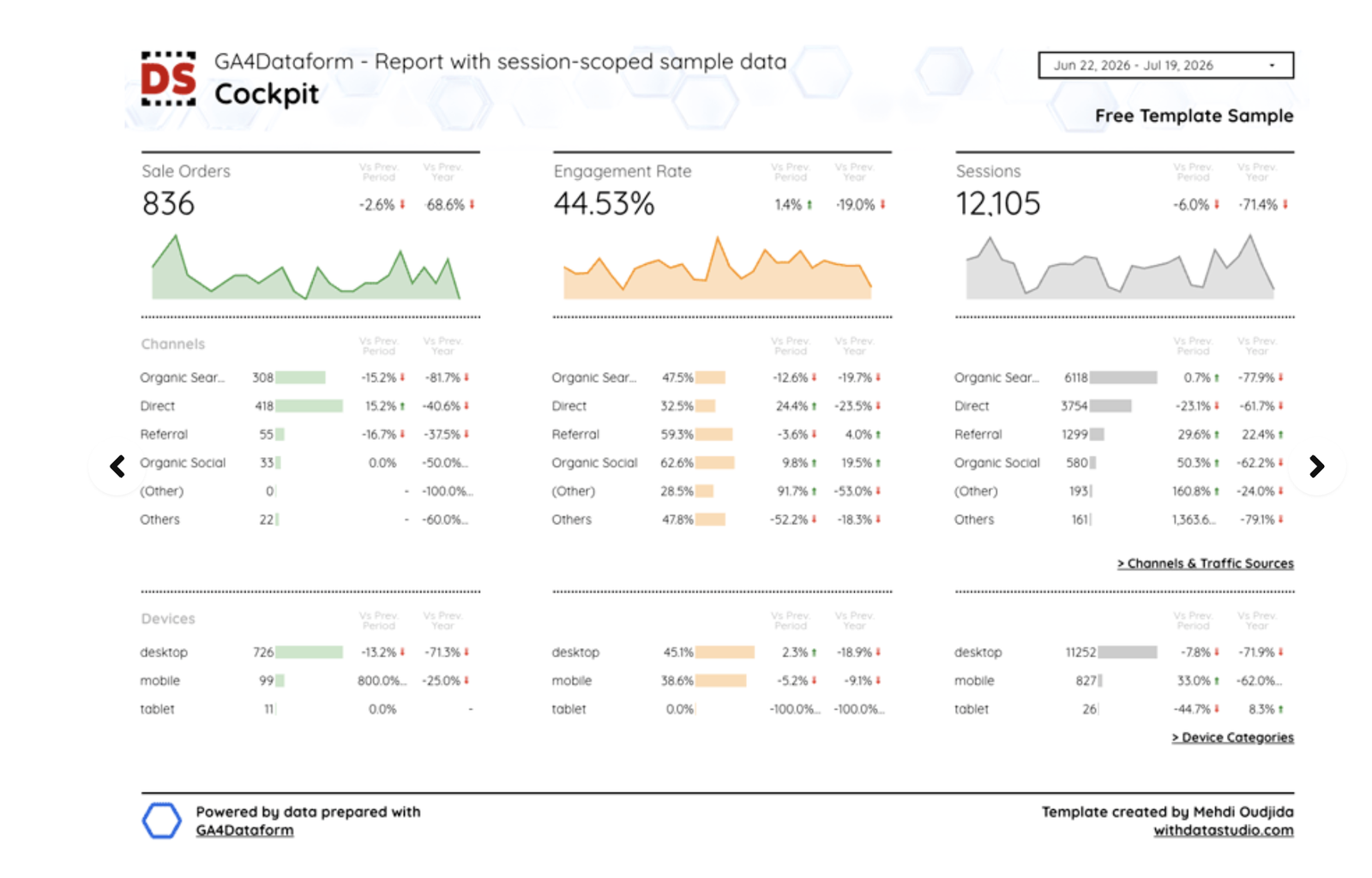
That last phrase is the useful one. Google is saying its free tool expects data that has already been shaped. When yours hasn’t been, the answer usually isn’t a different dashboard tool; it’s a step before the dashboard. This template reads GA4 data that has been exported to BigQuery and modelled into clean tables first, a warehouse doing the shaping and Data Studio doing the reading:
What each one costs
Data Studio and Data Studio Pro
Data Studio is free for creators and viewers. Data Studio Pro is $9 per user per project per month, billed monthly for every licence assigned, and adds organisation-owned content, team workspaces, more delivery schedules, chart alerts, Gemini and Google Cloud Customer Care (with a Cloud support plan). People who only view Pro reports don’t need a licence. I’ve covered whether you need Pro separately.
Looker
Google doesn’t publish a Looker price. Its Looker pricing page describes the structure and sends you to sales:
- Three platform editions for Looker (Google Cloud core): Standard (for teams under 50 users), Enterprise and Embed. Each is an annual commitment priced by “Call sales”, with one-, two- and three-year terms.
- Each platform includes 10 Standard Users and 2 Developer Users. More users are licensed by type: Developer (modelling and administration), Standard (exploring and building dashboards) and Viewer (viewing, filtering and scheduling).
- Conversational Analytics in Looker is measured in data tokens, with a monthly allowance per edition. Google says it’s currently in a promotional period without quota limits, and that it will give at least 90 days’ notice before billing starts. After that, usage above the allowance is listed at $3.00 per million input tokens and $20.00 per million output tokens.
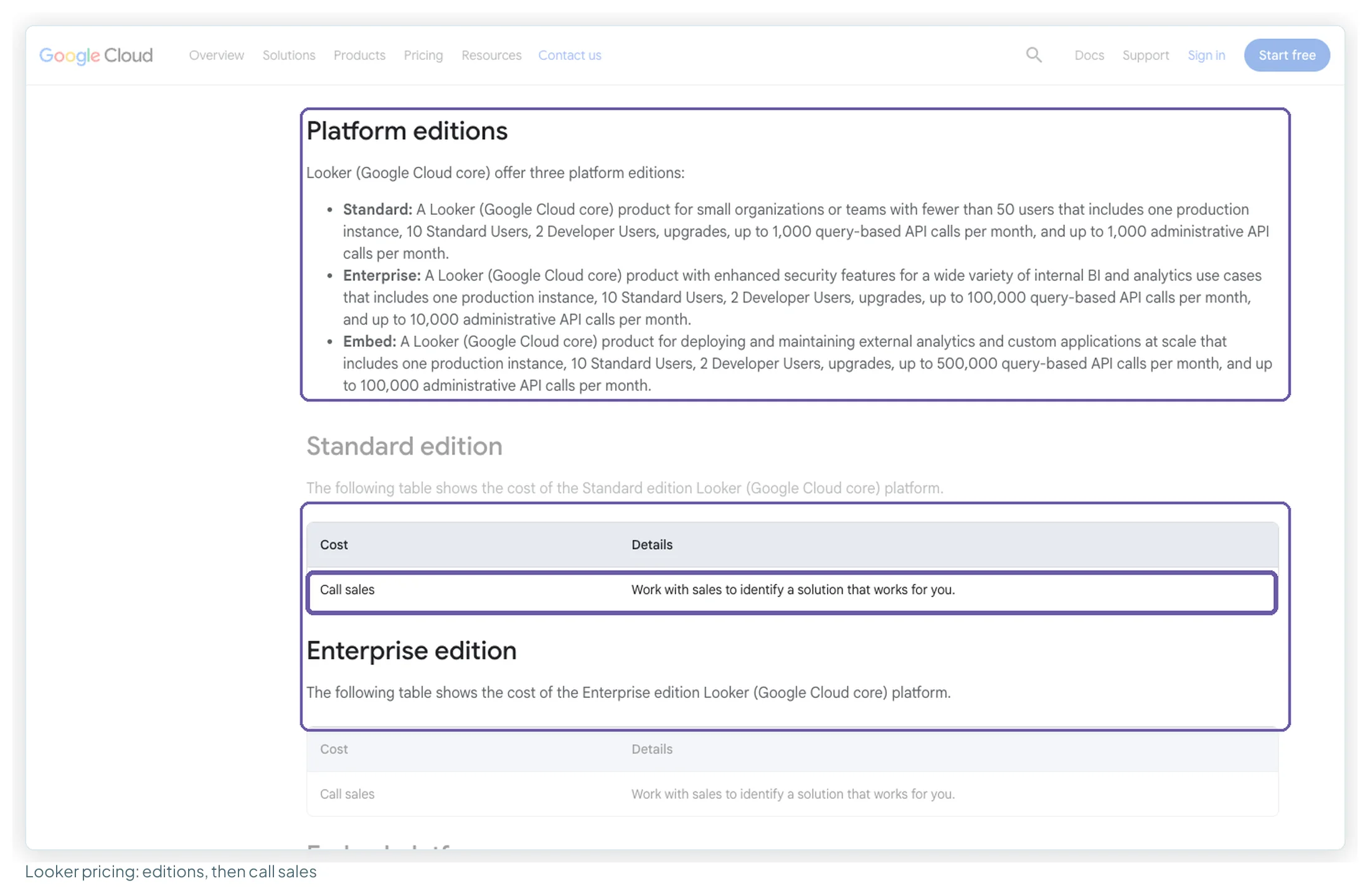
You’ll see Looker figures quoted in articles and in Google’s own AI Overview for this query. None of them comes from Google’s pricing page, which states no figure, so I haven’t repeated them.
| Data Studio | Data Studio Pro | Looker (Google Cloud core) | |
|---|---|---|---|
| Price | $0 | $9 per user per project per month | Call sales, per edition |
| Commitment | None | Monthly billing; 30-day trial | Annual, 1 to 3 years |
| Who pays | Nobody | Each person who creates or edits in Pro workspaces | The platform, plus users by type |
| Viewers | Free | Free (sharing permissions only) | Viewer User licence |
Checked 13 October 2026 on Google’s Data Studio product page, Pro documentation and Looker pricing page.
Free Pro licences for Looker customers, and the 1 August 2026 change
Here the two products do meet. Eligible Looker customers get Data Studio Pro licences at no cost, “at least 1,000 complimentary licenses, or more if their Looker license count exceeds 1,000”, according to Google’s Pro subscription overview. Since 1 August 2026 that offer has limits. Complimentary licences aren’t available for:
- Looker (original) instances on Looker contracts signed after 1 August 2026;
- customer-hosted Looker (original) instances;
- Looker (Google Cloud core) instances created after 1 August 2026.
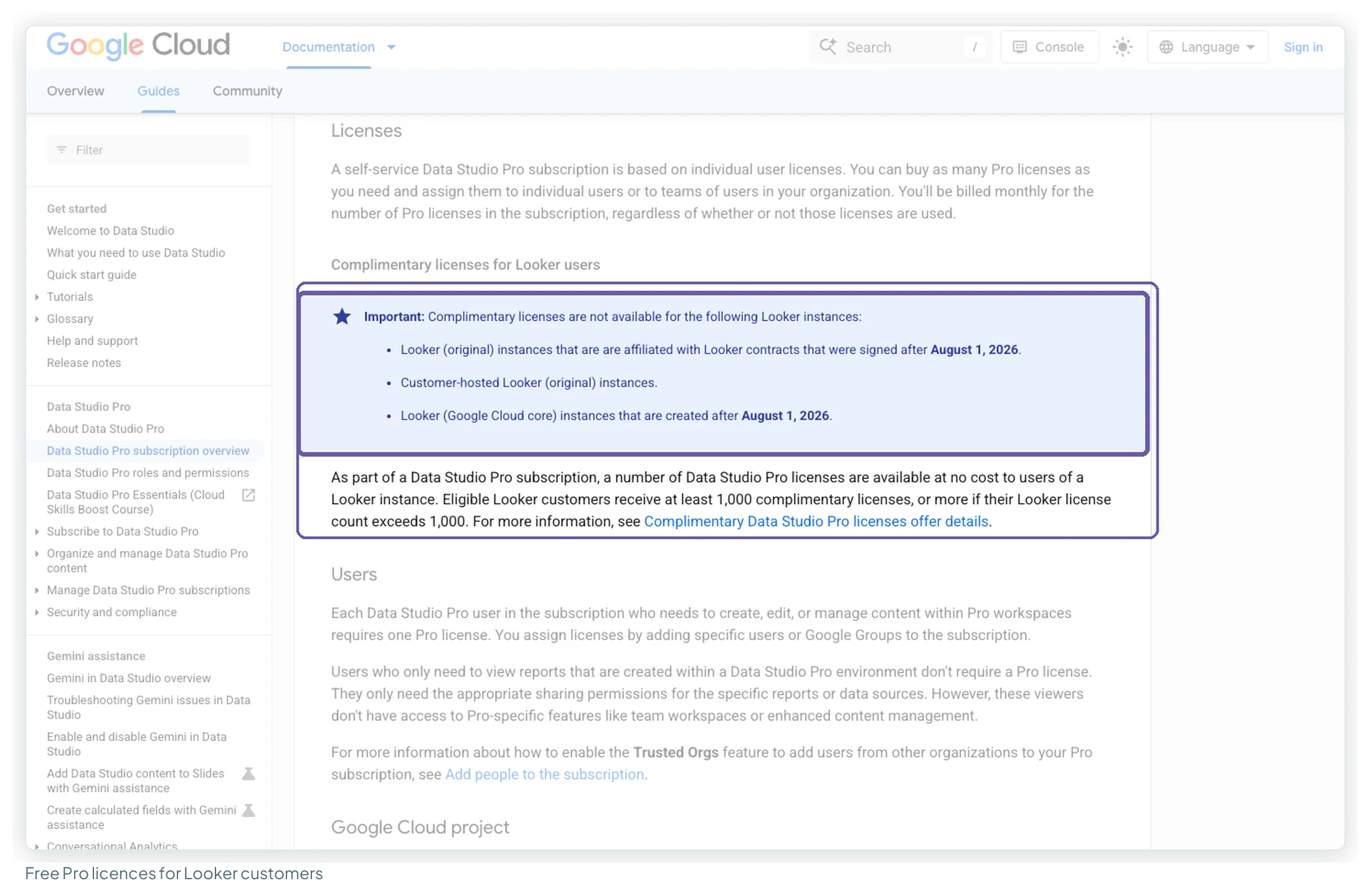
If your company’s Looker contract was signed, or its Looker (Google Cloud core) instance created, after that date, budget for Data Studio Pro at the list price rather than assuming it comes free.
Gemini and Conversational Analytics: which product has what
The AI features crossed the same naming line. On 16 April 2026, the release notes say, “Gemini in Looker is now Gemini in Data Studio”.
- Gemini in Data Studio is a Pro feature. It writes calculated fields from a description and adds report content to Google Slides with summaries, both in Preview. On the free tier, ChatGPT, Claude or Gemini can draft calculated fields for a Data Studio build outside the tool.
- Conversational Analytics in Data Studio became generally available on 30 July 2026. The new experience is open to all Data Studio users and works with data agents created in BigQuery; you can no longer create agents in Data Studio itself. Its Code Interpreter needs Gemini in Data Studio on a Pro subscription.
- Conversational Analytics in Looker runs against Looker’s semantic model and is metered in data tokens, as above. Google’s April post describes Looker’s “agentic capabilities for use cases that demand trusted, governed data powered by a central semantic model”.
For a marketer, the practical difference is the data underneath. Data Studio’s Conversational Analytics needs your data in BigQuery; Looker’s need a LookML model someone has built.
Which one am I using?
Three ways to tell in a few seconds:
| Check | It’s Data Studio if… | It’s Looker if… |
|---|---|---|
| The address | datastudio.google.com, reached with an ordinary Google account | An instance your organisation provisioned |
| How you got it | Nobody bought it, or your team has Pro licences | There’s a Looker contract |
| How you build | Dragging fields onto a canvas | Exploring a model written in LookML by a data team |
The other names you’ll meet
None of these is a fourth product.
- Google Data Studio: the same tool; “Google” is people disambiguating.
- Data Studio 360: the 2016 enterprise beta in the Google Analytics 360 Suite, before the free version.
- Data Studio Pro, formerly Looker Studio Pro: the paid tier of Data Studio.
- Looker (original) and Looker (Google Cloud core): Looker as it was sold before and after Google Cloud integration. In Google’s words, the Cloud core version “offers all the same features as the original Looker”, with deeper Google Cloud integration.
- Looker Studio: this product’s name from October 2022 to April 2026, and still what most people type into a search box.
Why the confusion costs real money
Hiring. A job ad asks for “Looker experience”. A marketer who has built two hundred Data Studio reports doesn’t apply, and someone who has never produced a client report does. Either may have misread which product was meant.
Tutorials that don’t apply. Advice written for Looker turns up in searches for Data Studio, and you spend an hour looking for a menu that isn’t there. Custom fonts are one example: the “import Google Fonts” advice that circulates applies to Looker, not Data Studio (more in my fonts piece).
Evaluating the wrong thing. Someone senior says “let’s look at Looker”, the team is pointed at Data Studio, and the evaluation concludes it lacks governance, because nobody looked at Looker. It happens: the Reddit thread ranking first for “looker vs looker studio” starts with a CTO who wanted Looker and was pointed to Looker Studio.
If someone mentions Looker, ask which one they mean before agreeing to anything.
Which one does a marketer need?
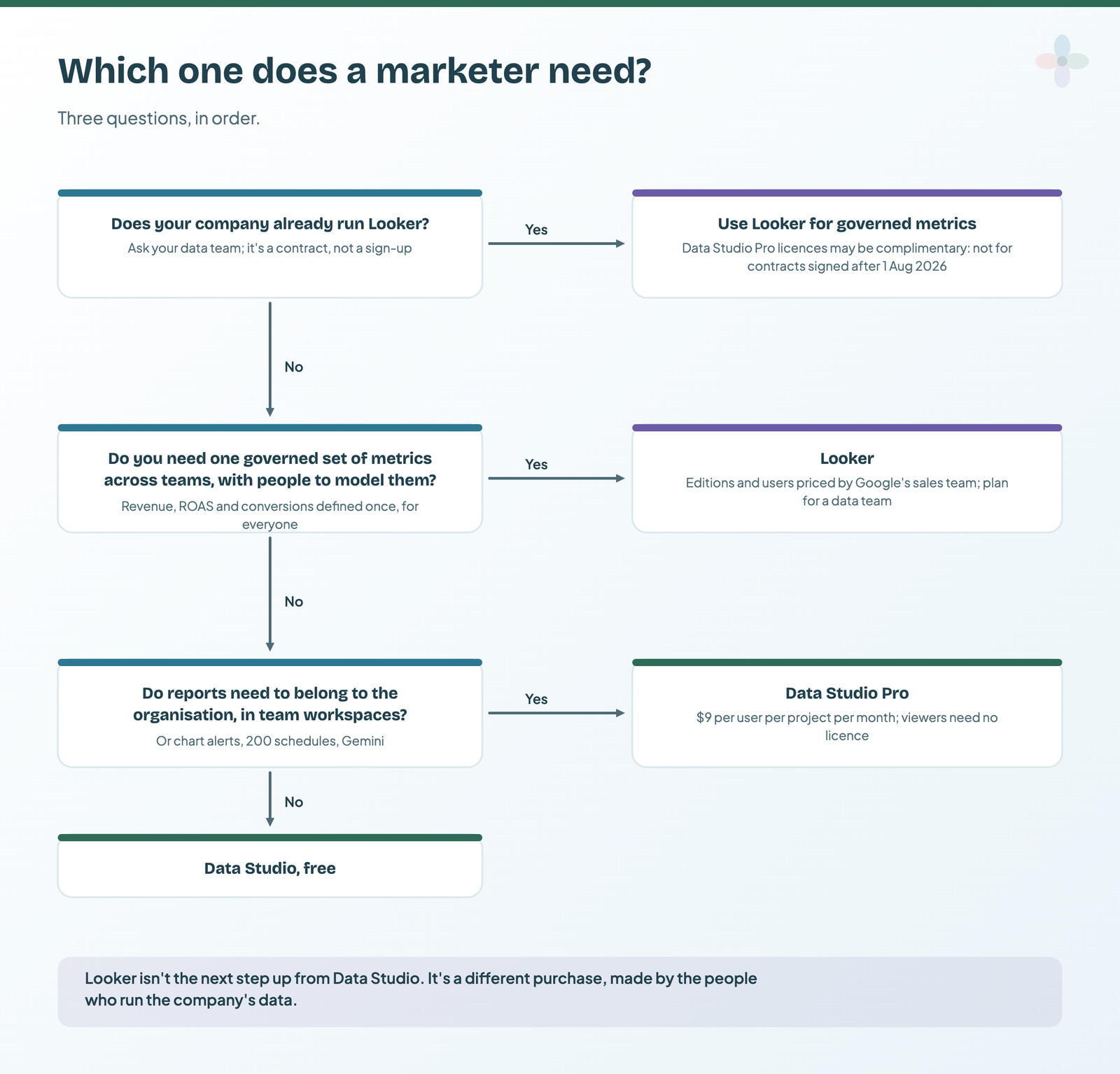
Data Studio, in most cases. It’s free, it runs in a browser, and it does the job marketers are asked to do: connect marketing data and produce reports people read. Pro is worth it when reports need to belong to the organisation rather than the person who built them.
You’d learn Looker because your employer runs on it, not because it’s the next step up from Data Studio. And if you’re weighing Data Studio against the other big platforms, Data Studio vs Power BI vs Tableau compares what each costs to build and to share.
Frequently asked questions
Is Looker Studio the same as Data Studio?
Yes, the same product under different names. It launched as Data Studio in 2016, was renamed Looker Studio on 11 October 2022, and Google renamed it back to Data Studio in April 2026 (its blog dates the post 11 April; the release notes log the rebrand on 16 April). Existing reports moved over with no action needed.
Is Looker the paid version of Looker Studio?
No. They’re separate products. Looker is an enterprise BI platform with a LookML semantic model, sold through Google’s sales team. The paid tier of Data Studio is Data Studio Pro (formerly Looker Studio Pro), at $9 per user per project per month.
How much does Looker cost?
Google doesn’t publish a price. Its pricing page lists three platform editions (Standard, Enterprise and Embed), each an annual commitment priced through sales, with 10 Standard Users and 2 Developer Users included.
Do Looker customers get Data Studio Pro for free?
Eligible ones get at least 1,000 complimentary Pro licences. Not for Looker contracts signed, or Looker (Google Cloud core) instances created, after 1 August 2026, or for customer-hosted Looker instances.
Does Looker Studio still exist?
Not under that name. Since April 2026 it’s Data Studio, and Google’s documentation carries the banner “Looker Studio is now called Data Studio”. The product and your reports are the same.