
Windsor.ai is the cheapest of the three for almost any setup with three or fewer platforms and no more than 75 accounts in total, because its $19 entry plan (billed annually, $23 monthly) pools them. Porter Metrics is cheaper when you need many platforms with one account each, and Supermetrics costs the most at list price but has by far the largest user base of the three. All three move marketing data into Data Studio, and they bill on three different principles: Porter per account, Windsor per tier, Supermetrics per tier with a cap on accounts per data source. The principle decides your bill more than the brand does.
This comparison covers the verdict by situation, a side-by-side table, how each one prices (with Supermetrics’ October 2026 plans and Porter’s full volume ladder), five worked monthly bills, source coverage, destinations, refresh, agency features, support, what reviewers and forum users say, switching, and the Data Studio templates built on each. All three get the same checks, and where Porter Metrics comes out ahead, I say so.
Price your own setup. The reporting cost calculator runs these numbers for your clients, platforms and billing, with every route side by side.
Which one, for whom
| If you are… | Best fit | Why |
|---|---|---|
| A freelancer with a few clients on one or two ad platforms | Windsor.ai | $19/mo billed annually covers 3 sources and 75 accounts, with unlimited users |
| An agency with up to 75 client accounts across two or three platforms (e.g. 30 clients on Meta and LinkedIn) | Windsor.ai | The 75-account pool is shared across sources, so those 60 accounts still fit Basic |
| One brand on four to fourteen platforms, one account each | Porter Metrics | Six accounts cost $40.02/mo annually; Windsor needs Standard ($99) once you pass three sources |
| A team already running Supermetrics, or one that needs a connector only Supermetrics lists | Supermetrics | Switching costs real hours; its grid lists 177 entries, including enterprise ad platforms |
| Multi-location local SEO | Porter or Windsor | Both count 10 Google Business Profile locations as one account |
| Someone who wants to try before paying anything | Windsor or Porter | Both have a free plan after the trial; Supermetrics has a 14-day trial and no free plan |
| Reporting only on GA4, Search Console and Google Ads | None of them | Google’s own Data Studio connectors for those are free |
Porter vs Windsor vs Supermetrics at a glance
Prices from each vendor’s pricing page, checked 13 October 2026 in both billing states. Supermetrics showed its euro price list; its limits vary by region.
| Porter Metrics | Windsor.ai | Supermetrics | |
|---|---|---|---|
| What it bills on | Connected accounts, on a falling ladder | Tier: data sources + a shared account pool | Tier: data sources × accounts per source |
| Entry price, billed annually | $12.50 for 1 account | $19/mo (Basic) | €39/mo (Starter) |
| Entry price, billed monthly | $15 for 1 account | $23/mo | €49/mo |
| What the entry buys | 1 account, everything else unlimited | 3 sources, 75 accounts | 2 sources × 2 accounts |
| Next step up | Price per account falls with volume | Standard $99 / $118: 7 sources | Growth €159 / €199: 7 sources × 7 accounts |
| Top published tier | 200+ accounts at $2 each (monthly) | Professional $499 / $598: 14 sources, 500 accounts | Growth with extras; then Enterprise (quote) |
| Users | Unlimited | Unlimited on paid plans | Starter 1; Growth 2, up to 5 at +€99 |
| Destinations per plan | All | All | 1 core destination; extras cost more |
| Warehouses (BigQuery etc.) | Pages conflict (see below) | Every plan | Enterprise only |
| Sources claimed | “30+” (grid lists 29) | “350+” (157 public connector pages) | No total published (grid lists 177) |
| Premium connectors | None | None | 38 grid entries tagged Premium |
| Data Studio connection | Partner connectors, live API queries | Partner connectors, 6-hour query cache | Partner connectors, licence checked by email |
| Scheduled syncs (Sheets/warehouses) | Hourly, daily, weekly (Sheets add-on) | Daily on Basic; hourly from Standard; 15-min on Professional | Not stated per plan any more |
| History | Unlimited on paid plans; 30 days free | Up to 10 years; 30 days on trial | Not stated |
| White-label | Client branding, no Porter badge on paid | Not stated | Not stated |
| AI assistants / MCP | Claude, ChatGPT, Gemini; every plan | Windsor MCP on every plan, incl. Free | Claude, ChatGPT, Copilot as destinations |
| Free plan | Yes, read-only, after 14-day trial | Forever Free: 1 source, 1 account | No |
| Trial | 14 days, no card | 30 days, no card | 14 days, no card |
| Refunds | Within 14 days of purchase | None (“All sales are final”) | No refund of the rest of the period when you cancel (help docs) |
| Support | Free chat support (Sheets listing); the most-praised theme in its reviews | Live chat on all plans | “24/7” tickets, chat and email (footer says 24/5) |
| G2 rating | 4.6 (288 reviews) | 4.4 (90) | 4.4 (824) |
| Trustpilot rating | No profile | 3.6 (79) | 1.5 (31) |
| Currency | USD | USD | EUR in this read |
How this comparison was researched
I haven’t run all three side by side on test accounts for this version, so nothing below is a claim about how they behaved for me. What it rests on:
- Pricing pages, read 13 October 2026 in a real browser, in both billing states. For Porter I stepped its account slider from 1 to 60 in both states and recorded every price.
- 125 reviews coded by theme: 45 for Supermetrics (Trustpilot and Capterra), 40 for Windsor.ai (Trustpilot), 40 for Porter (Capterra, Shopify App Store and G2 reviews mirrored on SpotSaaS). Ratings were read on G2, Capterra, Trustpilot and the Google Workspace Marketplace.
- 37 dated forum threads (Reddit snippets plus Windsor’s own community forum): 14 about Supermetrics, 15 about Windsor, 8 about Porter.
- 11 ranking articles for “porter metrics vs supermetrics” and “windsor ai vs supermetrics”, with every price they publish checked against the vendors’ pages.
- The Data Studio for Marketers template library, which holds 51 Windsor.ai and 31 Supermetrics Data Studio templates.
Three pricing models, and what each one counts
Before comparing prices, compare the unit. An account is one ID inside a platform: one Meta ad account, one GA4 property, one Shopify store. A data source is the platform itself. Each vendor counts them differently:
| Question | Porter Metrics | Windsor.ai | Supermetrics |
|---|---|---|---|
| What you pay for | Each connected account | A tier with N sources and a pool of accounts | A tier with N sources and N accounts per source |
| Is the account limit per source or shared? | No limit, just a price | Shared: “a total across all your data sources” | Per source: “the number of accounts you can connect per data source”, the same number for every source (help docs), so 10 Meta and 7 LinkedIn accounts need a quota of 10 |
| Google Ads manager account (MCC) | Not billed; the ad accounts under it are | Each client account under it counts as one | Not stated on the pricing page |
| Google Business Profile | 10 locations = 1 account | 10 locations = 1 account | Not stated |
| Ads and organic (e.g. Facebook Ads vs Pages) | Separate accounts | Two data sources | Two data sources |
| Destinations | Not counted | Not counted | Counted: 1 per plan |
| Users | Not counted | Not counted | Counted: 1 or 2 per plan |
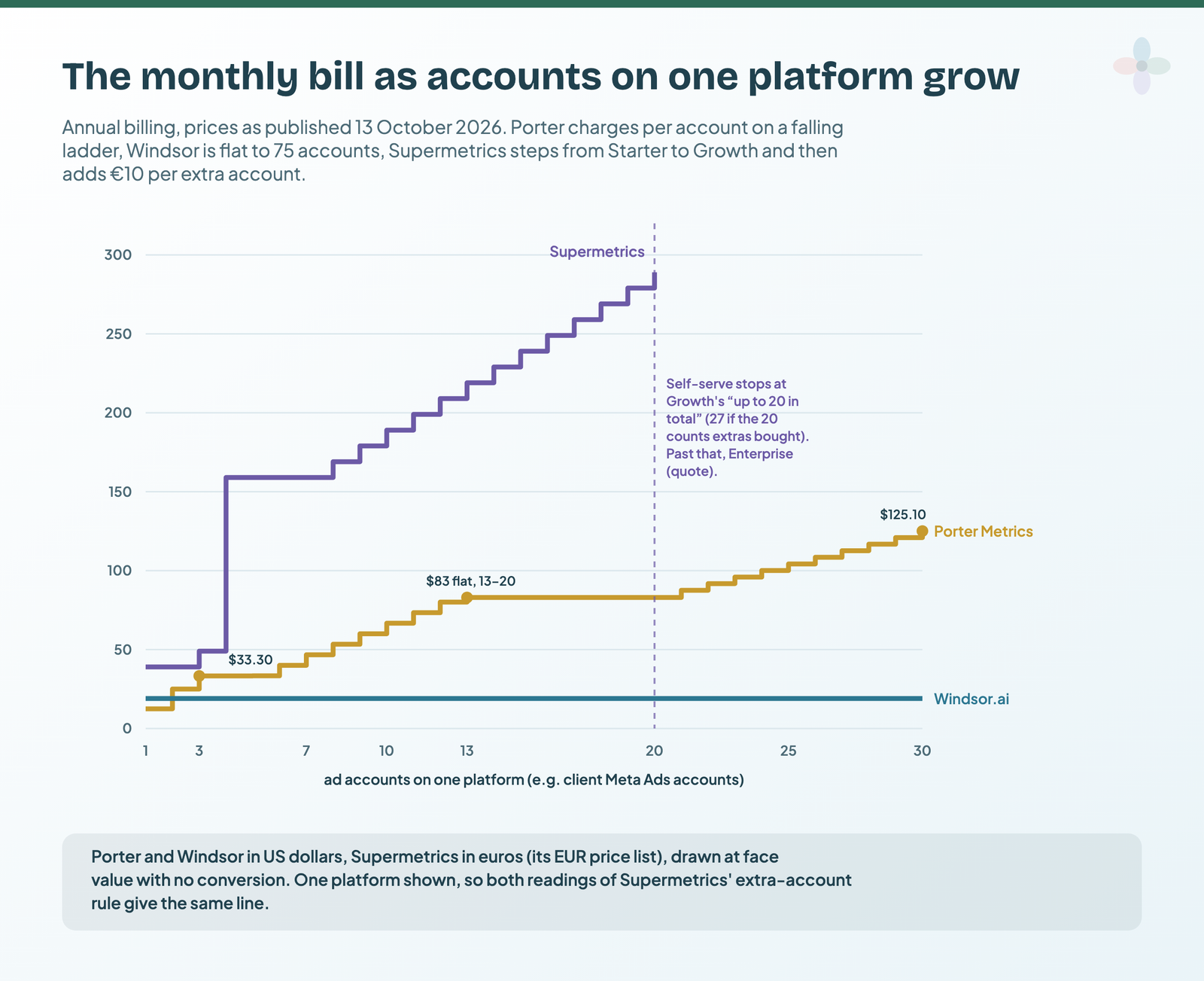
Here is what that does to a bill when the accounts on one platform grow, say a Meta ad account per client:
Porter Metrics: a ladder where each band reprices every account
Porter charges $15 for one account billed monthly, or $12.50 billed annually (“2 months off”). From there the rate per account falls in bands, and each band reprices all your accounts, not just the new ones. Ten accounts are $80 a month ($8 each), or $66.70 billed annually.
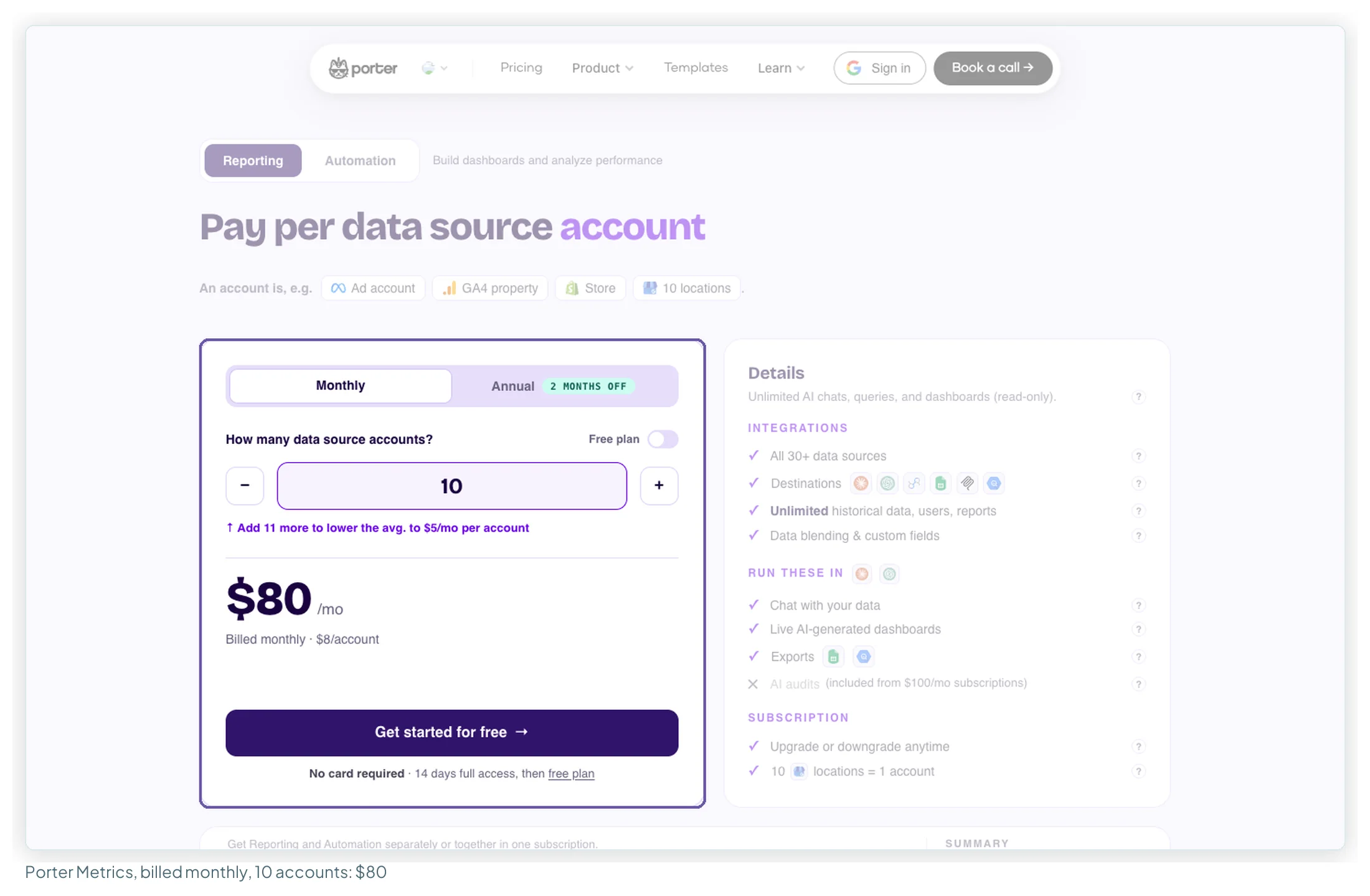
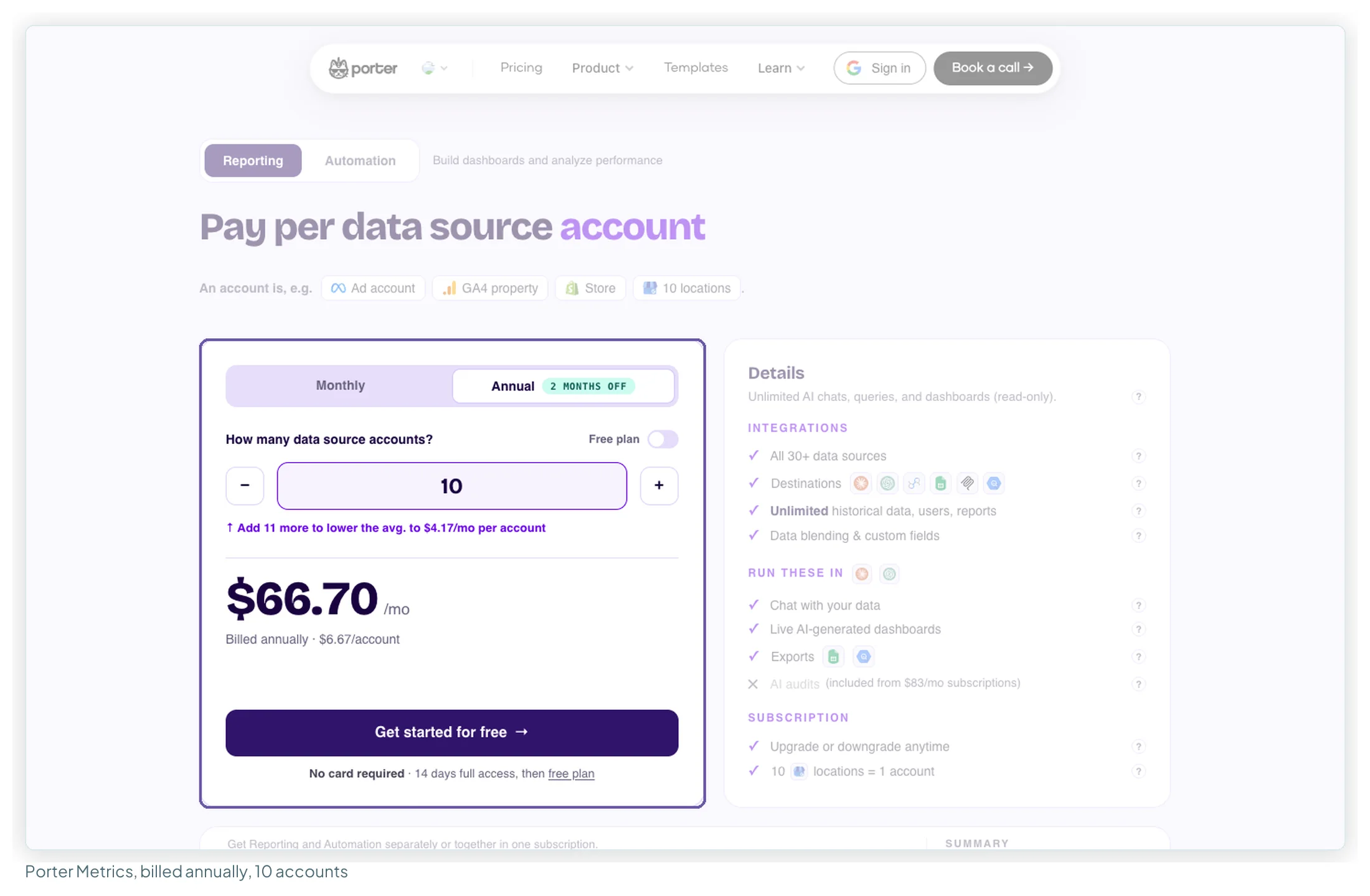
I stepped the slider from 1 to 60 accounts in both billing states. Two things stand out. Accounts 13 to 20 cost a flat $100 a month ($83 billed annually), so the 13th account is the expensive one and the next seven are free. And because each band reprices every account, the bill drops at 40 and at 50 accounts: 39 accounts cost $195 a month, 40 cost $180.
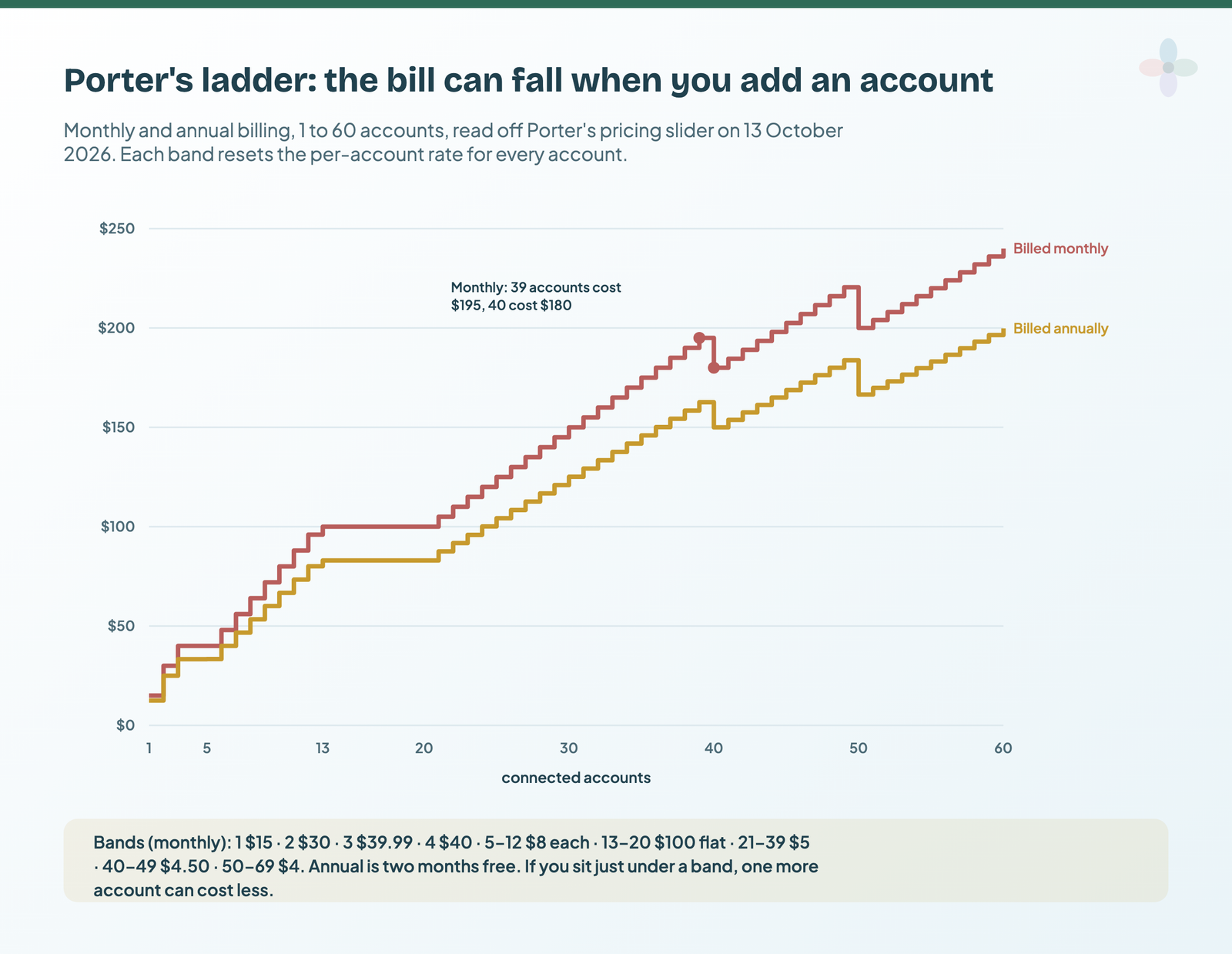
Porter counts every connected account, including GA4 properties and Search Console sites that are free through Google’s own connectors. An account counts “whether or not it spent”, so a paused client still costs money until you disconnect it.
Windsor.ai: flat tiers with a shared account pool
Windsor’s Basic plan is $19 a month billed annually or $23 monthly, for 3 data sources and 75 accounts with unlimited users. The next tier, Standard ($99 / $118), raises sources to 7 but keeps 75 accounts. Plus ($249 / $299) gives 10 sources and 200 accounts; Professional ($499 / $598) gives 14 and 500.
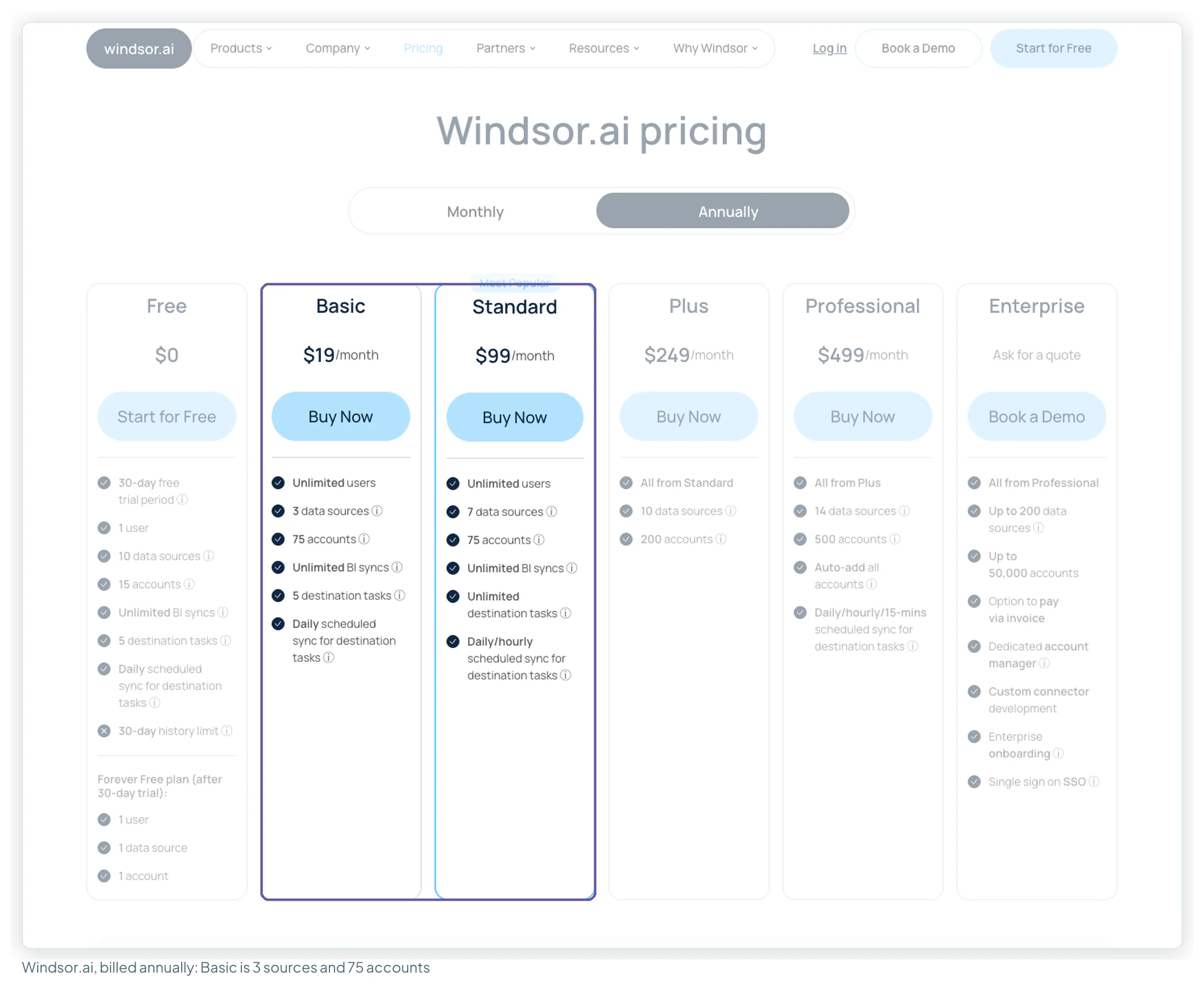
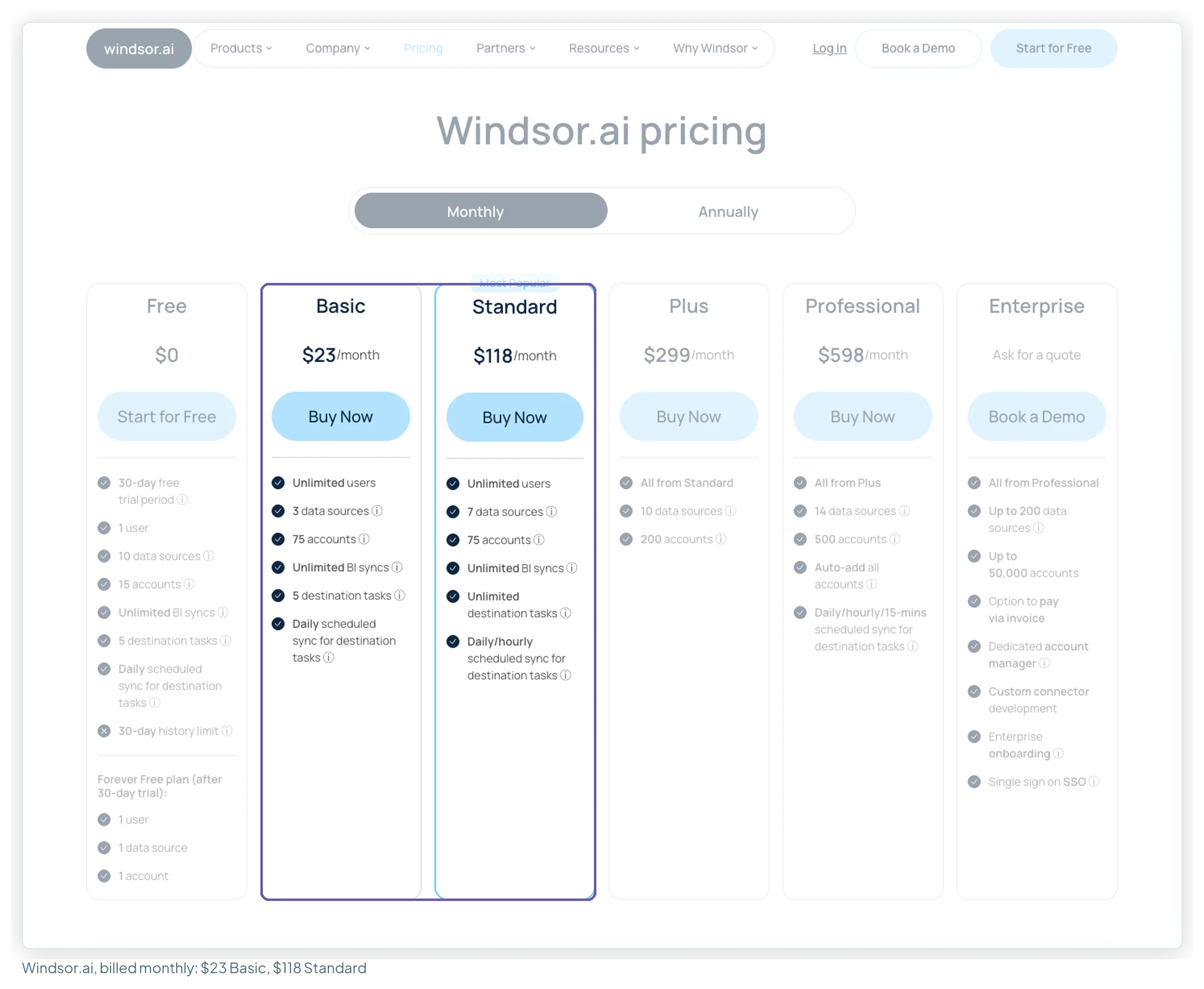
The detail that decides most agency comparisons is on Windsor’s counting page: the 75 accounts are one pool shared across your three sources, and destinations aren’t counted at all.
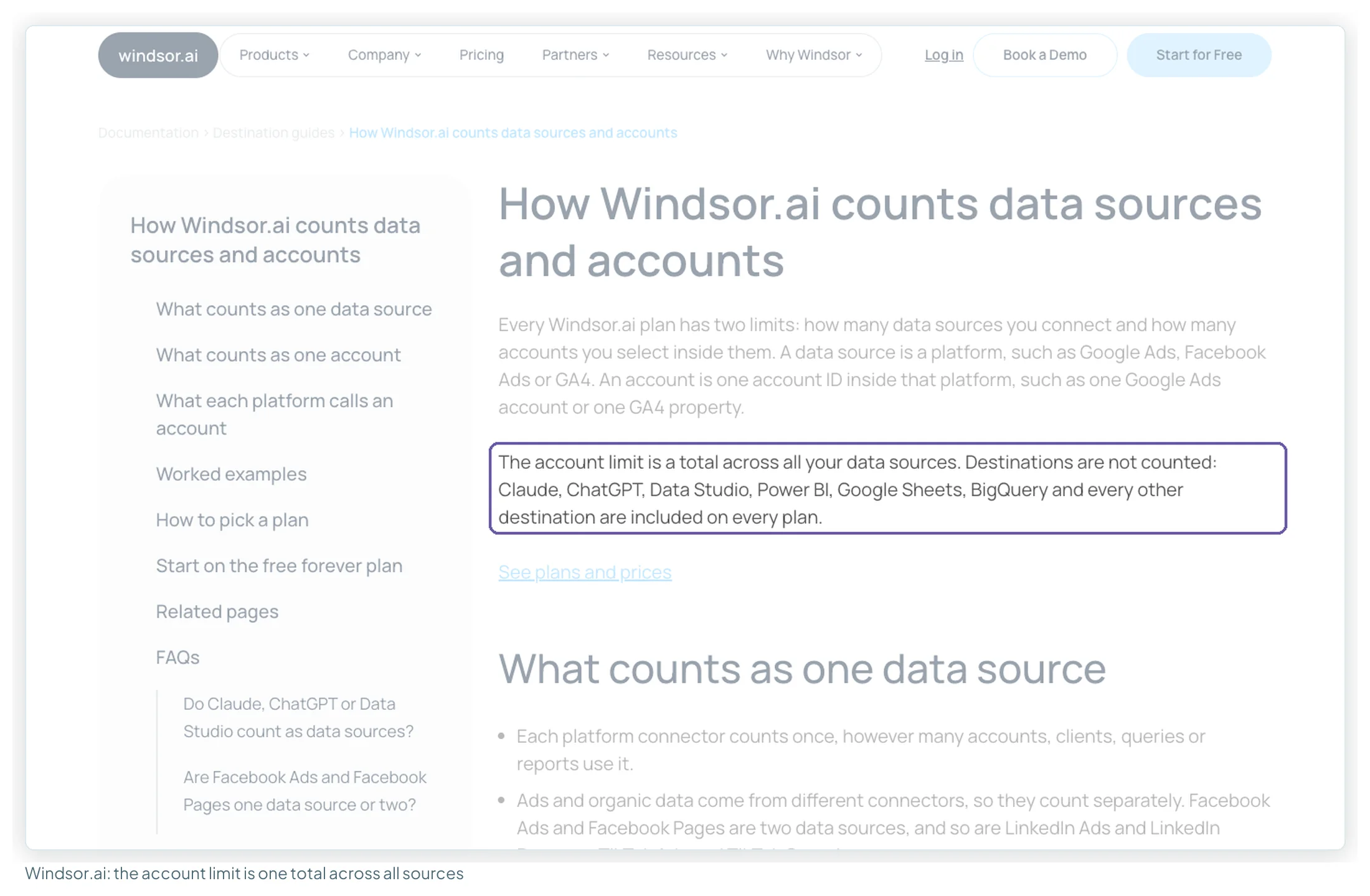
Two things to know before buying. Basic includes 5 “destination tasks” for scheduled syncs to warehouses and spreadsheets; Data Studio runs on “unlimited BI syncs” instead. And Windsor’s documentation says “All sales are final”, with no refunds on annual or monthly payments. Use the 30-day trial fully, and build within Basic’s 3 sources while you do: the trial allows 10.
Supermetrics: smaller Starter, no Pro, and paid extras
Supermetrics changed its plans between 9 September and 13 October 2026. On the euro page I read:
| 9 September 2026 | 13 October 2026 | |
|---|---|---|
| Tiers | Starter, Growth, Pro, Enterprise | Starter, Growth, Enterprise (Pro gone) |
| Starter limits | 3 sources × 3 accounts | 2 sources × 2 accounts |
| Starter price | €39 yearly / €49 monthly | €39 yearly / €49 monthly (unchanged) |
| Growth | €159 / €199, 7 × 7, 2 users | €159 / €199, 7 × 7, 2 users (unchanged) |
| Extra sources and accounts | Not offered | Sold as extras (table below) |
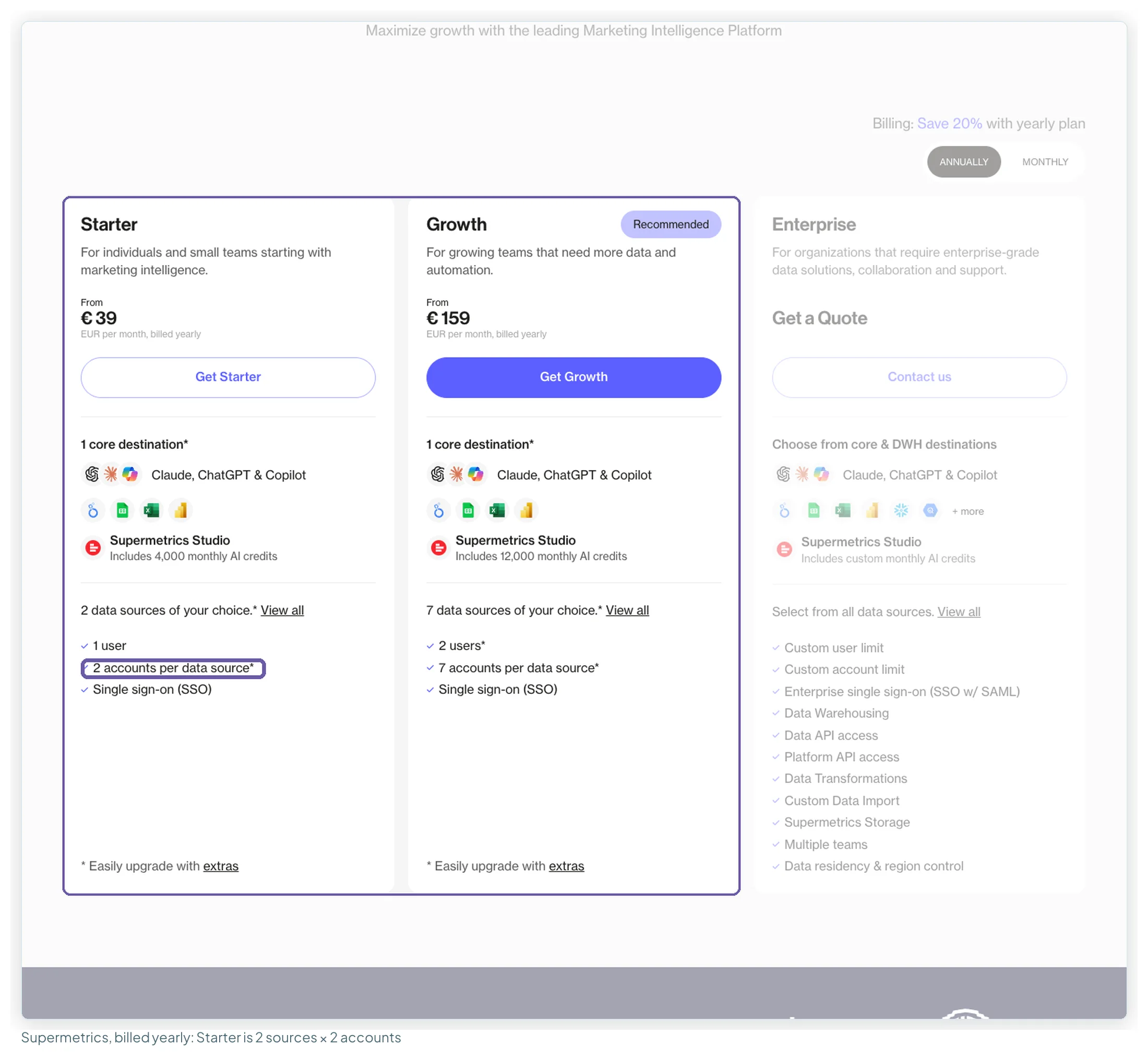
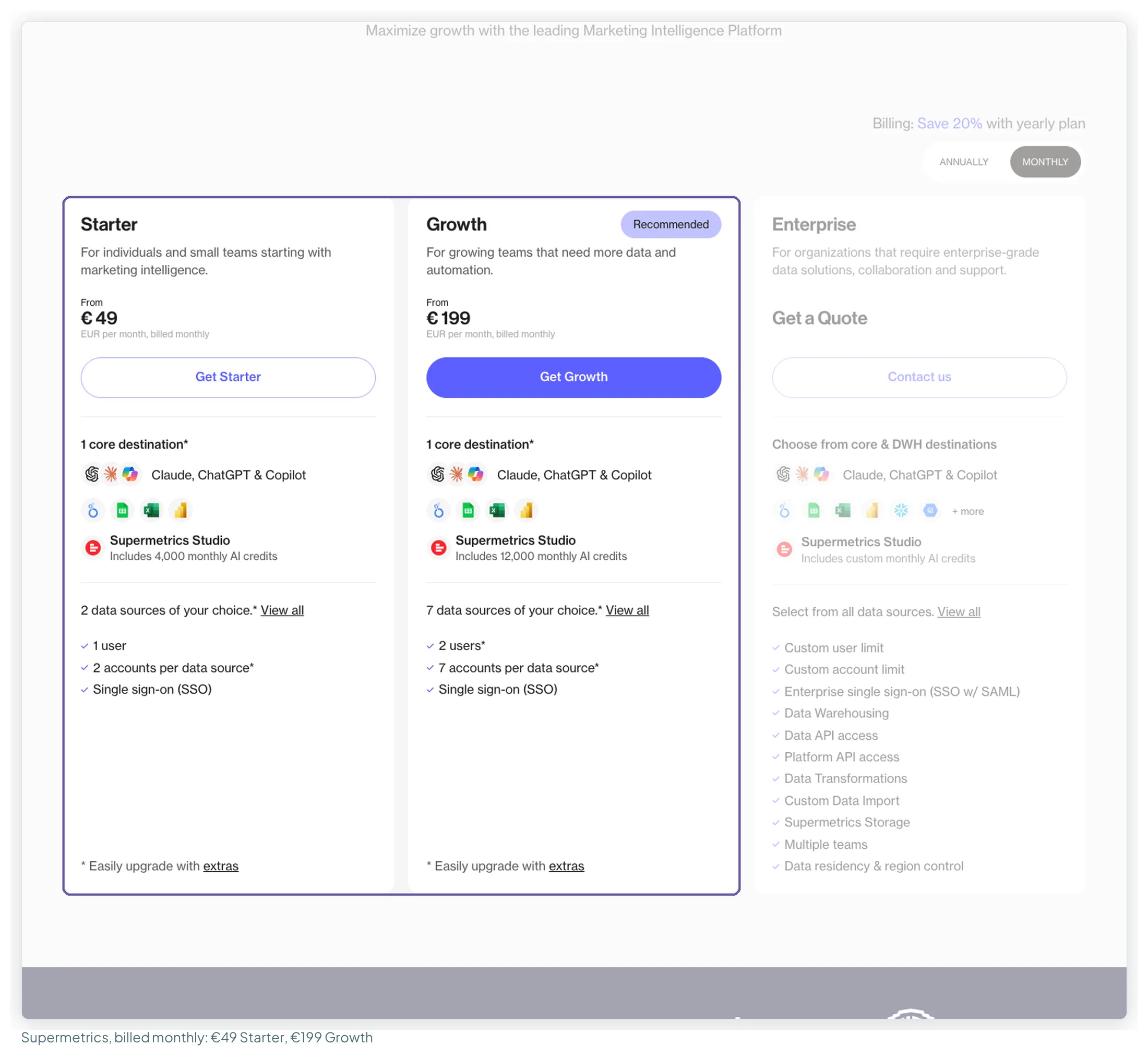
Above the plan limits, you buy extras. The page lists them per plan, with a ceiling for each:
| Extra | Starter, yearly / monthly | Growth, yearly / monthly |
|---|---|---|
| Destination | +€49 / +€62 (up to 2 in total) | +€149 / +€187 (up to 4) |
| User | Not available | +€99 / +€124 (up to 5) |
| Data source | +€29 / +€37 (up to 3) | +€29 / +€37 (up to 15) |
| Ad account | +€10 / +€13 (up to 3) | +€10 / +€13 (up to 20) |
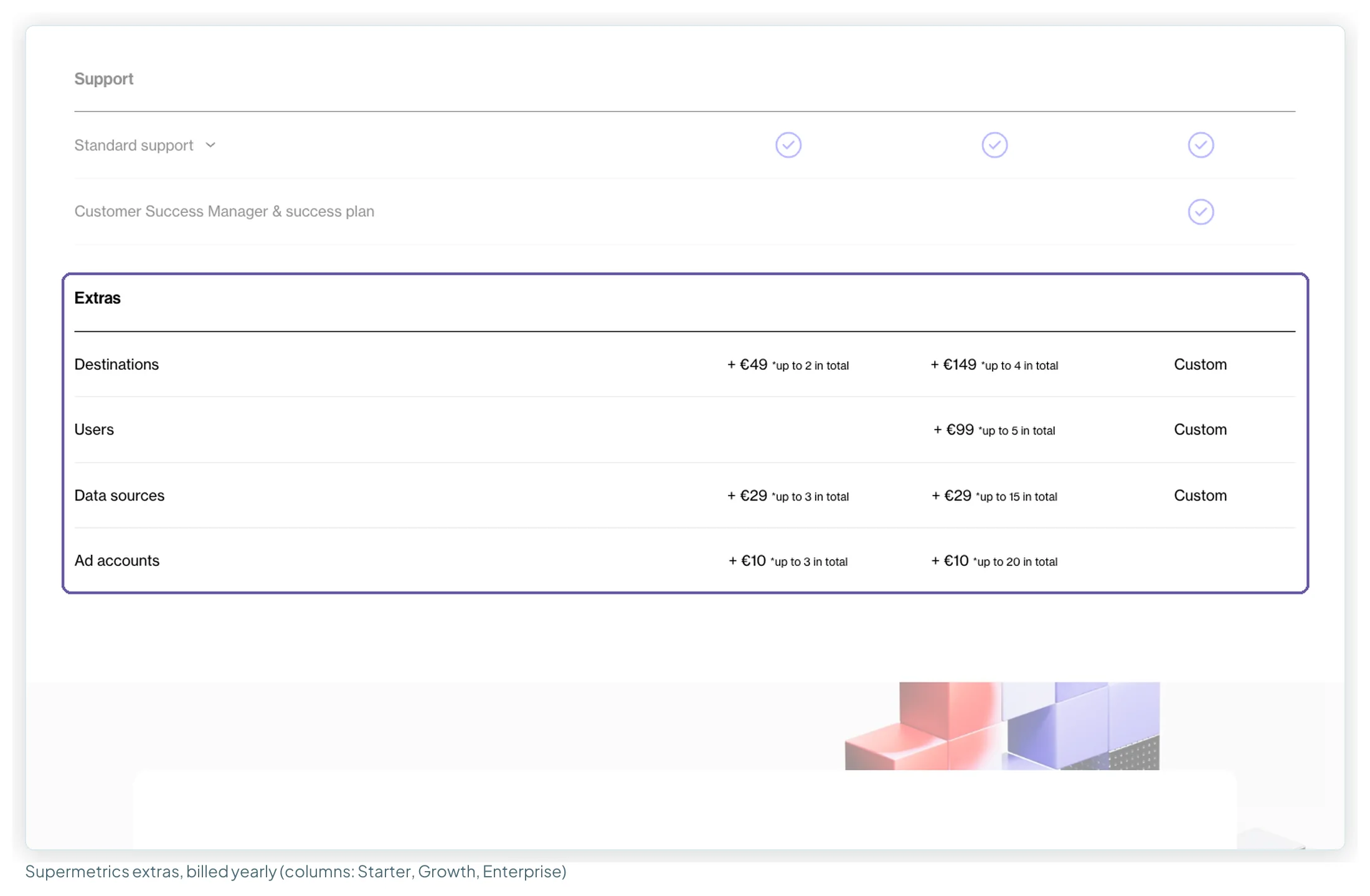
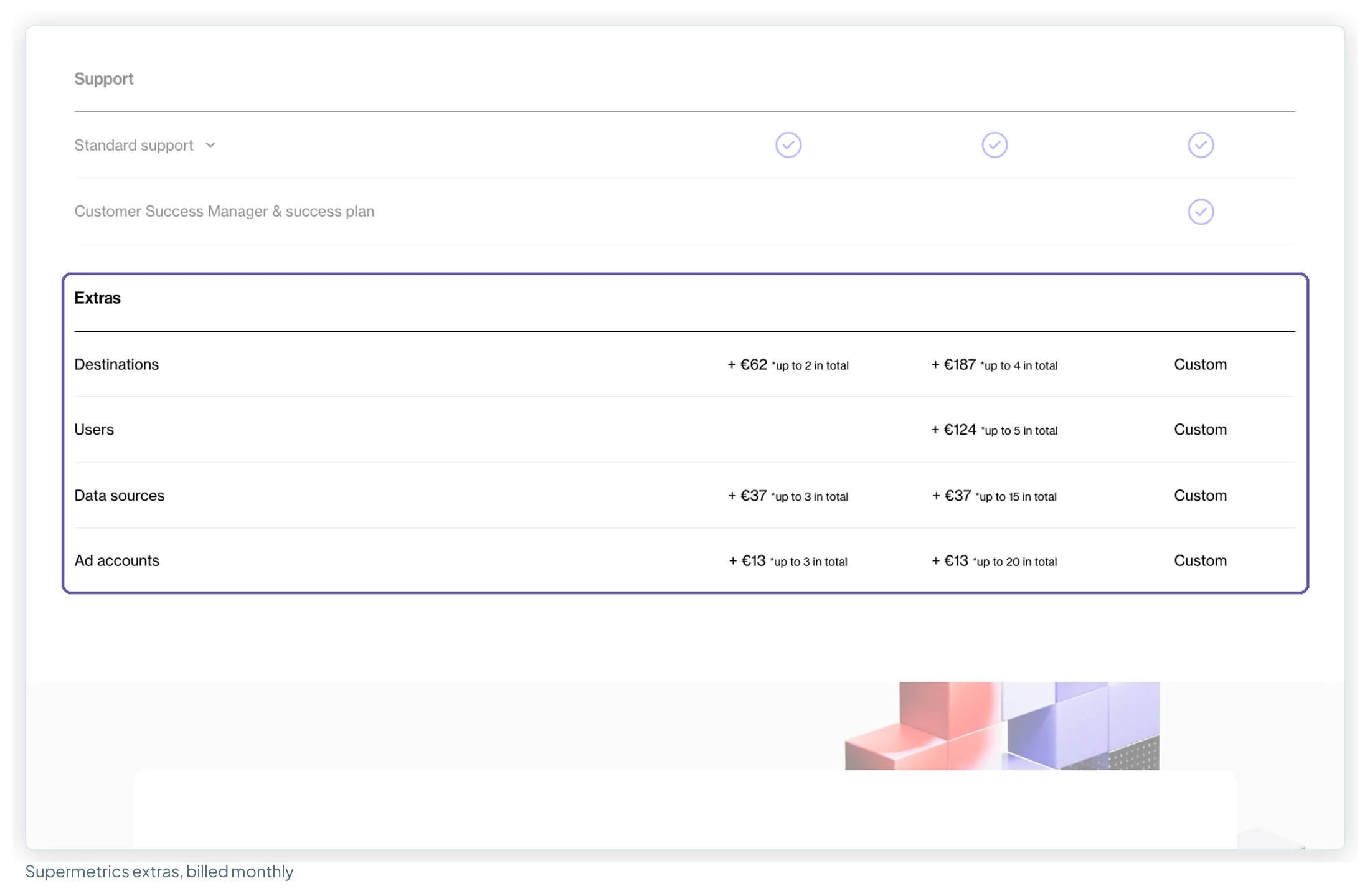
What the page doesn’t say is whether one extra ad account raises the allowance for every data source or for one. The plan row counts accounts “per data source”; the extras row just says “Ad accounts”, and the FAQ points back to the table. Supermetrics’ help docs lean towards the first: every source on a subscription gets the same account quota, and the upgrade steps ask for a number of accounts, not a source. Neither says it outright, so here is what each reading costs:
| Setup | If an extra lifts every source | If an extra lifts one source |
|---|---|---|
| 2 sources, 3 accounts each, on Starter | 1 extra: €49/mo yearly | 2 extras: €59/mo yearly |
| 2 sources, 10 accounts each, on Growth | 3 extras: €189 yearly, €238 monthly | 6 extras: €219 yearly, €277 monthly |
| 2 sources, 30 accounts each | Past Growth’s ceiling either way, even if “up to 20 in total” means 20 extras on top of 7 (27 accounts): Enterprise, quote only | |
If your setup lands on one of those rows, ask Supermetrics which reading applies before you buy. Also check which price list you’re seeing: secondary sources report a US Starter at $44 billed yearly with 3 sources × 3 accounts, which I couldn’t see from this session. For the whole add-on picture, what Supermetrics actually costs goes through every extra.
What five real setups pay each month
Five setups I see often, priced at list. In every one, GA4, Search Console and Google Ads stay on Google’s free connectors, so the paid connector only carries non-Google platforms.
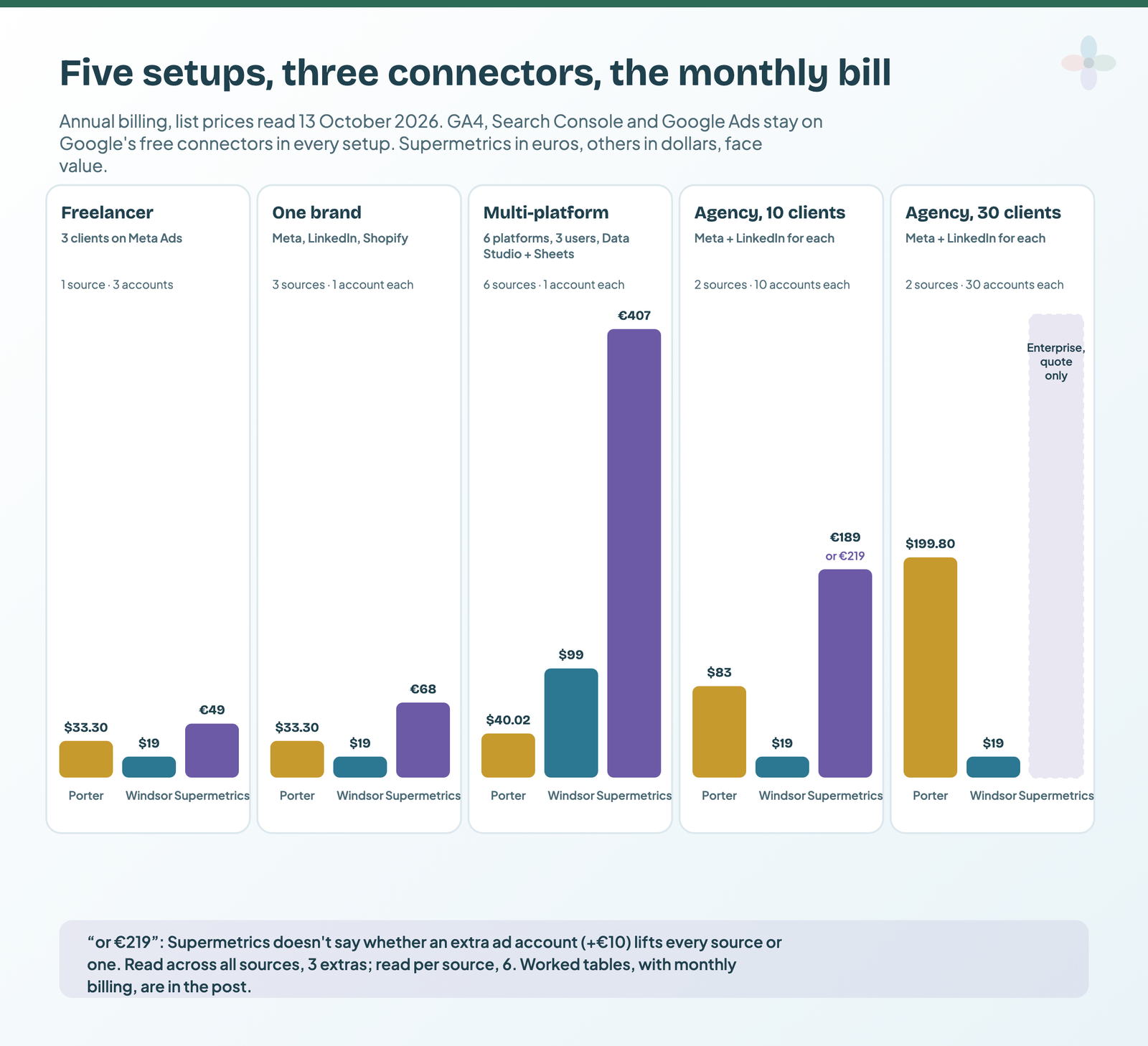
| Setup (billed annually) | Needs | Porter | Windsor | Supermetrics |
|---|---|---|---|---|
| Freelancer: 3 clients on Meta Ads | 1 source, 3 accounts | $33.30 | $19 (Basic) | €49 (Starter + 1 account) |
| One brand: Meta, LinkedIn, Shopify | 3 sources, 1 account each | $33.30 | $19 (Basic) | €68 (Starter + 1 source) |
| Multi-platform: 6 platforms, 3 users, Data Studio + Sheets | 6 sources, 1 account each | $40.02 | $99 (Standard) | €407 (Growth + user + destination) |
| Agency, 10 clients: Meta + LinkedIn each | 2 sources, 10 accounts each | $83 | $19 (Basic) | €189 or €219 (Growth + extras) |
| Agency, 30 clients: Meta + LinkedIn each | 2 sources, 30 accounts each | $199.80 | $19 (Basic) | Enterprise, quote |
| Same setups, billed monthly | Porter | Windsor | Supermetrics |
|---|---|---|---|
| Freelancer | $39.99 | $23 | €62 |
| One brand | $39.99 | $23 | €86 |
| Multi-platform | $48 | $118 | €510 |
| Agency, 10 clients | $100 | $23 | €238 or €277 |
| Agency, 30 clients | $240 | $23 | Enterprise, quote |
Notes on the arithmetic:
- Freelancer. One source, so both readings of Supermetrics’ extra-account rule give the same €39 + €10. Windsor’s Forever Free stops at one account, so it’s Basic.
- One brand. Supermetrics’ Starter takes a third source for +€29, up to its ceiling of 3 sources.
- Multi-platform. Six sources rule out Starter (max 3) and Windsor Basic (3). Supermetrics Growth covers 7 sources and 2 users, so the third user (+€99) and Sheets as a second destination (+€149) are extras. Porter and Windsor include users and destinations.
- Agency, 10 clients. Twenty accounts fit inside Windsor’s shared pool of 75. On Supermetrics, Growth covers 7 accounts per source, so the price depends on the unstated rule above.
- Agency, 30 clients. Sixty accounts still fit Windsor Basic, with the caveat that Basic syncs to warehouses daily. On Porter, 60 accounts sit in the $4 band. On Supermetrics, 30 accounts per source is past every self-serve ceiling.
Supermetrics’ prices are in euros and the others in dollars; I haven’t converted them. The previous version of this post said a 12-client agency had “no price on the website” at Supermetrics. With the new extras it does: Growth plus five extra accounts is €209 a month billed yearly, under either reading.
Which marketing sources each one connects
All three cover the main ad platforms. The differences are at the edges, and in how many sources each one claims.
| Source | Porter Metrics | Windsor.ai | Supermetrics |
|---|---|---|---|
| GA4 | ✔ | ✔ | ✔ |
| Search Console | ✔ | ✔ | ✔ |
| Google Ads | ✔ | ✔ | ✔ |
| Meta Ads | ✔ | ✔ | ✔ |
| LinkedIn Ads | ✔ | ✔ | ✔ |
| TikTok Ads | ✔ | ✔ | ✔ |
| Microsoft Ads | ✔ | ✔ | ✔ |
| Pinterest Ads | ✔ | ✔ | ✔ |
| Amazon Ads | ✘ (Amazon Seller only) | ✔ | ✔ (Amazon DSP is Premium) |
| Shopify | ✔ | ✔ | ✔ |
| HubSpot | ✔ | ✔ | ✔ (some HubSpot connectors in Early access) |
| Google Business Profile | ✔ | ✔ | ✔ (listed as Google My Business) |
| Instagram / Facebook organic | ✔ | ✔ | ✔ |
| YouTube organic | ✘ | ✔ | ✔ |
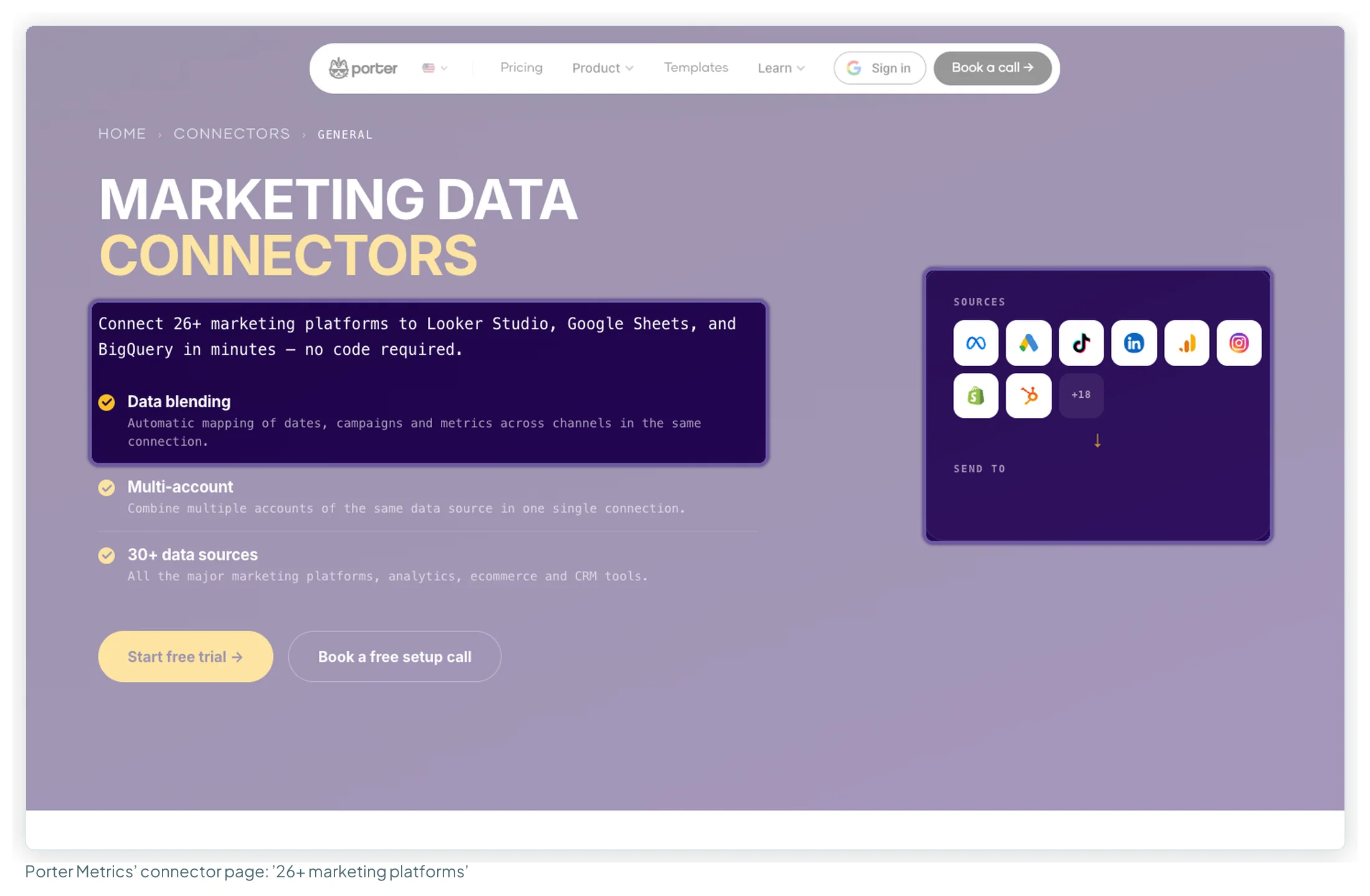
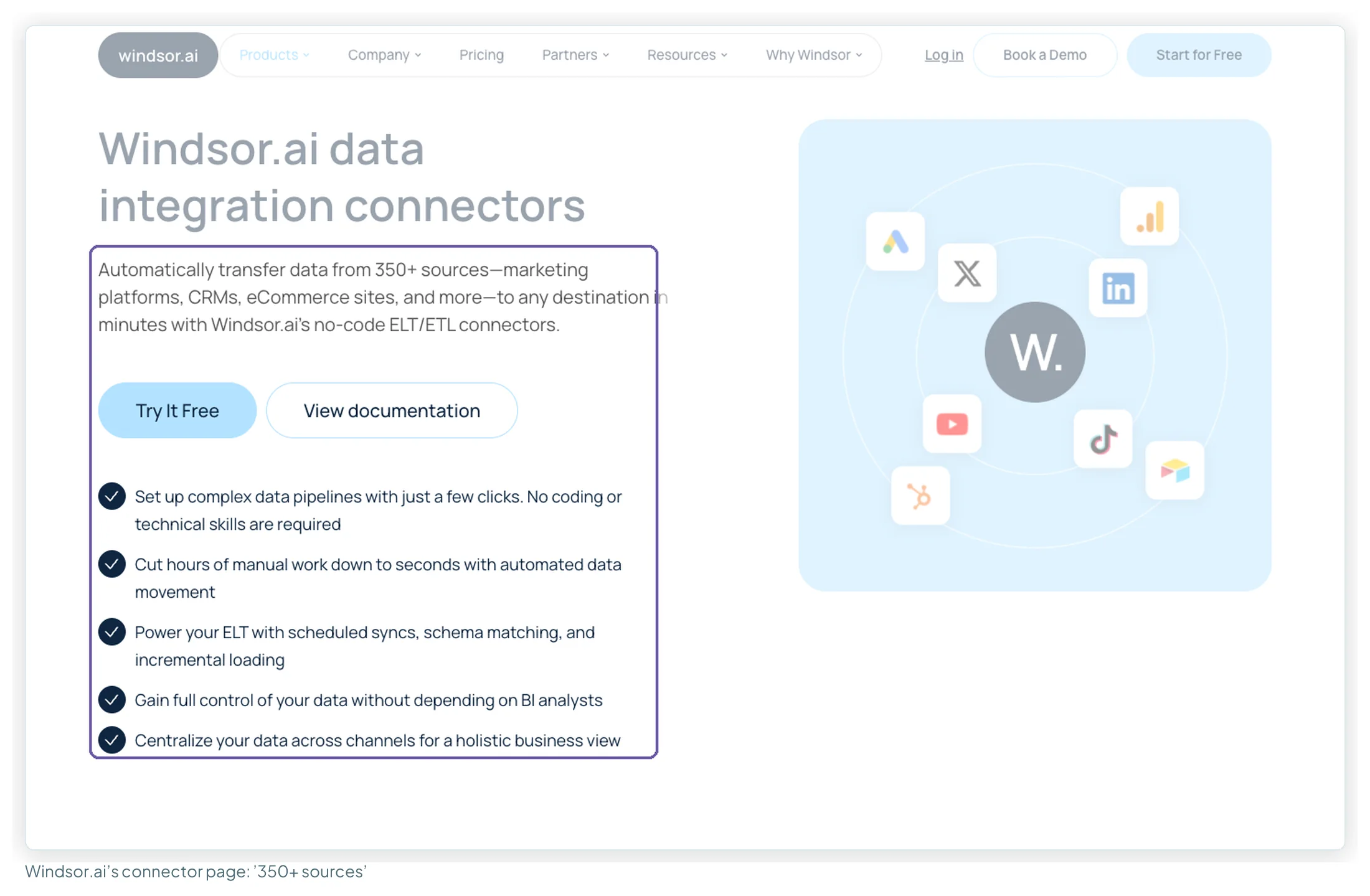
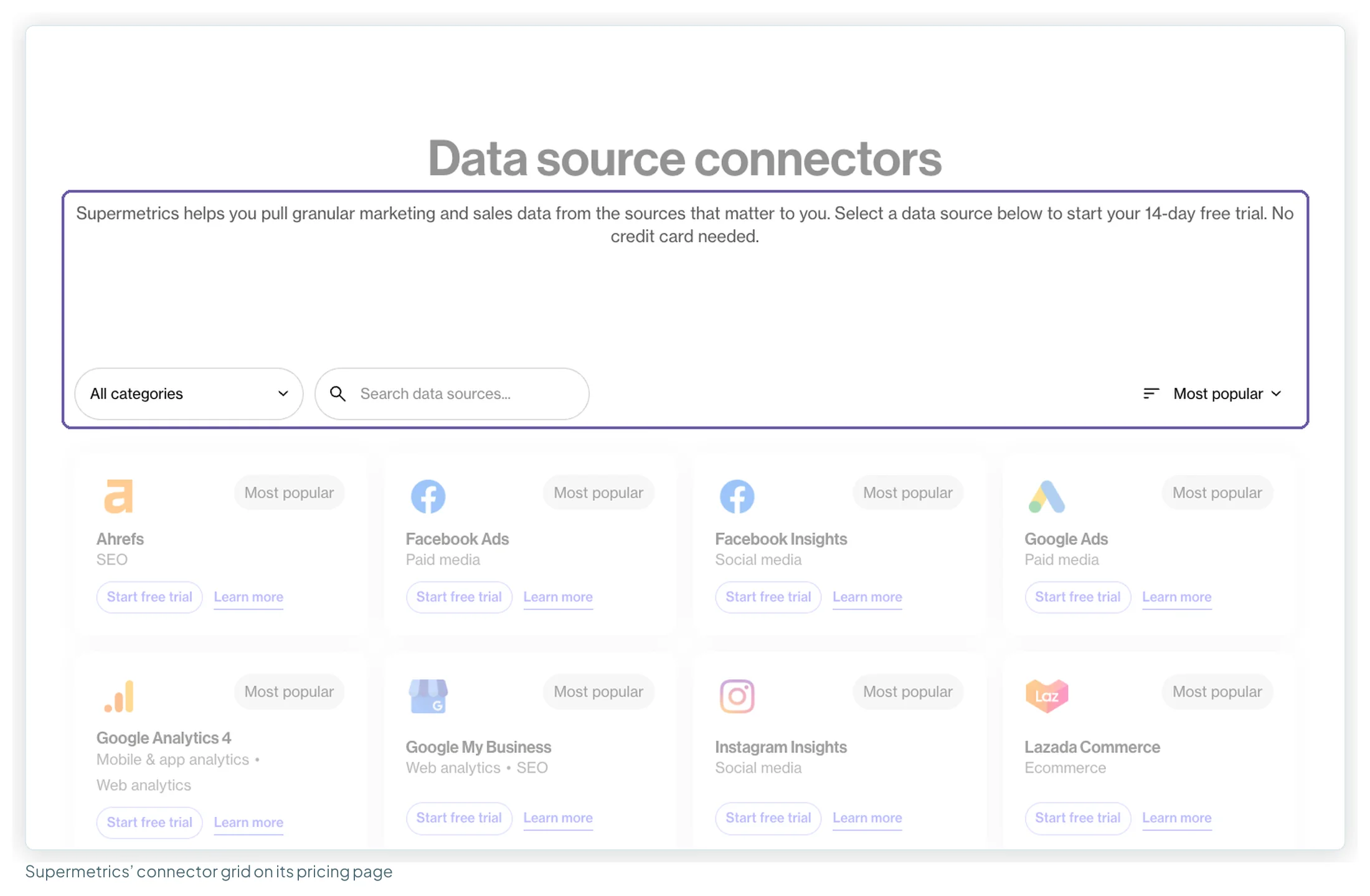
| Claimed total | “30+” / “26+” (grid lists 29) | “350+” (157 public connector pages) | None published (177 grid entries) |
Google Business Profile matters more than it looks: Data Studio has no Google-built connector for it, so local SEO reporting always needs a partner connector. For the full Google-versus-partner picture, see Data Studio connectors compared.
Where the data can go
| Destination | Porter Metrics | Windsor.ai | Supermetrics |
|---|---|---|---|
| Data Studio | ✔ | ✔ | ✔ (counts as your 1 core destination) |
| Google Sheets | ✔ | ✔ | ✔ (core destination) |
| Excel | Not listed | ✔ | ✔ (core destination) |
| Power BI | ✔ | ✔ | ✔ (core destination) |
| BigQuery | Conflicting: “every plan” on one page, “not part of any paid Reporting plan” in the help centre | ✔ every plan | Enterprise only |
| Snowflake, Redshift, other warehouses | Not listed | ✔ every plan | Enterprise only |
| Claude / ChatGPT | ✔ (plus Gemini) | ✔ (plus Copilot, Gemini) | ✔ (plus Copilot) |
| Slack, Zapier | ✔ | Not listed on pricing page | Not listed |
| Destinations included | All | All | 1; extras +€49 (Starter) or +€149 (Growth) yearly |
For a Data Studio-only user, the one-destination rule rarely bites. It bites when you also want the same data in Sheets for a client, or in Claude for analysis (how each connector’s MCP server compares).
Refresh, caching and history
| Porter Metrics | Windsor.ai | Supermetrics | |
|---|---|---|---|
| How Data Studio gets the data | “Live API data”: queries the source on each request; optional storage “for extra speed and stability” | Queries through Windsor with a 6-hour cache; scheduled refreshes bypass it | Queries Supermetrics when the report loads or is refreshed; its docs say Data Studio’s data-freshness setting “has no effect” on its connectors |
| Forcing fresh data | Not stated | “Clear Cache”, once every two hours | Refresh the report (help docs) |
| Scheduled syncs | Sheets add-on: hourly, daily, weekly | Daily (Basic), hourly (Standard+), 15-min (Professional) | Not stated per plan |
| History | Unlimited on paid; 30 days on free | Up to 10 years; 30 days on trial and free | Not stated |
One correction worth making. Many ranking articles still say Supermetrics’ higher tiers buy faster refreshes. On 9 September its own table said the weekly, daily and hourly refresh rows were “(Google Sheets only)” and that “Looker Studio dashboards are always updated on-demand”. That row is gone now, and its help docs say its connectors fetch fresh data whenever a Data Studio report loads or refreshes, so no plan buys faster Data Studio data.
Users, white-label, agency and AI features
| Porter Metrics | Windsor.ai | Supermetrics | |
|---|---|---|---|
| Seats | Unlimited | Unlimited (paid plans) | 1 / 2, max 5 on Growth |
| Client authorises their own accounts | Not stated | “External authentication (sharing auth link)” on all plans | Not stated (connections in its Hub can be shared with your team or kept private) |
| Many accounts in one data source | “Combine multiple accounts of the same data source in one single connection” | You select the accounts inside each source; each counts towards the pool | Not stated on the pricing page |
| White-label | Client branding; no Porter badge on paid plans | Not stated | Not stated |
| Teams / workspaces | Not stated | Not stated | Enterprise (“Multiple teams”) |
| AI and MCP | MCP on every plan; AI audits from $83/mo (annual) or $100/mo (monthly); Automation tiers Build $28 to Scale $250 | MCP on every plan; write actions (posting, campaign edits) since May 2026 | Supermetrics Studio with AI credits (4,000 / 12,000 a month); its comparison page claims write access via Claude |
A correction on AI: Google’s AI Overview and Supermetrics’ own comparison page both describe Windsor’s MCP as read-only. Windsor’s changelog shows write actions arriving in May 2026, so that description is out of date. Before connecting a client’s account, check what the connection can read and write.
Support, refunds and the fine print
| Porter Metrics | Windsor.ai | Supermetrics | |
|---|---|---|---|
| Support listed | Free chat support (Sheets listing); “Book a free setup call” on its connectors page | Live chat on all plans; account manager on Enterprise | “24/7” tickets, chat and email; Customer Success Manager on Enterprise |
| Refunds | Within 14 days of purchase | None, including monthly fees | No refund of the remaining period when you cancel (help docs) |
| Annual billing | Two months off, paid upfront | 17% off, prepaid, can’t be paused | Save 20%; renews automatically until cancelled |
| Sign-up quirk | Use the same Google account as Data Studio | Subscribe with the email you used on Windsor’s onboarding app | The Data Studio email must match the licence, or “a new trial is created instead” |
| Pages that contradict each other | Free-plan account limit; BigQuery on paid plans; source count | “350+” sources vs 157 connector pages | Support “24/7” vs “24/5” in the footer |
What users say about each one
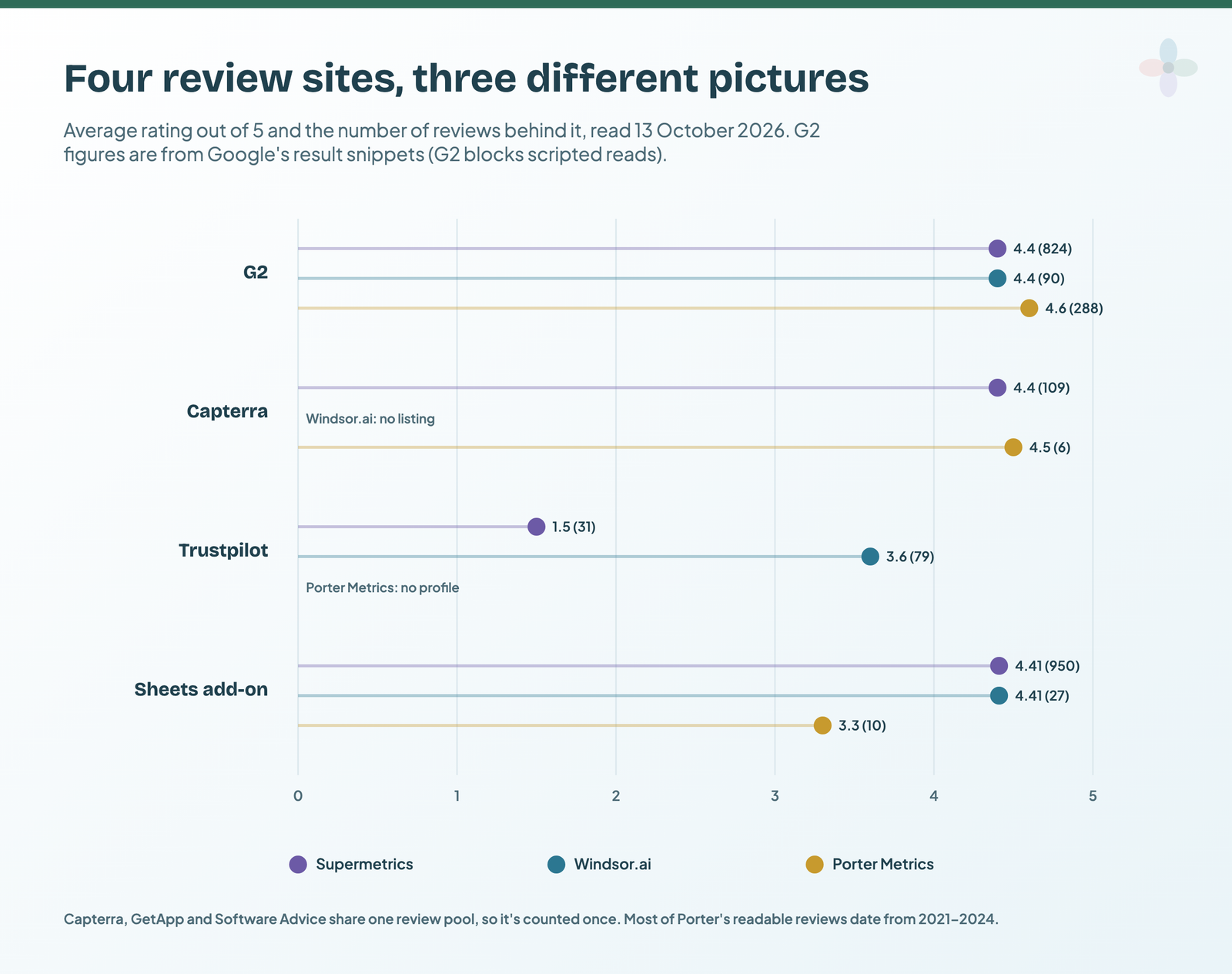
| Site (read 13 Oct 2026) | Porter Metrics | Windsor.ai | Supermetrics |
|---|---|---|---|
| G2 | 4.6 (288) | 4.4 (90) | 4.4 (824) |
| Capterra / GetApp / Software Advice (one pool) | 4.5 (6, newest 2023) | No listing found | 4.4 (109) |
| Trustpilot | No profile | 3.6 (79) | 1.5 (31) |
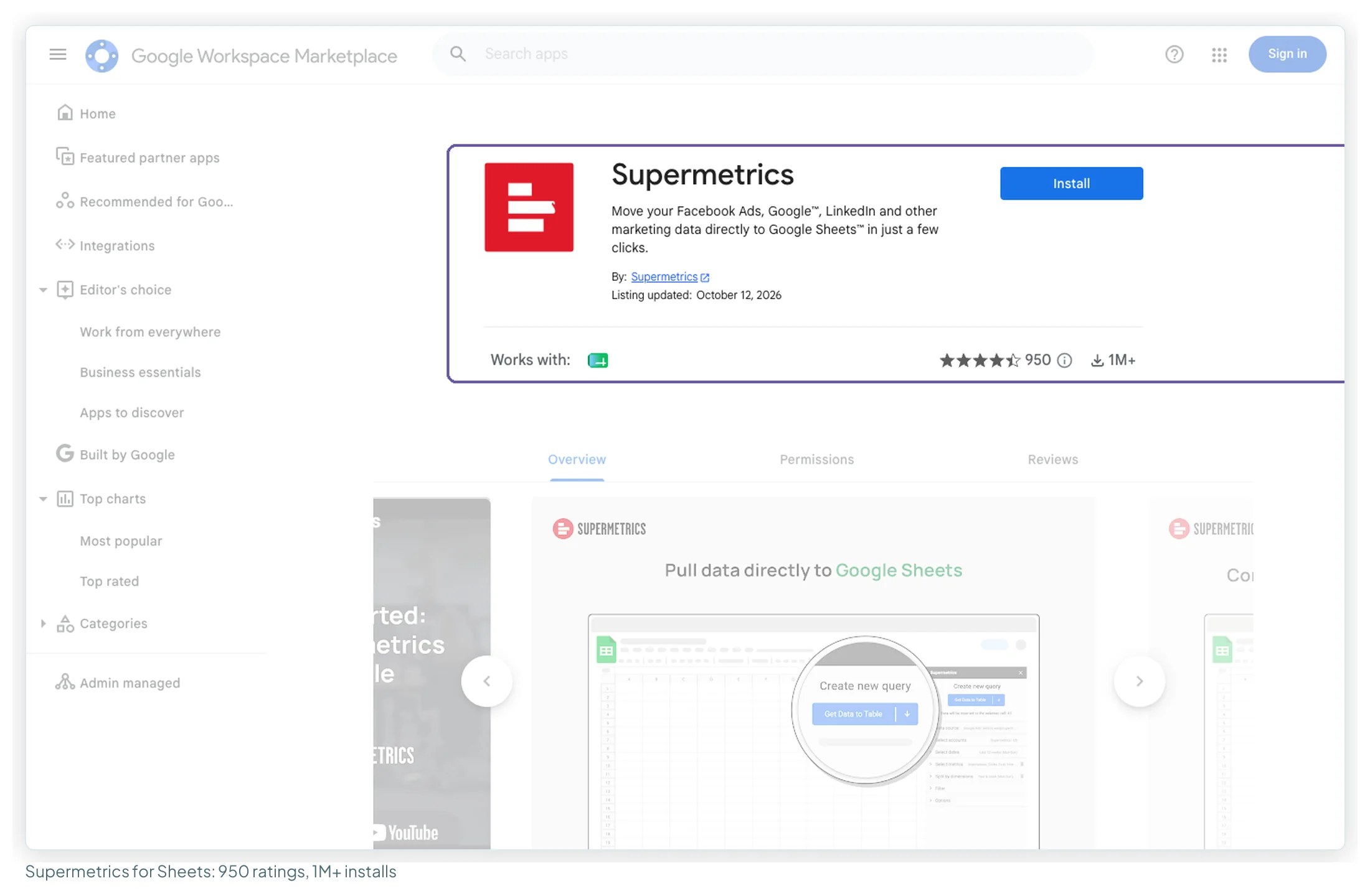
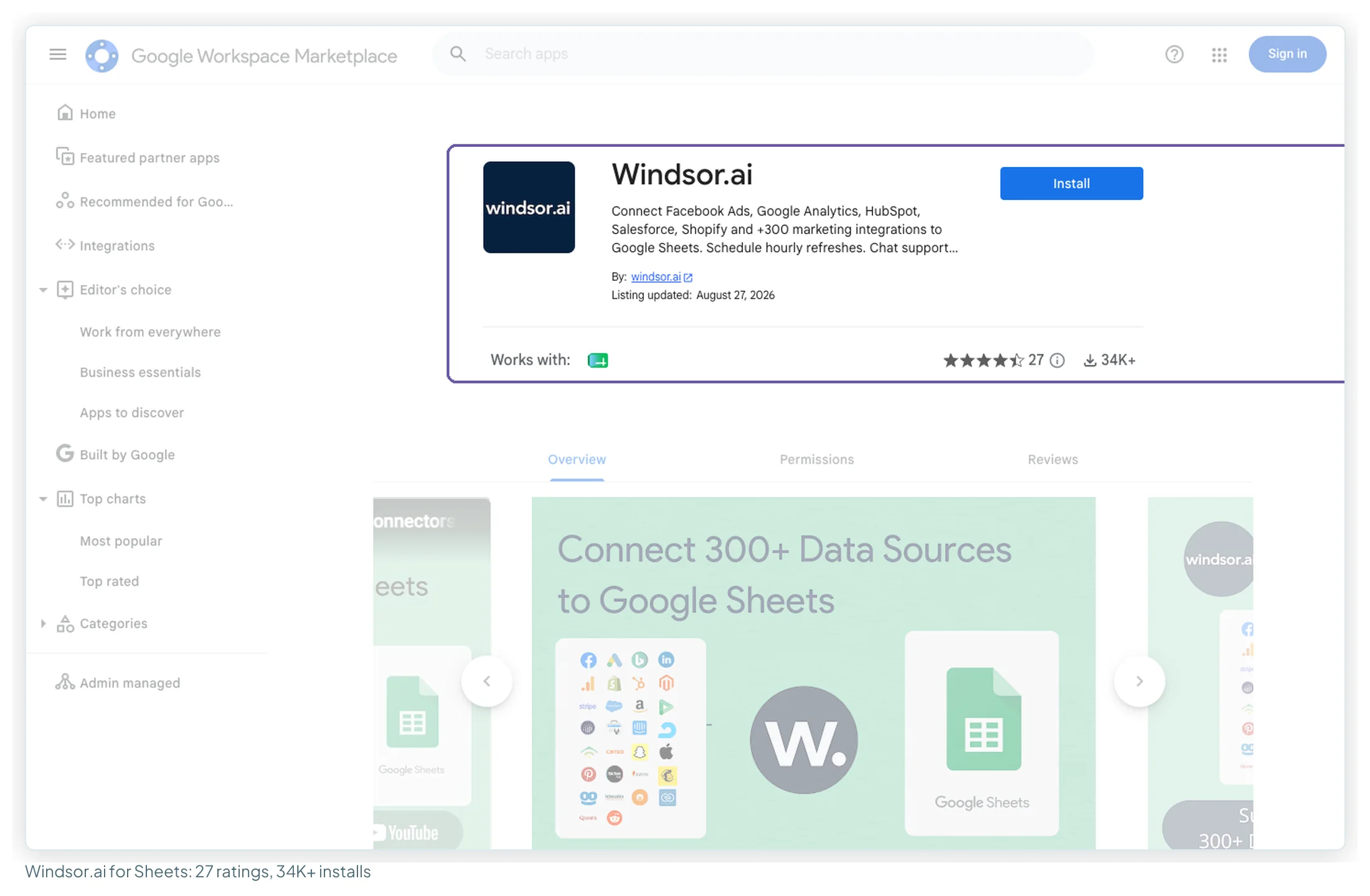
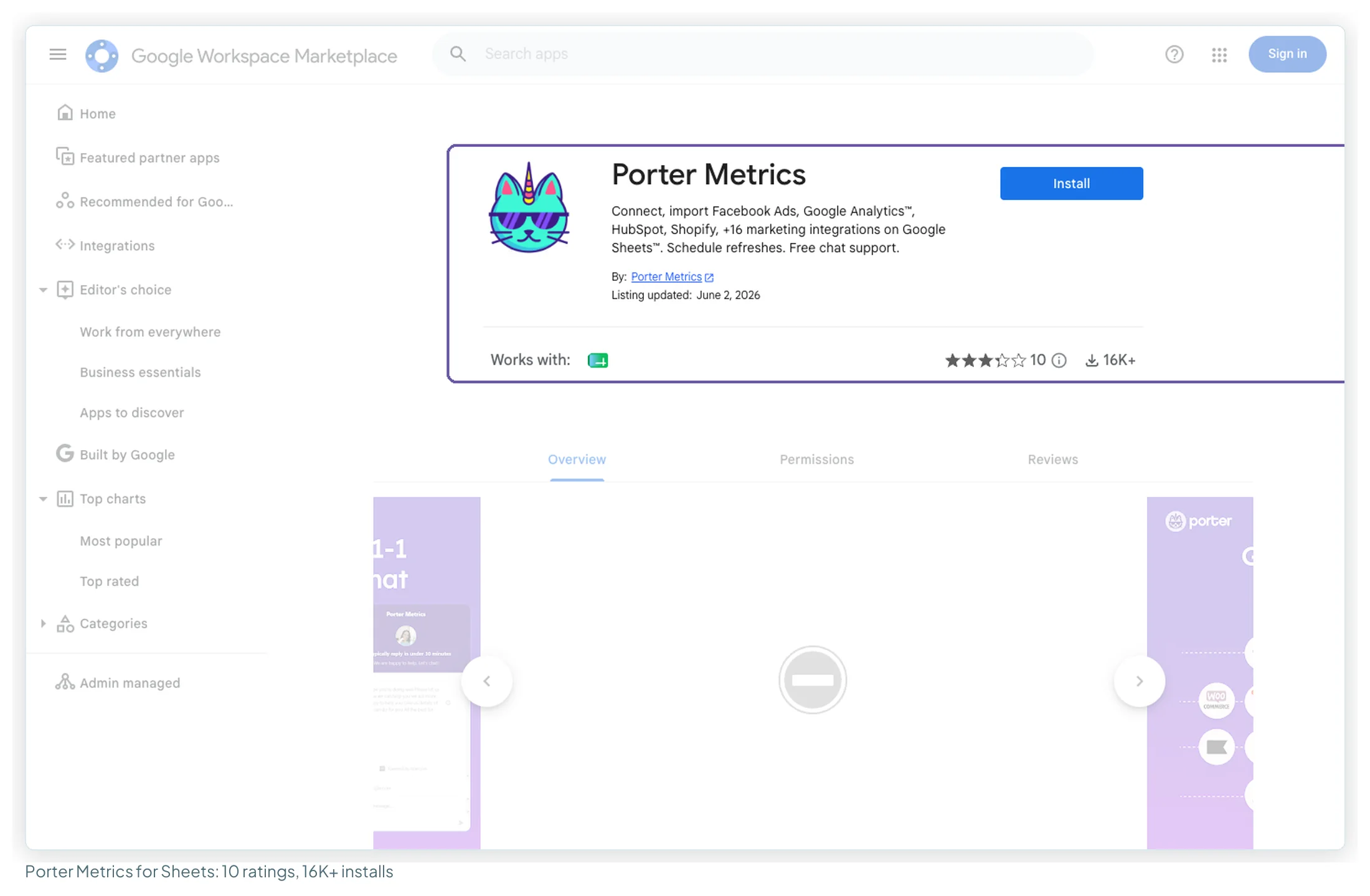
| Google Sheets add-on | 3.3 (10), 16K+ installs | 4.41 (27), 34K+ installs | 4.41 (950), 1M+ installs |
Read the counts before the stars. Supermetrics has by far the most reviews and installs, which is what being the incumbent looks like. Porter has the highest G2 average (4.6 from 288), though most of its readable reviews date from 2021 to 2024, before its 2026 move into AI automation. Windsor’s own comparison page quotes G2 support scores of 8.9 for Windsor and 7.8 for Supermetrics.
The themes, coded from the review samples (125 reviews in total):
| Theme | Porter (n=40) | Windsor (n=40) | Supermetrics (n=45) |
|---|---|---|---|
| Praise: support | 25 | 10 | 2 |
| Praise: easy to set up and use | 18 | – | 10 |
| Praise: saves time | 6 | 5 | 8 |
| Praise: breadth of sources | 8 | 4 | 6 |
| Praise: value for money | 7 | 2 | – |
| Complaint: unreliable data or connections | 9 | 4 | 13 |
| Complaint: support slow or unhelpful | 5 | 5 | 13 |
| Complaint: too expensive | 1 | – | 11 |
| Complaint: billing, refunds, renewals | (in support row) | 10 | 8 |
| Complaint: price increases | – | – | 7 |
Each sample has its own skew. Supermetrics’ Trustpilot reviews are almost all one- or two-star, while 16 of the 22 labelled Capterra reviews were incentivised. Windsor’s sample comes from Trustpilot alone, and every one of its ten billing complaints ends in “no refund”, which matches the published policy. Porter’s sample is mostly older G2-format reviews. A few lines that capture each camp:
- On Supermetrics: “their Google connectors are more robust than the native Google ones in Looker Studio” (Capterra reviewer, October 2025, vendor-referred).
- On Windsor: “their support team connected with us in 2 minutes when our payment failed” (Trustpilot reviewer, September 2026).
- On Porter: “I found Supermetrics expensive and intimidating, so I was pleased to find Porter.” (founder of a software company, Capterra, September 2022).
- On Porter’s reliability: “The connection to Google Data Studio breaks and needs to be reset every few weeks.” (G2 review mirrored on SpotSaaS, November 2023).
Forums tell a cost story. In the 14 Supermetrics threads, cost came up in 8 and a hunt for a cheaper alternative in 7; one r/PPC thread put agency bills at “$400-600+/month”. Windsor threads were split between value (one user reported paying $19/month for 72 accounts, in a small subreddit that reads promotional) and connector or template data not populating (4 of 15). Porter turned up as the “cheap and simple” option, with API stability raised in 2 of 8 threads. One r/LookerStudio commenter summed up the category: Supermetrics “the most famous and costliest”, Windsor and Porter “all feels same”.
Where each one is the better choice
| Choose it when… | Look elsewhere when… | |
|---|---|---|
| Porter Metrics | You report on many platforms with few accounts each; you want unlimited users, every destination and a refund window; you value hands-on support | You need Amazon Ads or YouTube analytics; you have a few accounts on one or two platforms (Windsor Basic is cheaper) |
| Windsor.ai | You have many clients on three or fewer platforms; you want warehouses or several destinations on the entry plan | You need more than three sources on a tight budget (Porter is cheaper there); you want a refund option |
| Supermetrics | Your team already runs on it; you need a Premium connector it lists; you want a fixed, non-usage price with an Enterprise path | You need several users, two destinations or many accounts per source on a small budget |
Where Porter beats both partners: the multi-platform setup above costs $40.02 a month on Porter against $99 on Windsor and €407 on Supermetrics, because Porter never charges for sources, users or destinations. It’s also the only one of the three with a stated refund window. If your reporting is wide rather than deep, start there.
Switching between them
All three plug into Data Studio as partner connectors, so a switch means swapping the data source under each report, not rebuilding the report. What carries over and what doesn’t:
- Field names change. Each connector names fields its own way, so charts that use calculated fields or filters break when you swap the source. Rebuild one report first and note every field you remap.
- Run both for a billing cycle. Compare spend, clicks and conversions for the same date range in both before you cancel. Reviewers of all three report data or connection problems at some point.
- History comes from the platform, not the connector. Windsor queries up to 10 years and Porter’s paid plans have no history limit, so a new connection usually reads the past directly. Data you stored in Sheets or a warehouse stays where it is.
- Watch the logins. Supermetrics ties the licence to the email you use in Data Studio; Windsor to the email on its onboarding app; Porter to your Google account. Agencies with several Google accounts trip on this.
- Time it to the renewal. Windsor doesn’t refund, Porter refunds within 14 days of purchase, and Supermetrics renews automatically and doesn’t refund the rest of a period you cancel. Move before an annual renewal, not after.
Data Studio templates built on each
The same report from two vendors, so you can see the difference in approach. Both are free in the library:
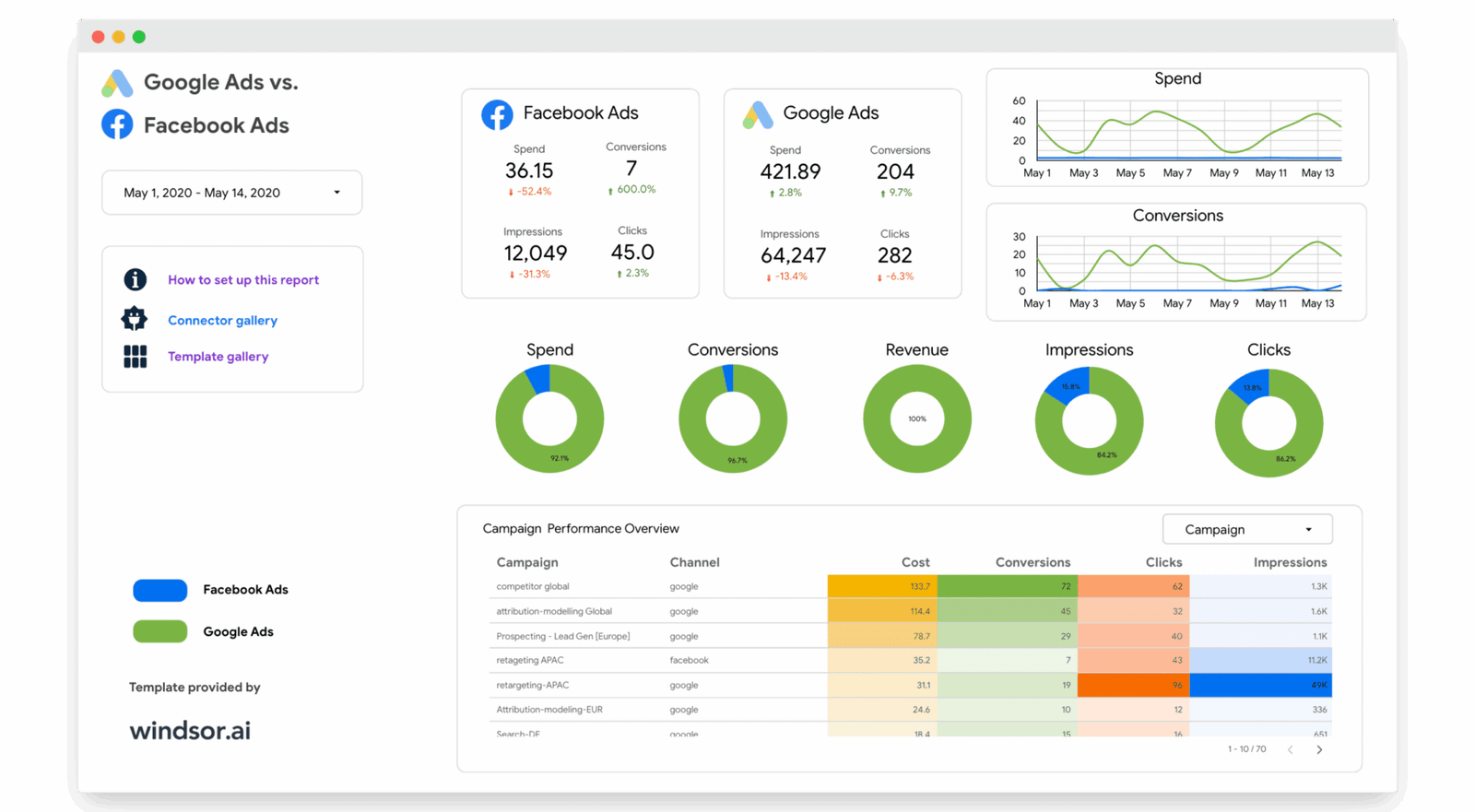
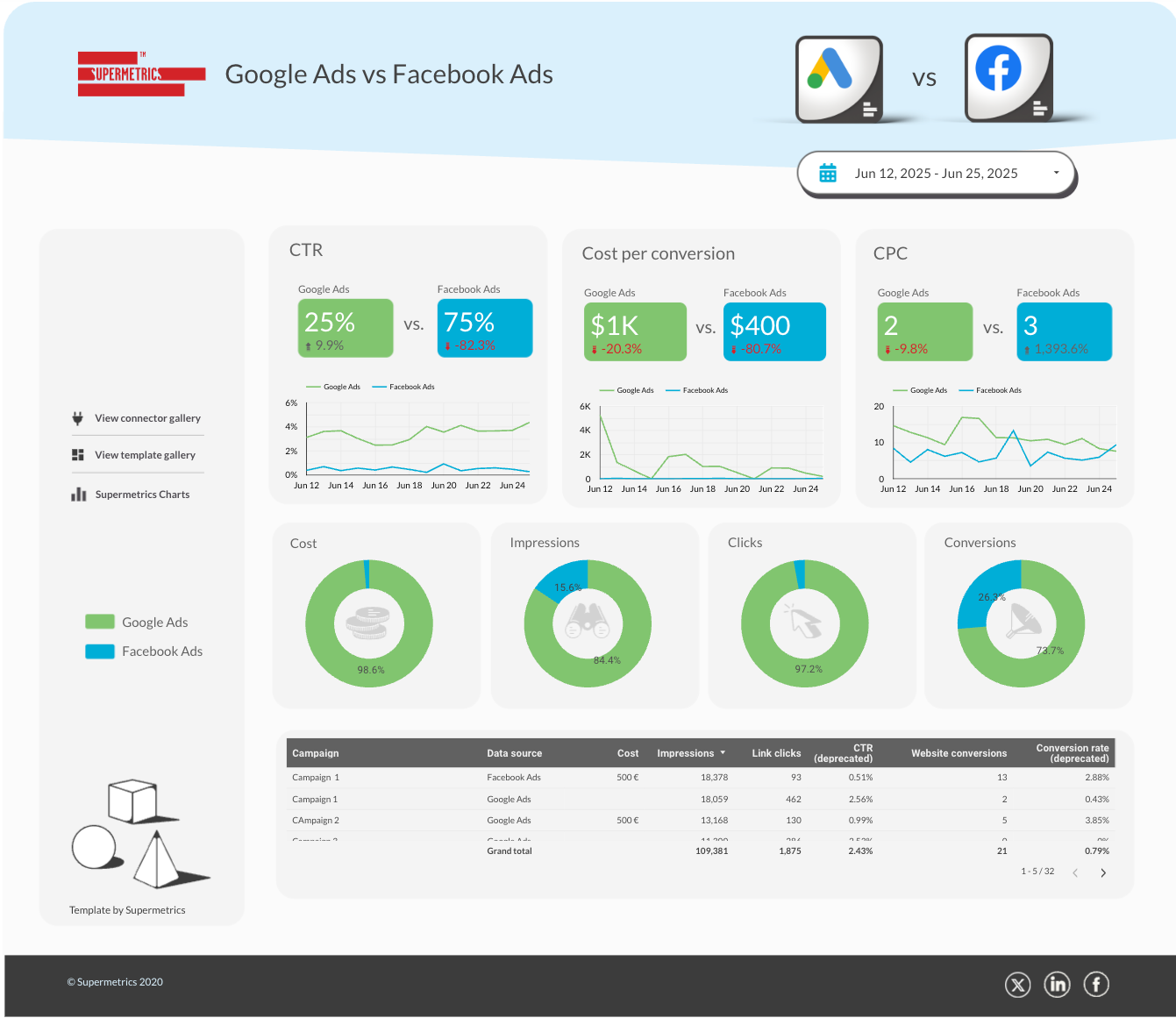
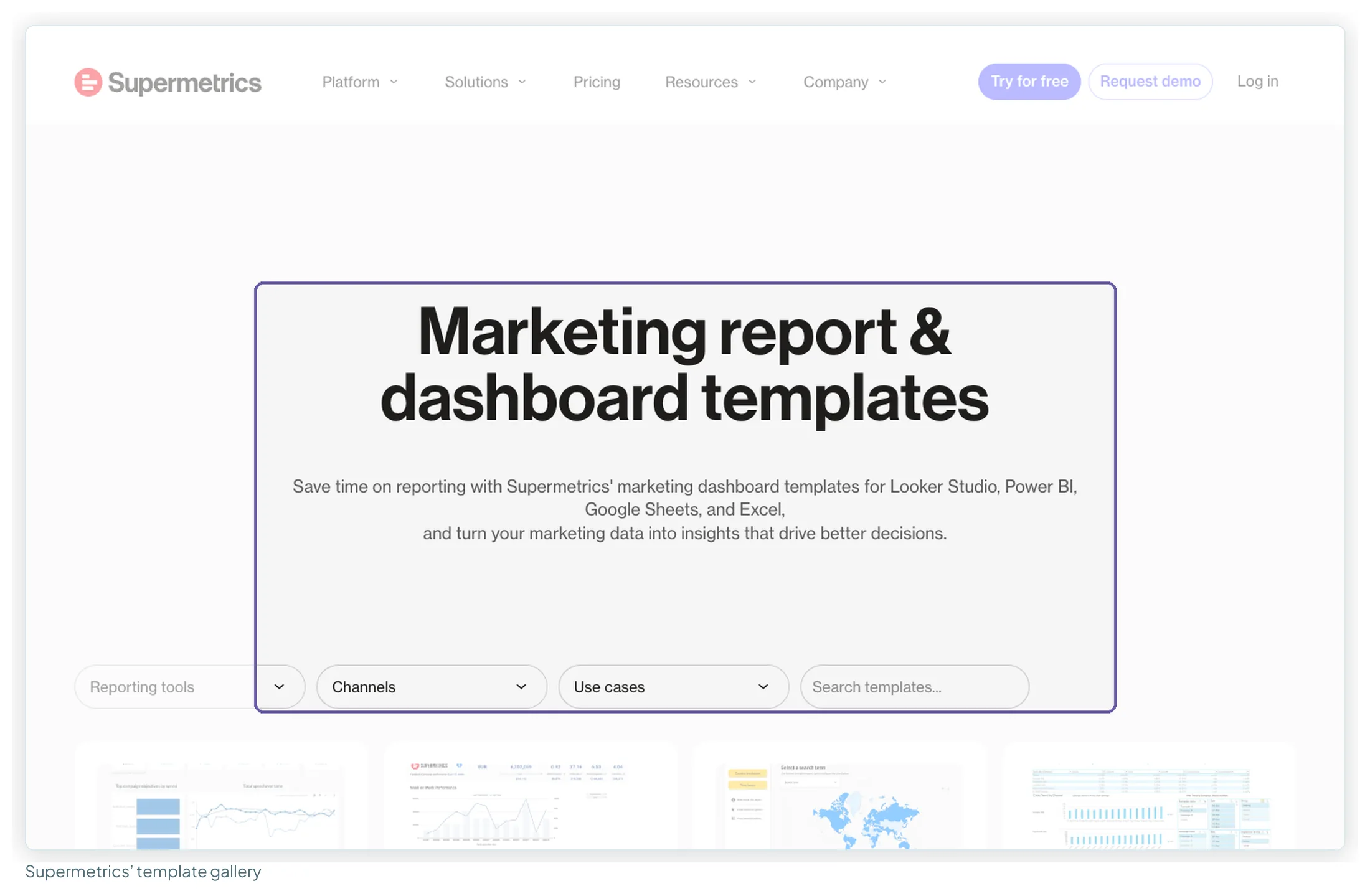
Porter publishes its own free Data Studio template gallery on its site; none of its templates are in this library yet. Each vendor’s gallery:
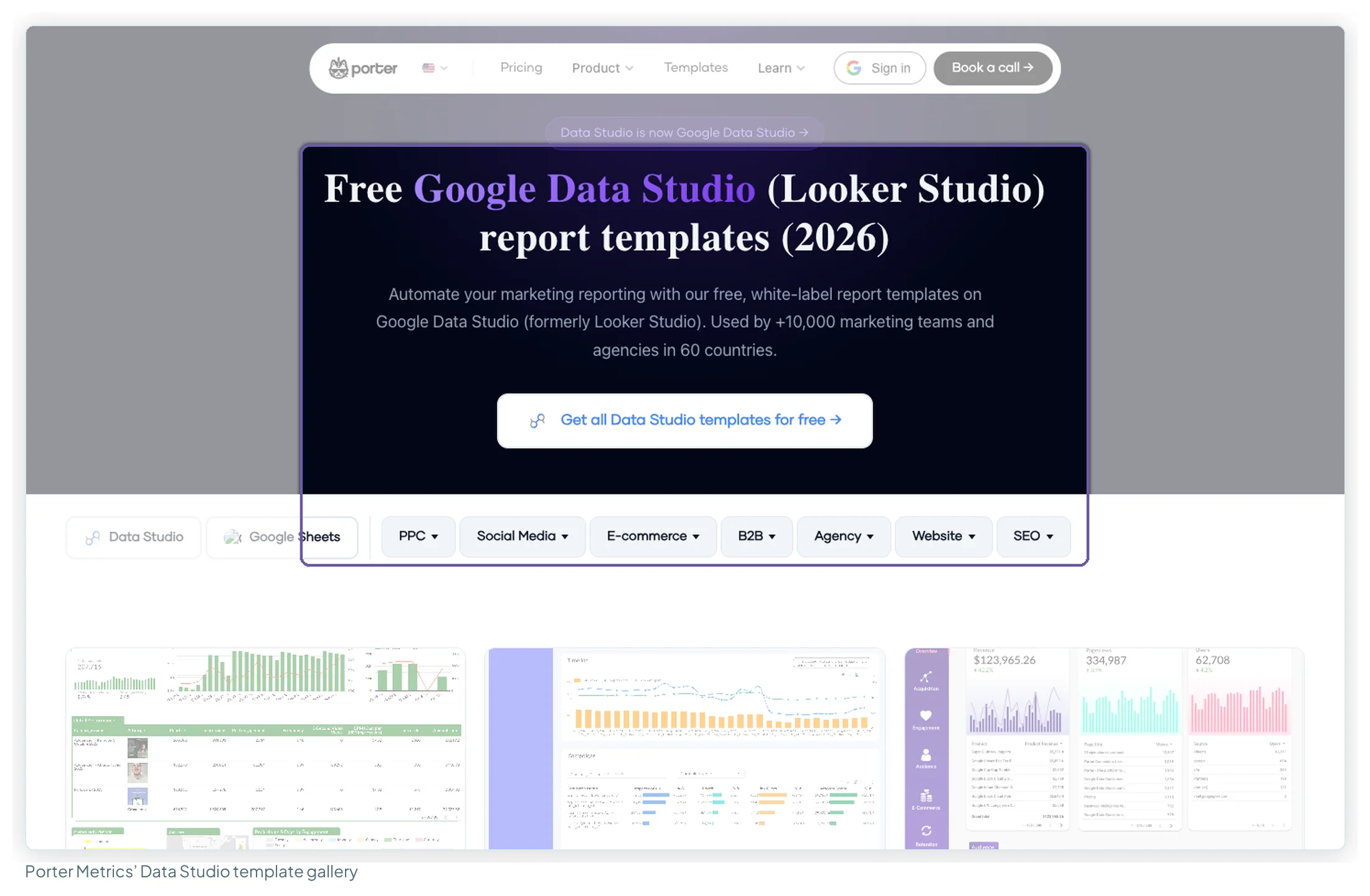
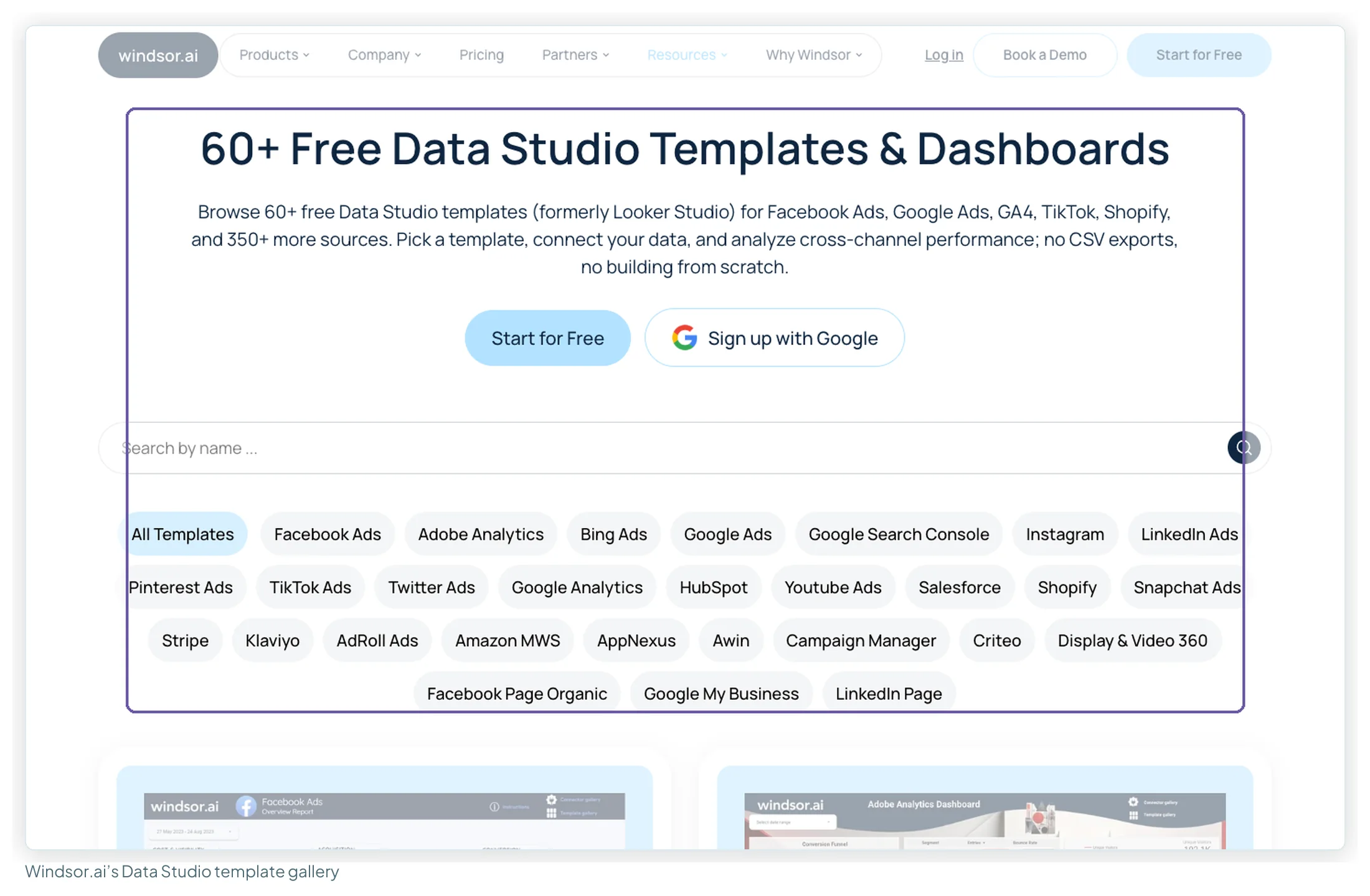
How to test all three inside one month
The trials are different lengths, so start them in an order that lets each one finish while you’re still paying attention:
| When | Start | Trial | What to prove |
|---|---|---|---|
| Day 1 | Windsor.ai’s 30-day trial | 30 days, no card | Connect your real client list within Basic’s 3 sources, not the trial’s 10 |
| Day 1 | Supermetrics’ 14-day trial | 14 days, no card | Count accounts per source against 2 × 2 or 7 × 7, and ask which extras reading applies |
| Day 15 | Porter Metrics’ trial | 14 days, no card | Price your real account count on its slider; check every source is on its list |
In every trial:
- Connect real accounts, not a demo. The limits that matter only show up against your actual client list.
- Rebuild one existing report on the new data source, so you find what breaks in your calculated fields before you commit.
- Leave it running for a week. A connector that looks fine on day one and drops a platform on day five is telling you something.
Frequently asked questions
Is Porter Metrics cheaper than Supermetrics?
At list price, yes, in every setup I priced that has a published price. Three accounts on Porter are $33.30 a month billed annually against €49 on Supermetrics Starter with one extra account. Six platforms with three users are $40.02 against €407. Supermetrics’ price includes a fixed licence with no usage billing; Porter counts every connected account, including paused ones.
Is Windsor.ai cheaper than Supermetrics?
For most setups. Windsor Basic is $19 a month billed annually ($23 monthly) for 3 sources and 75 shared accounts with unlimited users. Supermetrics Starter is €39 billed yearly (€49 monthly) for 2 sources, 2 accounts per source and 1 user. Windsor doesn’t offer refunds, so use its 30-day trial first.
What are Supermetrics’ pricing plans now?
On 13 October 2026 the euro page showed Starter at €39 a month billed yearly or €49 monthly (2 sources, 2 accounts each, 1 user), Growth at €159 or €199 (7 sources, 7 accounts each, 2 users), and Enterprise on quote. The Pro tier is gone, and extra sources, accounts, users and destinations are sold as add-ons. Limits vary by region.
Does an extra Supermetrics ad account count per source or in total?
The pricing page doesn’t say; Supermetrics’ help docs suggest one extra lifts every source. If so, an agency with 10 clients on two platforms pays €189 a month billed yearly on Growth; if it lifts one source, €219. Ask Supermetrics before you buy.
Is Windsor.ai free?
There’s a 30-day trial with 10 sources and 15 accounts, then a Forever Free plan with 1 user, 1 source and 1 account. Porter also has a free, read-only plan after its trial. Supermetrics has a 14-day trial and no free plan.
Is Supermetrics an ETL tool?
It moves data from marketing platforms into reporting tools, spreadsheets and, on Enterprise, warehouses, which is the extract-and-load part. Windsor.ai and Porter do the same job. None of the three replaces a full data warehouse setup on its own.
Where to go next
- Data Studio connectors compared: Google’s free ones and six partners
- What Supermetrics actually costs
- Supermetrics alternatives for Data Studio users
- Marketing reporting tools compared
- The best free Data Studio templates
Some links in this post are affiliate links: if you sign up through one, I may earn a commission at no extra cost to you. How I work with partners.