
Data Studio is the cheapest of the three at any client count, even with a paid connector for non-Google data, and gives you the most design control, but you build and maintain the reports yourself. DashThis is the quickest way to send white-labelled client reports, and Databox is the better buy when you want KPI monitoring, alerts and an AI analyst across marketing and non-marketing data. Between the two paid tools, DashThis costs less for an agency that needs white-labelled reports at every client count from 1 to 25, once Databox’s $200/mo white-label add-on is counted.
Data Studio is Google’s free reporting tool, called Looker Studio until Google renamed it back in April 2026. This comparison covers what each tool is, the sources it connects, how you build and share a dashboard, white-labelling, scheduling, AI features, the bill at 1, 3, 10 and 25 clients (charted), what reviewers say, worked scenarios and what switching involves. Databox and DashThis aren’t partners of this site, and where either one is the better choice I say so.
Price your own setup. The reporting cost calculator runs these numbers for your clients, platforms and billing, with every route side by side.
Which one fits your situation
One row per situation; the reasons and the arithmetic follow.
| Your situation | Best fit | Why |
|---|---|---|
| Reporting only on Google sources (GA4, Search Console, Google Ads) | Data Studio | Google’s own connectors are free, so the whole stack is $0 |
| Agency, 1–25 clients, white-labelled reports, nobody to build dashboards | DashThis | White label on every plan, preset templates, from $44/mo billed yearly |
| Agency with someone who builds reports, clients on Meta and other non-Google platforms | Data Studio + a connector | $19/mo billed annually with Windsor.ai Basic in my worked example, flat from 1 to 25 clients |
| In-house team watching KPIs across marketing, sales and finance | Databox | Goals, alerts, hourly sync, an AI analyst and 130+ connectors, from $71/mo billed annually |
| One person, three sources, wants an AI analyst to ask questions | Databox Free | $0 with 50 AI credits a month, but no shareable links |
| Clients need a report link they can open without a login | Data Studio or DashThis | Both share by URL on their entry plans; Databox lists sharing from Team up |
| Reports need custom layouts, blended data and calculated fields | Data Studio | A free-form canvas; the other two build from widgets and presets |
Data Studio, Databox and DashThis at a glance
Prices from each vendor’s own pricing page, read in both billing states on 13 October 2026. They change often, so check before you buy.
| Data Studio | Databox | DashThis | |
|---|---|---|---|
| What it is | Google’s report and dashboard builder | Analytics and KPI platform with an AI analyst | Client-report builder for marketers |
| Pricing model | Free; Pro per user per project | Plans by users, sources and AI credits; Agency by account pack | Plans by dashboards and sources |
| Free plan | Yes, the whole product | Yes: 1 user, 3 sources, 1 dashboard | No; 14-day trial with 10 dashboards |
| Entry paid price | Pro: $9 per user per project per month (optional) | Analyst: $71/mo billed annually, $89 monthly | Individual: $44/mo paid yearly, $54 monthly |
| Agency price | Same as above | Agency: $79/mo annual or $99 monthly, 4 clients included, then $20 or $25 per client pack | Professional: $139/mo yearly or $164 monthly for 10 dashboards |
| Users | Unlimited editors and viewers | 1 on Free and Analyst, 3 or 10 on Team, unlimited on Agency | Unlimited on every plan |
| What it counts | Nothing | Users, data sources, AI credits, accounts | Dashboards and sources (a source is one connected account) |
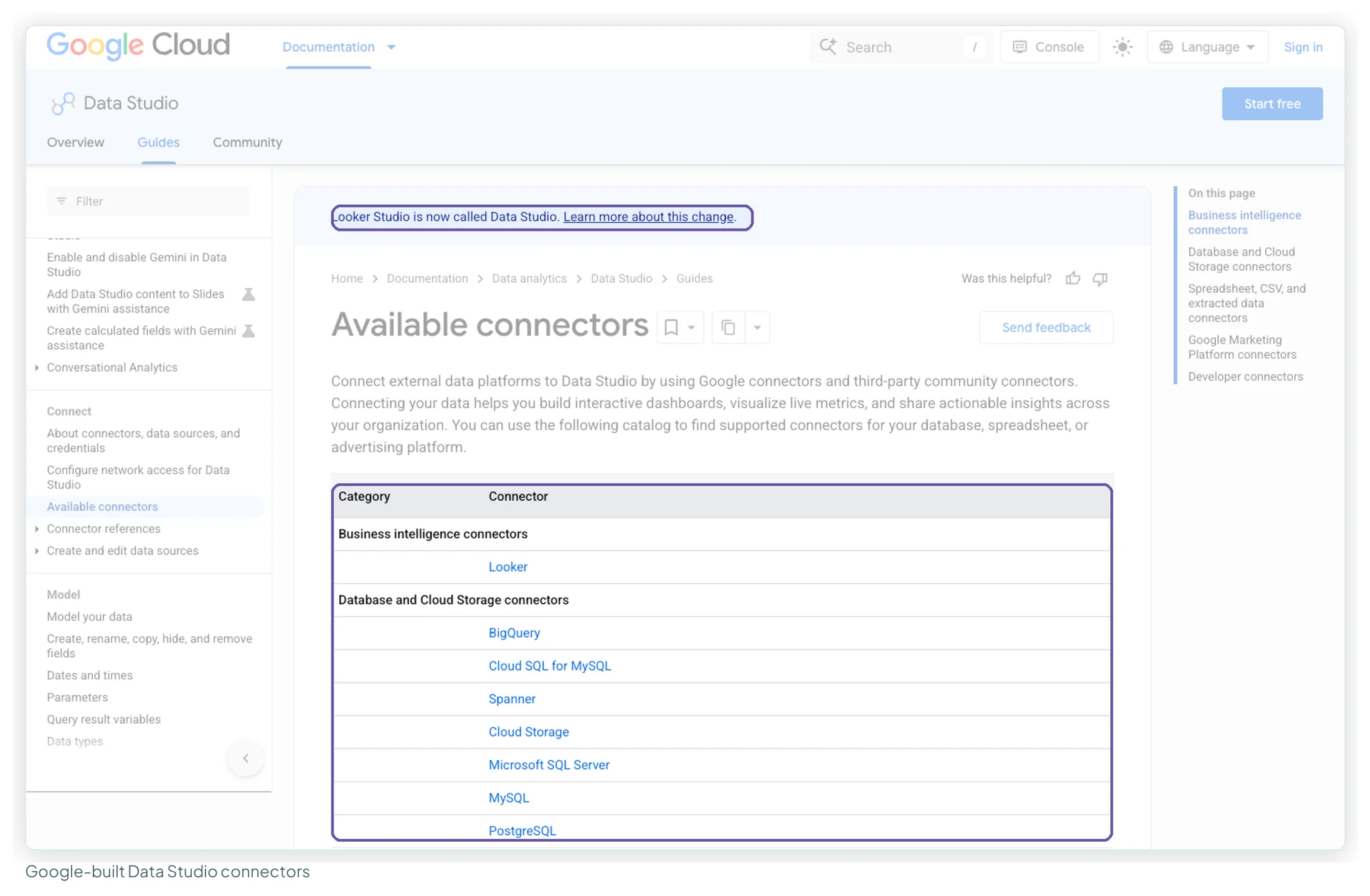
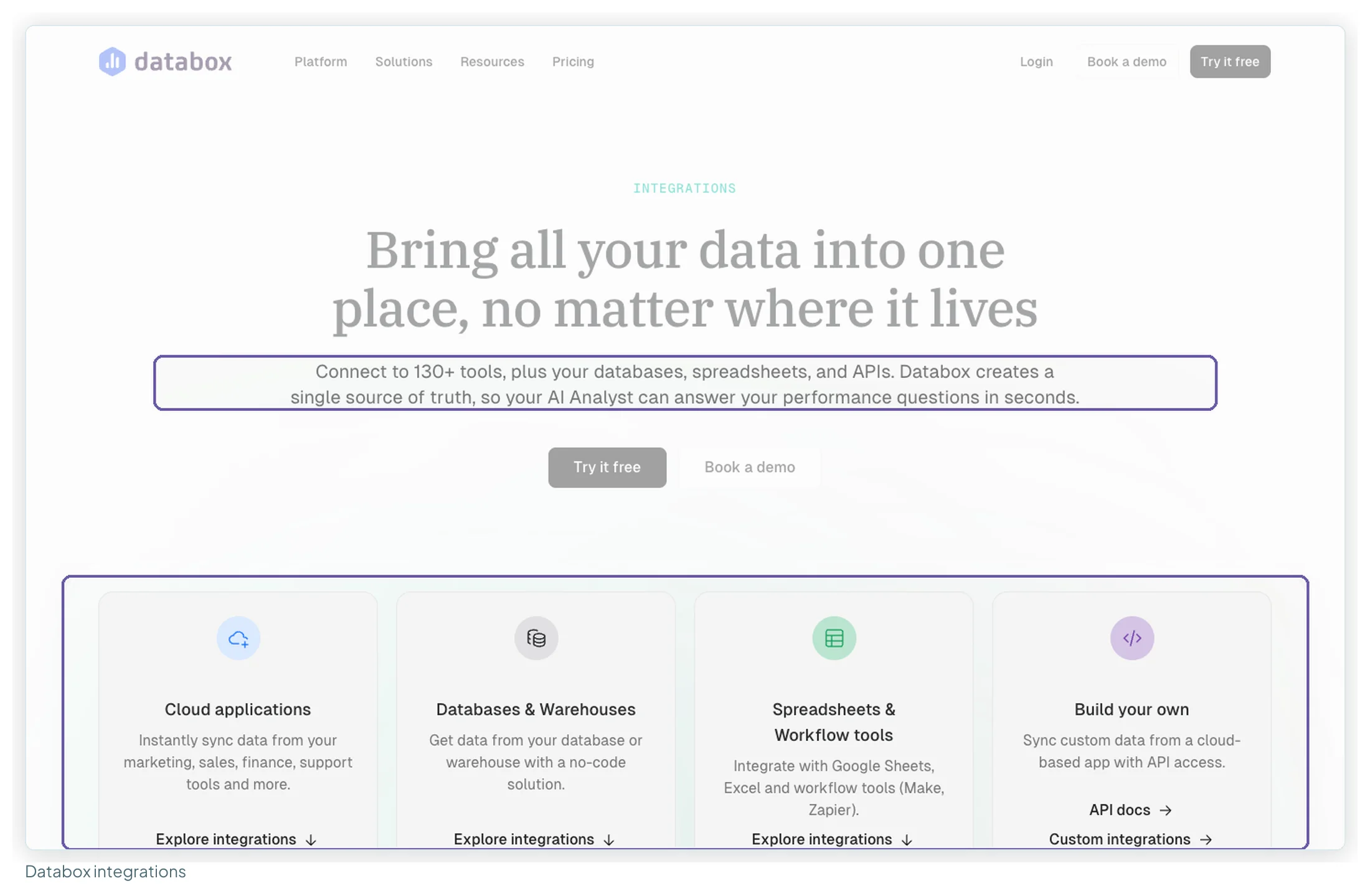
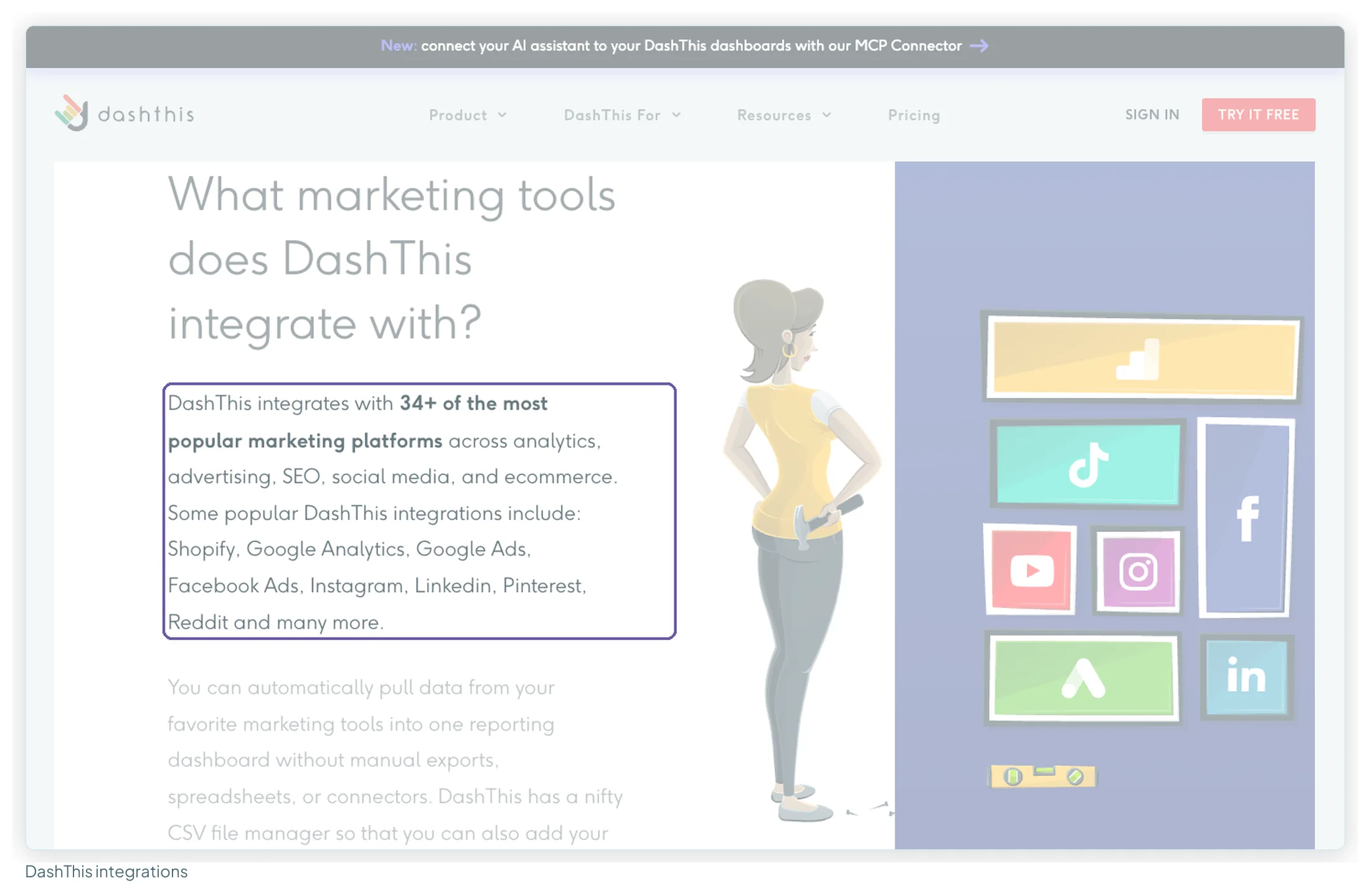
| Sources claimed | “More than 1,400” incl. partner connectors; 23 built by Google | “130+” | “34+” |
| Meta, LinkedIn, TikTok Ads | Partner connector, usually paid | Included | Included |
| Warehouses (BigQuery etc.) | BigQuery and SQL connectors free (BigQuery itself is billed) | Paid plans | Not listed |
| Design freedom | Free-form canvas | Databoards from metric widgets and templates | Widgets and preset templates, 9 chart types |
| Blending / calculated metrics | Blends of up to 5 tables; calculated fields | Custom metrics (10 on Free); semantic layer | Calculated widgets; data source aggregation |
| Templates | Report gallery plus third-party templates | Pre-built metrics and templates | 50+ preset dashboard templates |
| Share by link | Yes, free | From Team (“Sharing & notifications”) | Yes, every plan |
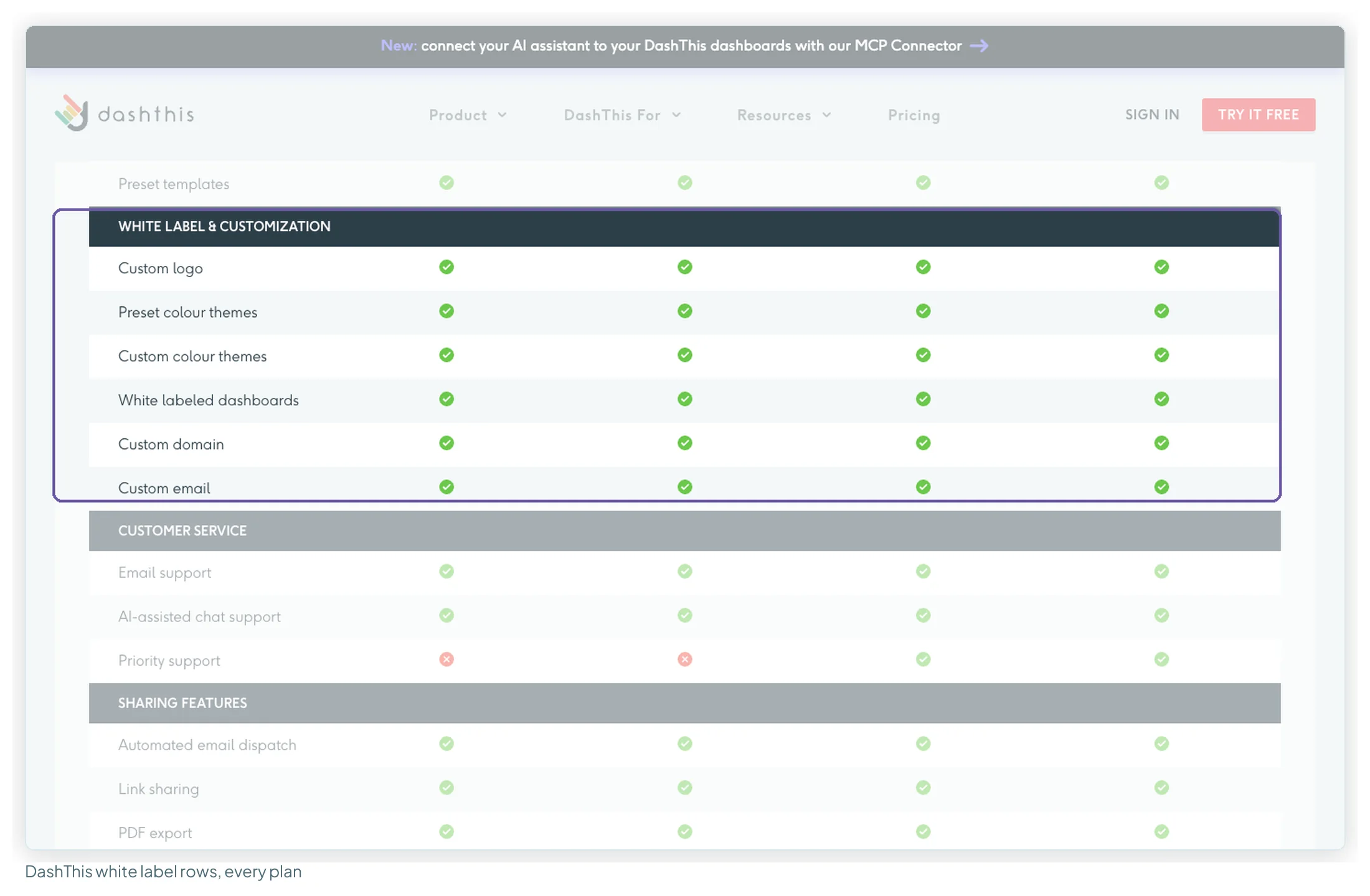
| White label | No setting; you design the whole report | Add-on: $200/mo annual, $250 monthly | Included on every plan, with custom domain |
| Scheduled email | Yes; Pro raises it to 200 schedules per report | From Team (scheduled snapshots) | Yes, with PDF, every plan |
| Refresh | Google Ads and Search Console every 12 hours; GA4 1, 4 or 12 hours in Google’s table; Sheets from 15 minutes | Daily on Free, hourly on paid; 15-minute sync add-on per source | Daily data import |
| AI | Gemini (Pro only, Preview); Conversational Analytics with BigQuery agents | Genie AI analyst on every plan, credit-metered; MCP server from Analyst | AI Insights (4 presets) free; PRO add-on $19/mo or $15 yearly; read-only MCP connector |
| Mobile | Responsive layouts; Looker mobile app with Pro | Mobile app | Dashboards open on any device by URL |
| Support | Community; Cloud Customer Care with Pro and a support plan | Self-serve on Free; chat and email from Analyst | Email and chat on all plans; priority from Business |
| Data out | PDF download, scheduled email, embed in any web page | API and MCP server from Analyst; CSV export from Team | URL, PDF, email, MCP answers |
| Ratings | TrustRadius 8.2/10 (335); Gartner 4.5 (423) | Capterra 4.6 (205); Trustpilot 3.2 (26) | G2 4.7 (94); Capterra 4.5 (26) |
How this comparison was researched
I haven’t run these three side by side on test accounts for this version, so nothing below claims a test result. Instead:
- Pricing pages for Databox and DashThis were read on 13 October 2026 in a real browser, with the billing toggle in both positions, and every screenshot here is from that session. Google’s Data Studio pricing and documentation pages were read the same day.
- Reviews: 45 Databox reviews, 44 of them unique (Capterra and Trustpilot), 28 DashThis reviews (Capterra and Trustpilot) and 32 Data Studio reviews (TrustRadius and Gartner), each coded by theme, with ratings recorded per site and date.
- Forums: Reddit threads on all three, which I could only read at the level of Google’s result snippets, so I quote them sparingly.
- The ranking articles: the top 10 Google results for “databox vs looker studio” and “databox vs dashthis”, including both vendors’ own comparison pages, with every price they publish checked against the pricing pages.
- Templates: the Data Studio templates shown are from this site’s library.
A hands-on round, with the same data and the same chart built in each tool, is planned for this post.
What each one actually is
All three end in a marketing dashboard, but they charge for different things.
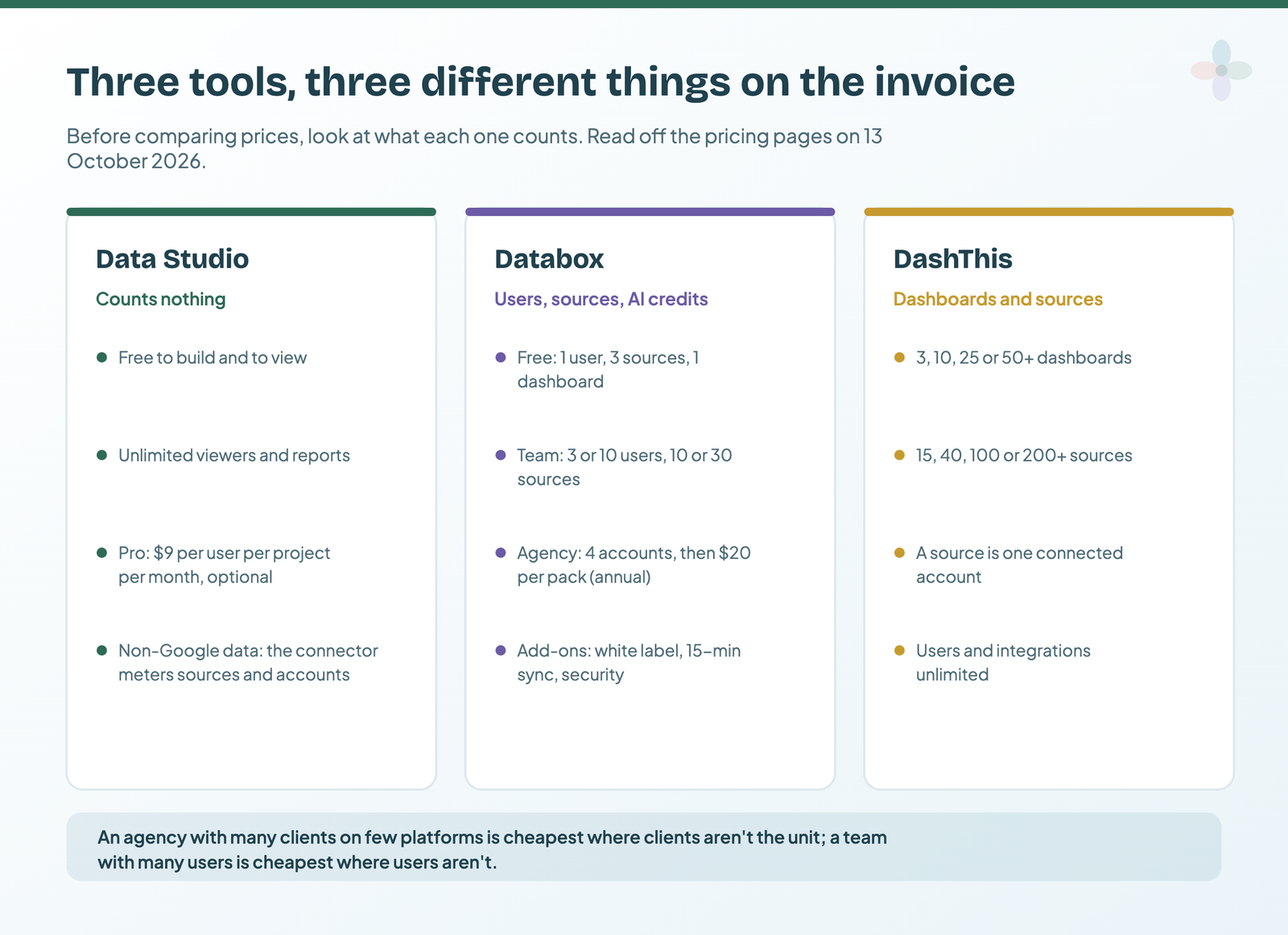
Data Studio: a free canvas, you supply the data and the build
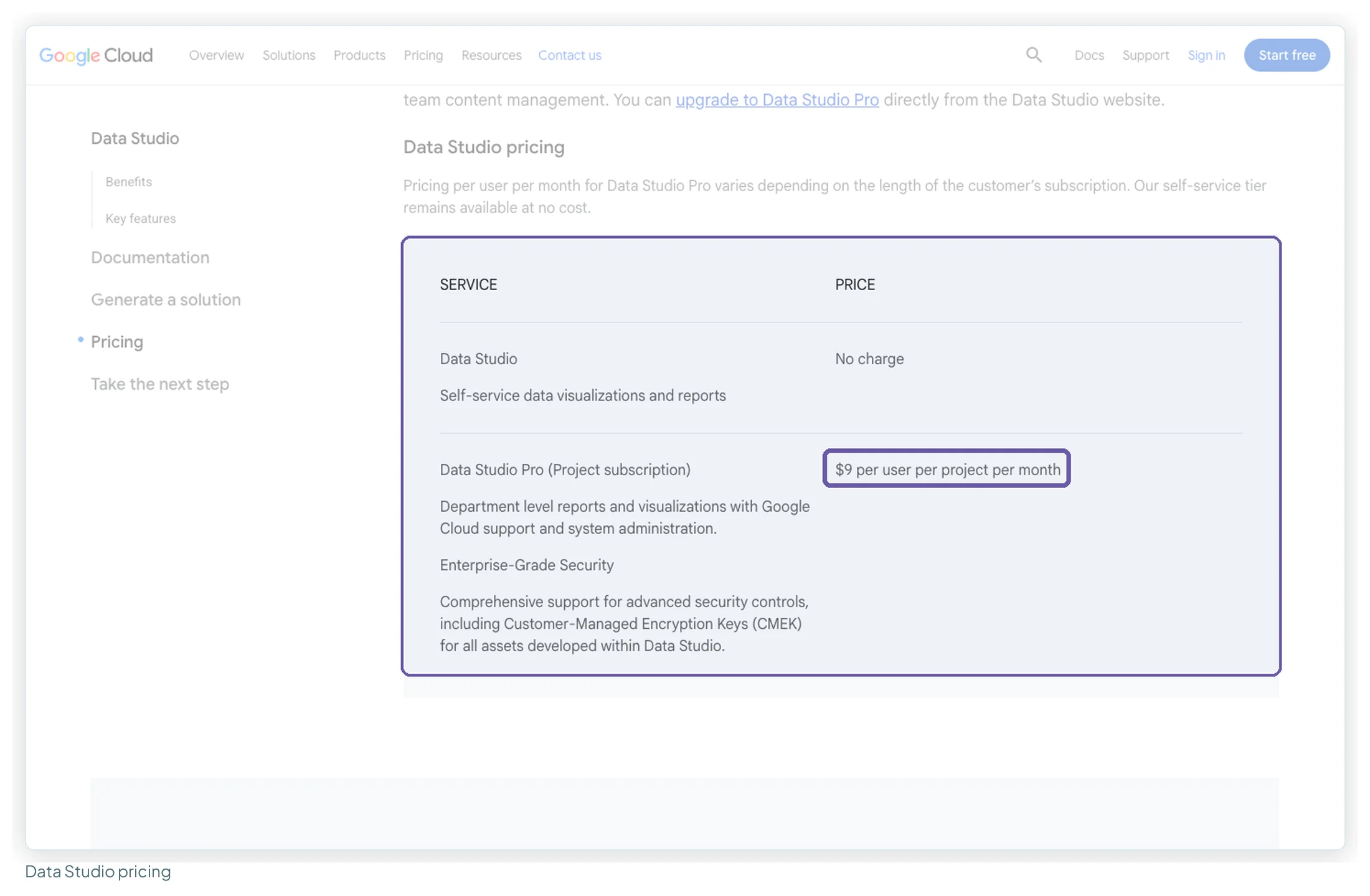
Data Studio is a report builder. You connect a data source, drag charts onto a page and lay it out however you like. Google states it’s “available at no charge for creators and report viewers”, and the paid tier, Data Studio Pro, adds team workspaces, organisation-owned content, more delivery schedules and Gemini features for $9 per user per project per month. Free vs Pro has the detail.
What you supply: the data for anything that isn’t a Google product (Meta, LinkedIn and TikTok Ads, Shopify and HubSpot all need a partner connector), and the time to build. That second cost is real. “It’s hard to make it look GOOD without time,” as one agency Head of CRO put it on TrustRadius in February 2026.
Databox: a KPI platform with an AI analyst, and an agency track
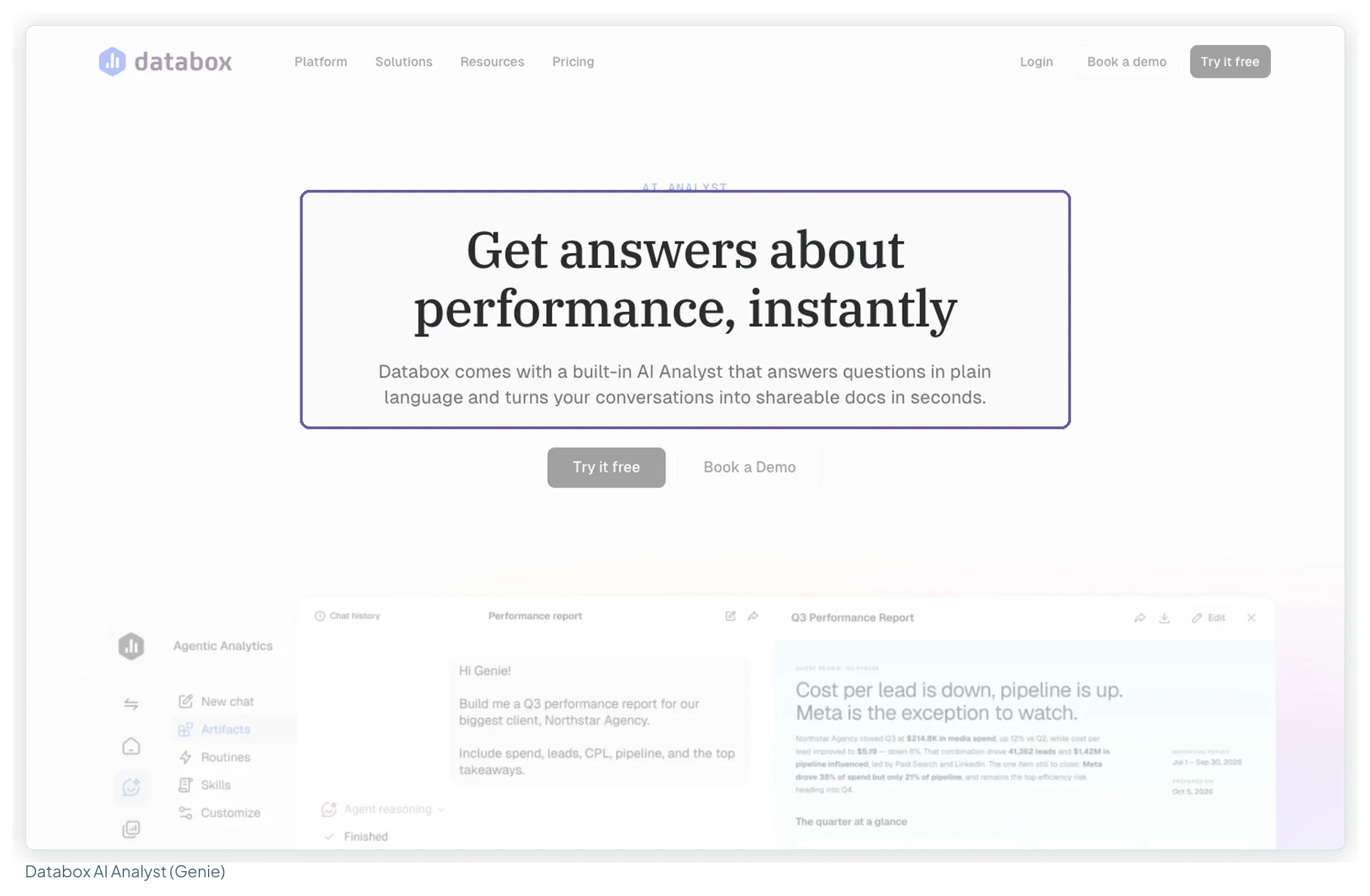
Databox connects to more than 130 tools, plus databases and spreadsheets, and turns the data into “Databoards”, goals, alerts and scorecards. Its 2026 positioning leans on Genie, an AI analyst that answers questions in plain language and builds metrics or reports from a prompt, metered in AI credits. It covers sales, finance and product data as well as marketing, so it often replaces several tools rather than just a reporting one. Agencies get their own plan, priced by client “account packs”.
DashThis: client reports from presets, priced per dashboard
DashThis is narrower and does its one job quickly: pick a preset template, connect accounts from about 34 marketing integrations, and send the client a branded URL, a PDF or a scheduled email. A “dashboard” is one report and can hold any number of platforms, so most agencies count one per client. Users and integrations are unlimited on every plan; what you pay for is dashboards and sources.
Which data sources each one connects
This is where the paid tools earn their price. Google’s own connectors are free and cover Google’s products; every major non-Google ad platform needs a partner connector, and most of those charge.
| Source | Data Studio | Databox | DashThis |
|---|---|---|---|
| GA4 | ✔ Google, free | ✔ | ✔ |
| Search Console | ✔ Google, free | ✔ | ✔ |
| Google Ads | ✔ Google, free | ✔ | ✔ |
| YouTube | ✔ Google, free | ✔ | ✔ |
| Google Sheets | ✔ Google, free | ✔ | ✔ |
| Meta Ads | Partner connector | ✔ | ✔ |
| LinkedIn Ads | Partner connector | ✔ | ✔ |
| TikTok Ads | Partner connector | ✔ | ✔ |
| Microsoft Ads | Partner connector | ✔ | ✔ |
| Amazon Ads | Partner connector | Not seen on the integrations page | ✘ |
| Shopify | Partner connector | ✔ | ✔ |
| HubSpot | Partner connector | ✔ | ✔ |
| Google Business Profile | Partner connector (not native) | ✔ | ✔ |
| BigQuery and SQL databases | ✔ Google, free connector | ✔ paid plans | ✘ |
| CSV upload | ✔ | ✔ | ✔ with automatic updates |
So the fair comparison isn’t “free against $44”. It’s Data Studio plus whatever moves your non-Google data, against a platform that includes it. With Windsor.ai’s Basic plan at $19/mo billed annually ($23 monthly) for 3 sources and 75 accounts, the gap is still wide, but it isn’t zero. The connector comparison covers the other options, including per-account pricing from Porter Metrics.
Building the dashboard: design freedom against presets
The three sit at different points on one line: how much of the build is theirs and how much is yours.
| Data Studio | Databox | DashThis | |
|---|---|---|---|
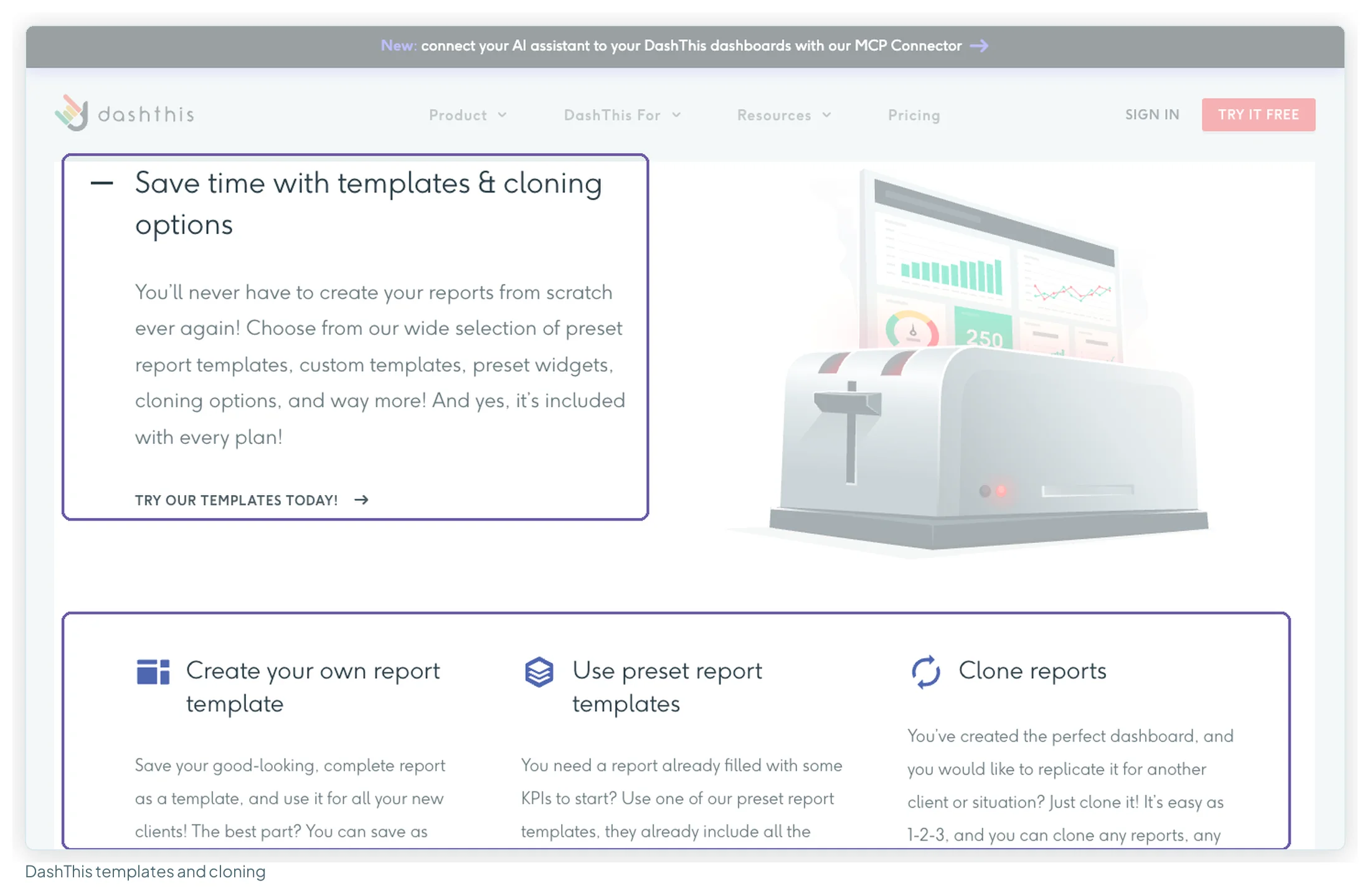
| Starting point | Blank canvas, Google’s gallery or a copied template | Templates and a pre-built metric library | 50+ preset dashboards, 1000+ preset widgets |
| Layout | Free-form, any size, pages and navigation | Databoard grid | Drag-and-drop widgets, section headers, comments |
| Combining sources | Blends of up to 5 tables | Custom metrics and datasets | Calculated widgets, data source aggregation |
| Reuse across clients | Copy a report and swap the data source | Custom templates and bulk actions on Agency | Clone dashboards, save your own templates |
| Typical complaint | Takes time to make it look good (7 of 32 reviews) | Customisation limits (5 of 44 reviews) | Limited customisation or dated visuals (6 of 28 reviews) |
DashThis does the most for you. Pick a preset, connect the accounts and the report exists. Reviewers praise that more than anything else (20 of 28 mention ease of use), and the trade-off they mention most is the one you’d expect: you won’t change much about how it looks.
Databox sits in the middle. Its metric library means you rarely build a metric from raw fields, and the Agency plan adds custom templates and bulk actions across clients. Five reviewers in my sample said setup takes time or needs someone technical, and five more hit customisation limits.
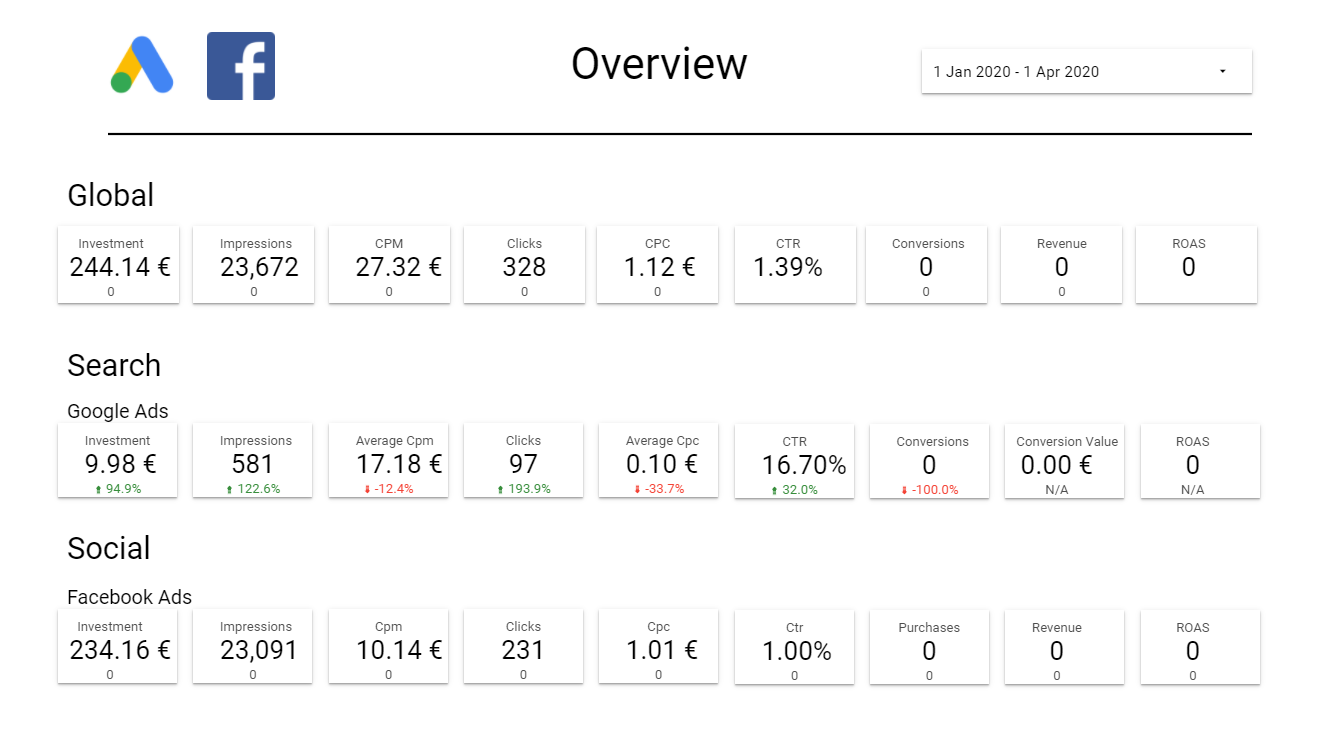
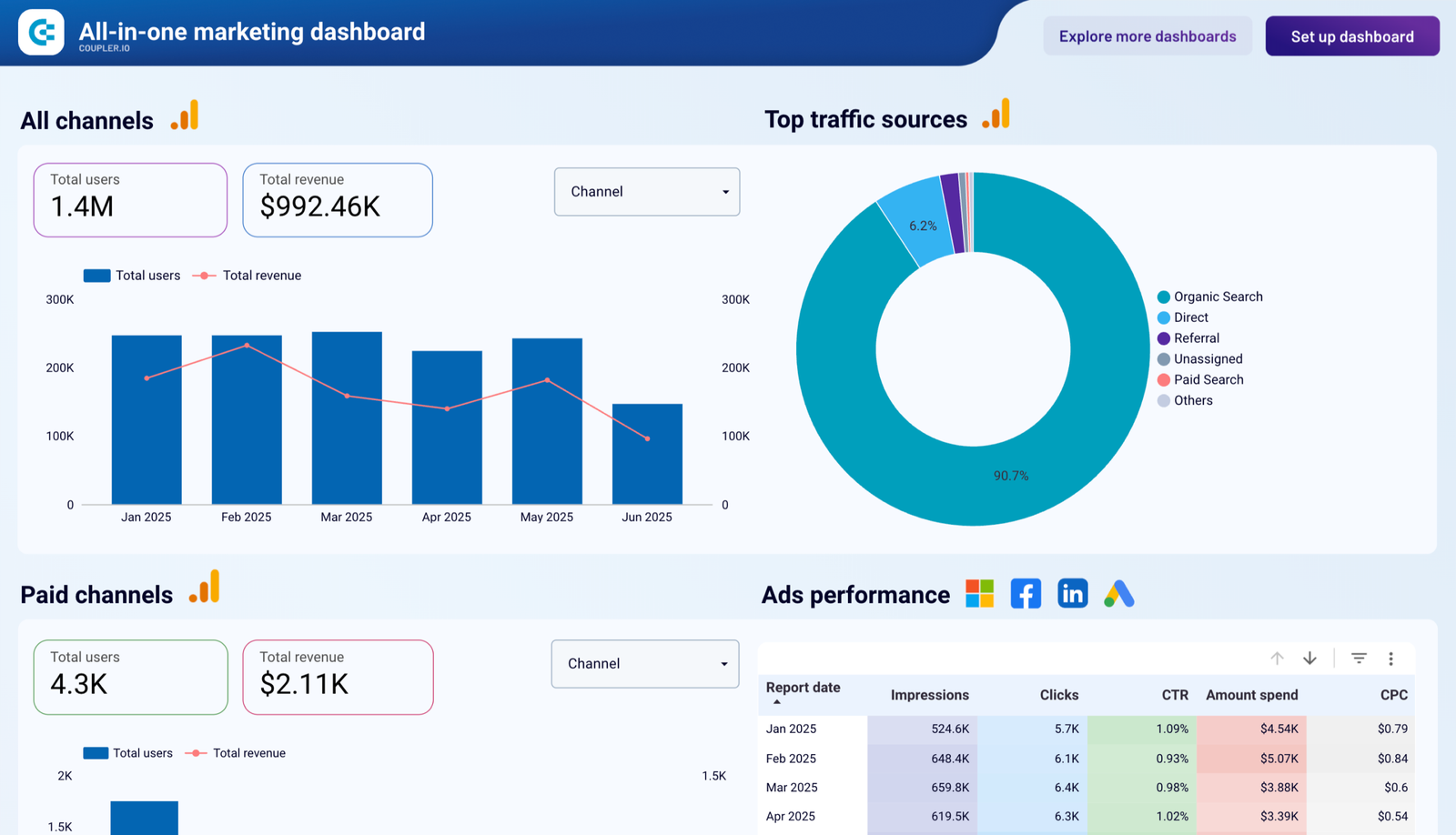
Data Studio does the least for you and constrains you least. Every page, chart and colour is yours, and the work of building it is too. (What to do with that freedom is what my ebook, Data Storytelling in Data Studio, is about, chart by chart from Chapter 9.) In practice you rarely start from a blank canvas: a template copies with its layout, and you swap in your own data. Here’s what that looks like for client reporting, from the library:
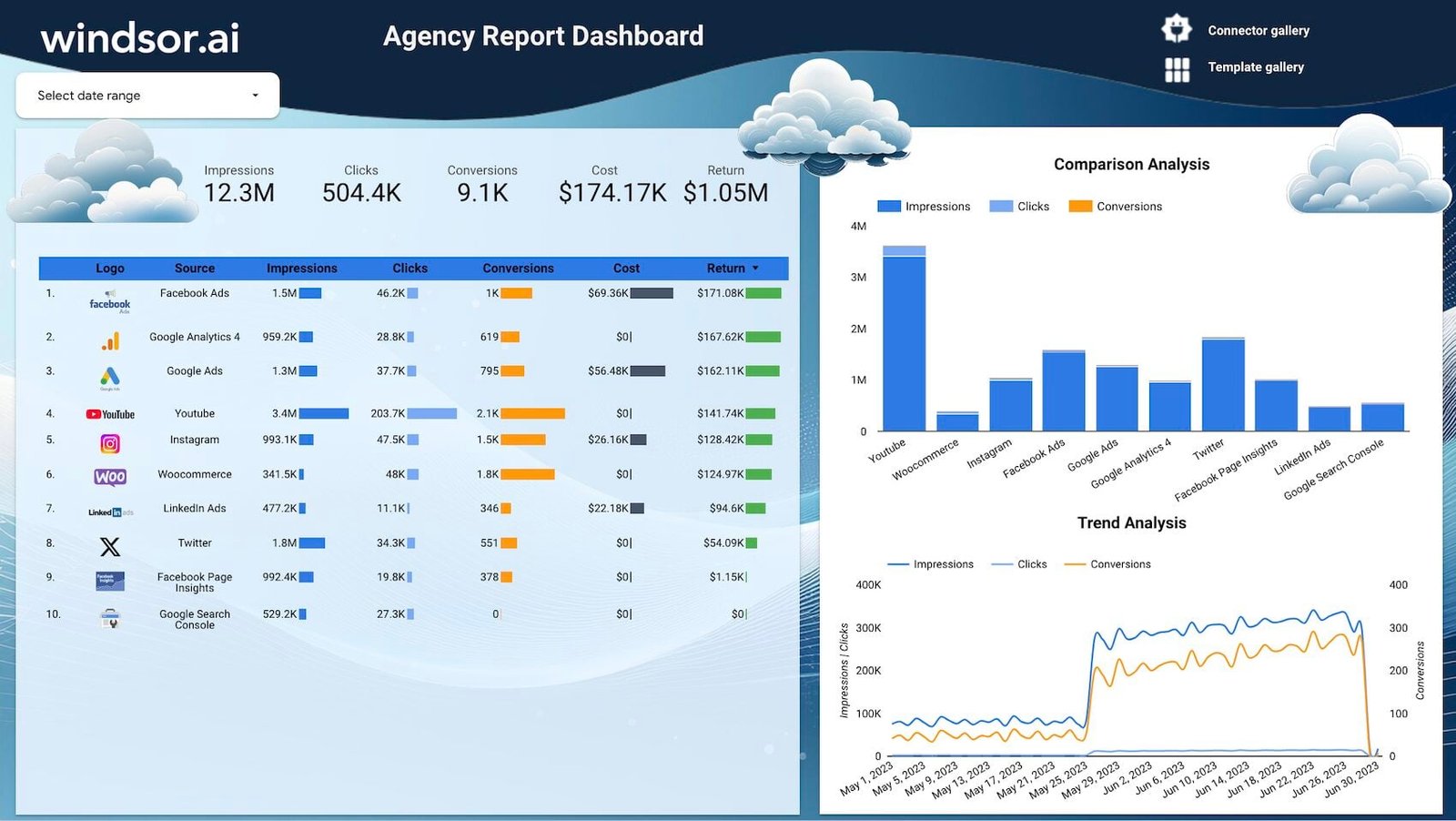
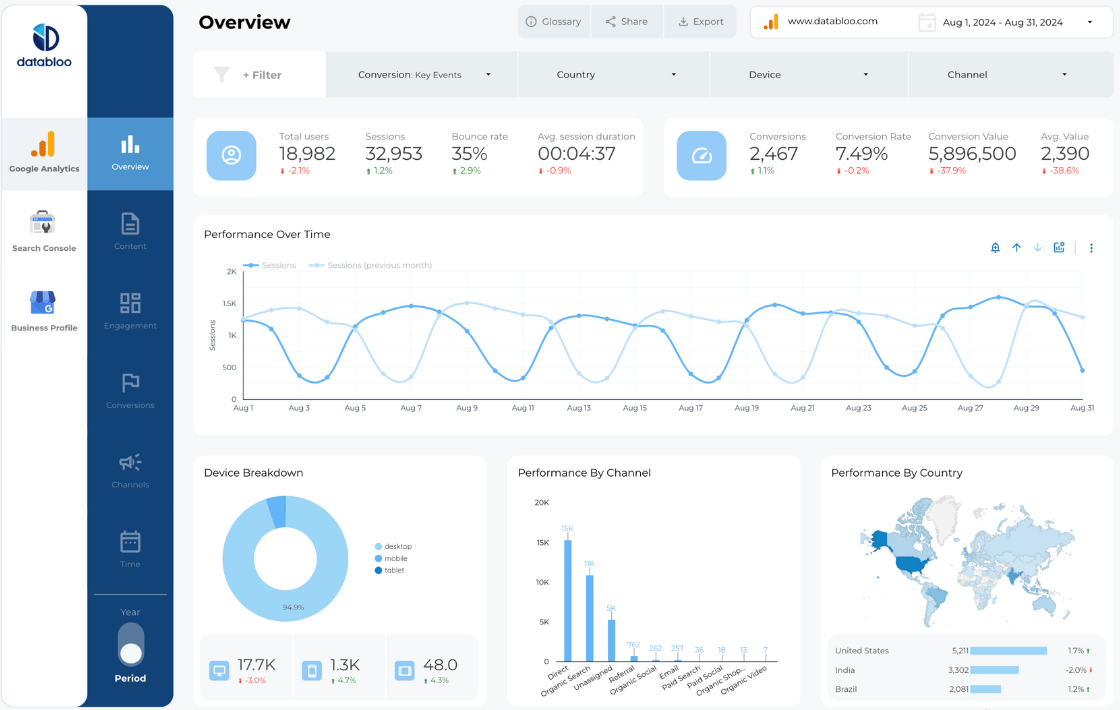
Sharing and client access
How a client opens the report matters as much as what’s in it. Here the free tiers differ most.
| Data Studio | Databox | DashThis | |
|---|---|---|---|
| Share a link on the free or entry plan | Yes, free, unlimited viewers | Not on Free; the pricing table lists “Sharing & notifications” from Team | Yes, every plan |
| Viewers need a paid seat? | No (Pro viewers don’t either) | Agency: unlimited users | No, unlimited users |
| Download and scheduled email | Scheduled snapshots (Team up) | Download, and attached to scheduled emails | |
| Client login portal | No; Google sign-in or link sharing | No separate client portal advertised | No portal; unique URL per dashboard |
| Embed | In any web page | Not stated on the pages read | Not stated on the pages read |
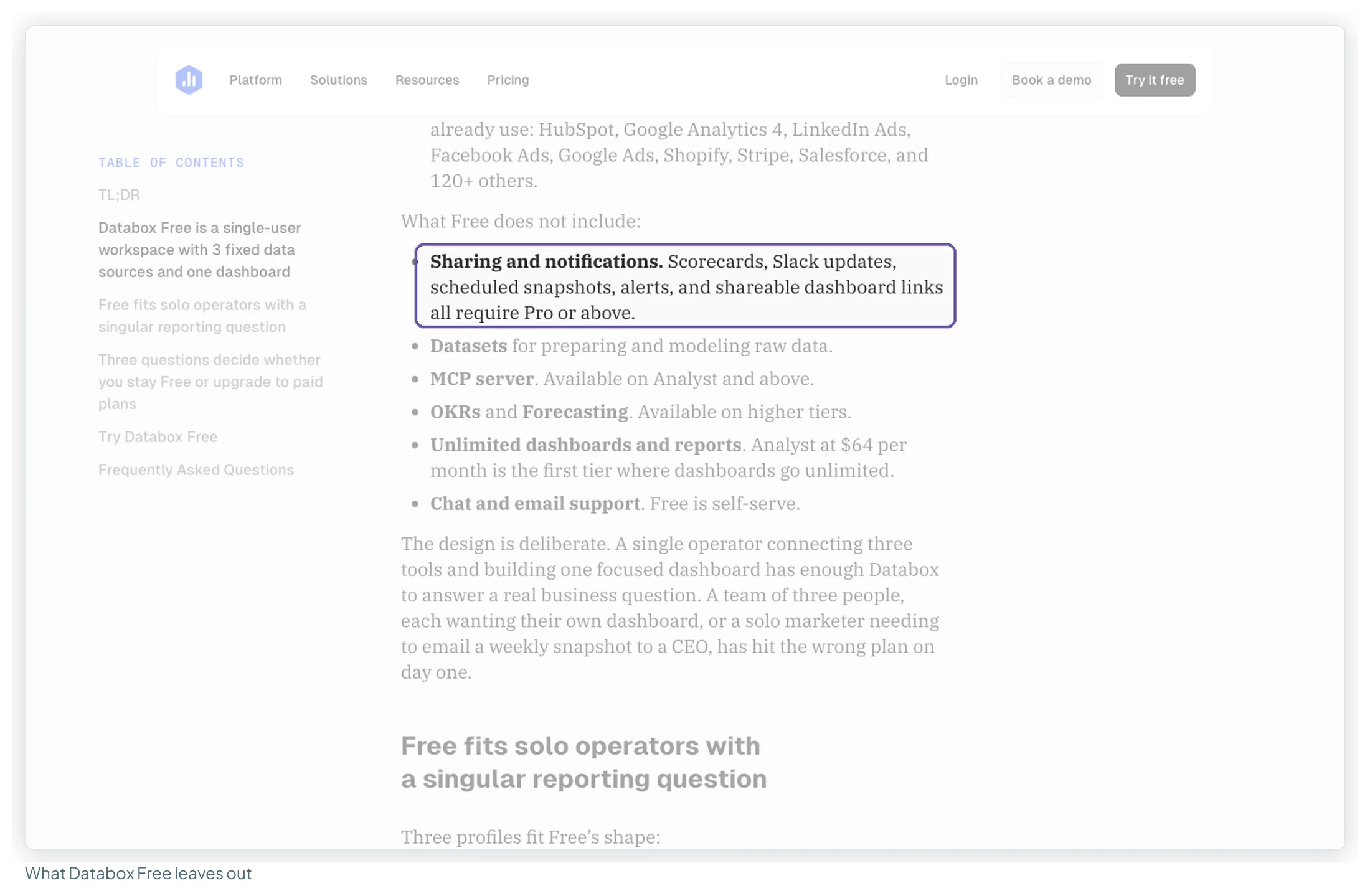
The detail that matters most: Databox Free can’t share a dashboard link. Databox’s own free-plan article lists shareable dashboard links among the things that “require Pro or above” (the article still uses the plan names from before the 2026 restructure). On the current pricing page, the comparison table ticks “Sharing & notifications” from Team ($199/mo billed annually) and on Agency, but not on Free or Analyst. Whether Analyst can share a public link isn’t spelled out, so check it during the 14-day trial if that’s your plan.
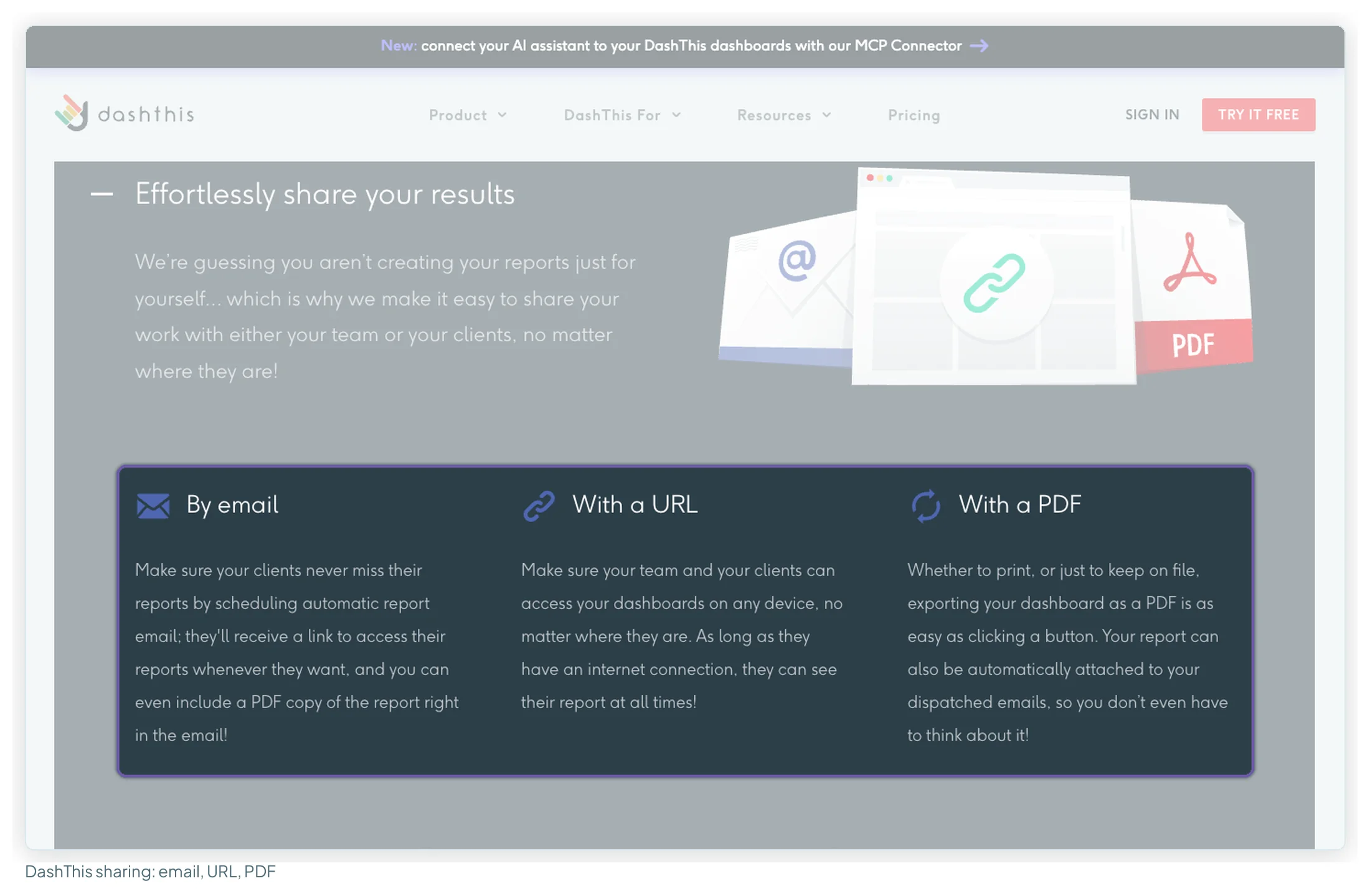
DashThis shares by URL, PDF and scheduled email on every plan, and Data Studio shares with anyone you give the link to. That was the most common praise in recent Data Studio reviews (6 of 11): “It’s a tool that clients can access easily.”
White-labelling: included, add-on, or not a setting
For an agency, white-labelling usually decides this comparison, and the three handle it in three ways.
- DashThis includes it on every plan: your logo, custom colour themes, DashThis branding removed, a custom domain and a custom sender address for the emails.
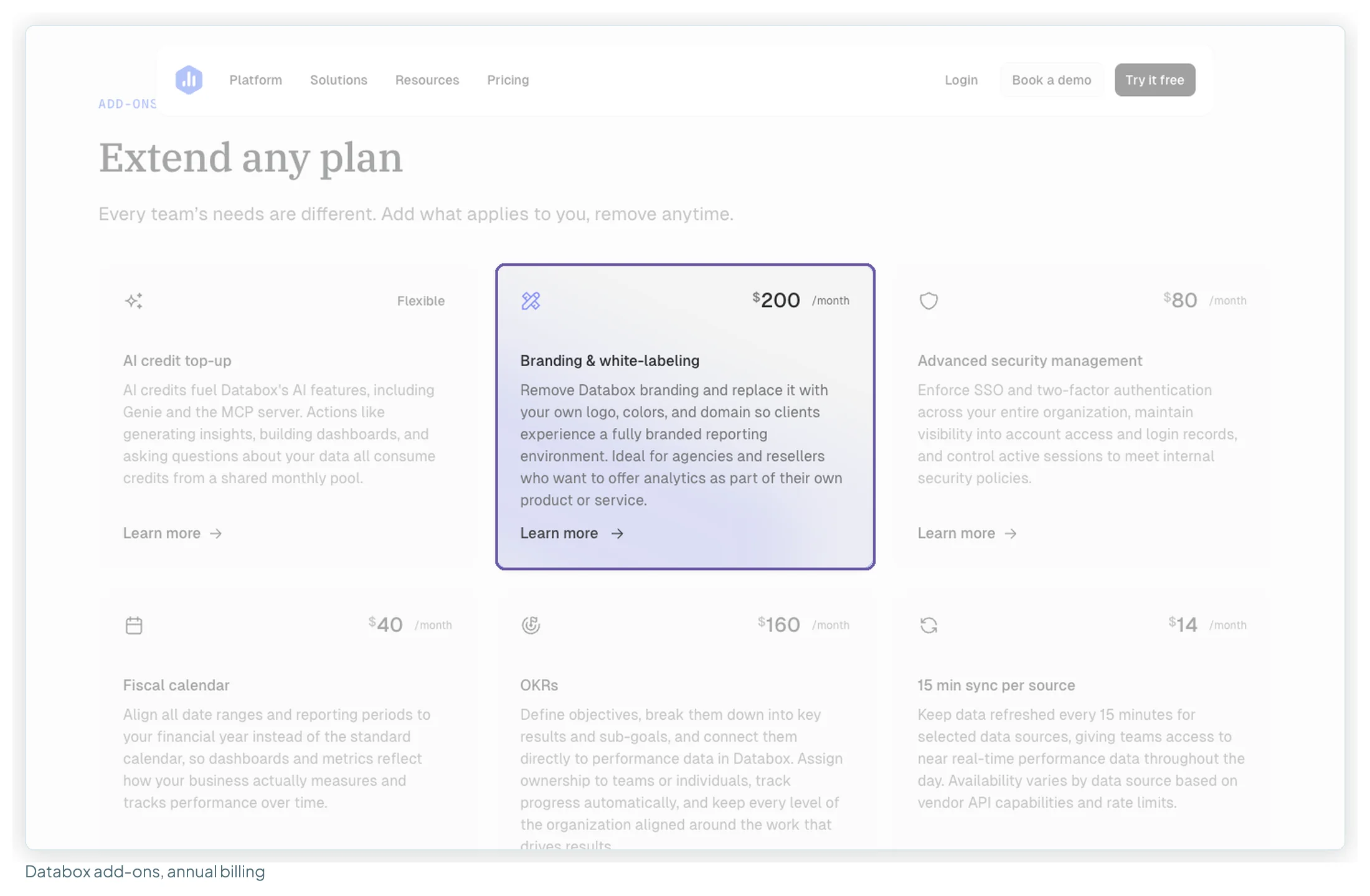
- Databox sells it as an add-on: “Branding & white-labeling” is $200/mo billed annually or $250 billed monthly, on top of the plan.
- Data Studio has no white-label setting, because there’s no vendor template to remove: the logo, colours, fonts and layout are whatever you put on the canvas. The report opens on Google’s domain; Google’s product page lists embedding a report in your own web page, not a custom domain. A branded report theme is how you make every client report consistent.
Scheduling and data freshness
| Data Studio | Databox | DashThis | |
|---|---|---|---|
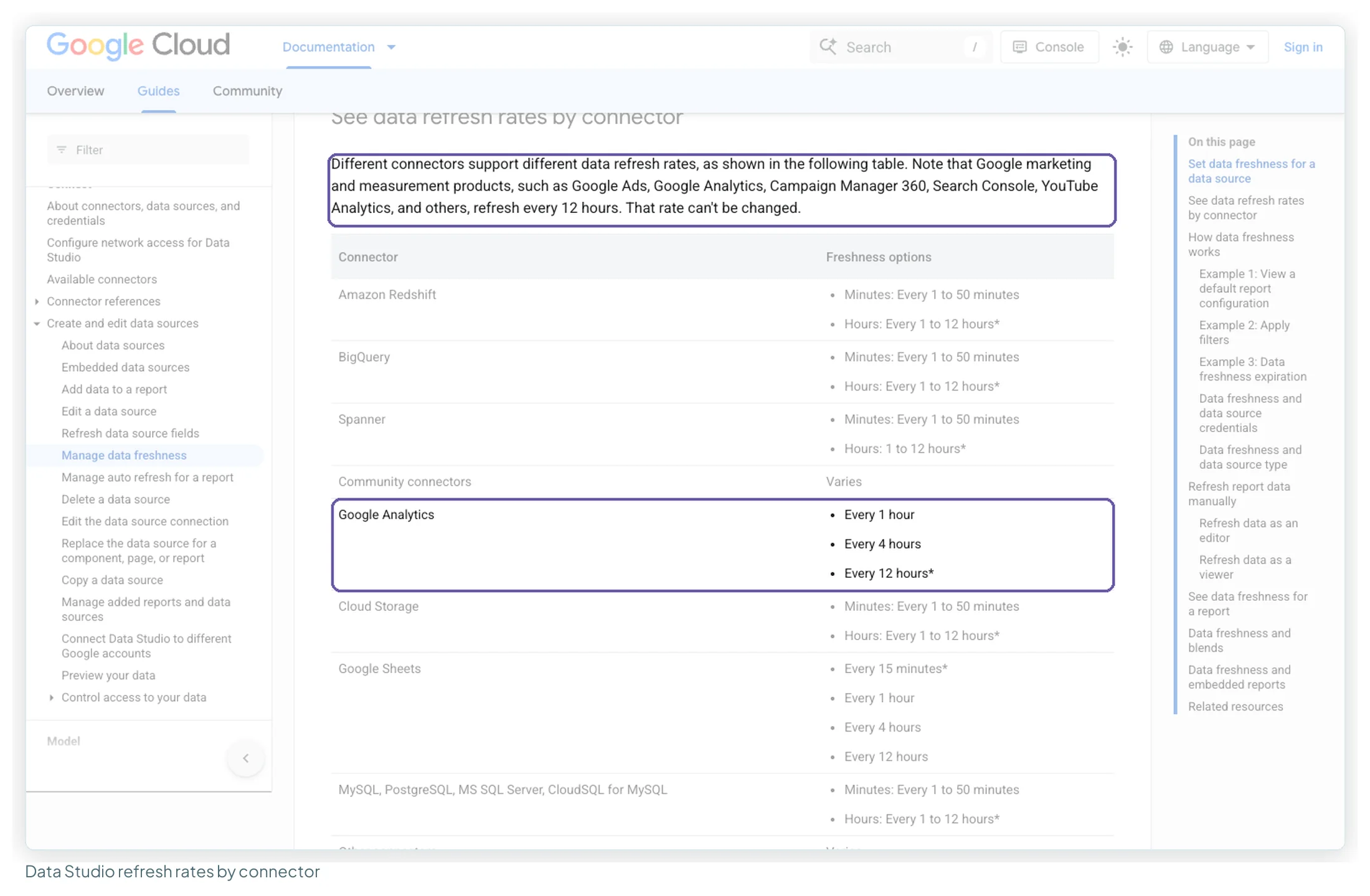
| How fresh the data is | Google Ads, Search Console, YouTube: every 12 hours, fixed. GA4: 1, 4 or 12 hours in Google’s table (its note says 12, fixed). Sheets: from 15 minutes. BigQuery and SQL: from 1 minute | Free: daily. Paid: hourly. 15-minute sync: $14 per source per month billed annually ($18 monthly) | Daily data import |
| Viewer can refresh | Yes, if the editor allows it (since June 2026) | Not stated | Not stated |
| Scheduled delivery | Email schedules; Pro: up to 200 per report, plus Google Chat | Scheduled snapshots, Slack, alerts (Team up) | Automated, recurring email dispatch with PDF, every plan |
| Alerts | Chart alerts with Pro | Goals, alerts, anomaly detection | Not listed |
For a monthly client report this matters little (if a report looks a day behind, see why Data Studio shows yesterday’s numbers). If you watch spend daily, Databox’s hourly sync (and the paid 15-minute option) is the fastest on paper, though one reviewer in January 2026 noted that “Sometimes the dashboards wont refresh at a fast pace”.
AI features in 2026
All three added AI this year, in different depths.
| Data Studio | Databox | DashThis | |
|---|---|---|---|
| Built-in assistant | Gemini in Data Studio: calculated fields from a prompt, Slides summaries (Pro only, Preview) | Genie AI analyst on every plan: 50, 150, 500 or 1,000 credits a month by plan | AI Insights, 4 presets (Summary, Opportunities, Wins, Issues), every plan |
| Chat with your data | Conversational Analytics, generally available since July 2026, with BigQuery data agents | Genie chat; routines and custom skills from Team | AI Insights PRO add-on: $19/mo, or $15 billed yearly |
| Use it from Claude or ChatGPT | Not stated on Google’s pages | MCP server from Analyst; MCP connectors from Team | MCP connector on all plans, read-only |
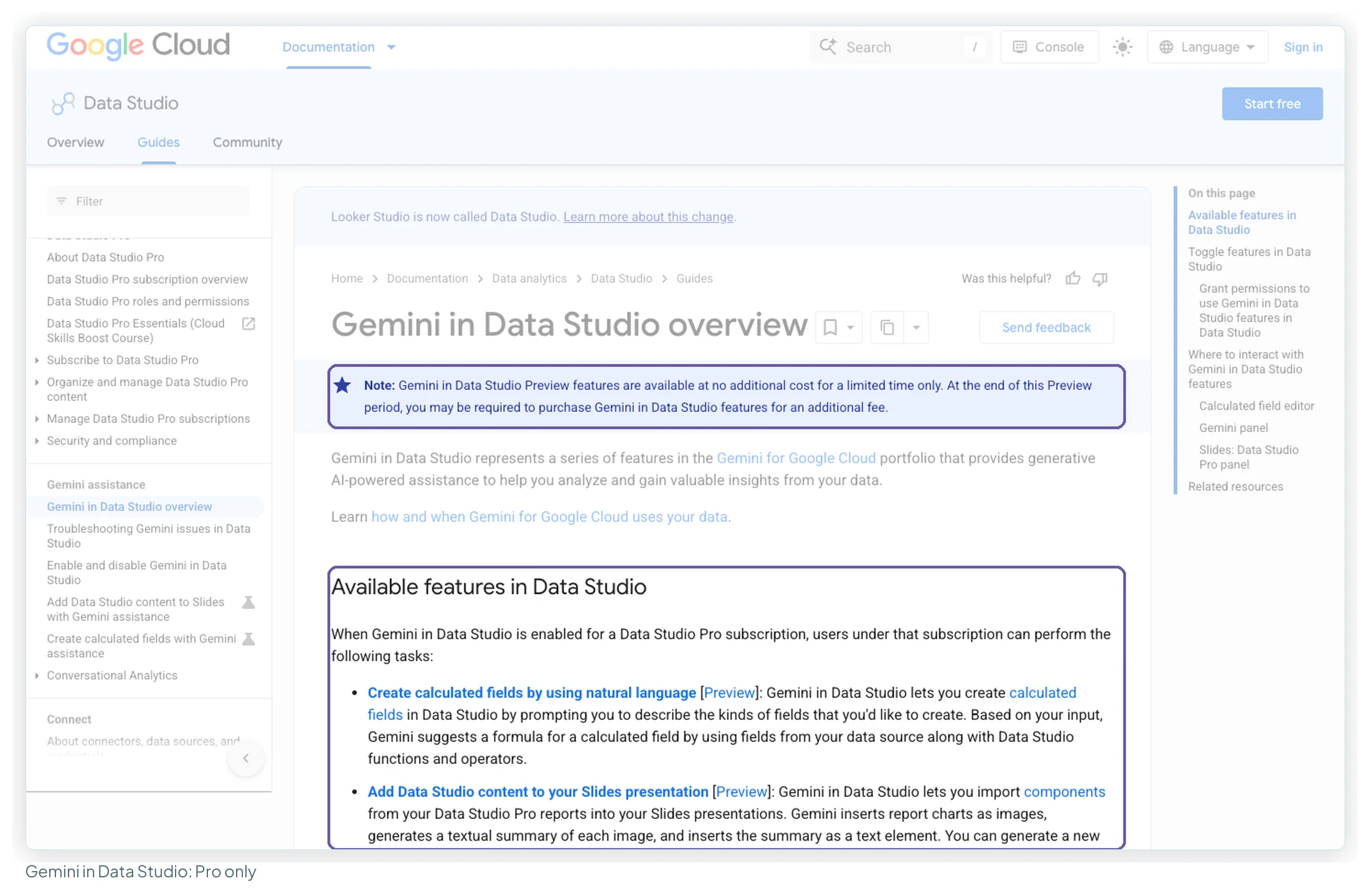
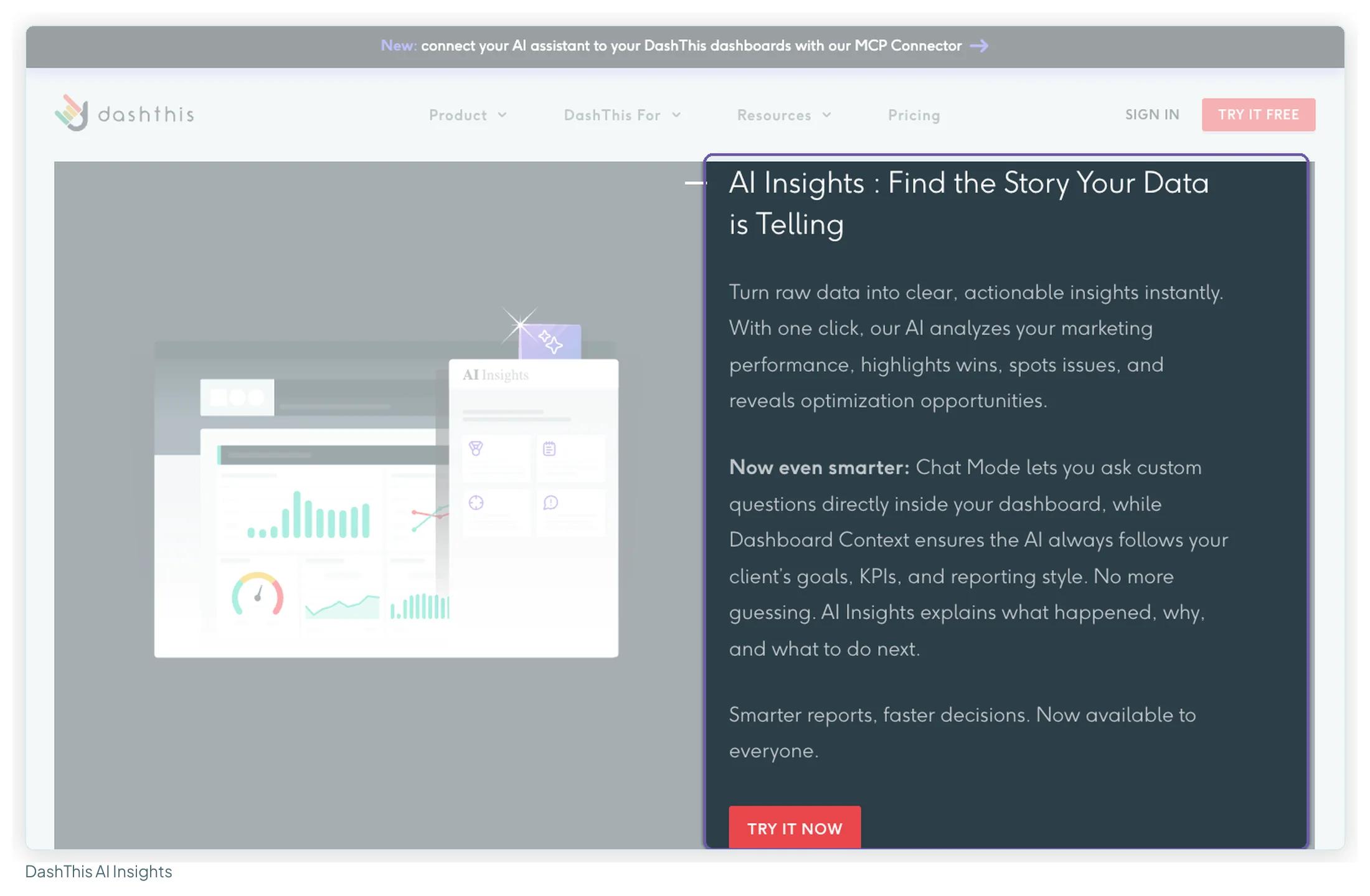
If an AI analyst is the reason you’re looking, Databox has the deepest offer of the three, and it’s on the free plan in a small way. If you want an assistant to write the summary paragraph of a client report, DashThis’s free presets cover it. Data Studio’s AI is mostly behind Pro or BigQuery for now.
What each one costs at 1, 3, 10 and 25 clients
Prices from each vendor’s own pricing page, read in both billing states on 13 October 2026.
Databox plans
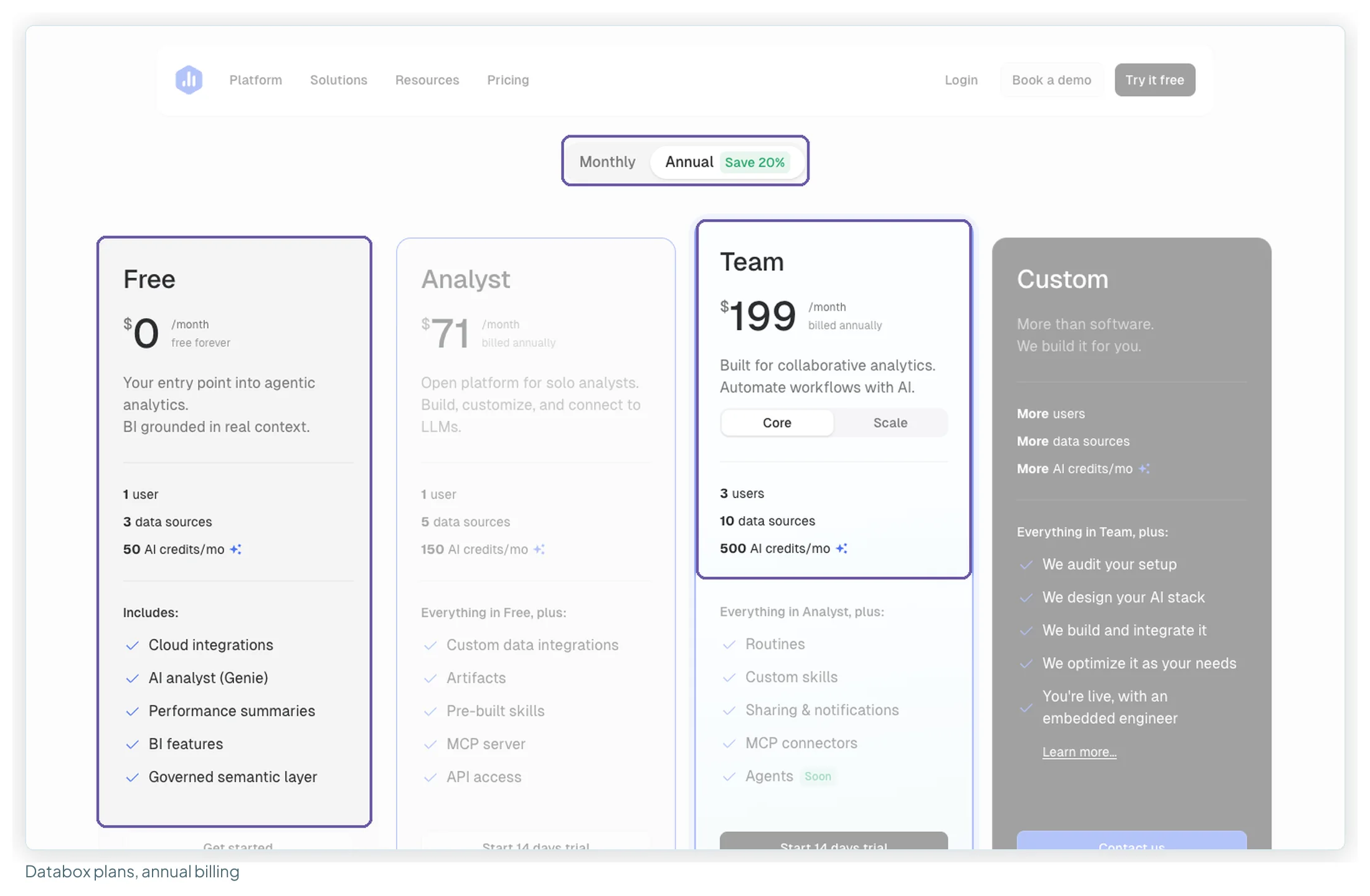
| Plan | Billed annually | Billed monthly | Users | Data sources | AI credits/mo |
|---|---|---|---|---|---|
| Free | $0 | $0 | 1 | 3 | 50 |
| Analyst | $71/mo | $89/mo | 1 | 5 | 150 |
| Team Core | $199/mo | $249/mo | 3 | 10 | 500 |
| Team Scale | $319/mo | $399/mo | 10 | 30 | 1,000 |
| Agency | from $79/mo | from $99/mo | Unlimited | 20, plus 5 per pack | 300, plus 50 per pack |
| Agency account pack | $20/mo each | $25/mo each | 1 extra client account, 5 data sources, 50 AI credits | ||
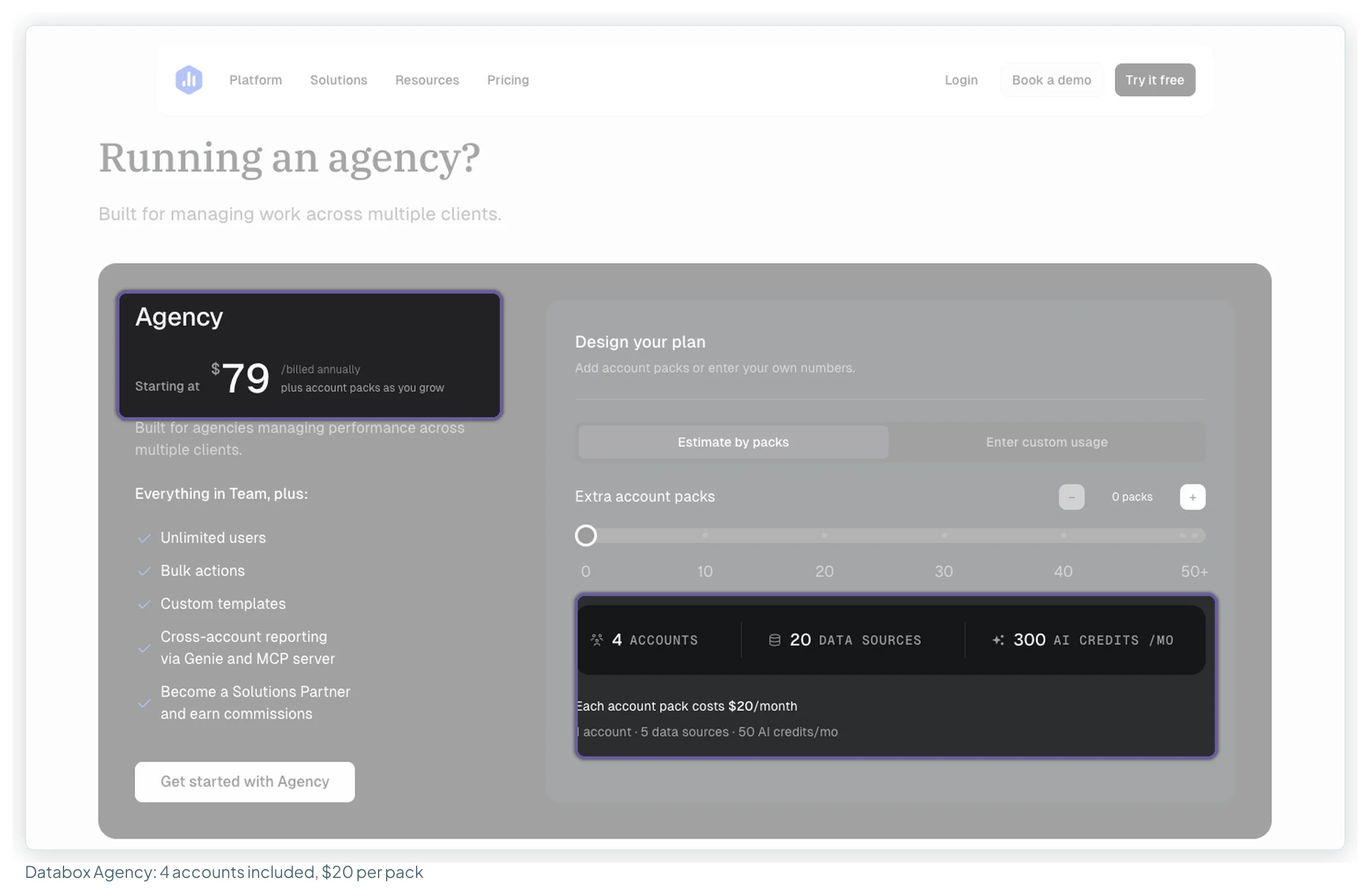
Add-ons on any plan: white-labelling $200/mo ($250 monthly), advanced security $80 ($100), fiscal calendar $40 ($50), OKRs $160 ($200), 15-minute sync $14 per source ($18), and AI credit top-ups priced flexibly. Databox restructured its plans in 2026, and several pages that rank for “databox pricing”, including Databox’s own free-plan article, still quote the older Analyst $64 and Pro $159 tiers. The figures above are the pricing page as it stood on 13 October.
DashThis plans
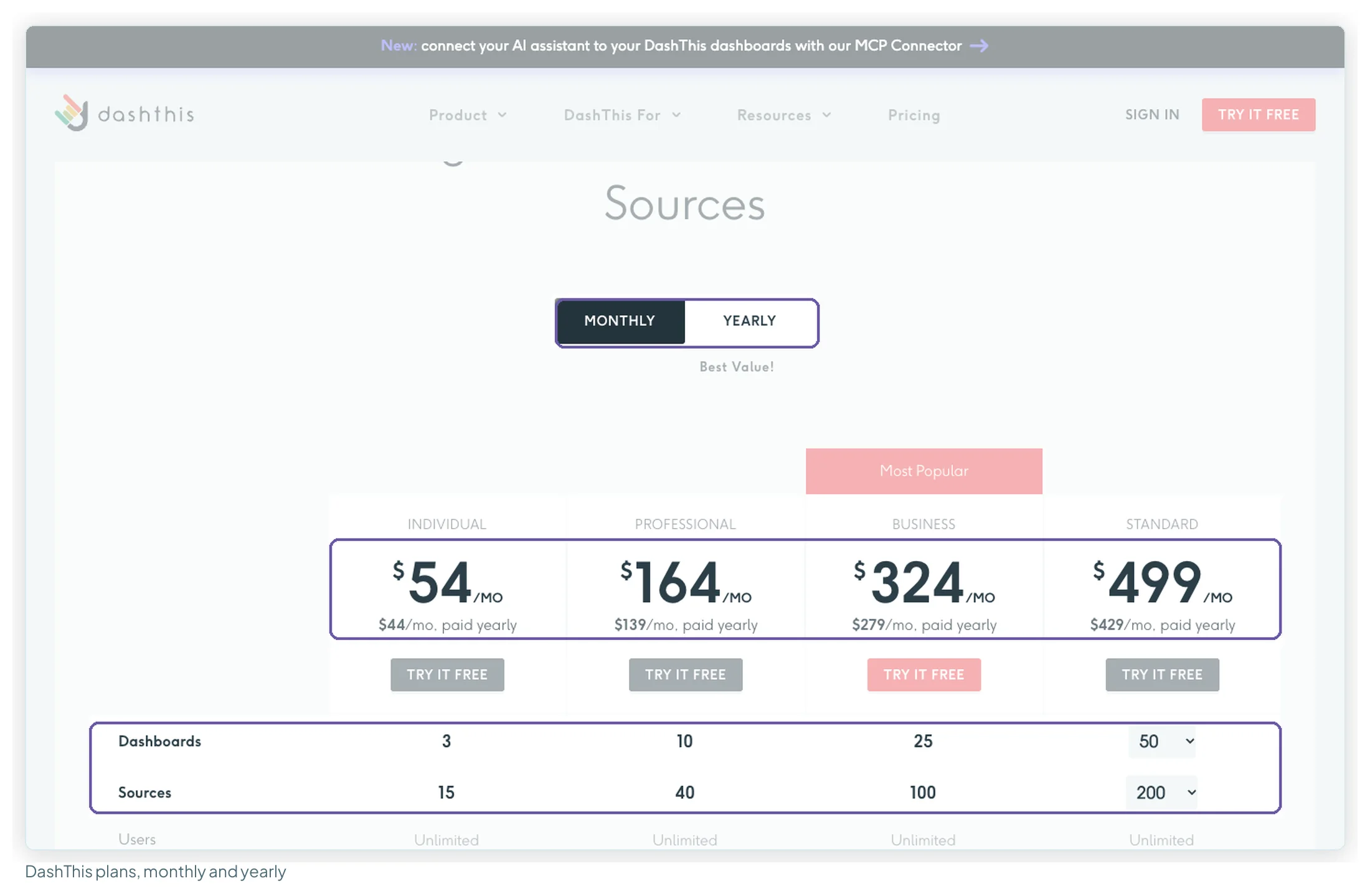
| Plan | Billed monthly | Paid yearly | Dashboards | Sources |
|---|---|---|---|---|
| Individual | $54/mo | $44/mo | 3 | 15 |
| Professional | $164/mo | $139/mo | 10 | 40 |
| Business | $324/mo | $279/mo | 25 | 100 |
| Standard | $499/mo | $429/mo | 50, sliding to 1,500 | 200, sliding to 6,000 |
A DashThis source is one connected account: a GA4 property, an ad account. So the source cap can bite before the dashboard cap does. Ten clients with four accounts each is exactly Professional’s 40; with five each, it’s 50, and you’re on Business.
The bill as your client list grows
The worked assumptions: one report per client; each client on GA4, Search Console, Google Ads and Meta Ads (four sources); for Data Studio, Google’s connectors are free and Meta Ads runs through Windsor.ai Basic (one of its three sources, and 25 accounts at 25 clients, inside its 75).
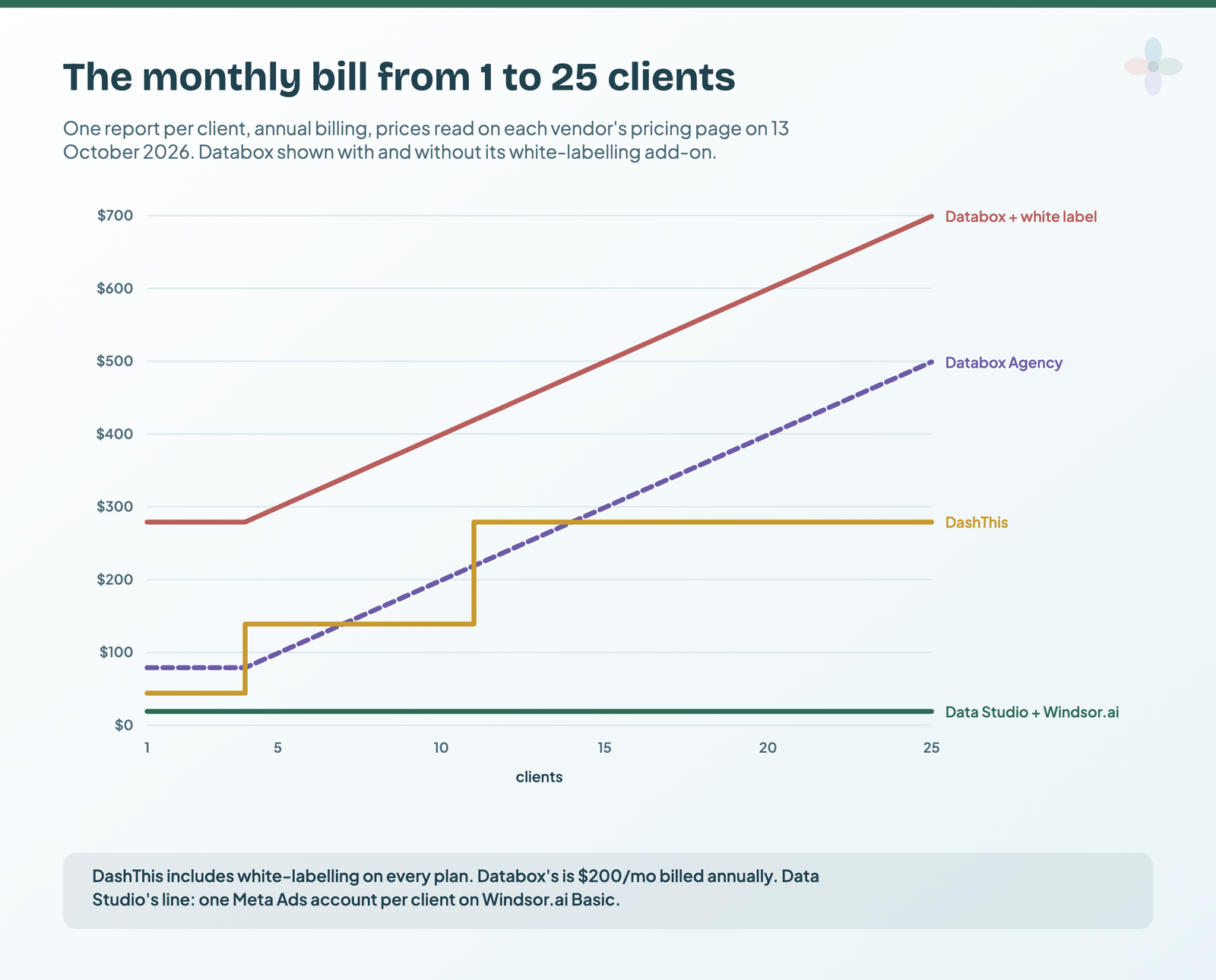
| Clients | Data Studio + Windsor.ai | DashThis | Databox Agency | Databox Agency + white label |
|---|---|---|---|---|
| 1 | $19 · $23 | $44 · $54 | $79 · $99 | $279 · $349 |
| 3 | $19 · $23 | $44 · $54 | $79 · $99 | $279 · $349 |
| 10 | $19 · $23 | $139 · $164 | $199 · $249 | $399 · $499 |
| 25 | $19 · $23 | $279 · $324 | $499 · $624 | $699 · $874 |
Per month, annual billing first, then monthly. Databox Agency = $79 + $20 for each client over 4 (or $99 + $25 monthly).
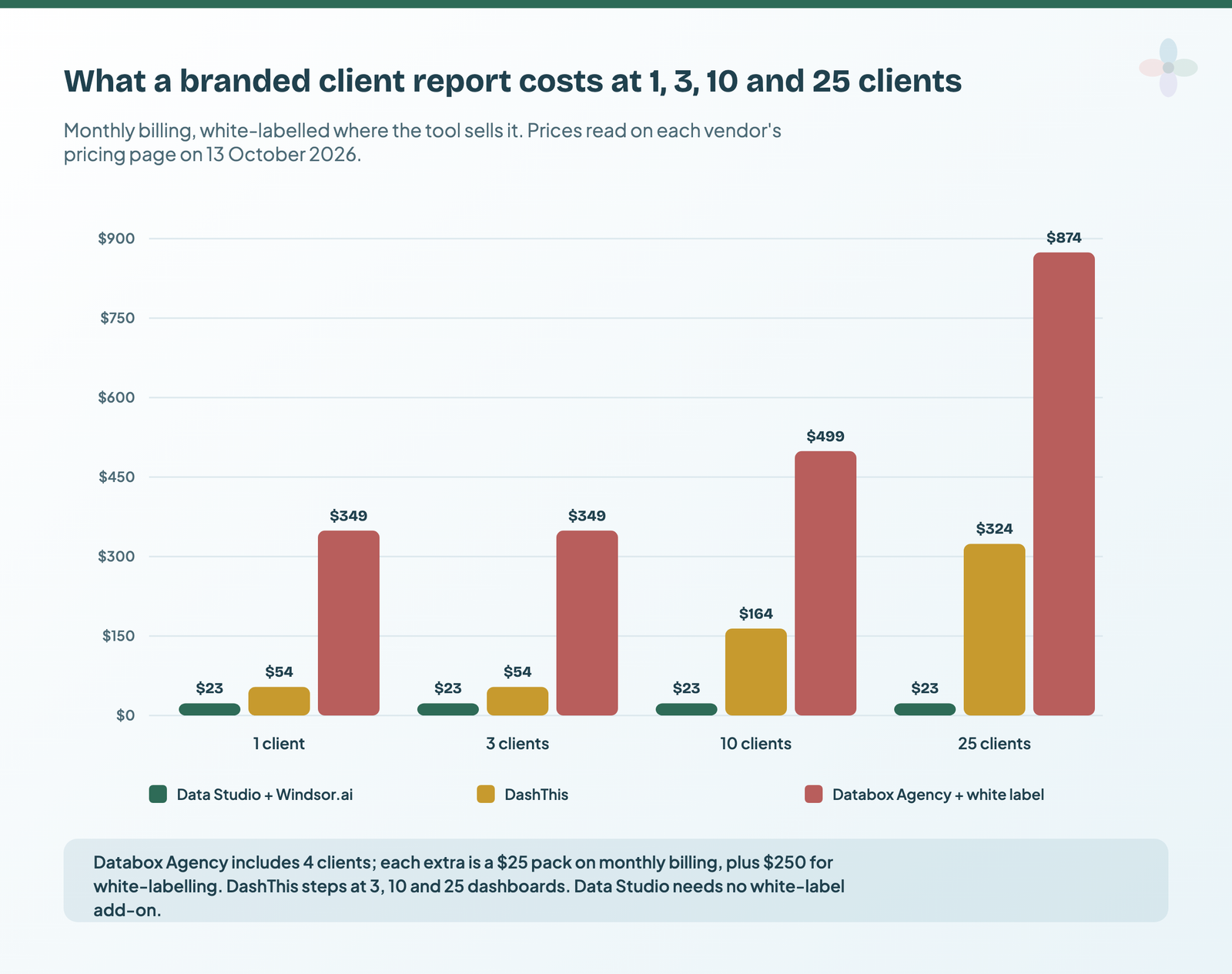
Three things stand out.
- Without white-labelling, Databox and DashThis trade places. On annual billing, Databox Agency is cheaper at 4 to 6 clients and 11 to 13, they’re level at 7 ($139) and 14 ($279), and DashThis is cheaper everywhere else up to 25. On monthly billing the crossings move: Databox is cheaper at 4 to 6 and 11 to 12, and they’re level at 13 ($324).
- With white-labelling, DashThis is cheaper at every count from 1 to 25, by at least $140 a month. At 10 clients the annual totals are $1,668 for DashThis against $4,788 for Databox Agency with white-label.
- Data Studio’s line is flat, and it isn’t free: $228 a year for the connector here, plus the build time no chart shows. Windsor.ai’s sales are final, with no refunds, so use its 30-day trial fully first.
The cost of the free option
Data Studio is free; a client report built on it costs three things:
- A connector, if you need non-Google data. From $19/mo billed annually with Windsor.ai, or per account with Porter Metrics. Porter vs Windsor vs Supermetrics compares the three most common.
- The first build: the master report takes the most time, then each client takes much less if you keep a master report per brand and copy it.
- The workflow around it. Data Studio has no client portal, approvals or rank tracking. If you need those, you’re comparing against a different category of tool.
What users say about each
| Tool | Site | Rating | Reviews | Read |
|---|---|---|---|---|
| Data Studio | TrustRadius (listed as Looker Studio) | 8.2 / 10 | 335 reviews and ratings | 13 Oct 2026 |
| Data Studio | Gartner Peer Insights | 4.5 / 5 | 423 ratings | 13 Oct 2026 |
| Databox | Capterra | 4.6 / 5 | 205 | 13 Oct 2026 |
| Databox | Trustpilot | 3.2 / 5 | 26 | 13 Oct 2026 |
| DashThis | G2 | 4.7 / 5 | 94 | 13 Oct 2026 (Google’s snippet) |
| DashThis | Capterra | 4.5 / 5 | 26 | 13 Oct 2026 |
| DashThis | Trustpilot | 3.7 TrustScore | 3 | 13 Oct 2026 |
Ratings on the big review sites are high for all three, and lower on Trustpilot for both paid tools, where the samples are small. The themes say more than the stars.
| Most-praised | Most-raised complaint | Sample | |
|---|---|---|---|
| Data Studio | Customisable reports (12), easy sharing (11), Google connectors (11), easy to start (10), free (10) | Blending and data-model limits (13), slow with large data (10), visual polish takes time (7), no native non-Google connectors (6) | 32 reviews, 11 from the last 24 months |
| Databox | Helpful support (17), easy to use (10) | Billing, renewals and refunds (8), metrics or dashboards that stop updating (8), add-ons and paywalls (5) | 44 unique reviews, 24 from the last 24 months |
| DashThis | Easy to use (20), personal support (14), time saved (5) | Limited customisation or dated visuals (6), pricey for light use (4), clunky widgets (4) | 28 reviews, only 2 from the last 24 months |
Some caveats on the samples, which apply to all three. Incentive flags are common: 17 of the 25 DashThis reviews I read on Capterra carry one, as do 11 of the 25 Databox ones there and 24 of the 32 Data Studio reviews I read (all on TrustRadius). DashThis’s footprint is also small and old, with only 2 of 28 from the last two years. Nine of Databox’s 13 five-star Trustpilot reviews fall between 14 August and 24 September 2025, and nearly all of them praise support, so the five-star side of that sample leans on one theme and one period. Three Databox reviewers said they moved from Data Studio to it, and one said they were going back. A June 2026 Capterra reviewer noted that “The free plan now includes less databoards.”
On Reddit (read only through Google’s snippets), an r/marketing commenter around 2024 found Databox “versatile” but cumbersome to set up, and an r/digital_marketing commenter around 2025 called DashThis “by far the best in terms of ease of use”. Data Studio threads keep returning to getting non-Google data in (3 of 11). G2’s DashThis vs Databox page agrees: DashThis scores higher on support and ease of use, Databox on integrations.
Where Databox and DashThis beat Data Studio
Plainly, because a free tool isn’t the right answer for everyone:
- Nobody at the agency builds dashboards. DashThis turns a client report into a short job from a preset. If the alternative is a Data Studio report nobody has time to finish, the $44 or $54 a month is the cheaper option.
- Clients are on Meta, LinkedIn and TikTok and you don’t want a connector to manage. Both include those integrations in the plan; with Data Studio, that’s a second subscription and a second set of limits.
- You want to be told when something moves. Databox’s goals, alerts, anomaly detection and hourly sync are a monitoring product. Data Studio’s chart alerts need Pro.
- The question is “why”, not “what”. Databox’s Genie answers questions across all your connected sources, including CRM and finance data, on every plan.
Five scenarios, worked
| Scenario | Pick | Monthly cost | Why |
|---|---|---|---|
| Freelance SEO, 3 clients, GA4 and Search Console only | Data Studio | $0 | Every source is a free Google connector; share each client a link |
| Small PPC agency, 10 clients on Google and Meta Ads, no designer, white-labelled reports | DashThis Professional | $139 yearly · $164 monthly | White label included; 10 clients × 4 sources = 40, exactly the plan’s cap |
| Same agency, but someone enjoys building reports | Data Studio + Windsor.ai | $19 annual · $23 monthly | One master report copied per client; Meta via the connector |
| In-house team of 3, KPIs from HubSpot, GA4, Stripe and ads, wants alerts | Databox Team Core | $199 annual · $249 monthly | 3 users, 10 sources, goals, alerts and sharing included; Data Studio would need connectors for HubSpot and Stripe, and its chart alerts come with Pro ($27/mo for 3 users in one project) |
| Agency at 25 clients with five accounts each, white-labelled | DashThis Standard, or Data Studio with a connector | $429 yearly · $499 monthly (DashThis) | 125 sources is past Business’s 100; Databox Agency with white label would be $699 annual |
Switching between them
None of the three imports another’s dashboards, and neither paid tool exports to Data Studio, so a switch means rebuilding. What helps in each direction:
- From Data Studio to Databox or DashThis: list the metrics each client report shows, then rebuild from presets. Databox’s Data Studio comparison page offers migration help; DashThis’s preset templates cover the common channels. Expect your custom calculated fields and blends to need re-creating as custom metrics or calculated widgets.
- From either to Data Studio: start from a template close to the old report and connect the same accounts. Your history comes from the source platforms, not from the old tool, so date ranges are unaffected. Databox lets you export datasets as CSV from Team up; DashThis lists PDF and its read-only MCP connector, not a data export.
- Between Databox and DashThis: both are rebuilds. Run the 14-day trials in parallel on two real clients before committing, and check the annual terms: both discount for paying yearly.
- Keep a shared source where you can. All three read Google Sheets, so a Sheet that holds manual data (targets, offline sales) moves with you.
Data Studio templates to start from
If you’re leaning towards Data Studio, start from a template built for the multi-channel client report:
Where to go next
- AgencyAnalytics alternatives: Databox, DashThis, Whatagraph and Data Studio routes
- Marketing reporting tools compared
- Data Studio connectors compared
- Data Studio free vs Pro
- How to share and schedule Data Studio reports
- Who owns the dashboards: reporting operations for agencies
Frequently asked questions
Is Databox or DashThis cheaper?
For agency client reports it depends on white-labelling. Without it, they trade places: Databox Agency is cheaper at 4–6 and 11–13 clients, DashThis at 1–3, 8–10 and 15–25 (annual rates, one report per client). With white-labelling, which DashThis includes and Databox sells for $200/mo billed annually, DashThis is cheaper at every client count from 1 to 25.
Are Looker Studio and Data Studio the same thing?
Yes. Google’s reporting tool launched as Data Studio, was renamed Looker Studio in 2022 and went back to Data Studio in April 2026. Looker is a separate enterprise BI product.
Is Databox free?
It has a free-forever plan: 1 user, 3 data sources, 1 dashboard, 50 AI credits a month and daily sync. It can’t share a dashboard link, so it suits one person watching their own numbers rather than client reporting.
How much does Databox cost?
Analyst is $71/mo billed annually or $89 monthly; Team Core $199 or $249; Team Scale $319 or $399; Agency from $79 or $99 with 4 clients included and $20 or $25 per extra client. White-labelling is $200/mo annual or $250 monthly on top.
How much is DashThis per month?
From $54 billed monthly or $44 paid yearly for Individual (3 dashboards, 15 sources). Professional is $164 or $139, Business $324 or $279, and Standard $499 or $429. White-labelling is included on every plan.
Some links in this post are affiliate links: if you sign up through one, I may earn a commission at no extra cost to you. How I work with partners.